'/%3e%3cpath%20id='cross_2'%20data-name='cross%202'%20class='cls-2'%20d='M20.612,30.43h0a5.361,5.361,0,1,0-10.723,0H0A33.709,33.709,0,0,1,30.569,0V9.75a5.361,5.361,0,1,1,0,10.723V30.43Z'%20transform='translate(67.193%200.007)%20rotate(90)'/%3e%3cpath%20id='cross_3'%20data-name='cross%203'%20class='cls-3'%20d='M20.612,30.43h0a5.361,5.361,0,1,0-10.723,0H0A33.709,33.709,0,0,1,30.569,0V9.75a5.361,5.361,0,1,1,0,10.723V30.43Z'%20transform='translate(67.186%2067.041)%20rotate(180)'/%3e%3cpath%20id='cross_4'%20data-name='cross%204'%20class='cls-4'%20d='M20.6,30.5h0a5.361,5.361,0,1,0-10.723,0H0A33.71,33.71,0,0,1,30.56,0V9.818a5.361,5.361,0,1,1,0,10.723V30.5Z'%20transform='translate(0%2067.041)%20rotate(-90)'/%3e%3c/svg%3e)
File Tags
You can tag each file to classify it by topic and find it quickly. Tags are also used in AI knowledge indexing.
Adding a Tag
Right-click a file, or use the file info panel (ⓘ), to add a tag. You can add multiple tags to a single file, and filter files by tag in search.
Using Tags as an AI Knowledge Base
In environments where knowledge indexing is enabled, tags are used as learning context for AI. Tagging project names, team names, and topic keywords helps AI connect related files and give better answers.
File Info Panel
Besides tags, you can also check the following information in the file info panel (ⓘ).
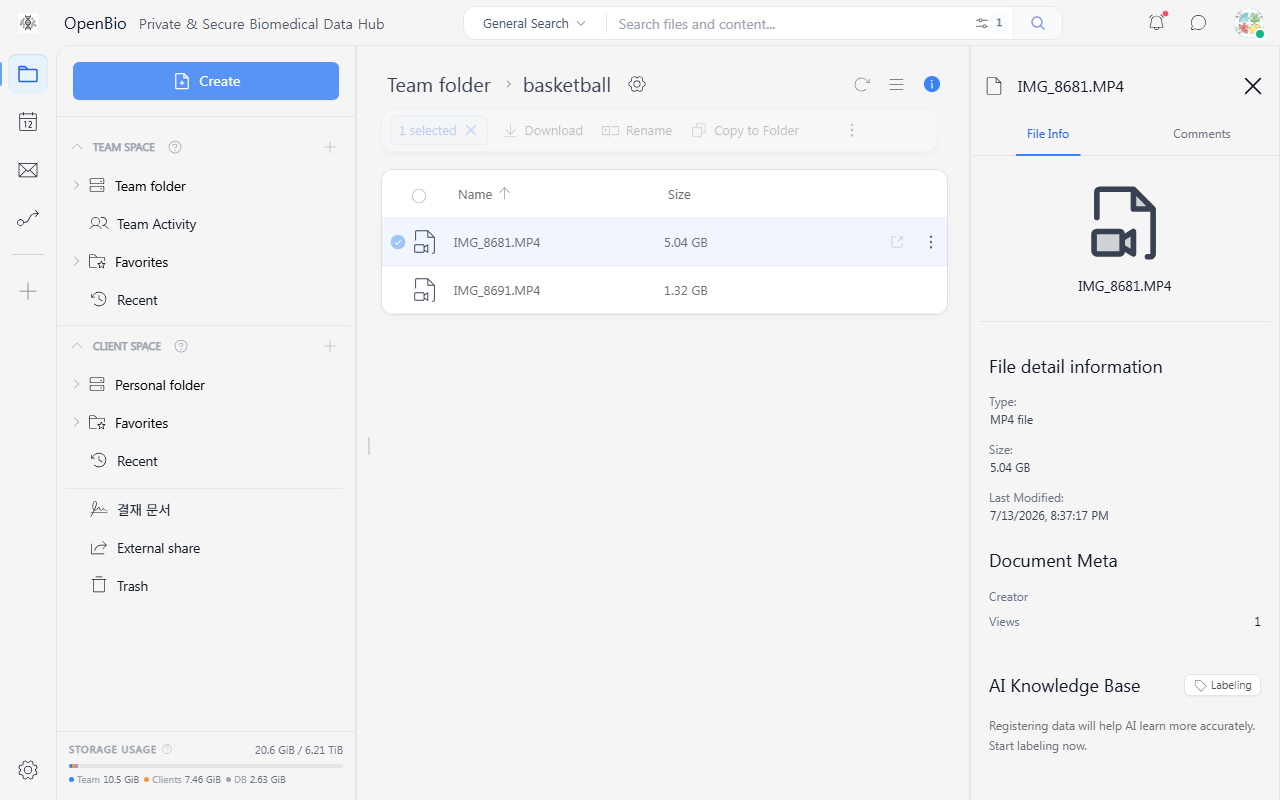
| Item | Description |
|---|---|
| View count | The number of times the file has been opened. Useful for checking whether a shared document has been viewed. |
| Comment count | The number of comments on the file. Files with comments are marked with an icon in the file list. |