'/%3e%3cpath%20id='cross_2'%20data-name='cross%202'%20class='cls-2'%20d='M20.612,30.43h0a5.361,5.361,0,1,0-10.723,0H0A33.709,33.709,0,0,1,30.569,0V9.75a5.361,5.361,0,1,1,0,10.723V30.43Z'%20transform='translate(67.193%200.007)%20rotate(90)'/%3e%3cpath%20id='cross_3'%20data-name='cross%203'%20class='cls-3'%20d='M20.612,30.43h0a5.361,5.361,0,1,0-10.723,0H0A33.709,33.709,0,0,1,30.569,0V9.75a5.361,5.361,0,1,1,0,10.723V30.43Z'%20transform='translate(67.186%2067.041)%20rotate(180)'/%3e%3cpath%20id='cross_4'%20data-name='cross%204'%20class='cls-4'%20d='M20.6,30.5h0a5.361,5.361,0,1,0-10.723,0H0A33.71,33.71,0,0,1,30.56,0V9.818a5.361,5.361,0,1,1,0,10.723V30.5Z'%20transform='translate(0%2067.041)%20rotate(-90)'/%3e%3c/svg%3e)
AI Chat File
This is a format for saving and managing a chat with AI as a file. It has the same structure as the chat window, so you can reopen it later to continue the conversation or share it with team members.
Creating a File
Create → Template File → New AI Chat → enter a file name
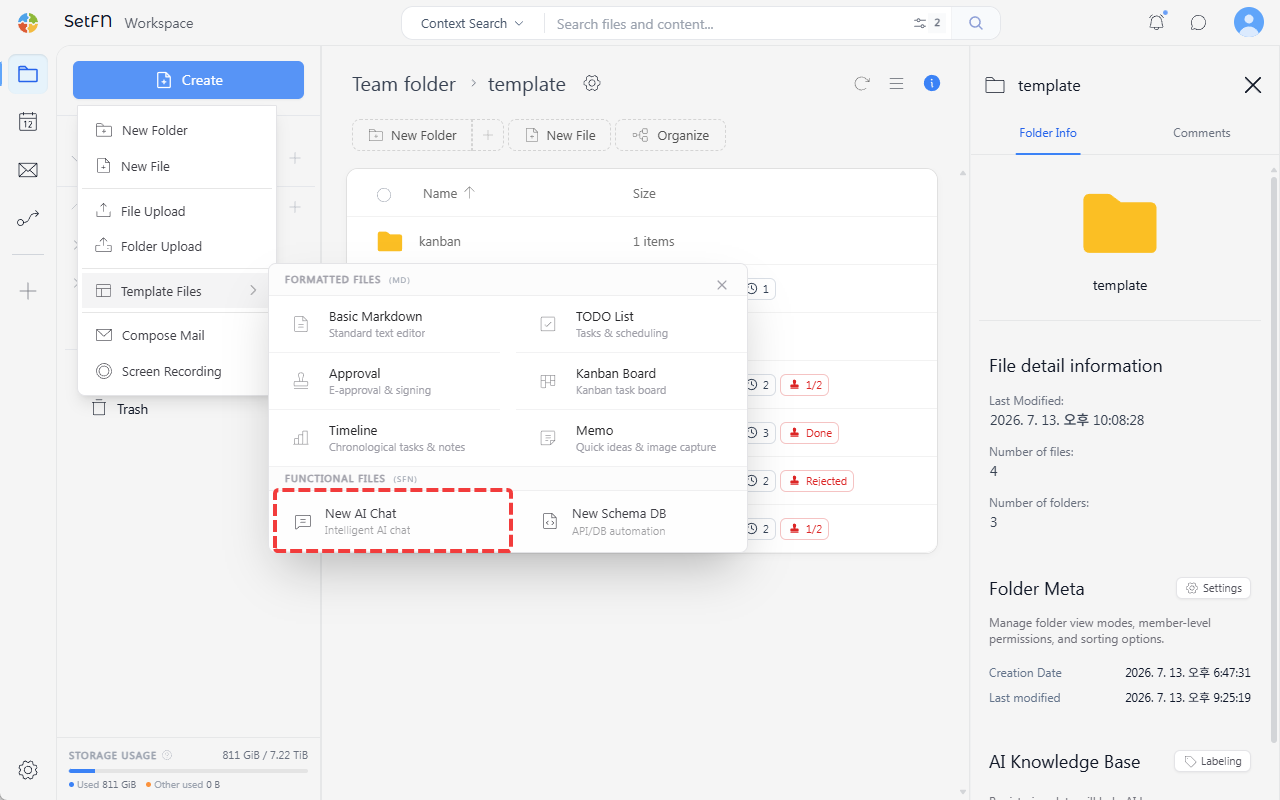
The file is saved as a JSON-structured .sfn file.
How to Use
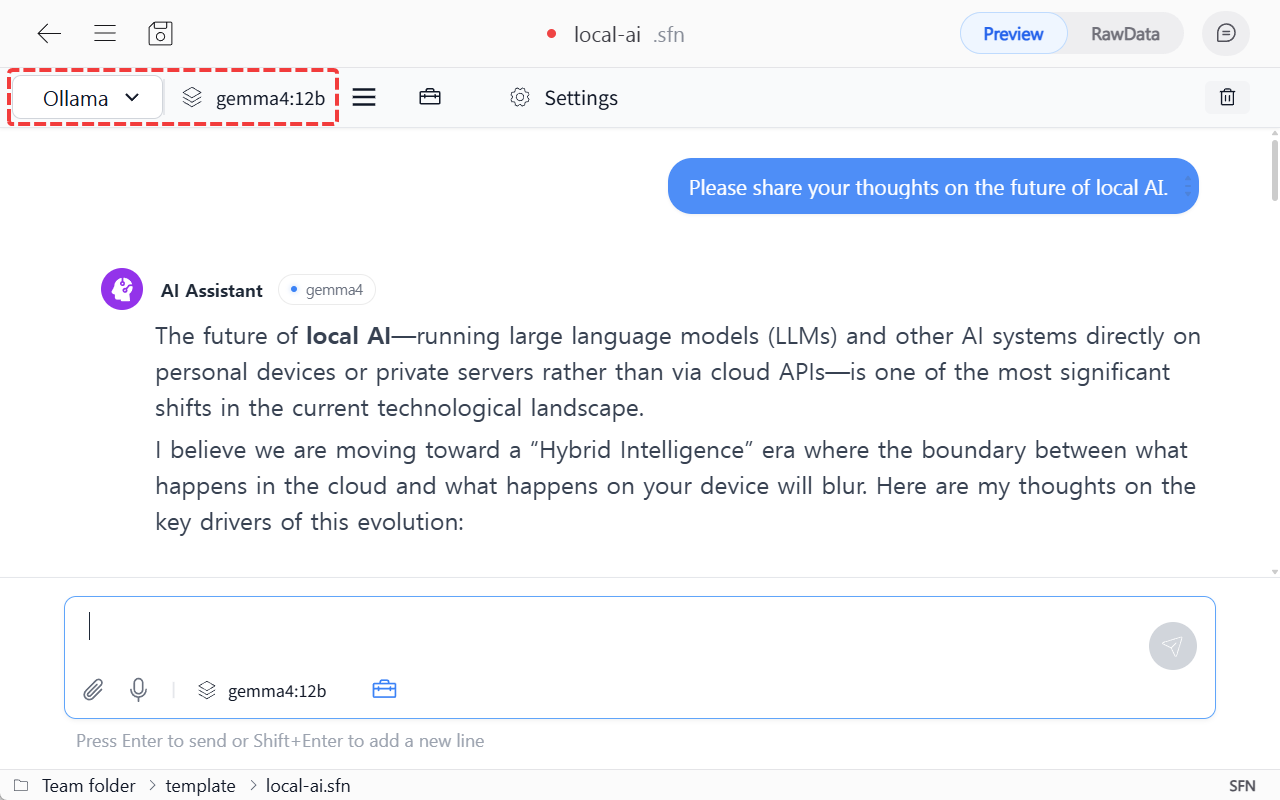
1. Selecting a Model
In the model selection menu at the top, choose the AI model to use for the conversation. (e.g., Ollama - gemma4:12b)
Integrating external AI via API key is currently under development.
2. Chatting
Enter a message in the input box at the bottom to converse with the AI.
3. Saving
If you don't save, the conversation content will not persist. Save with the save icon in the top left, or Ctrl+S (Mac: Cmd+S).
Usage Examples
- When your team wants to accumulate conversations with AI on a specific topic in a folder, building it up as knowledge over time
- When you want to keep questions and answers you'll reference repeatedly as a file and share them with team members