'/%3e%3cpath%20id='cross_2'%20data-name='cross%202'%20class='cls-2'%20d='M20.612,30.43h0a5.361,5.361,0,1,0-10.723,0H0A33.709,33.709,0,0,1,30.569,0V9.75a5.361,5.361,0,1,1,0,10.723V30.43Z'%20transform='translate(67.193%200.007)%20rotate(90)'/%3e%3cpath%20id='cross_3'%20data-name='cross%203'%20class='cls-3'%20d='M20.612,30.43h0a5.361,5.361,0,1,0-10.723,0H0A33.709,33.709,0,0,1,30.569,0V9.75a5.361,5.361,0,1,1,0,10.723V30.43Z'%20transform='translate(67.186%2067.041)%20rotate(180)'/%3e%3cpath%20id='cross_4'%20data-name='cross%204'%20class='cls-4'%20d='M20.6,30.5h0a5.361,5.361,0,1,0-10.723,0H0A33.71,33.71,0,0,1,30.56,0V9.818a5.361,5.361,0,1,1,0,10.723V30.5Z'%20transform='translate(0%2067.041)%20rotate(-90)'/%3e%3c/svg%3e)
Timeline
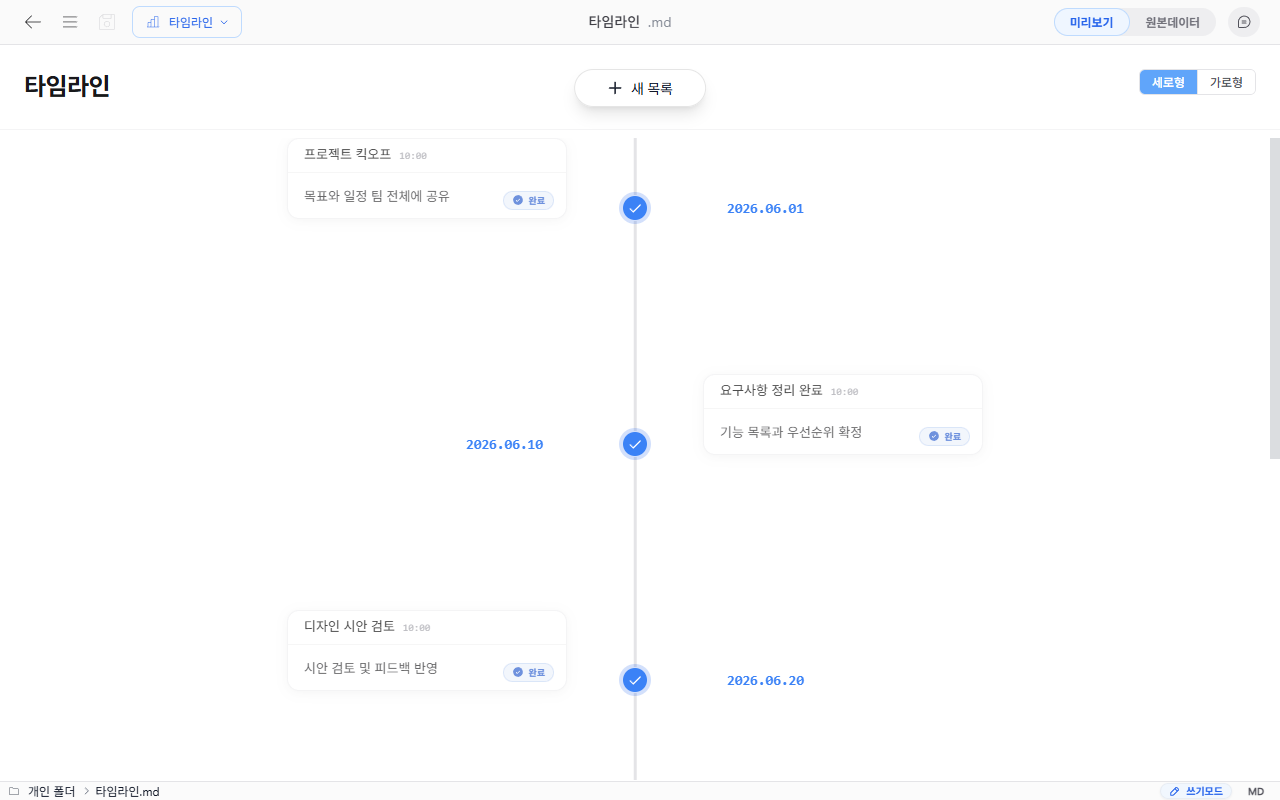
This format lets you register events by date and mark whether they're complete. Useful for visually managing project schedules, milestones, and work history.
Creating a File
Create → Template File → Timeline → enter a file name
How to Use
1. Adding an Event
Click the New Item button to register an event. You can set a title, content, date, time, and color for each event.
2. Marking as Complete
Clicking an event switches it to the done state.
3. View Mode
Two view modes are supported: vertical and horizontal.
Usage Examples
- Managing project milestones
- Tracking contract/delivery schedules
- History of issues raised and resolved
- Team onboarding schedule