'/%3e%3cpath%20id='cross_2'%20data-name='cross%202'%20class='cls-2'%20d='M20.612,30.43h0a5.361,5.361,0,1,0-10.723,0H0A33.709,33.709,0,0,1,30.569,0V9.75a5.361,5.361,0,1,1,0,10.723V30.43Z'%20transform='translate(67.193%200.007)%20rotate(90)'/%3e%3cpath%20id='cross_3'%20data-name='cross%203'%20class='cls-3'%20d='M20.612,30.43h0a5.361,5.361,0,1,0-10.723,0H0A33.709,33.709,0,0,1,30.569,0V9.75a5.361,5.361,0,1,1,0,10.723V30.43Z'%20transform='translate(67.186%2067.041)%20rotate(180)'/%3e%3cpath%20id='cross_4'%20data-name='cross%204'%20class='cls-4'%20d='M20.6,30.5h0a5.361,5.361,0,1,0-10.723,0H0A33.71,33.71,0,0,1,30.56,0V9.818a5.361,5.361,0,1,1,0,10.723V30.5Z'%20transform='translate(0%2067.041)%20rotate(-90)'/%3e%3c/svg%3e)
Quick Note
Quick Note is a Markdown (.md)-based note. What you write is saved as a .md file, so you can open, edit, and search it like any regular Markdown document, with no conversion needed.
No matter which folder you're currently viewing, you can write and save a note right away with a single click on the Create button. There's no need to switch folders or create a new file first — jot down a thought the moment it occurs to you.
Writing a Note
Click the + Create button at the top of the left sidebar. Quick Note appears at the very top of the menu.
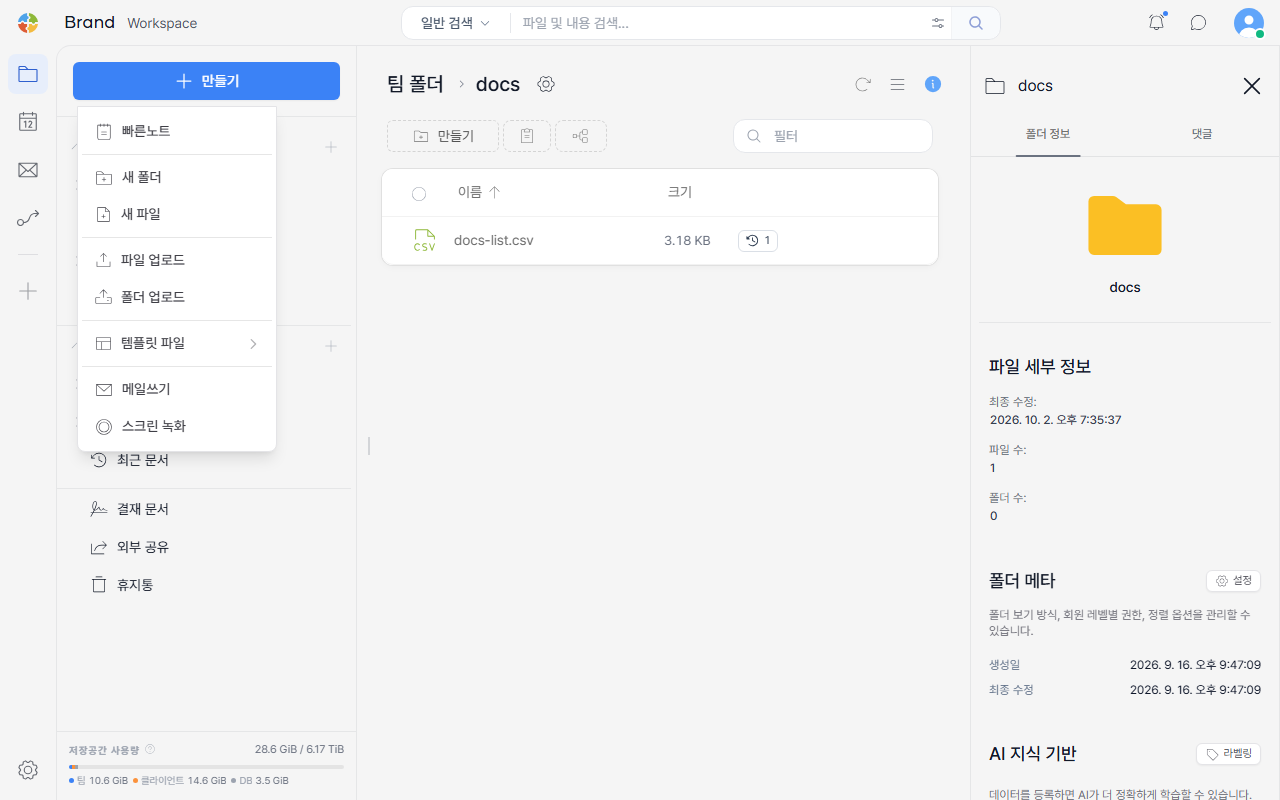
Clicking Quick Note opens a popup where you can enter a title and body. The body area supports the same formatting as the regular editor — bold, italic, lists, checkboxes, tables, quotes, links, and image attachments.
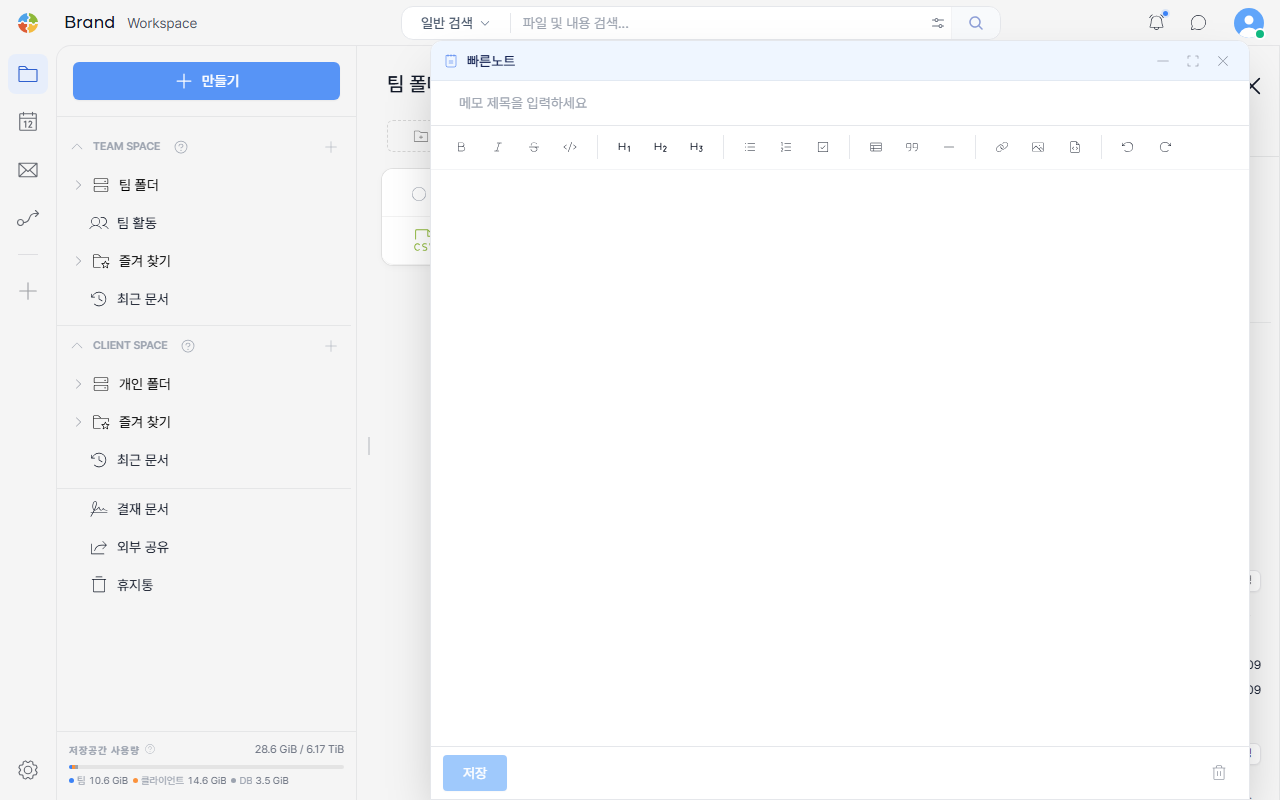
Once you enter content, the Save button becomes active.
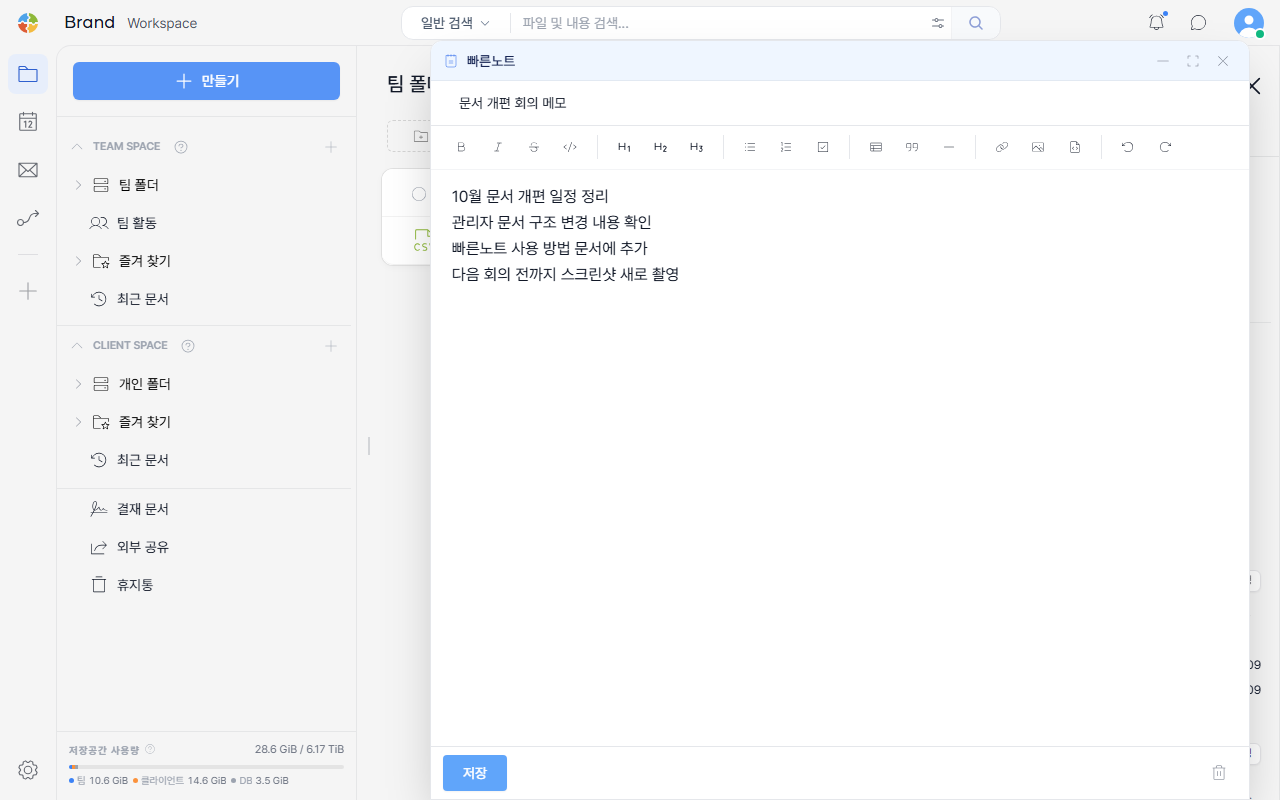
Saving
Clicking Save creates a .md file with the title you entered and saves it directly into the folder you were viewing.
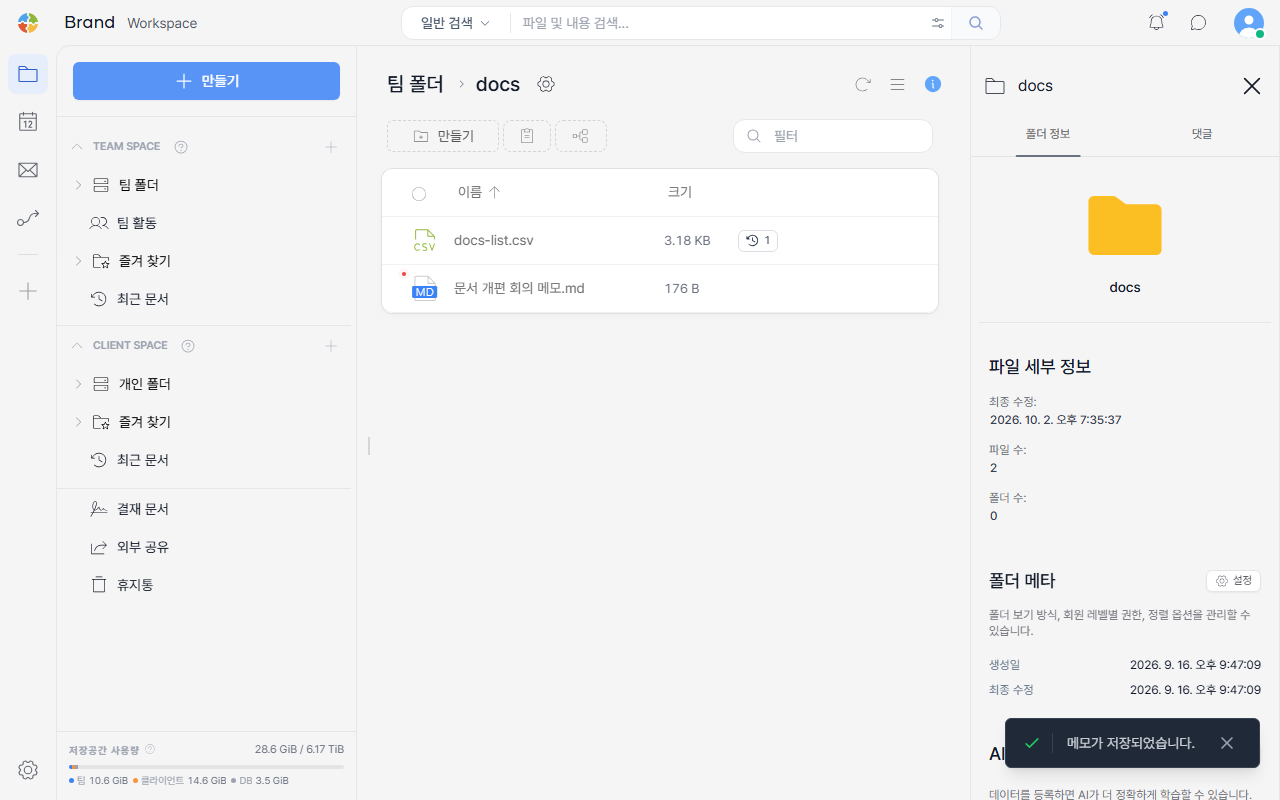
If the title or body is empty, the Save button stays disabled.
Good to Know
- The saved file is treated just like any other markdown file, so you can keep editing it later in Viewing/Editing Text and Markdown Files.
- If you need a more structured note, the memo format under Template Files is a better fit. Quick Note is meant for the fastest possible freeform capture.