'/%3e%3cpath%20id='cross_2'%20data-name='cross%202'%20class='cls-2'%20d='M20.612,30.43h0a5.361,5.361,0,1,0-10.723,0H0A33.709,33.709,0,0,1,30.569,0V9.75a5.361,5.361,0,1,1,0,10.723V30.43Z'%20transform='translate(67.193%200.007)%20rotate(90)'/%3e%3cpath%20id='cross_3'%20data-name='cross%203'%20class='cls-3'%20d='M20.612,30.43h0a5.361,5.361,0,1,0-10.723,0H0A33.709,33.709,0,0,1,30.569,0V9.75a5.361,5.361,0,1,1,0,10.723V30.43Z'%20transform='translate(67.186%2067.041)%20rotate(180)'/%3e%3cpath%20id='cross_4'%20data-name='cross%204'%20class='cls-4'%20d='M20.6,30.5h0a5.361,5.361,0,1,0-10.723,0H0A33.71,33.71,0,0,1,30.56,0V9.818a5.361,5.361,0,1,1,0,10.723V30.5Z'%20transform='translate(0%2067.041)%20rotate(-90)'/%3e%3c/svg%3e)
Template Files
Frequently used document formats are provided as templates. When creating a new file, choosing a template lets you start with a structure suited to your purpose, instead of a blank document.
Creating a File
Create → Template File → select the format you want → enter a file name
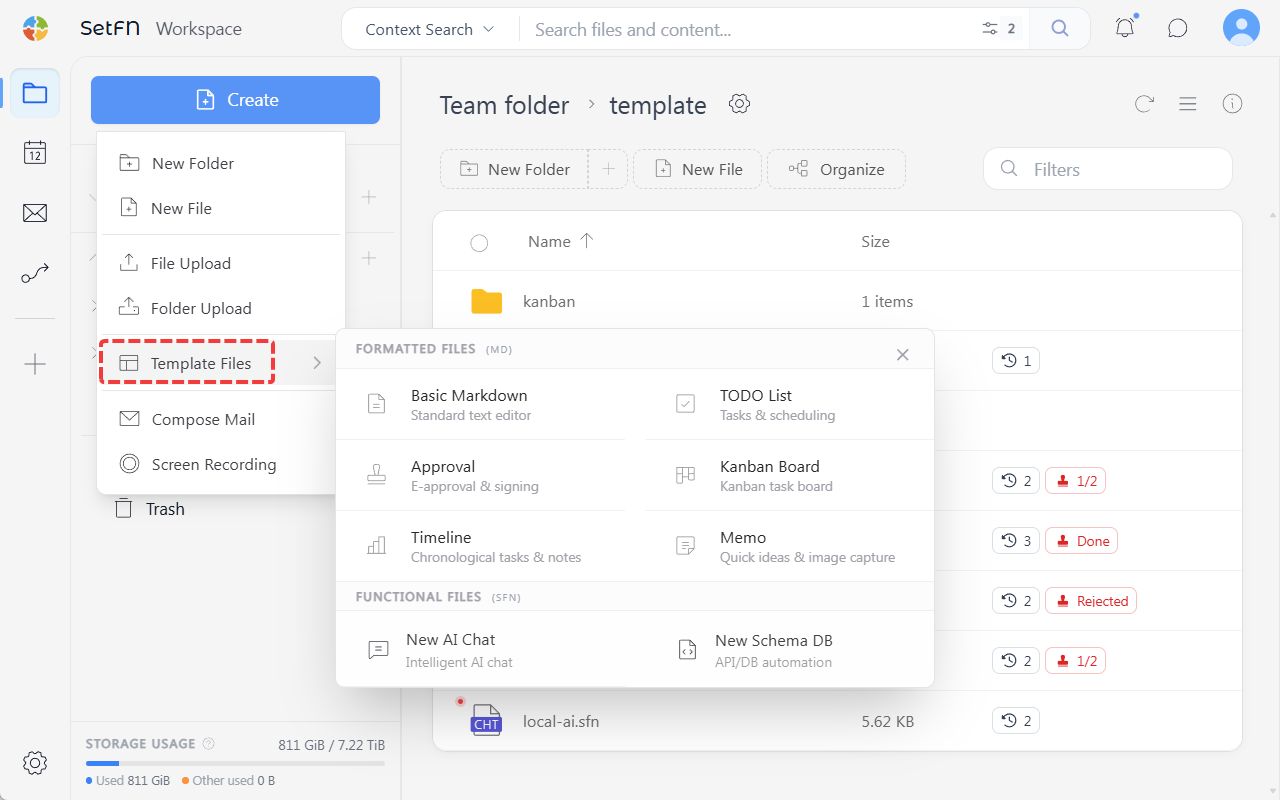
Available Formats
| Format | Description |
|---|---|
| To-do List | Track progress with checkboxes. |
| Approval Form | Assign approvers and get sequential approval. |
| Kanban Board | Manage task status by dragging cards. |
| Timeline | Register events by date and track progress. |
| Memo | Write freeform notes without any fixed structure. |
| AI Chat | Save conversations with the local AI as a file and continue managing them. |
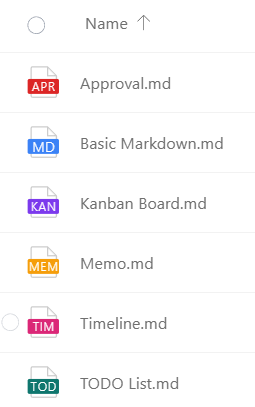
Each format has an icon with a different color and name.
Good to Know
Template files, except for AI Chat, are saved in Markdown (.md) format. They can be opened in any editor and are easy to export or convert to plain text. AI Chat is saved as a JSON-based .sfn file to hold the conversation structure.
Also, in environments where knowledge indexing is enabled, the content of template files is also learned by the local AI. As meeting notes, approval documents, memos, and other content accumulate, the AI understands the team's context better.