'/%3e%3cpath%20id='cross_2'%20data-name='cross%202'%20class='cls-2'%20d='M20.612,30.43h0a5.361,5.361,0,1,0-10.723,0H0A33.709,33.709,0,0,1,30.569,0V9.75a5.361,5.361,0,1,1,0,10.723V30.43Z'%20transform='translate(67.193%200.007)%20rotate(90)'/%3e%3cpath%20id='cross_3'%20data-name='cross%203'%20class='cls-3'%20d='M20.612,30.43h0a5.361,5.361,0,1,0-10.723,0H0A33.709,33.709,0,0,1,30.569,0V9.75a5.361,5.361,0,1,1,0,10.723V30.43Z'%20transform='translate(67.186%2067.041)%20rotate(180)'/%3e%3cpath%20id='cross_4'%20data-name='cross%204'%20class='cls-4'%20d='M20.6,30.5h0a5.361,5.361,0,1,0-10.723,0H0A33.71,33.71,0,0,1,30.56,0V9.818a5.361,5.361,0,1,1,0,10.723V30.5Z'%20transform='translate(0%2067.041)%20rotate(-90)'/%3e%3c/svg%3e)
Pasting Web Pages (HTML)
After copying web page content, simply pressing Ctrl+V in the workspace saves it as an HTML file.
Copying a Web Page
On the website you want to clip — a news page, a reference web page, etc. — select all with Ctrl+A (or drag to select the part you want), then copy with Ctrl+C.
Pasting into the Workspace
Press Ctrl+V in the folder where you want to save it. The HTML format is detected automatically.
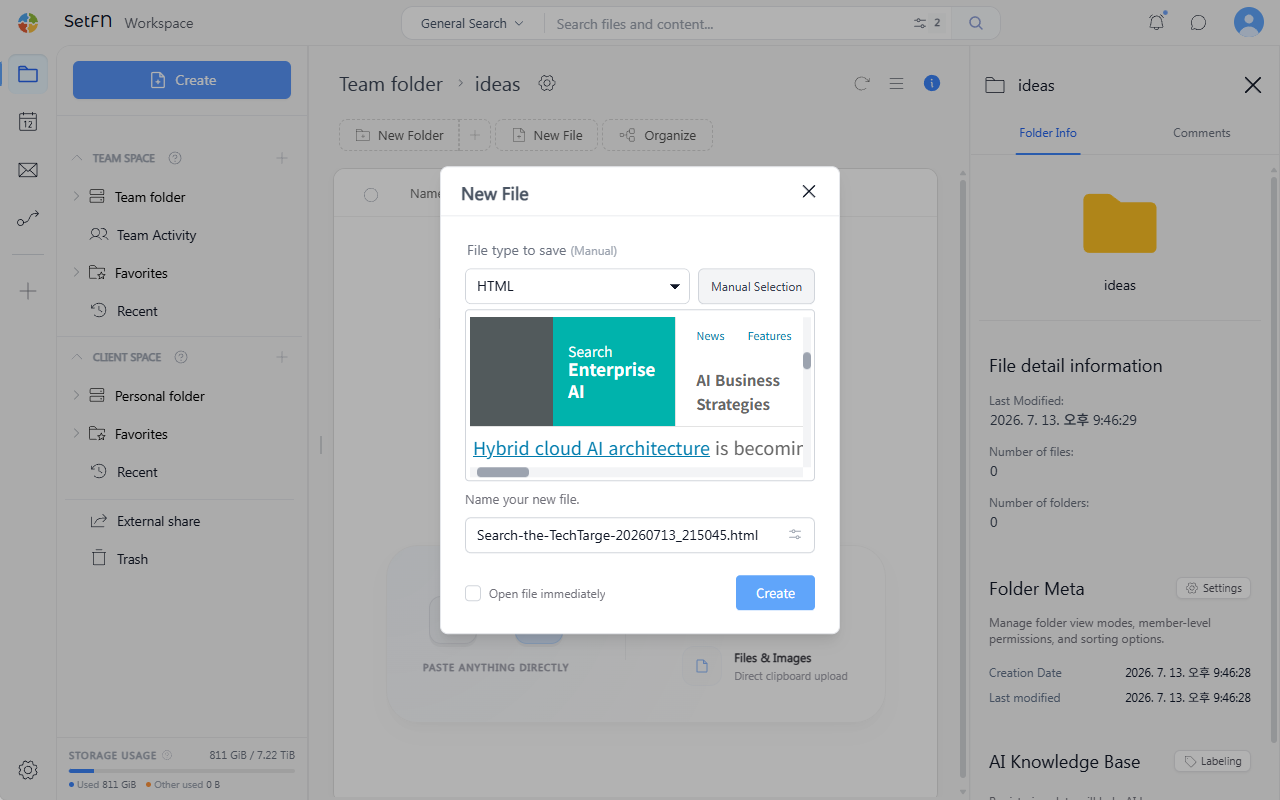
Enter a file name and click the Create button.
Depending on the situation, the content may be detected as another format, such as Markdown (md), instead of HTML. In that case, select the file format manually.
Checking the Result
- Opening the saved HTML file shows the copied web page.
- Elements that depend on external stylesheets or scripts may not render completely.
Good to Know
- Images are saved as links to the original website. If images are removed from the original site, they may not display.
Usage Tips
- This is better suited for recording and preserving content than for a pixel-perfect reproduction of the original.
- Useful for keeping news articles that might be deleted, websites that need monitoring, terms of service, and similar content in the team space.