'/%3e%3cpath%20id='cross_2'%20data-name='cross%202'%20class='cls-2'%20d='M20.612,30.43h0a5.361,5.361,0,1,0-10.723,0H0A33.709,33.709,0,0,1,30.569,0V9.75a5.361,5.361,0,1,1,0,10.723V30.43Z'%20transform='translate(67.193%200.007)%20rotate(90)'/%3e%3cpath%20id='cross_3'%20data-name='cross%203'%20class='cls-3'%20d='M20.612,30.43h0a5.361,5.361,0,1,0-10.723,0H0A33.709,33.709,0,0,1,30.569,0V9.75a5.361,5.361,0,1,1,0,10.723V30.43Z'%20transform='translate(67.186%2067.041)%20rotate(180)'/%3e%3cpath%20id='cross_4'%20data-name='cross%204'%20class='cls-4'%20d='M20.6,30.5h0a5.361,5.361,0,1,0-10.723,0H0A33.71,33.71,0,0,1,30.56,0V9.818a5.361,5.361,0,1,1,0,10.723V30.5Z'%20transform='translate(0%2067.041)%20rotate(-90)'/%3e%3c/svg%3e)
Checking the File Change History
SetFN Workspace automatically records changes to text-based files such as Markdown. You can track who modified which file and when, which is useful for team collaboration.
Creating a Change Record
When you modify a file in the MD editor or similar tools and save it, the file's changes are automatically recorded.
If the changes are minor, such as simple spacing, the change record may not be saved.
Opening the Change History
- Click the clock-shaped icon in the file list
- You can then check the
Change Historyarea in the right panel.
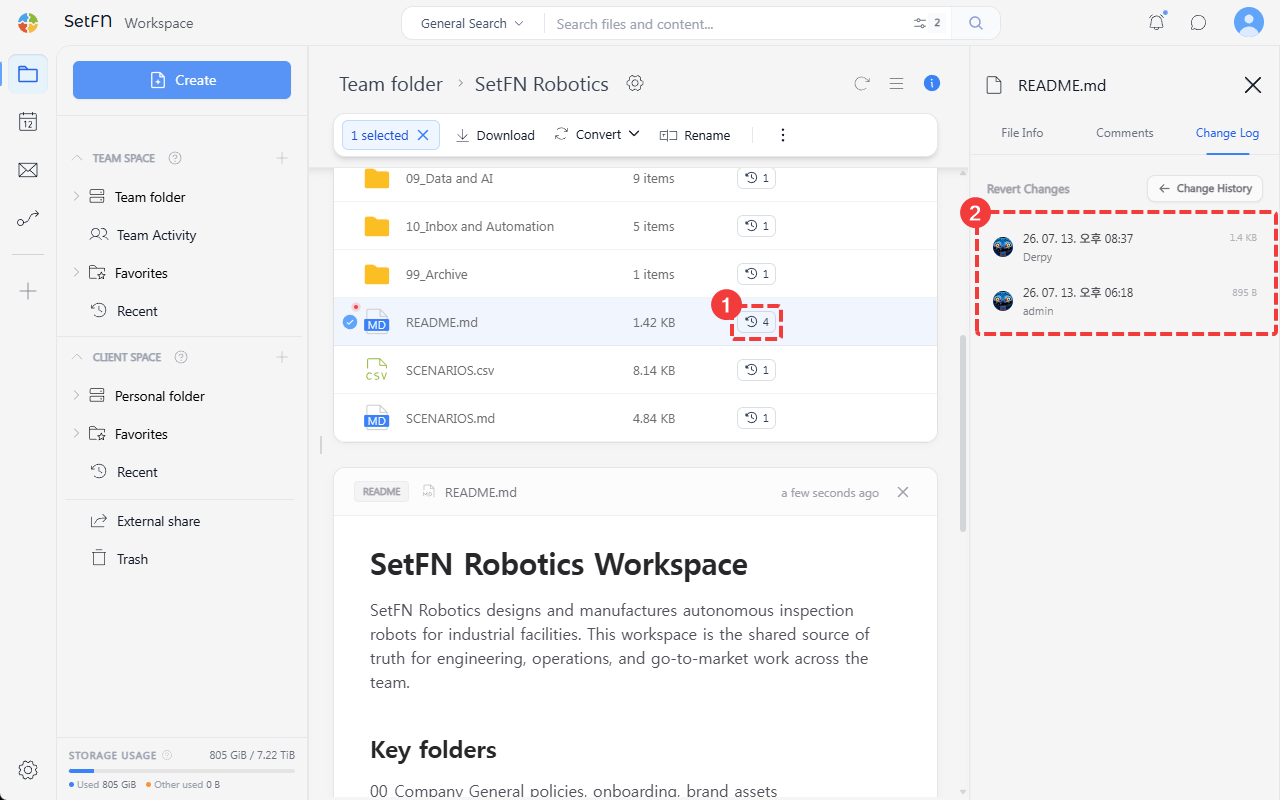
Comparing Versions
Selecting a version in the change history area lets you view the document content at that version.
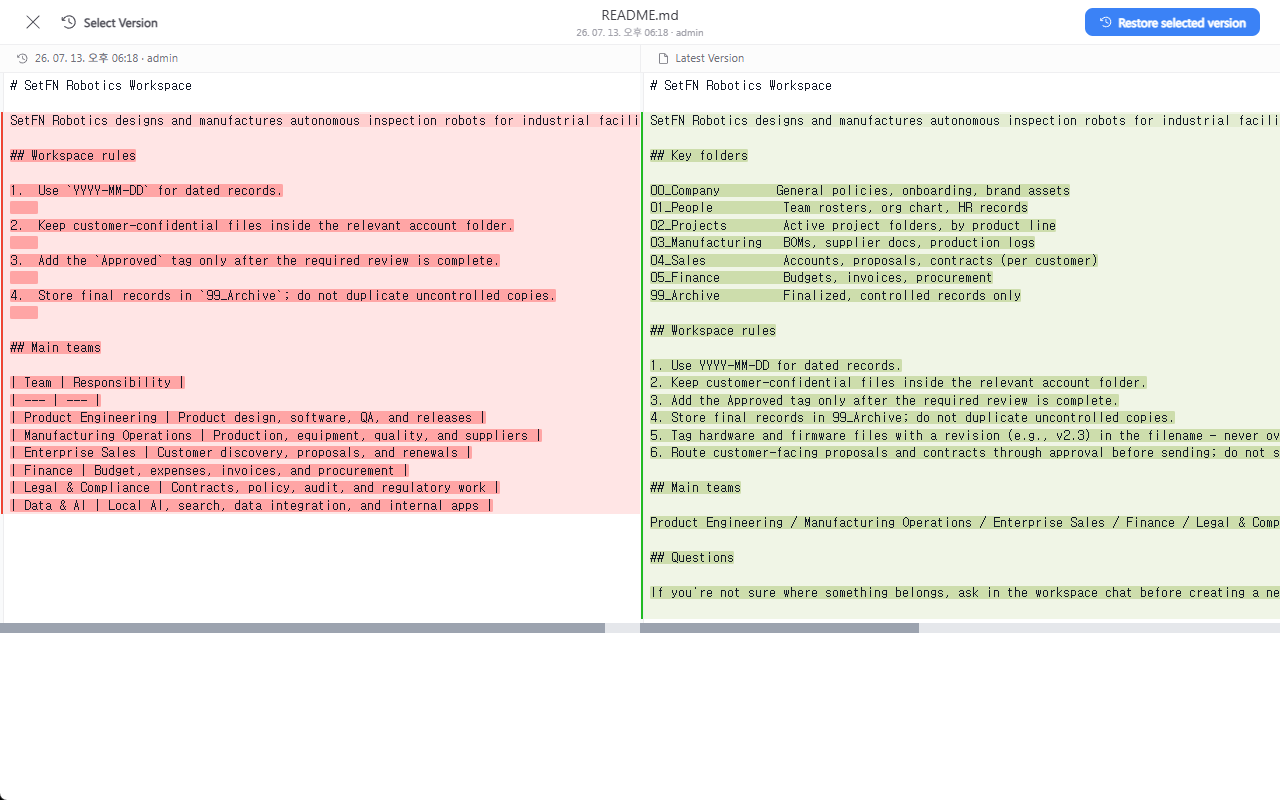
- Use version selection in the top left to change which version you're comparing.
- Click Restore to Selected Version to revert to the content from that point in time.
Viewable Change History (Audit Trail)
- File/folder name changes
- Folder setting changes
- File content changes
- User who made the change
- Date and time of the change
Great Use Cases
- Research notebooks (ELN): Can be used for electronic lab notebooks that must keep a mandatory change history of experimental and research processes.
- Government-funded projects: Useful when you need to submit the creation/revision history of national R&D project deliverables as evidence.
- Patents/technology transfer: Can be used for patent applications and technology transfer materials that need to prove the timing of an invention's completion and its development process.
- Quality/certification documents: Can be used for the document change history management required by quality certifications such as ISO.