'/%3e%3cpath%20id='cross_2'%20data-name='cross%202'%20class='cls-2'%20d='M20.612,30.43h0a5.361,5.361,0,1,0-10.723,0H0A33.709,33.709,0,0,1,30.569,0V9.75a5.361,5.361,0,1,1,0,10.723V30.43Z'%20transform='translate(67.193%200.007)%20rotate(90)'/%3e%3cpath%20id='cross_3'%20data-name='cross%203'%20class='cls-3'%20d='M20.612,30.43h0a5.361,5.361,0,1,0-10.723,0H0A33.709,33.709,0,0,1,30.569,0V9.75a5.361,5.361,0,1,1,0,10.723V30.43Z'%20transform='translate(67.186%2067.041)%20rotate(180)'/%3e%3cpath%20id='cross_4'%20data-name='cross%204'%20class='cls-4'%20d='M20.6,30.5h0a5.361,5.361,0,1,0-10.723,0H0A33.71,33.71,0,0,1,30.56,0V9.818a5.361,5.361,0,1,1,0,10.723V30.5Z'%20transform='translate(0%2067.041)%20rotate(-90)'/%3e%3c/svg%3e)
File Encryption
You can set a password on a file to protect it from being opened by others.
This can be used with text-based files such as Markdown (.md).
Encryption Settings
Right-click a file and select Encrypt File.
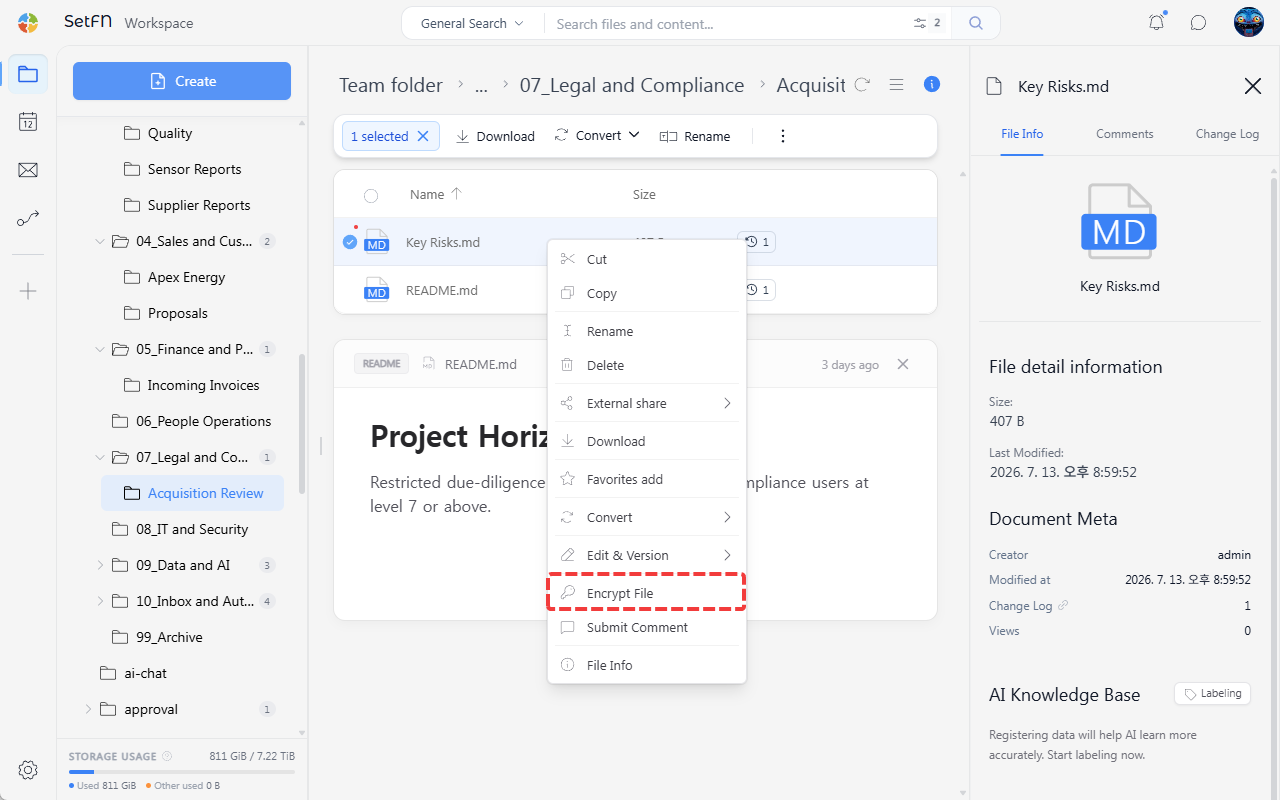
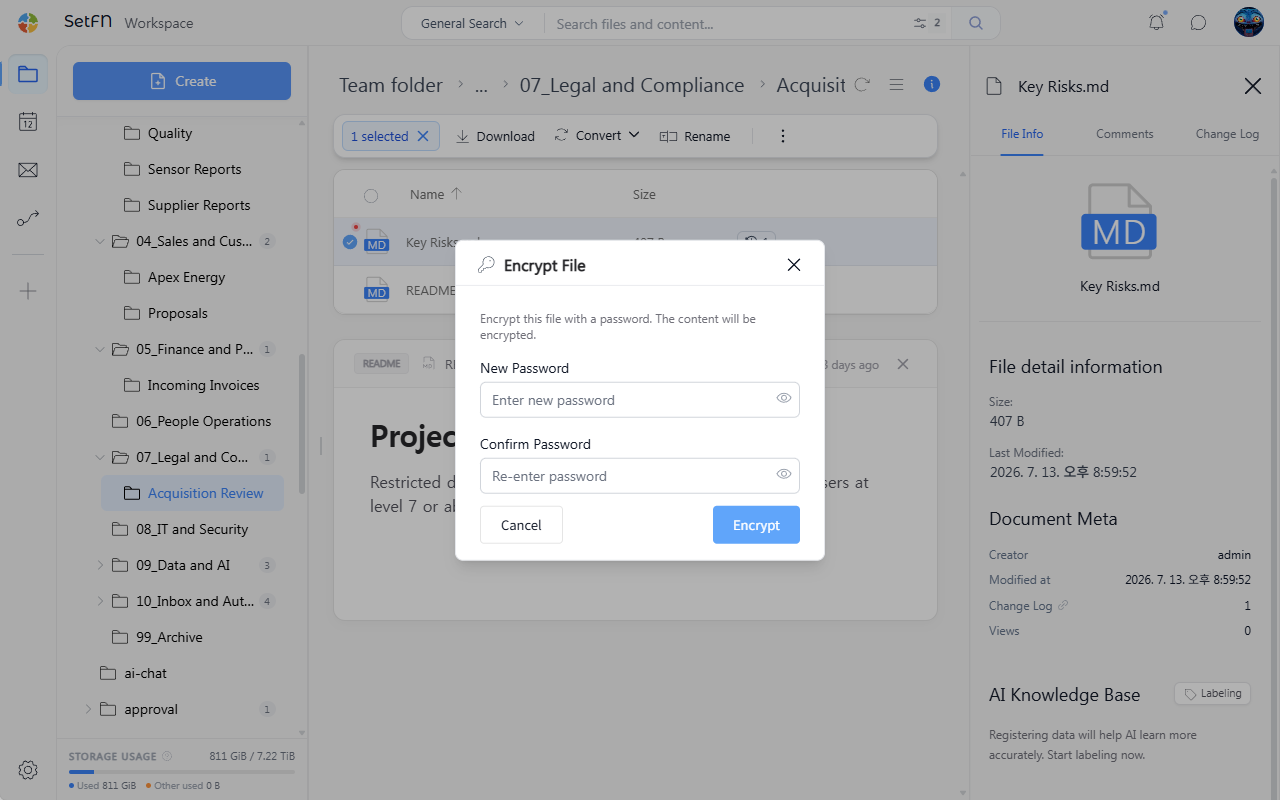
Encryption is applied once you enter a password.
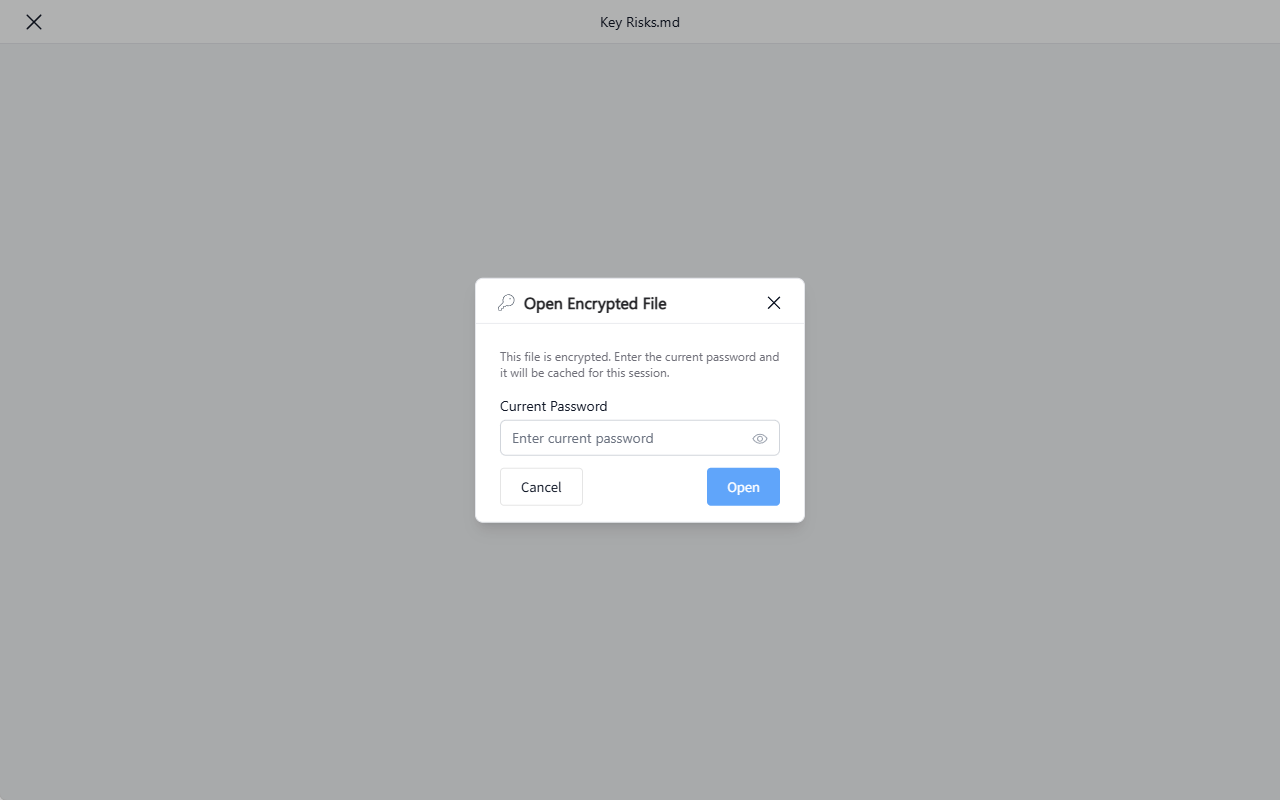
Opening an Encrypted File
- The user who encrypted it: Within the session in which they encrypted it (before logging out), they can open it directly without a password. After logging out and back in, they must enter the password.
- Other users: Must know the password to open the file.
Removing Encryption
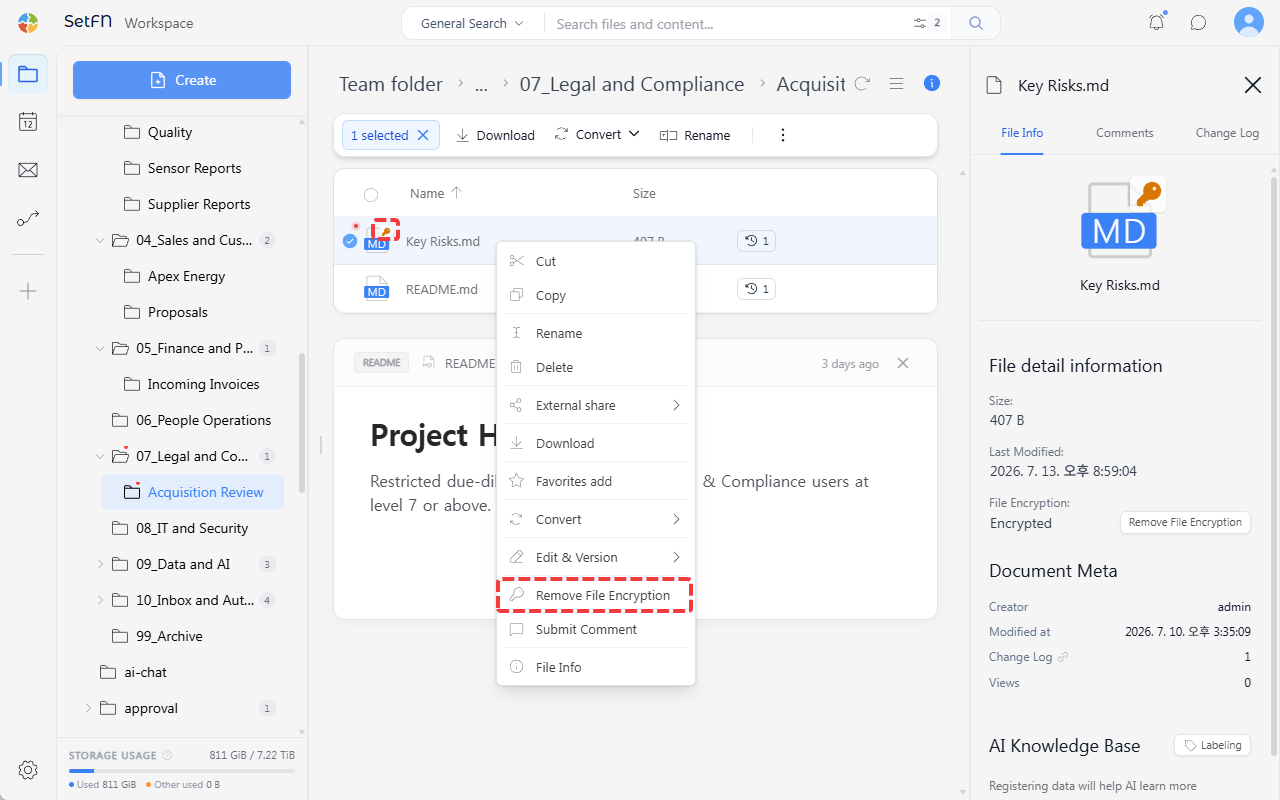
Right-click the file and select Remove File Encryption. Entering the password removes the encryption.
Good to Know
- Encrypted files show a
🔑mark in the top right of the file icon. - If you lose the password, the file's content cannot be recovered. Manage your password separately.