'/%3e%3cpath%20id='cross_2'%20data-name='cross%202'%20class='cls-2'%20d='M20.612,30.43h0a5.361,5.361,0,1,0-10.723,0H0A33.709,33.709,0,0,1,30.569,0V9.75a5.361,5.361,0,1,1,0,10.723V30.43Z'%20transform='translate(67.193%200.007)%20rotate(90)'/%3e%3cpath%20id='cross_3'%20data-name='cross%203'%20class='cls-3'%20d='M20.612,30.43h0a5.361,5.361,0,1,0-10.723,0H0A33.709,33.709,0,0,1,30.569,0V9.75a5.361,5.361,0,1,1,0,10.723V30.43Z'%20transform='translate(67.186%2067.041)%20rotate(180)'/%3e%3cpath%20id='cross_4'%20data-name='cross%204'%20class='cls-4'%20d='M20.6,30.5h0a5.361,5.361,0,1,0-10.723,0H0A33.71,33.71,0,0,1,30.56,0V9.818a5.361,5.361,0,1,1,0,10.723V30.5Z'%20transform='translate(0%2067.041)%20rotate(-90)'/%3e%3c/svg%3e)
Kanban Board
This format lets you manage tasks as cards and move their status intuitively. It's effective for visually tracking work where the flow of progress matters.
Creating a File
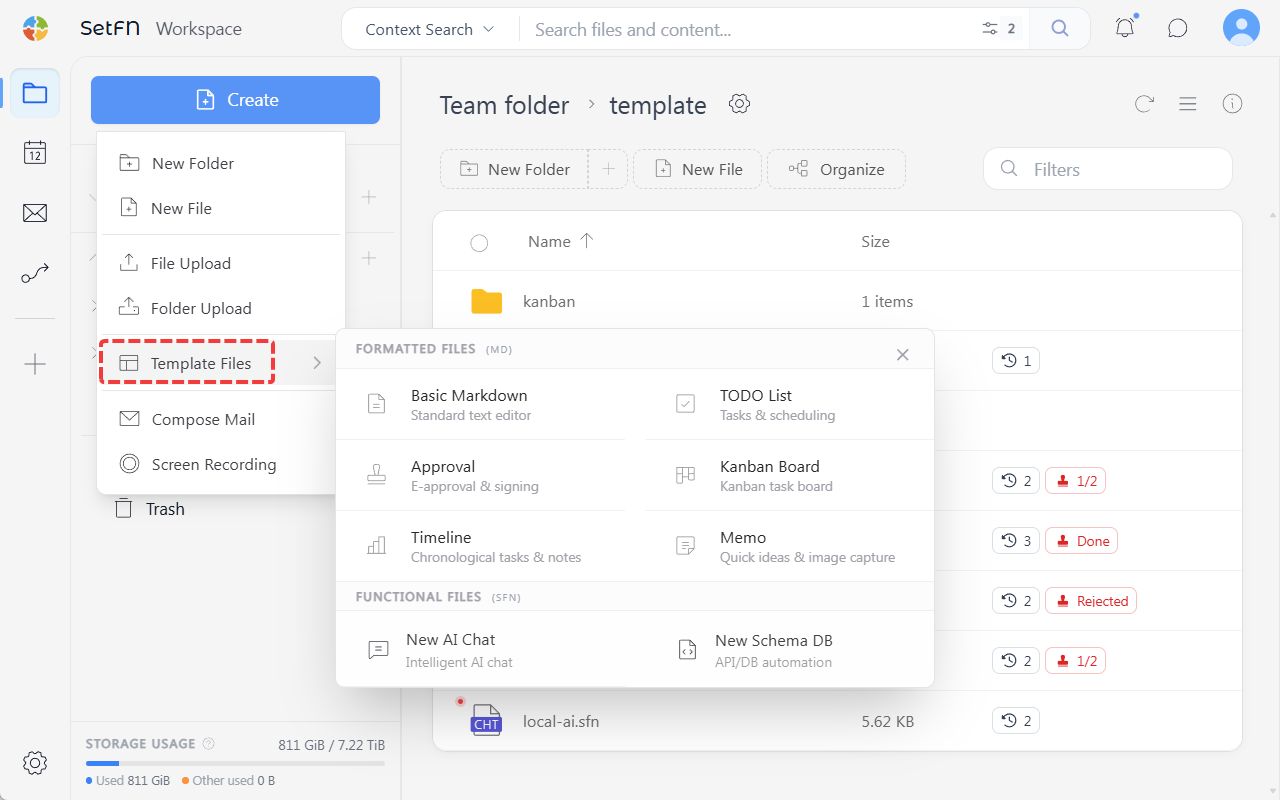
Create → Template File → Kanban Board → enter a file name
How to Use
1. Adding a Card
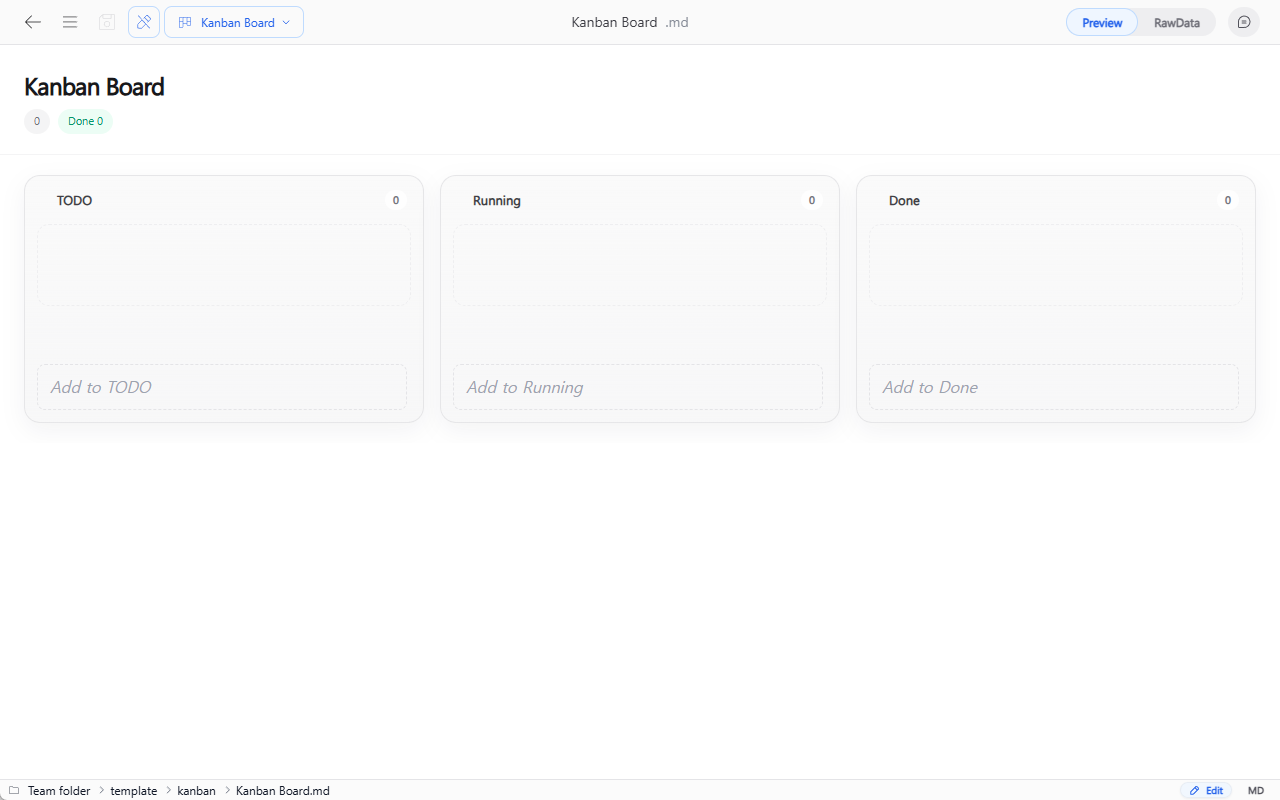
On a board made up of To Do, In Progress, and Done columns, click the Add button to create a card. You can stack multiple cards in a column to manage a task list.
2. Changing Status
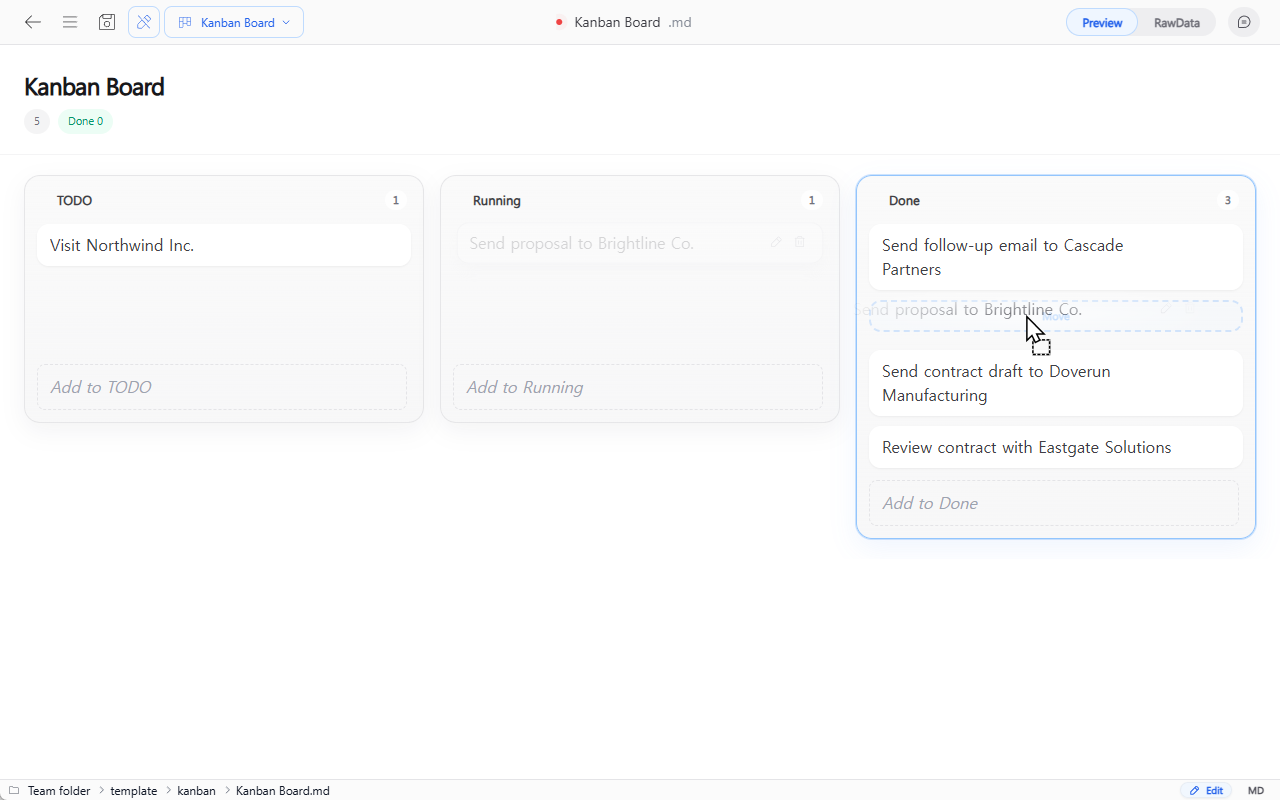
Drag a card with the mouse to move it to the In Progress or Done column. Simply moving cards between columns as work progresses lets you manage the workflow intuitively.
Usage Examples
- Viewing team tasks at a glance, split into
To Do / In Progress / Done - Managing sales status (Inquiry / In Discussion / Contract Signed)
- Tracking hiring progress (Applied / Interview / Final Offer)
- Managing stages of customer inquiry handling
- Sharing task status by project