'/%3e%3cpath%20id='cross_2'%20data-name='cross%202'%20class='cls-2'%20d='M20.612,30.43h0a5.361,5.361,0,1,0-10.723,0H0A33.709,33.709,0,0,1,30.569,0V9.75a5.361,5.361,0,1,1,0,10.723V30.43Z'%20transform='translate(67.193%200.007)%20rotate(90)'/%3e%3cpath%20id='cross_3'%20data-name='cross%203'%20class='cls-3'%20d='M20.612,30.43h0a5.361,5.361,0,1,0-10.723,0H0A33.709,33.709,0,0,1,30.569,0V9.75a5.361,5.361,0,1,1,0,10.723V30.43Z'%20transform='translate(67.186%2067.041)%20rotate(180)'/%3e%3cpath%20id='cross_4'%20data-name='cross%204'%20class='cls-4'%20d='M20.6,30.5h0a5.361,5.361,0,1,0-10.723,0H0A33.71,33.71,0,0,1,30.56,0V9.818a5.361,5.361,0,1,1,0,10.723V30.5Z'%20transform='translate(0%2067.041)%20rotate(-90)'/%3e%3c/svg%3e)
Memo
This is a format for writing content freely, with no fixed structure. Use it for quick notes during a meeting, sketching out ideas, or temporary memos.
Creating a File
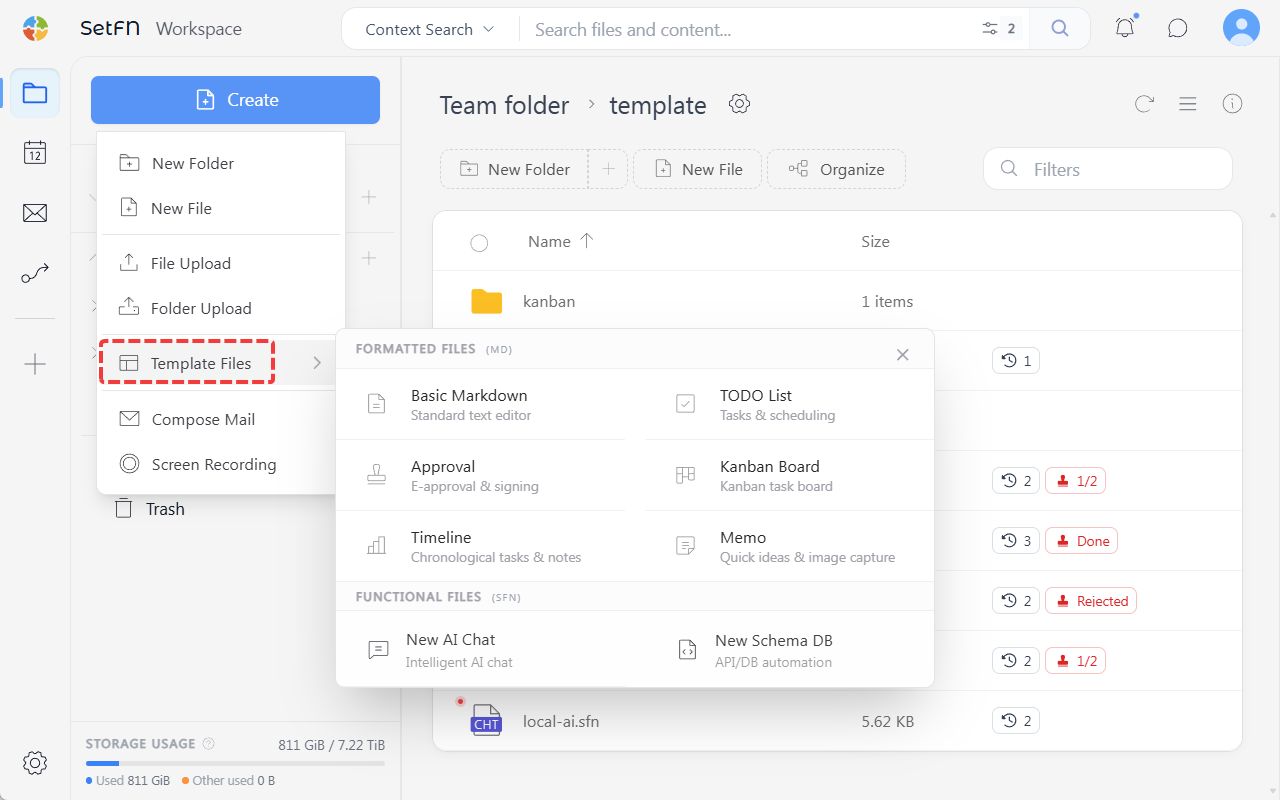
Create → Template File → Memo → enter a file name
How to Use
1. Writing a Memo
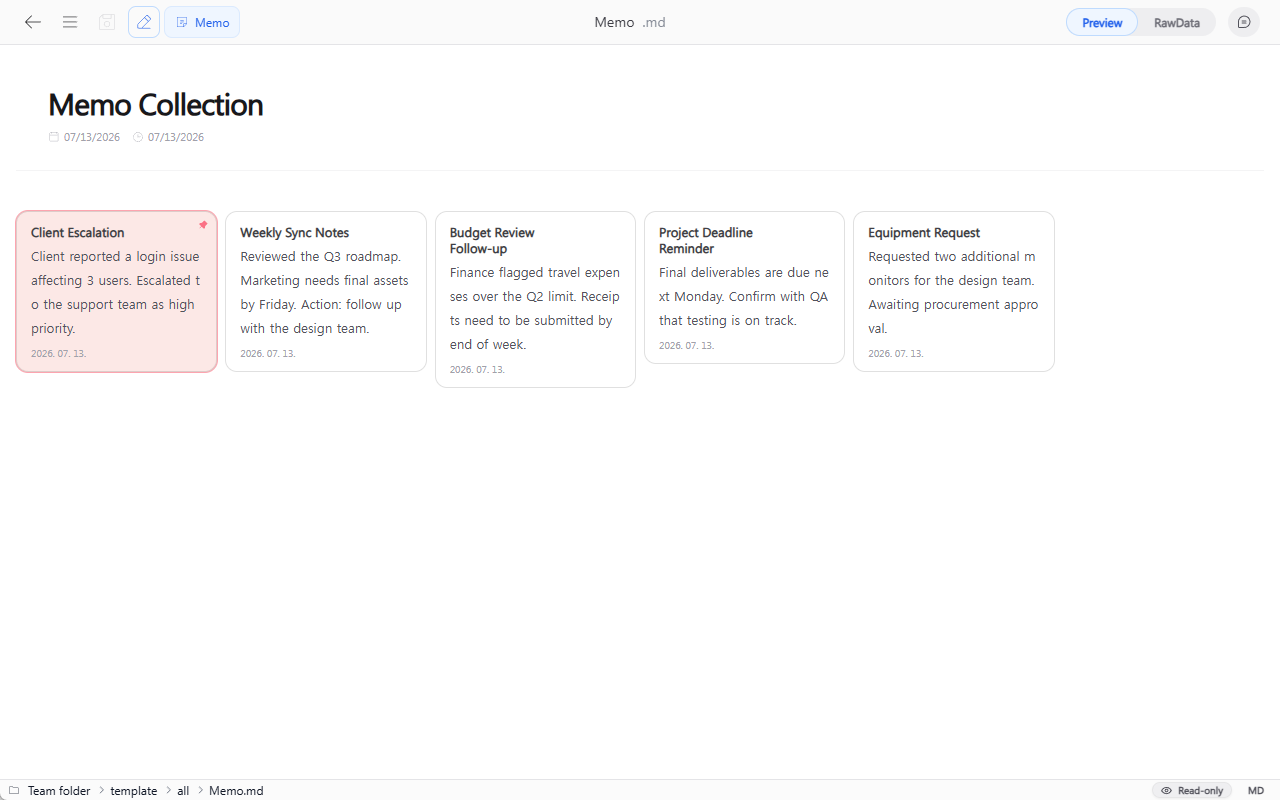
Opening the file shows the memo list. Double-click an empty area to switch to edit mode, and a Write your content prompt appears at the top. After entering your content, save with the save icon in the top left, or Ctrl+S (Mac: Cmd+S).
2. Pinning
You can pin an important memo to the top of the list by clicking the pin (📌) icon in the top right.
Usage Examples
- Recording draft ideas
- Temporarily saving links or information to reference later
- Recording the content of a phone call
Good to Know
- You can also use Markdown syntax to structure your content.