'/%3e%3cpath%20id='cross_2'%20data-name='cross%202'%20class='cls-2'%20d='M20.612,30.43h0a5.361,5.361,0,1,0-10.723,0H0A33.709,33.709,0,0,1,30.569,0V9.75a5.361,5.361,0,1,1,0,10.723V30.43Z'%20transform='translate(67.193%200.007)%20rotate(90)'/%3e%3cpath%20id='cross_3'%20data-name='cross%203'%20class='cls-3'%20d='M20.612,30.43h0a5.361,5.361,0,1,0-10.723,0H0A33.709,33.709,0,0,1,30.569,0V9.75a5.361,5.361,0,1,1,0,10.723V30.43Z'%20transform='translate(67.186%2067.041)%20rotate(180)'/%3e%3cpath%20id='cross_4'%20data-name='cross%204'%20class='cls-4'%20d='M20.6,30.5h0a5.361,5.361,0,1,0-10.723,0H0A33.71,33.71,0,0,1,30.56,0V9.818a5.361,5.361,0,1,1,0,10.723V30.5Z'%20transform='translate(0%2067.041)%20rotate(-90)'/%3e%3c/svg%3e)
Approval Form
This supports a formal approval process where you assign approvers and get their sign-off in sequence. Drafting and approval are completed entirely within SetFN, with no paper documents.
Creating a File
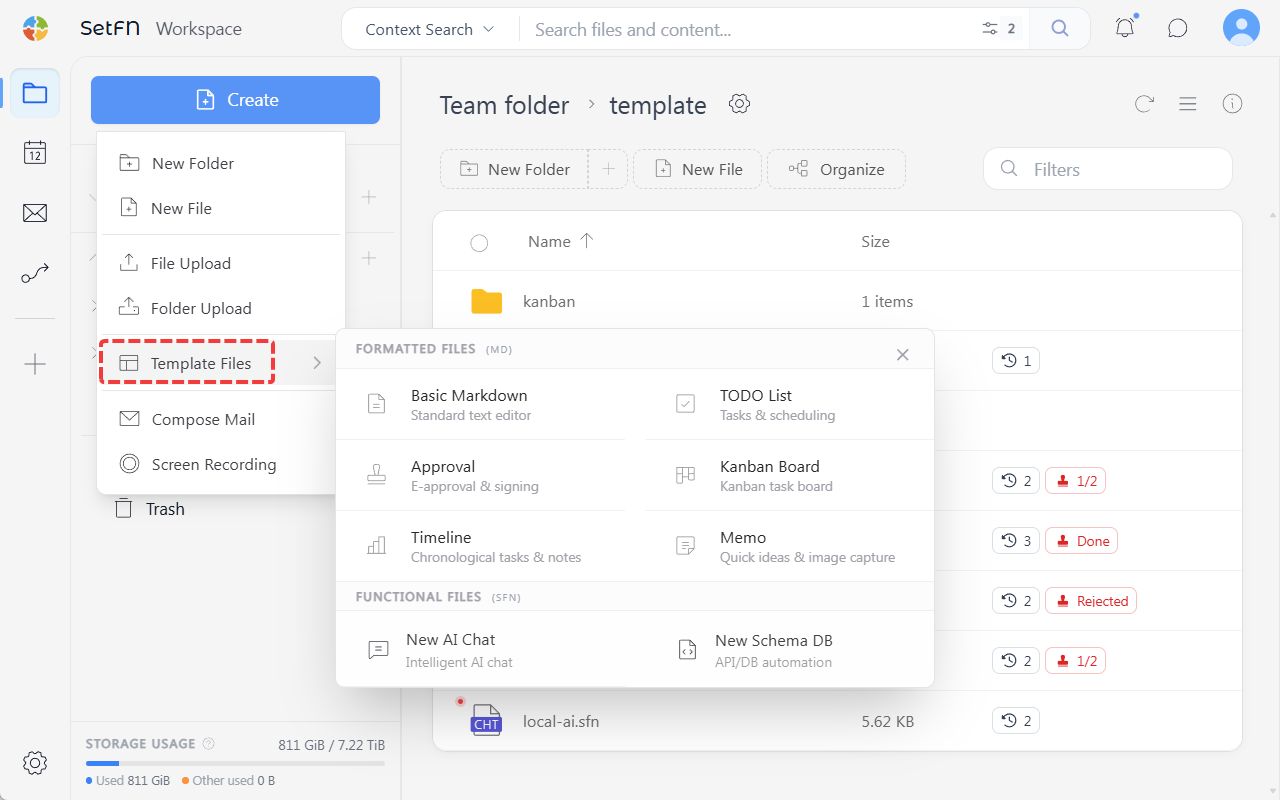
Create → Template File → Approval Form → enter a file name
Submitting for Approval
1. Adding Approvers
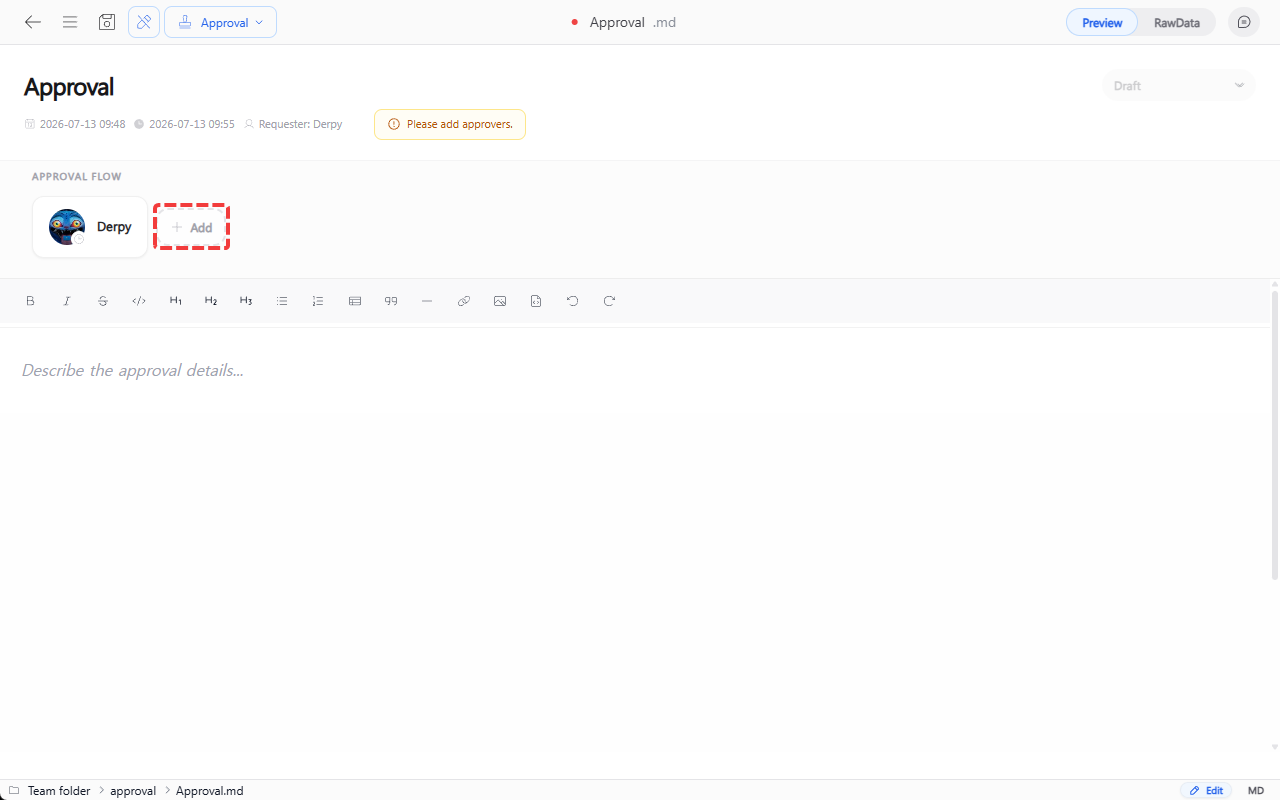
In the approval flow area at the top of the file, click the Add button to open an approver input field below.
2. Assigning Approvers
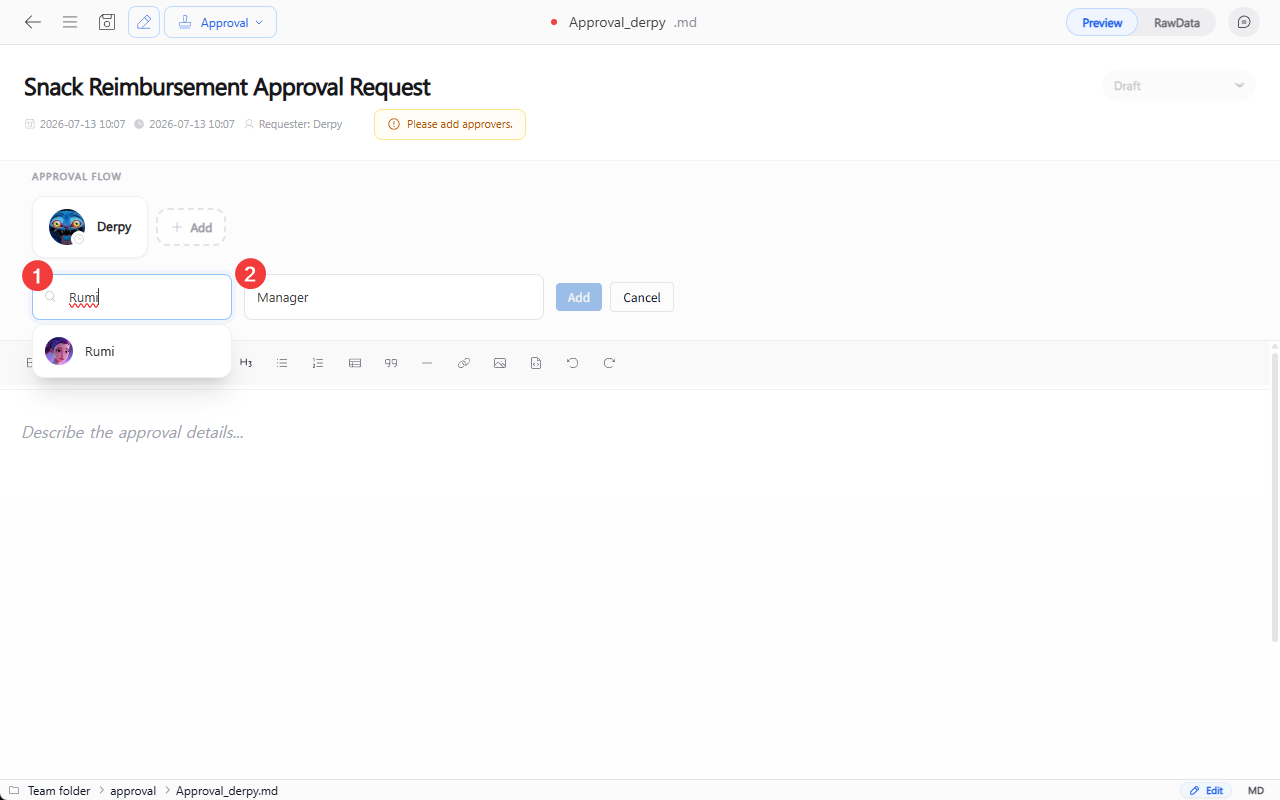
Search for a nickname, enter a role, then click Add to register the approver. You can add multiple approvers in sequence the same way.
3. Writing the Approval Content
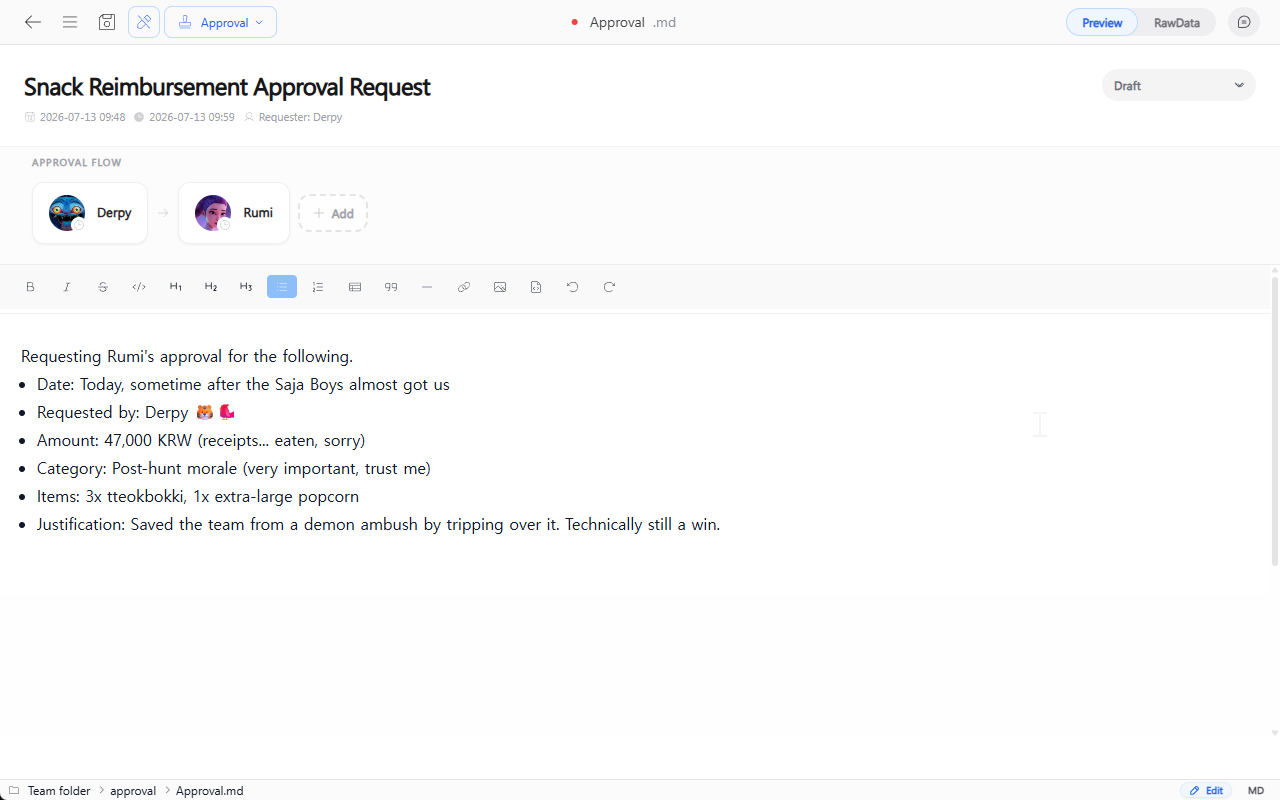
Write the content of the approval request in the text editor at the bottom.
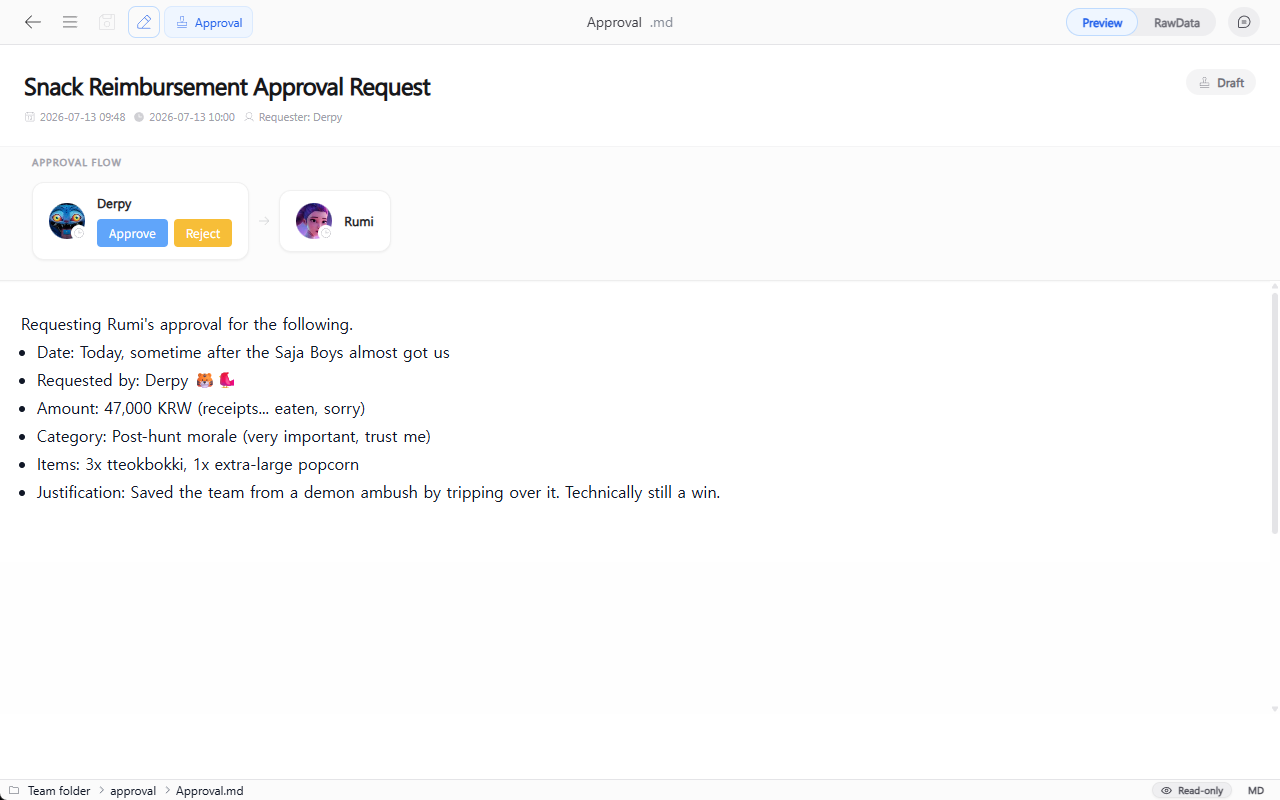
4. Saving and Self-Approval
Saving with the save icon in the top left, or Ctrl+S (Mac: Cmd+S), activates the Approve and Reject buttons according to the configured approval flow. The drafter must first click Approve before the process moves on to the next approver.
Checking Approvals
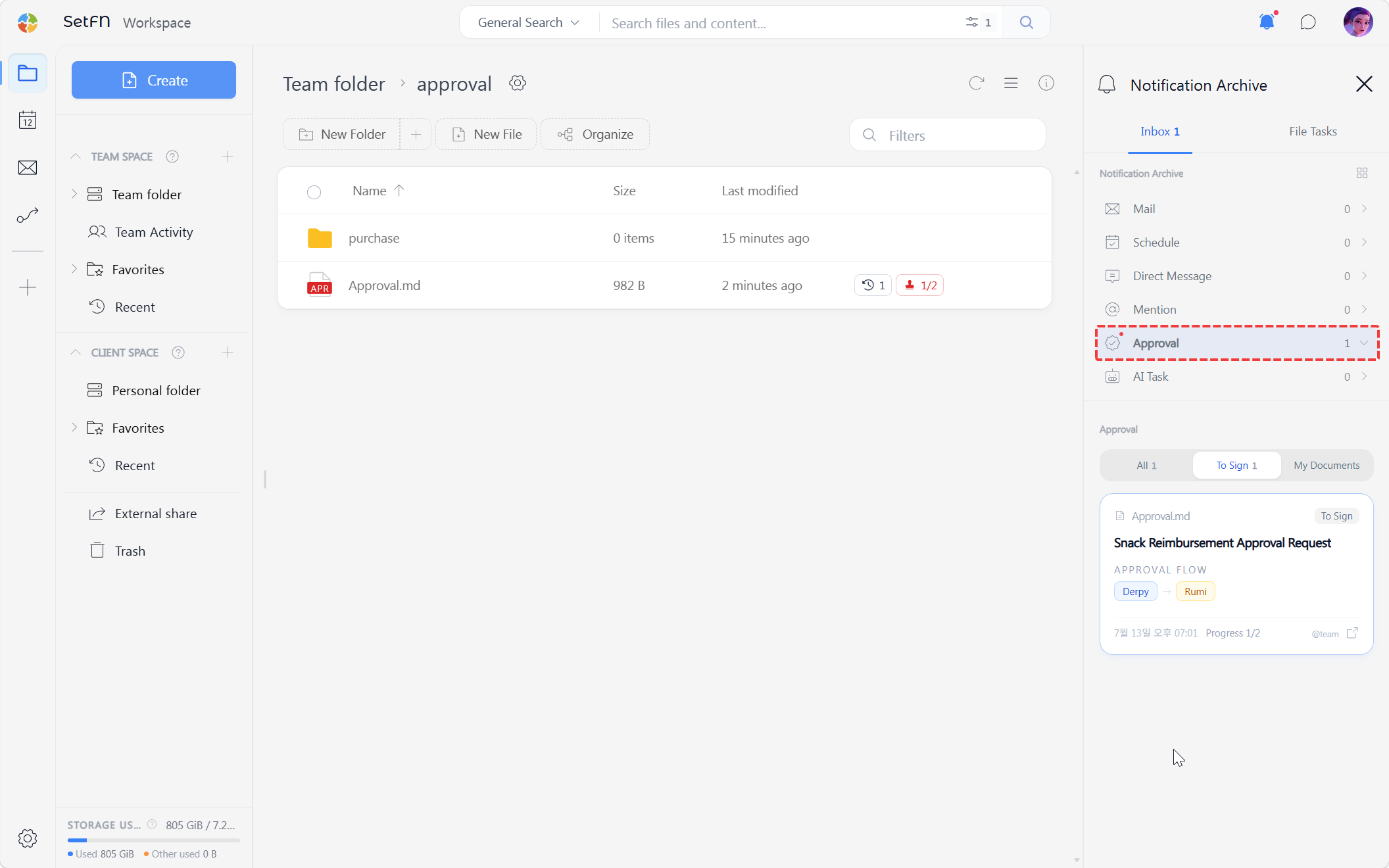
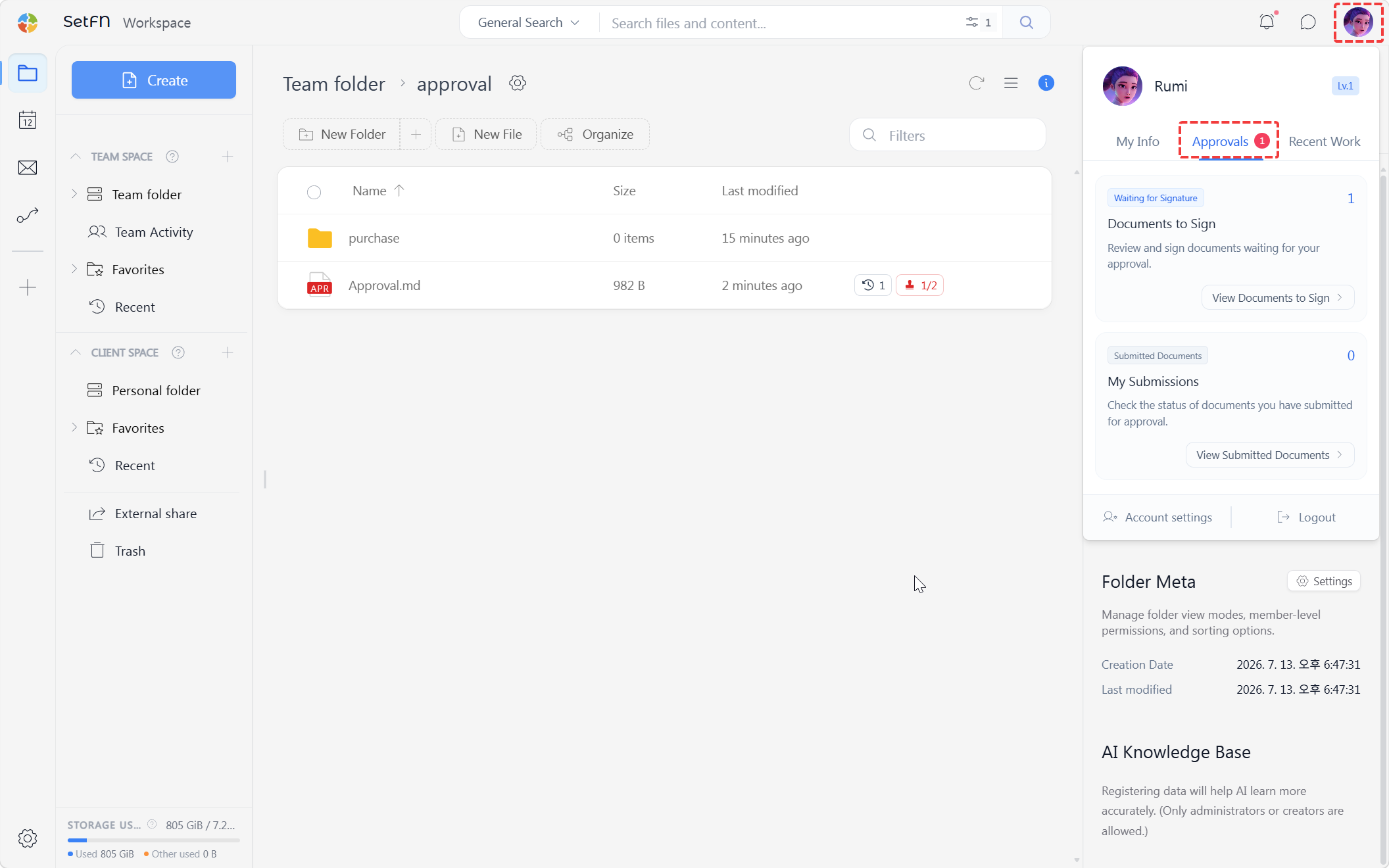
1. Checking Documents Awaiting Your Signature
There are two ways to check approval documents that need your signature.
- In the panel that appears when you click the avatar icon in the top right, check "Documents Awaiting Signature" in the
Approvalstab.
- In the notification inbox that appears when you click the notification icon in the top right, check the "Awaiting Signature" items in the
Approvalstab.
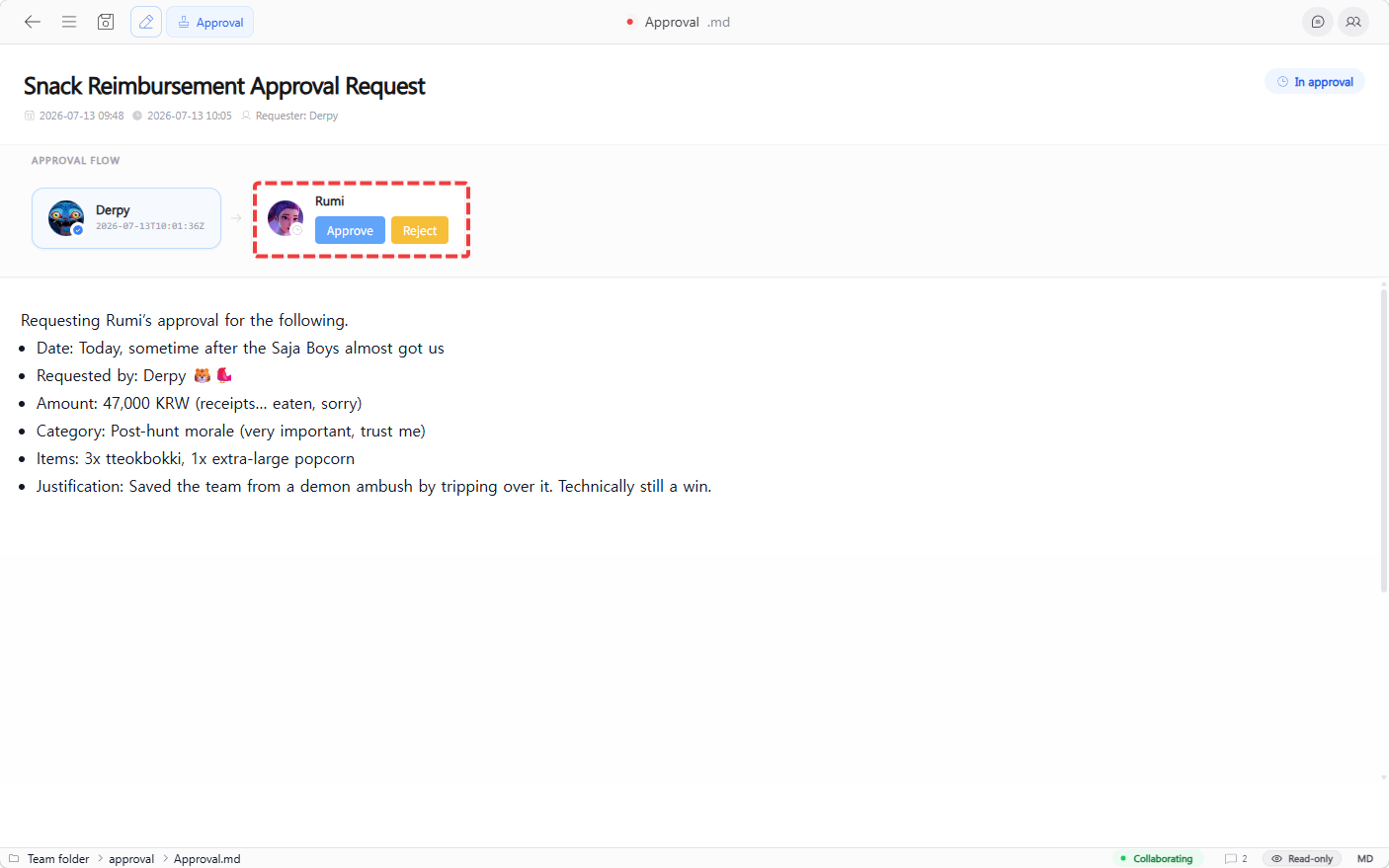
2. Approver's Approve or Reject
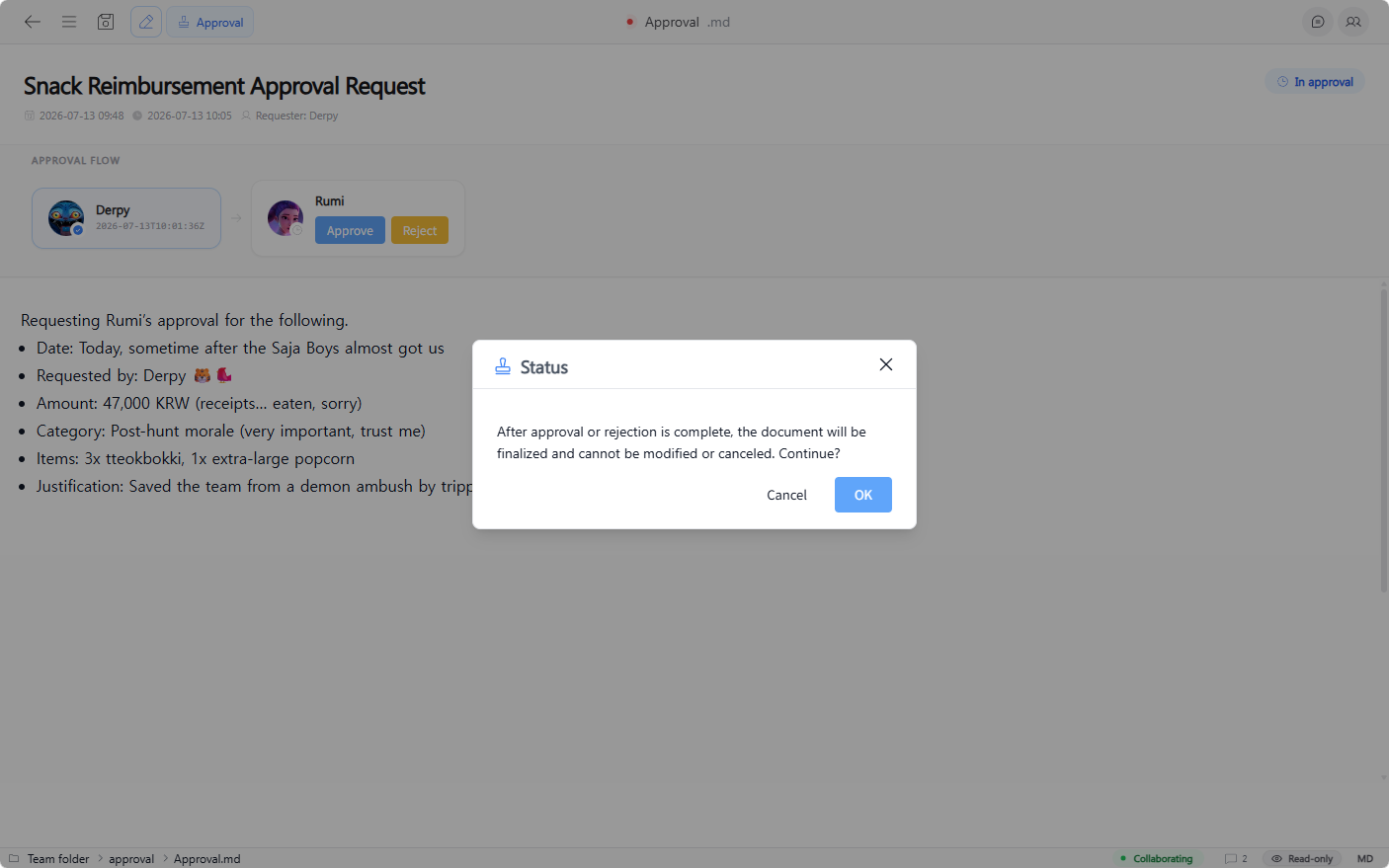
Approvers can only approve in the assigned order. When it's their turn, opening the file shows Approve or Reject buttons. (Other users do not see these buttons.)
3. Confirming Approval or Rejection
Clicking the button shows a confirmation popup. Once approval or rejection is completed, it cannot be modified or canceled, so decide carefully.
Checking Approval Status from the Folder
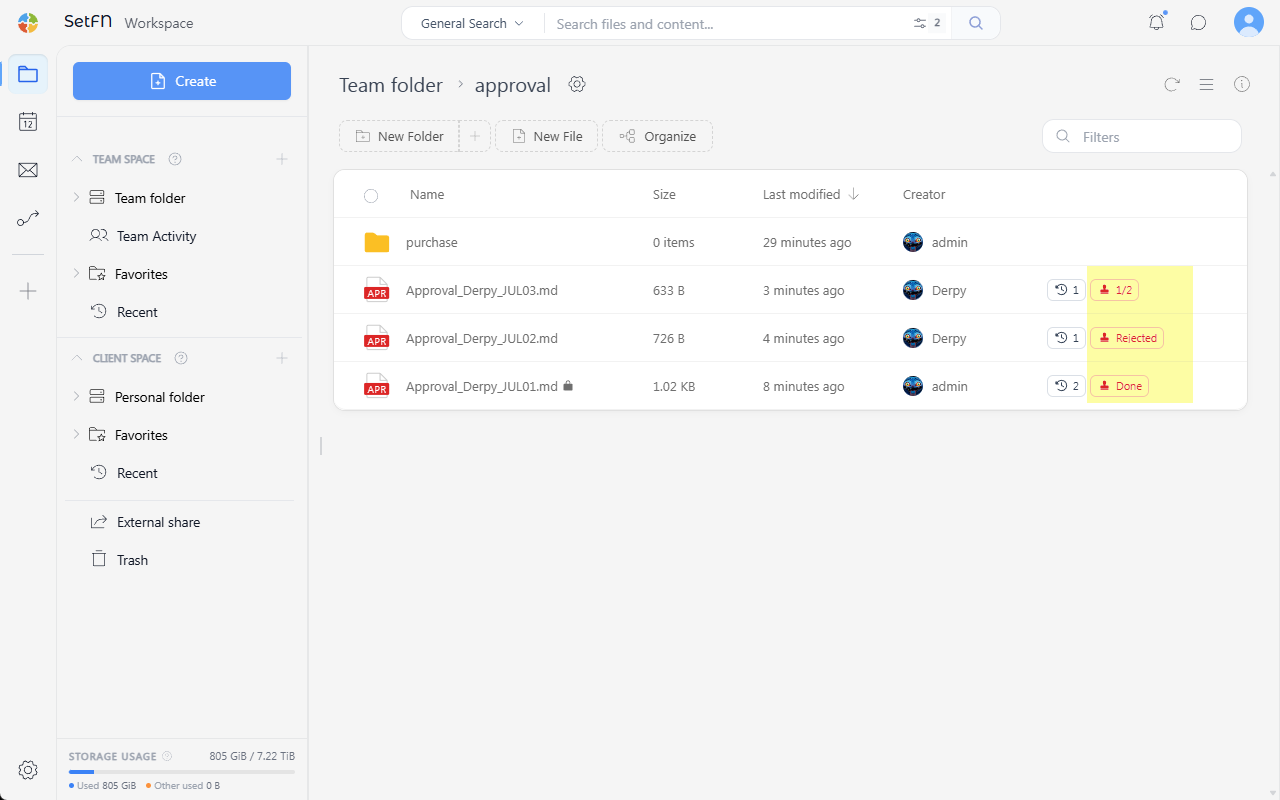
In a folder containing approval files, each file shows a status such as 0/2, Rejected, or Completed on the left.
Usage Examples
- Vacation requests / remote work requests
- Expense approval requests (with receipts attached, etc.)
- Requests to purchase supplies or office equipment
- Business trip requests and expense settlement
- Contract review requests
- Approval to start a new project