'/%3e%3cpath%20id='cross_2'%20data-name='cross%202'%20class='cls-2'%20d='M20.612,30.43h0a5.361,5.361,0,1,0-10.723,0H0A33.709,33.709,0,0,1,30.569,0V9.75a5.361,5.361,0,1,1,0,10.723V30.43Z'%20transform='translate(67.193%200.007)%20rotate(90)'/%3e%3cpath%20id='cross_3'%20data-name='cross%203'%20class='cls-3'%20d='M20.612,30.43h0a5.361,5.361,0,1,0-10.723,0H0A33.709,33.709,0,0,1,30.569,0V9.75a5.361,5.361,0,1,1,0,10.723V30.43Z'%20transform='translate(67.186%2067.041)%20rotate(180)'/%3e%3cpath%20id='cross_4'%20data-name='cross%204'%20class='cls-4'%20d='M20.6,30.5h0a5.361,5.361,0,1,0-10.723,0H0A33.71,33.71,0,0,1,30.56,0V9.818a5.361,5.361,0,1,1,0,10.723V30.5Z'%20transform='translate(0%2067.041)%20rotate(-90)'/%3e%3c/svg%3e)
Viewing and Editing CSV Files
You can view CSV files in table form and edit them directly.
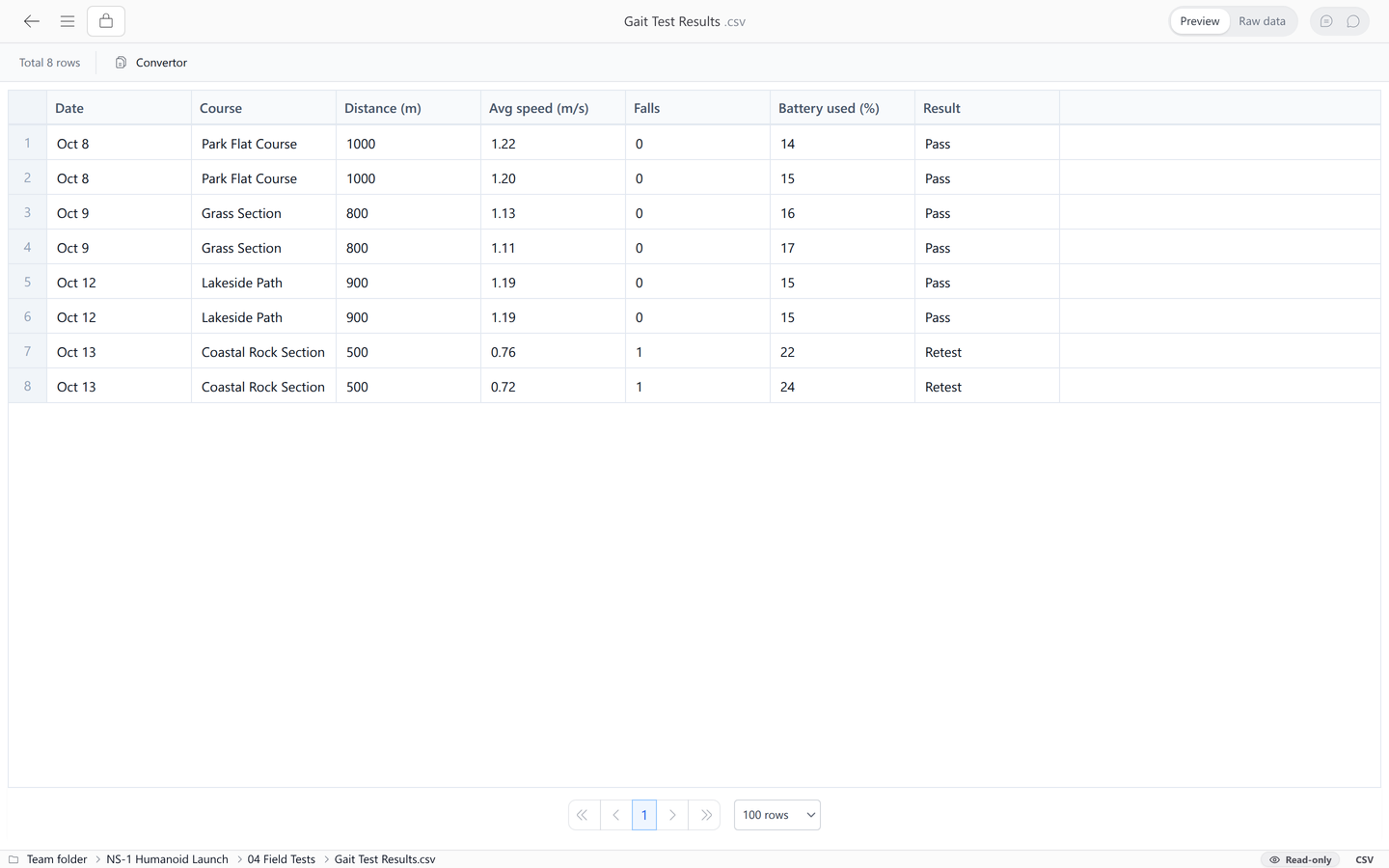
Editing
- Click Raw data in the top right, then double-click the text to edit the raw text directly.
- Double-click a cell in the preview table to edit that cell directly.
Converting Files
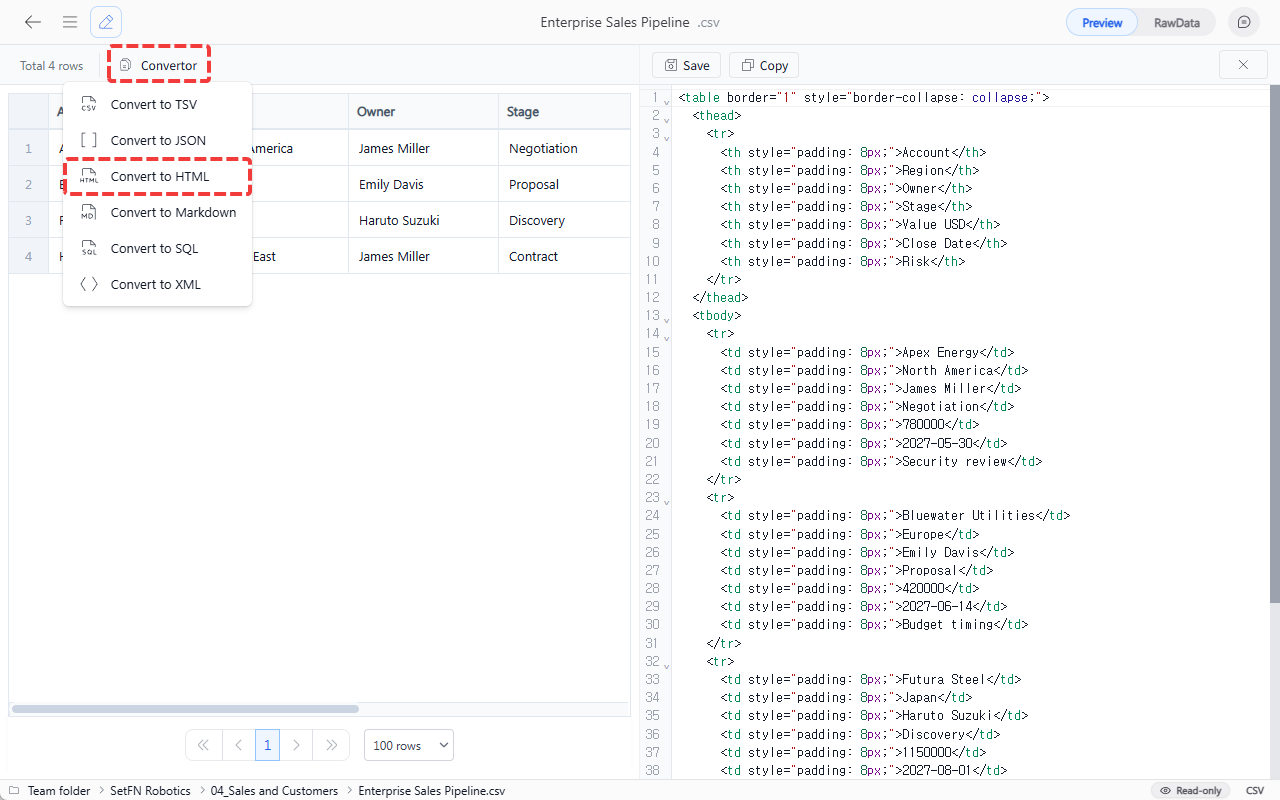
You can convert and save a CSV file in a different format.
- Select
Convertorabove the table. - Select the target format. The converted result appears on the right.
- Select
Saveto save it as a file orCopyto copy the result.
| Format | Description |
|---|---|
| TSV | Tab-separated text file |
| JSON | JSON array for data interchange |
| HTML | Table-form HTML file |
| MD | Markdown table |
| SQL | SQL file in INSERT statement form |
| XML | Hierarchical XML file |