'/%3e%3cpath%20id='cross_2'%20data-name='cross%202'%20class='cls-2'%20d='M20.612,30.43h0a5.361,5.361,0,1,0-10.723,0H0A33.709,33.709,0,0,1,30.569,0V9.75a5.361,5.361,0,1,1,0,10.723V30.43Z'%20transform='translate(67.193%200.007)%20rotate(90)'/%3e%3cpath%20id='cross_3'%20data-name='cross%203'%20class='cls-3'%20d='M20.612,30.43h0a5.361,5.361,0,1,0-10.723,0H0A33.709,33.709,0,0,1,30.569,0V9.75a5.361,5.361,0,1,1,0,10.723V30.43Z'%20transform='translate(67.186%2067.041)%20rotate(180)'/%3e%3cpath%20id='cross_4'%20data-name='cross%204'%20class='cls-4'%20d='M20.6,30.5h0a5.361,5.361,0,1,0-10.723,0H0A33.71,33.71,0,0,1,30.56,0V9.818a5.361,5.361,0,1,1,0,10.723V30.5Z'%20transform='translate(0%2067.041)%20rotate(-90)'/%3e%3c/svg%3e)
Viewing and Editing Image/Video Files
You can view media files such as images and videos directly in the workspace's web viewer, without downloading them.
Supported Image Viewer Formats
| Type | Extensions |
|---|---|
| Common images | JPG/JPEG, PNG, GIF, SVG, WebP |
| High-efficiency images | HEIC, HEIF, AVIF |
| Other images | BMP, TIFF/TIF, ICO |
Formats supported by the browser, such as JPEG, PNG, GIF, SVG, and WebP, display the original directly. Formats that are difficult to open directly in a browser, such as HEIC/HEIF, are converted to a preview image by the SetFN server and displayed.
HEIC/HEIF/AVIF previews require a server-side program capable of reading that image format. If the preview doesn't appear, an administrator can check the installation status of the image processing program under Plugins → External Libraries.
The default file size limit for image previews is 100MB. If server memory is limited or an administrator has changed the limit, the restriction may apply to smaller files as well.
Supported Audio/Video Viewer Formats
| Type | Extensions |
|---|---|
| Video | MP4, WebM, MOV, AVI, MKV, WMV |
| Audio | MP3, WAV, M4A, AAC, OGG, FLAC |
Even with the same extension, playback may fail depending on how the file was created and the browser being used. In this case, convert it to another format such as MP4 or MP3 in File Conversion.
Editing Images
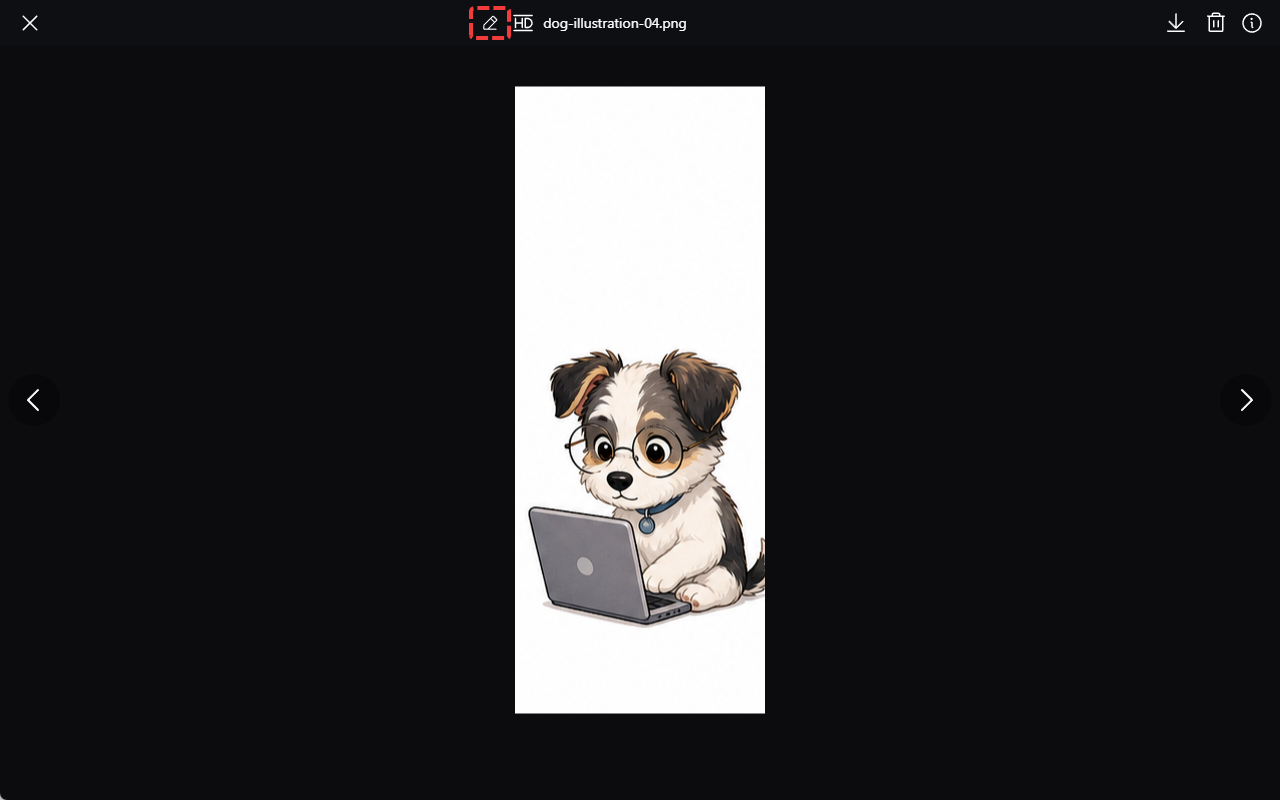
Click the pencil-shaped button (✏️) at the top of the image viewer to use the image editing tools.
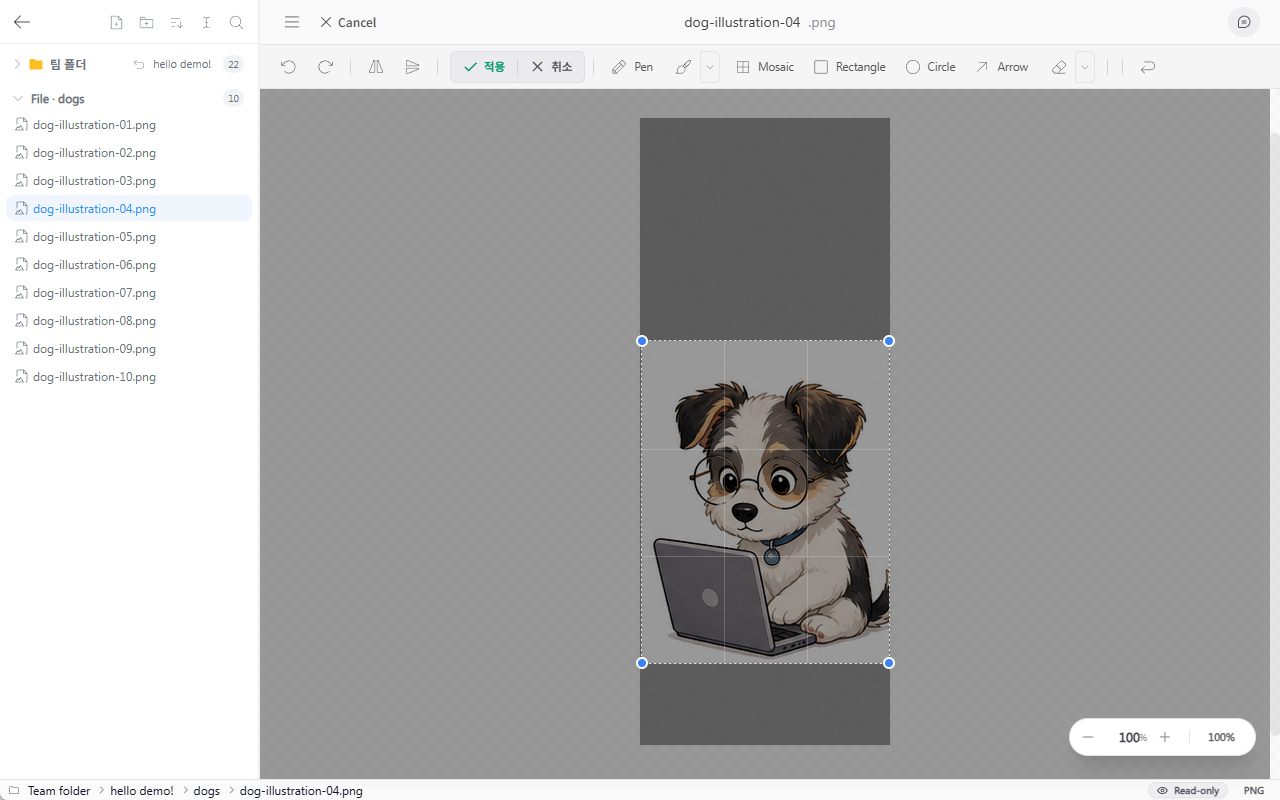
You can perform simple edits such as cropping, resizing, pen drawing, highlighting, mosaic/blur processing, drawing arrows, and drawing shapes.
Playing Video
- Click or press the space bar: Play or pause
- Drag the progress bar: Move the playback position
- Playback speed: Adjustable from 0.5x to 3x
- Full screen button: Switch to full screen