'/%3e%3cpath%20id='cross_2'%20data-name='cross%202'%20class='cls-2'%20d='M20.612,30.43h0a5.361,5.361,0,1,0-10.723,0H0A33.709,33.709,0,0,1,30.569,0V9.75a5.361,5.361,0,1,1,0,10.723V30.43Z'%20transform='translate(67.193%200.007)%20rotate(90)'/%3e%3cpath%20id='cross_3'%20data-name='cross%203'%20class='cls-3'%20d='M20.612,30.43h0a5.361,5.361,0,1,0-10.723,0H0A33.709,33.709,0,0,1,30.569,0V9.75a5.361,5.361,0,1,1,0,10.723V30.43Z'%20transform='translate(67.186%2067.041)%20rotate(180)'/%3e%3cpath%20id='cross_4'%20data-name='cross%204'%20class='cls-4'%20d='M20.6,30.5h0a5.361,5.361,0,1,0-10.723,0H0A33.71,33.71,0,0,1,30.56,0V9.818a5.361,5.361,0,1,1,0,10.723V30.5Z'%20transform='translate(0%2067.041)%20rotate(-90)'/%3e%3c/svg%3e)
Folder Web View
You can display an index.html file inside a folder like an actual web page.
This lets you present a folder not just as a plain file list, but as a single web screen.
Preparing the index.html File
Place an index.html file in the folder you want to view as a web page. This file becomes the entry point of the web page. Keep any accompanying CSS, image, and script files in the same folder and reference them with relative paths.
Switching to Web View
In the folder settings' View Options, change the view mode to Web. There are two modes.
- Web (Preview): The file list is still shown, and
index.htmlis rendered together below it.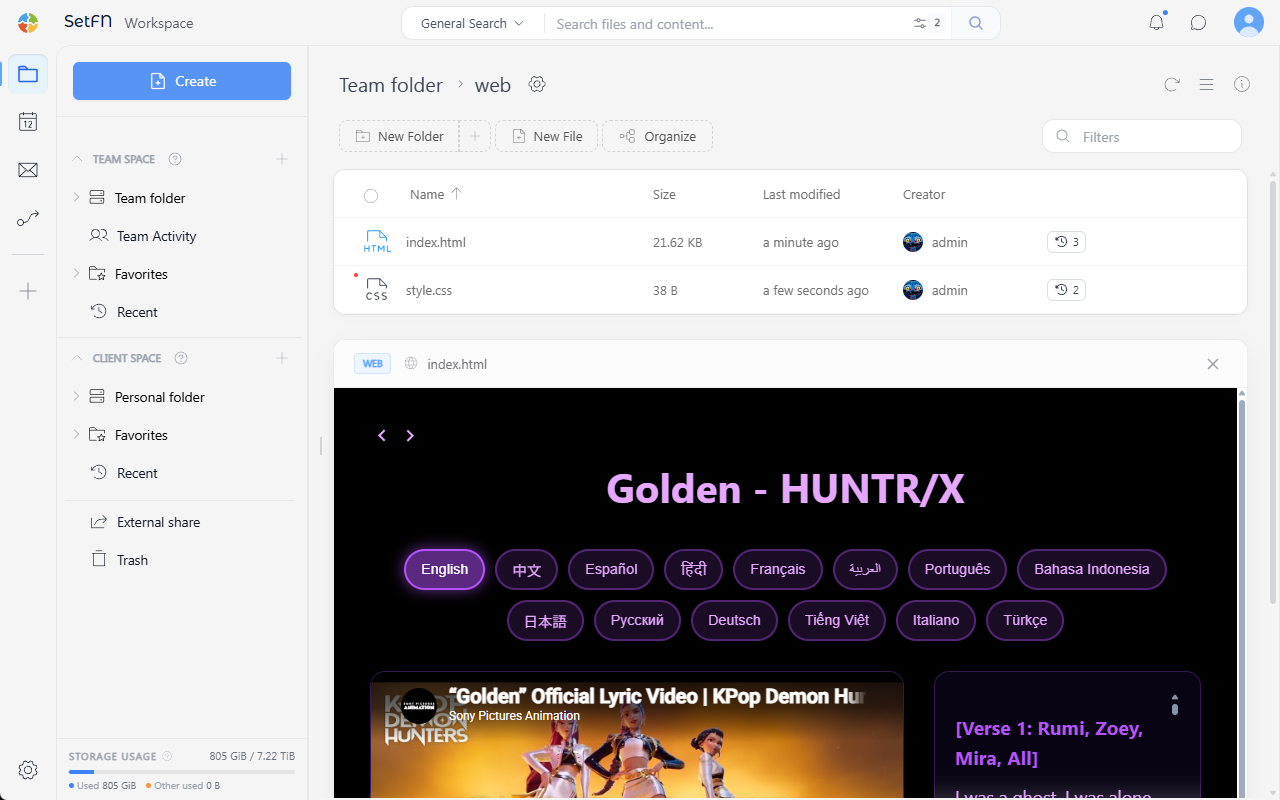
- Web (Direct view): Shows the rendered
index.htmlscreen directly, without the file list.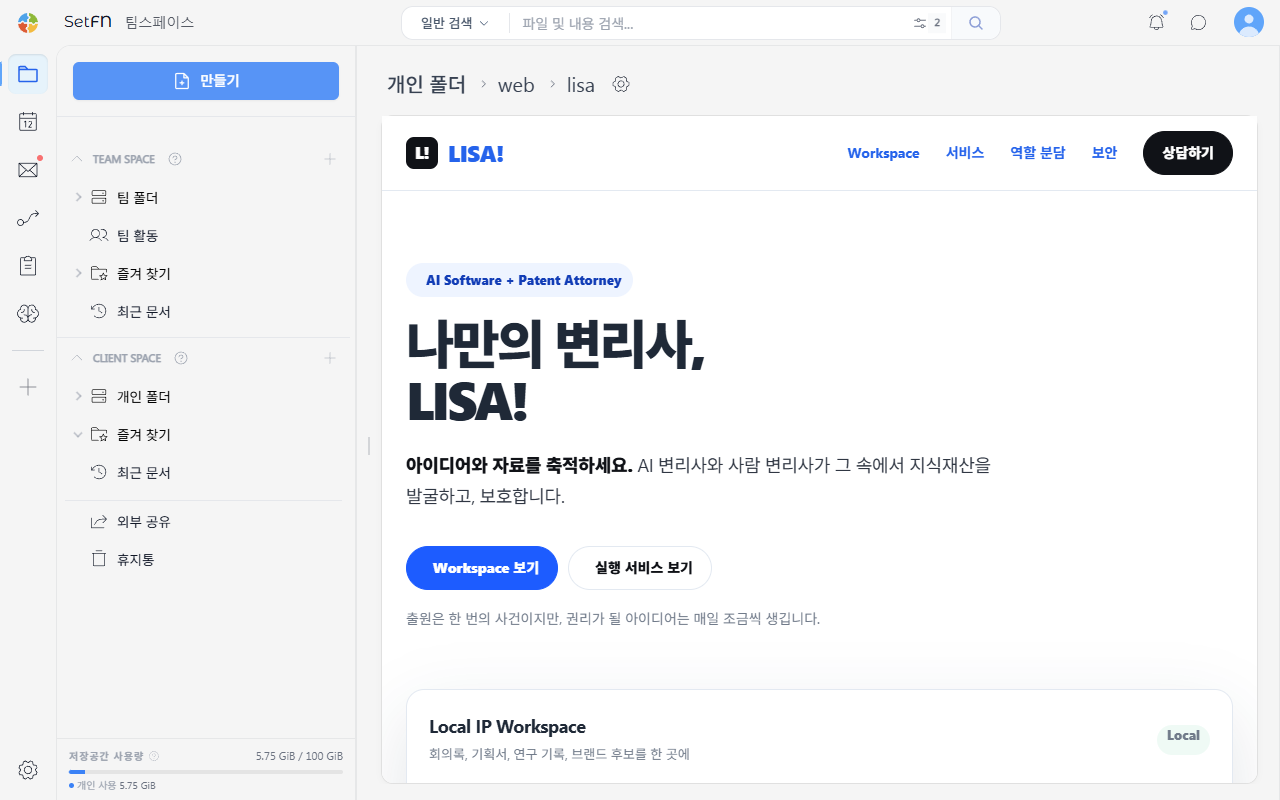
Usage Examples
Folder web view can be used to build things like:
- Site collections: Simple landing pages built with just
index.html - Groupware/bulletin board/data management pages: Screens that connect to a database to manage data
For example, opening a Data Management folder immediately shows index.html, and that screen is connected to a database so you can look up, register, and edit actual data. This approach lets you build internal team systems such as in-house ERP, groupware, bulletin boards, asset management, attendance management, customer management (CRM), and inventory management.
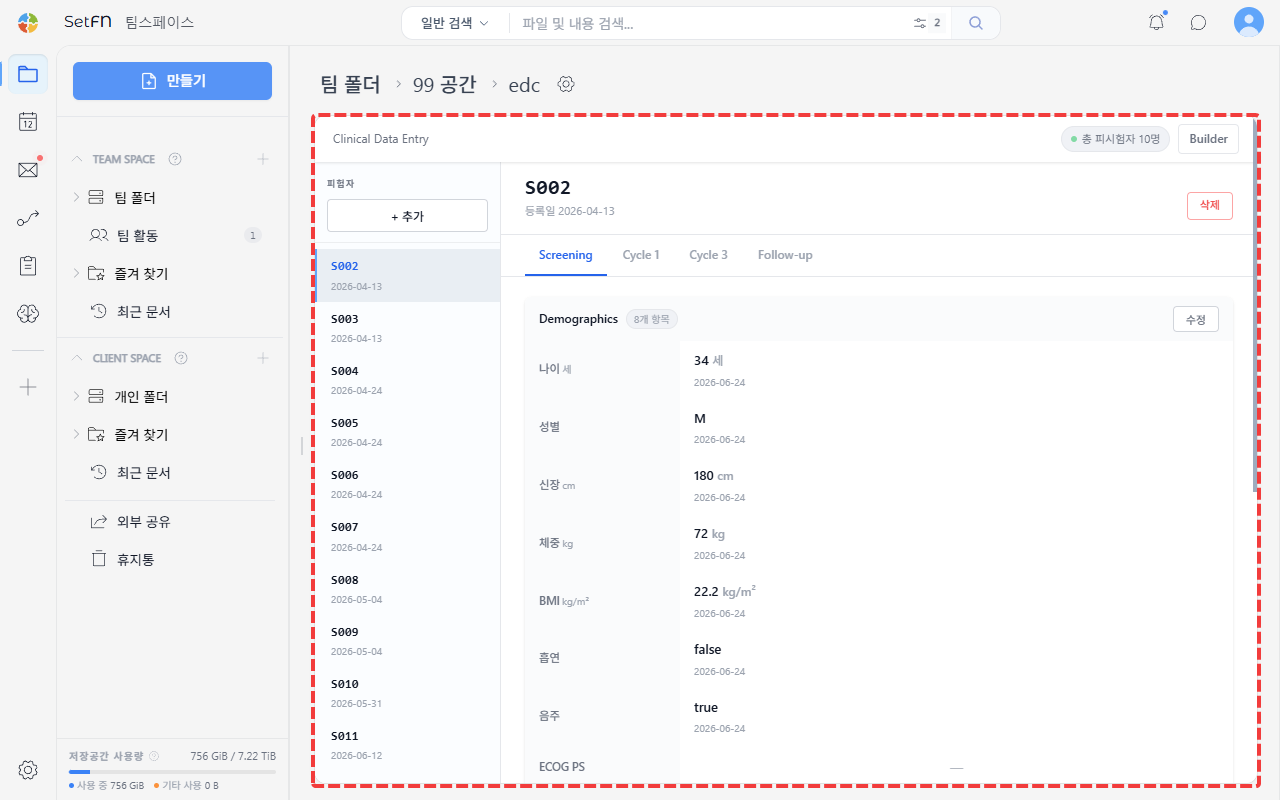
→ The full process of building a database-connected screen for internal team use continues in Building an Internal Web Service.
Good to Know
- Files referenced by
index.html(CSS, images, scripts) must be placed in the same folder with relative paths to display correctly.