'/%3e%3cpath%20id='cross_2'%20data-name='cross%202'%20class='cls-2'%20d='M20.612,30.43h0a5.361,5.361,0,1,0-10.723,0H0A33.709,33.709,0,0,1,30.569,0V9.75a5.361,5.361,0,1,1,0,10.723V30.43Z'%20transform='translate(67.193%200.007)%20rotate(90)'/%3e%3cpath%20id='cross_3'%20data-name='cross%203'%20class='cls-3'%20d='M20.612,30.43h0a5.361,5.361,0,1,0-10.723,0H0A33.709,33.709,0,0,1,30.569,0V9.75a5.361,5.361,0,1,1,0,10.723V30.43Z'%20transform='translate(67.186%2067.041)%20rotate(180)'/%3e%3cpath%20id='cross_4'%20data-name='cross%204'%20class='cls-4'%20d='M20.6,30.5h0a5.361,5.361,0,1,0-10.723,0H0A33.71,33.71,0,0,1,30.56,0V9.818a5.361,5.361,0,1,1,0,10.723V30.5Z'%20transform='translate(0%2067.041)%20rotate(-90)'/%3e%3c/svg%3e)
Setting Team-Based Access Permissions
You can set permissions on a folder so that only a specific team can access it. Users who don't belong to the team cannot view the contents of that folder.
Opening Folder Permission Settings
Click the settings icon (⚙️) next to the folder name, then select the Team Access Permissions tab.
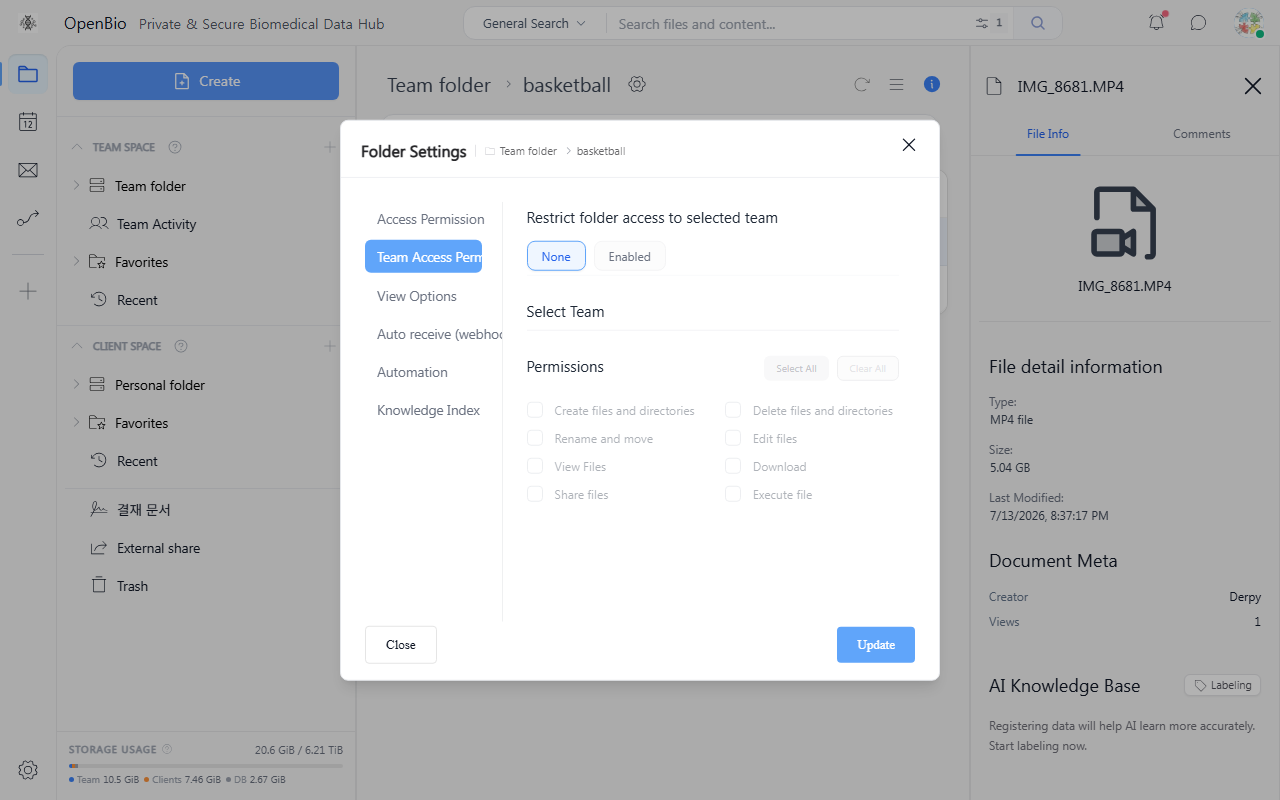
How to Configure
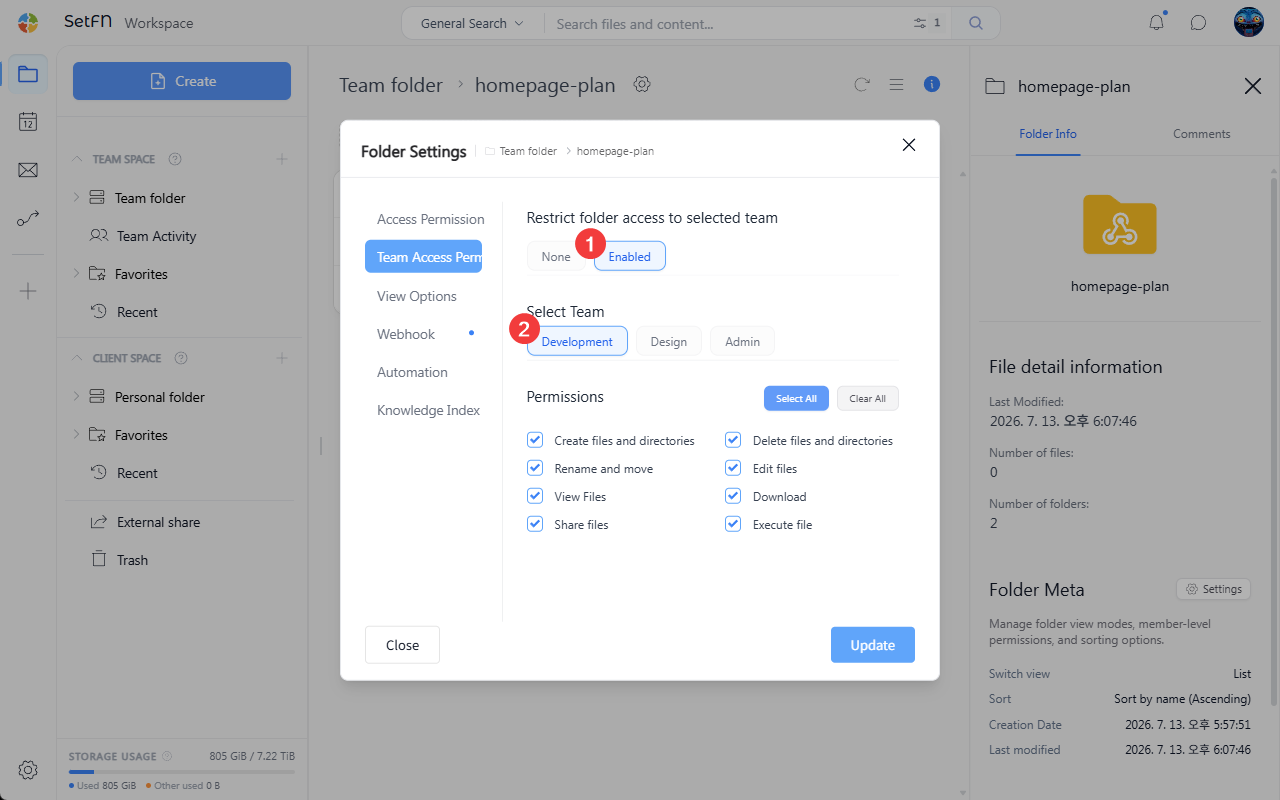
Selecting a Team
- Click the
Selectbutton, then choose the team to grant access from the team list. - Only one team can be set.
Setting Team Permissions
Check the actions the selected team can perform.
- View file list
- View file content
- Edit file content
- Create files/folders
- Delete files/folders
- Rename and move
- Download
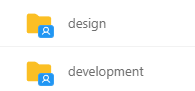
Checking the Settings
Folders with a team set show a blue icon.
Good to Know
- Only one team can be set per folder.
- Team-based folders and level-based folders can be used together.
- Administrators can access all folders regardless of team settings