'/%3e%3cpath%20id='cross_2'%20data-name='cross%202'%20class='cls-2'%20d='M20.612,30.43h0a5.361,5.361,0,1,0-10.723,0H0A33.709,33.709,0,0,1,30.569,0V9.75a5.361,5.361,0,1,1,0,10.723V30.43Z'%20transform='translate(67.193%200.007)%20rotate(90)'/%3e%3cpath%20id='cross_3'%20data-name='cross%203'%20class='cls-3'%20d='M20.612,30.43h0a5.361,5.361,0,1,0-10.723,0H0A33.709,33.709,0,0,1,30.569,0V9.75a5.361,5.361,0,1,1,0,10.723V30.43Z'%20transform='translate(67.186%2067.041)%20rotate(180)'/%3e%3cpath%20id='cross_4'%20data-name='cross%204'%20class='cls-4'%20d='M20.6,30.5h0a5.361,5.361,0,1,0-10.723,0H0A33.71,33.71,0,0,1,30.56,0V9.818a5.361,5.361,0,1,1,0,10.723V30.5Z'%20transform='translate(0%2067.041)%20rotate(-90)'/%3e%3c/svg%3e)
Creating Multiple Folders at Once
You can create many folders at once without having to create them one by one. Even hundreds of folders can be created instantly.
Entering Bulk Folder Creation Mode
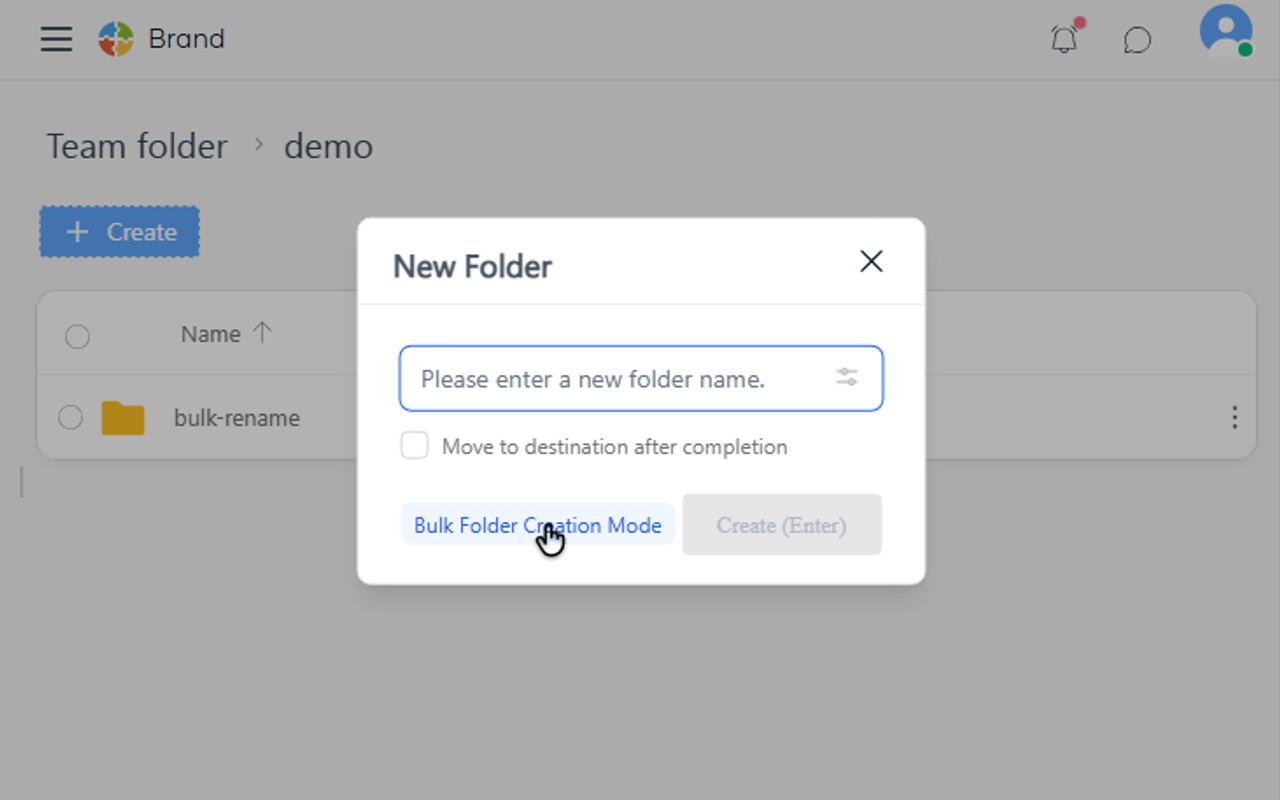
Click the New Folder button to open the popup, then click the Bulk Folder Creation Mode button at the bottom.
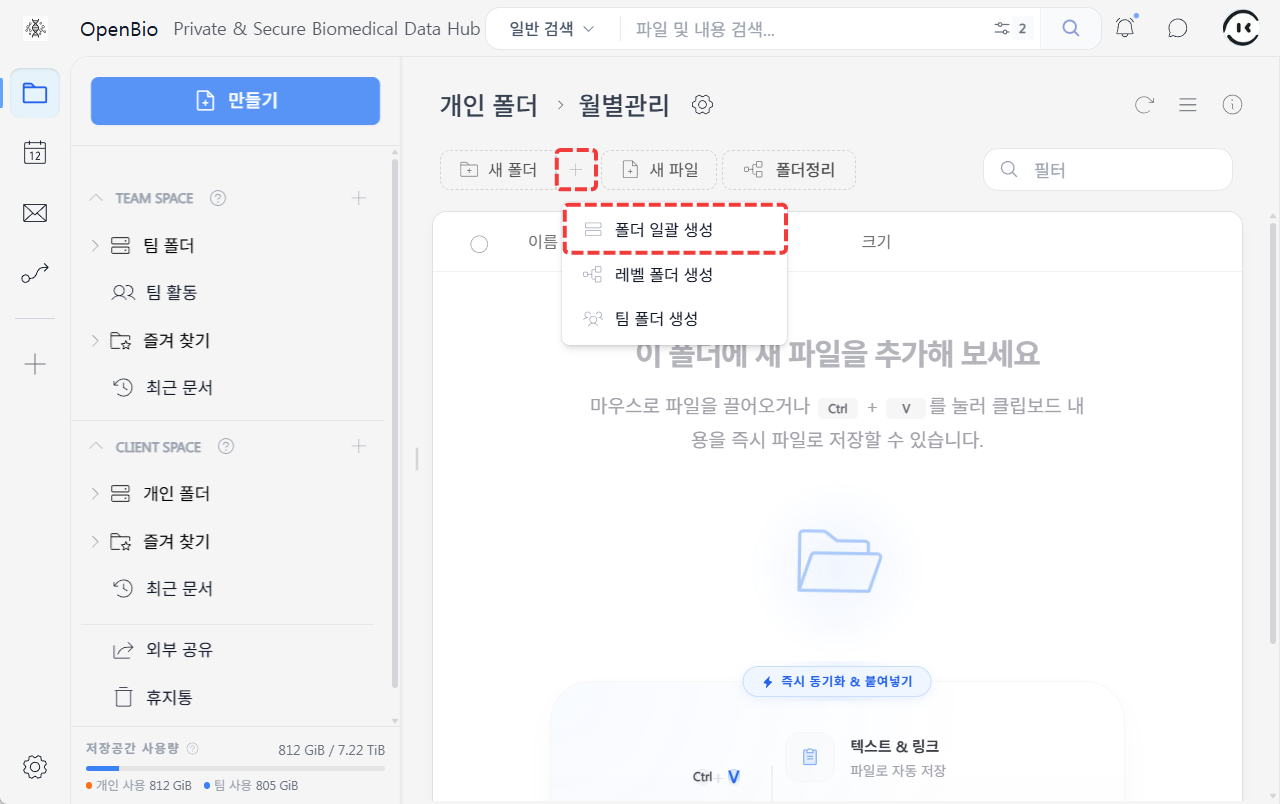
Alternatively, click the + button next to New Folder on the main page, then click the Bulk Create Folders menu item.
Entering Multiple Folder Names
Enter one folder name per line.
You can copy a list from Excel or similar tools and paste it in.
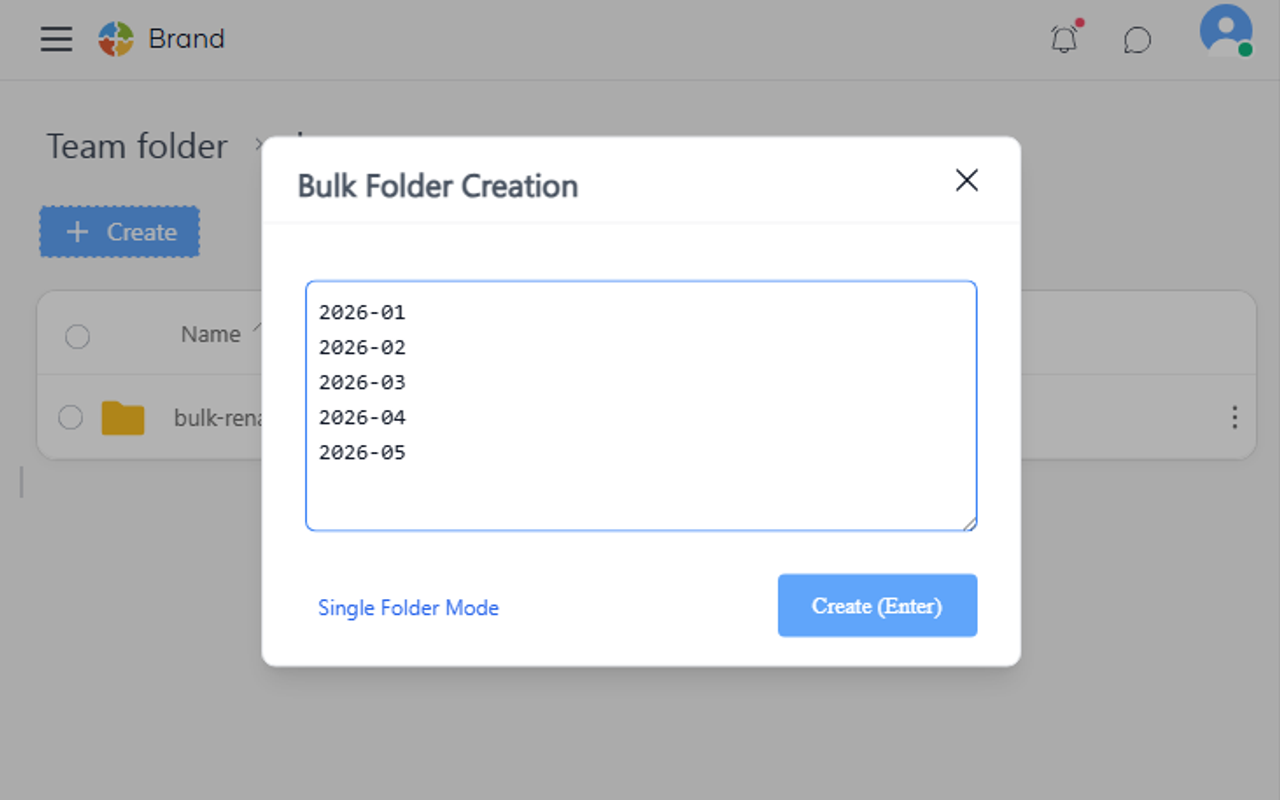
Click the create button to create multiple folders at once.
If there are duplicate folder names, the create button will not be enabled.
Creating Subfolders
Adding a / in a folder name lets you create subfolders all at once.
This is useful when managing monthly materials with the same structure.
Input:
2026-01
2026-01/Contracts/Original
2026-01/Contracts/Reviewed
2026-01/Settlement/Invoices
2026-01/Settlement/Payment Confirmation
2026-01/Reports/Monthly Report
2026-02
2026-02/Contracts/Original
2026-02/Contracts/Reviewed
2026-02/Settlement/Invoices
2026-02/Settlement/Payment Confirmation
2026-02/Reports/Monthly Report
Result:
2026-01
  ├─ Contracts
  │   ├─ Original
  │   └─ Reviewed
  ├─ Settlement
  │   ├─ Invoices
  │   └─ Payment Confirmation
  └─ Reports
      └─ Monthly Report
2026-02
  ├─ Contracts
  │   ├─ Original
  │   └─ Reviewed
  ├─ Settlement
  │   ├─ Invoices
  │   └─ Payment Confirmation
  └─ Reports
      └─ Monthly Report
Options and Settings
| Item | Description | Default |
|---|---|---|
| Recommended creation count | 500 or fewer recommended | - |
| Allowed characters | Korean, English, numbers, hyphen (-), underscore (_), spaces | - |
| Disallowed characters | / (separator), \ : * ? " < > pipe | - |
Good to Know
- If a name overlaps with an existing folder, that folder will not be created
- Creating more than 500 folders may take some time
- The
/character is used to separate subfolders, so it cannot be included in a folder name