'/%3e%3cpath%20id='cross_2'%20data-name='cross%202'%20class='cls-2'%20d='M20.612,30.43h0a5.361,5.361,0,1,0-10.723,0H0A33.709,33.709,0,0,1,30.569,0V9.75a5.361,5.361,0,1,1,0,10.723V30.43Z'%20transform='translate(67.193%200.007)%20rotate(90)'/%3e%3cpath%20id='cross_3'%20data-name='cross%203'%20class='cls-3'%20d='M20.612,30.43h0a5.361,5.361,0,1,0-10.723,0H0A33.709,33.709,0,0,1,30.569,0V9.75a5.361,5.361,0,1,1,0,10.723V30.43Z'%20transform='translate(67.186%2067.041)%20rotate(180)'/%3e%3cpath%20id='cross_4'%20data-name='cross%204'%20class='cls-4'%20d='M20.6,30.5h0a5.361,5.361,0,1,0-10.723,0H0A33.71,33.71,0,0,1,30.56,0V9.818a5.361,5.361,0,1,1,0,10.723V30.5Z'%20transform='translate(0%2067.041)%20rotate(-90)'/%3e%3c/svg%3e)
Adding an Admin
You can grant an admin role to a specific user to share responsibility for operating the space.
Selecting a Target User
In User Management > User List, find the user you want to grant an admin role to and click the edit icon (✏️️).
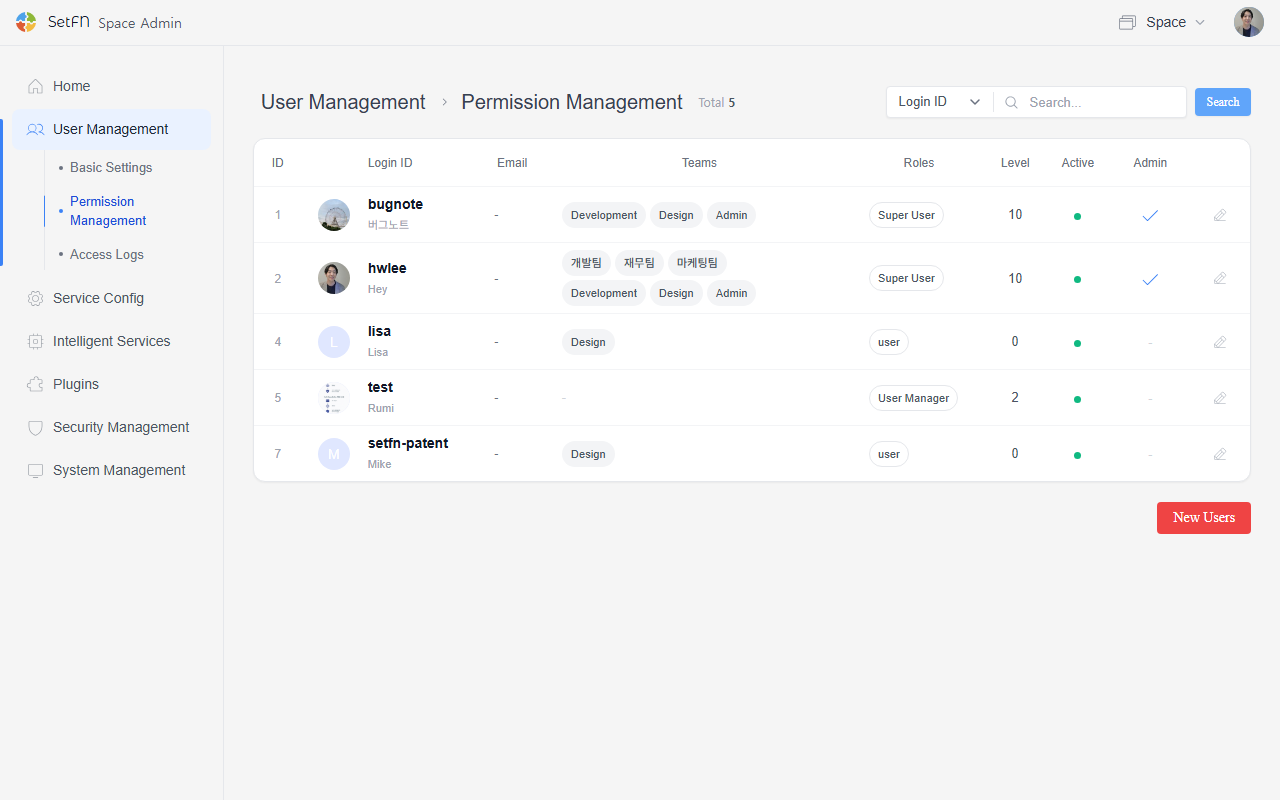
Setting Admin Permissions
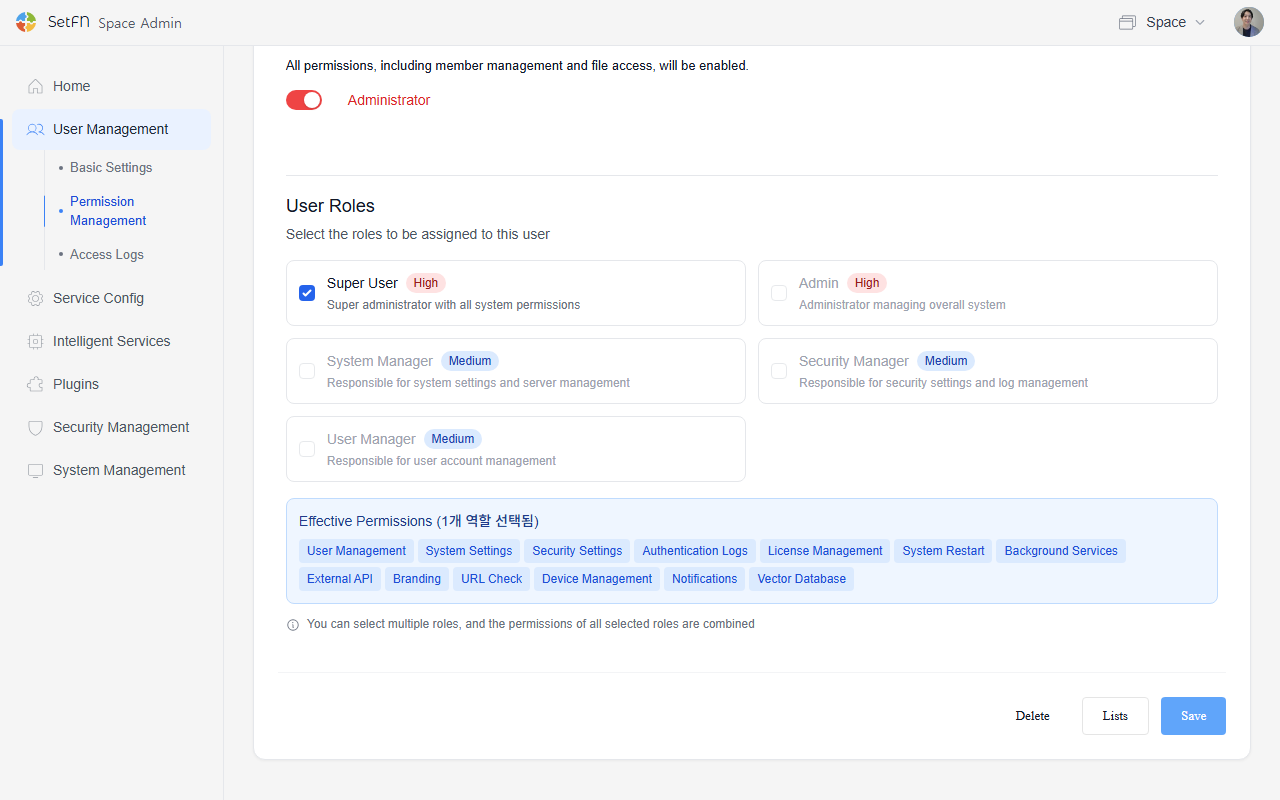
- Toggle on the Admin button.
- In the User Role section, select the admin role to grant.
| Role | Scope of Permissions |
|---|---|
| Superuser | All system permissions (user management, system settings, security settings, license management, etc.) |
| System admin | System settings, server restart, background services, device management |
| Security admin | Security settings, authentication logs, notifications |
| User admin | User account management (create, edit, delete), notifications |
- After selecting a role, click the "Save" button.
Admin Permissions
- Admins can access all folders.
- Admins can delete all files, folders, and comments.