'/%3e%3cpath%20id='cross_2'%20data-name='cross%202'%20class='cls-2'%20d='M20.612,30.43h0a5.361,5.361,0,1,0-10.723,0H0A33.709,33.709,0,0,1,30.569,0V9.75a5.361,5.361,0,1,1,0,10.723V30.43Z'%20transform='translate(67.193%200.007)%20rotate(90)'/%3e%3cpath%20id='cross_3'%20data-name='cross%203'%20class='cls-3'%20d='M20.612,30.43h0a5.361,5.361,0,1,0-10.723,0H0A33.709,33.709,0,0,1,30.569,0V9.75a5.361,5.361,0,1,1,0,10.723V30.43Z'%20transform='translate(67.186%2067.041)%20rotate(180)'/%3e%3cpath%20id='cross_4'%20data-name='cross%204'%20class='cls-4'%20d='M20.6,30.5h0a5.361,5.361,0,1,0-10.723,0H0A33.71,33.71,0,0,1,30.56,0V9.818a5.361,5.361,0,1,1,0,10.723V30.5Z'%20transform='translate(0%2067.041)%20rotate(-90)'/%3e%3c/svg%3e)
Get started with WebSpace administration
WebSpace administration is a dedicated web service operations area, separate from general workspace administration. Select WebSpace administration from the space switcher at the top of the admin page, or go to /webspace-admin/operations.
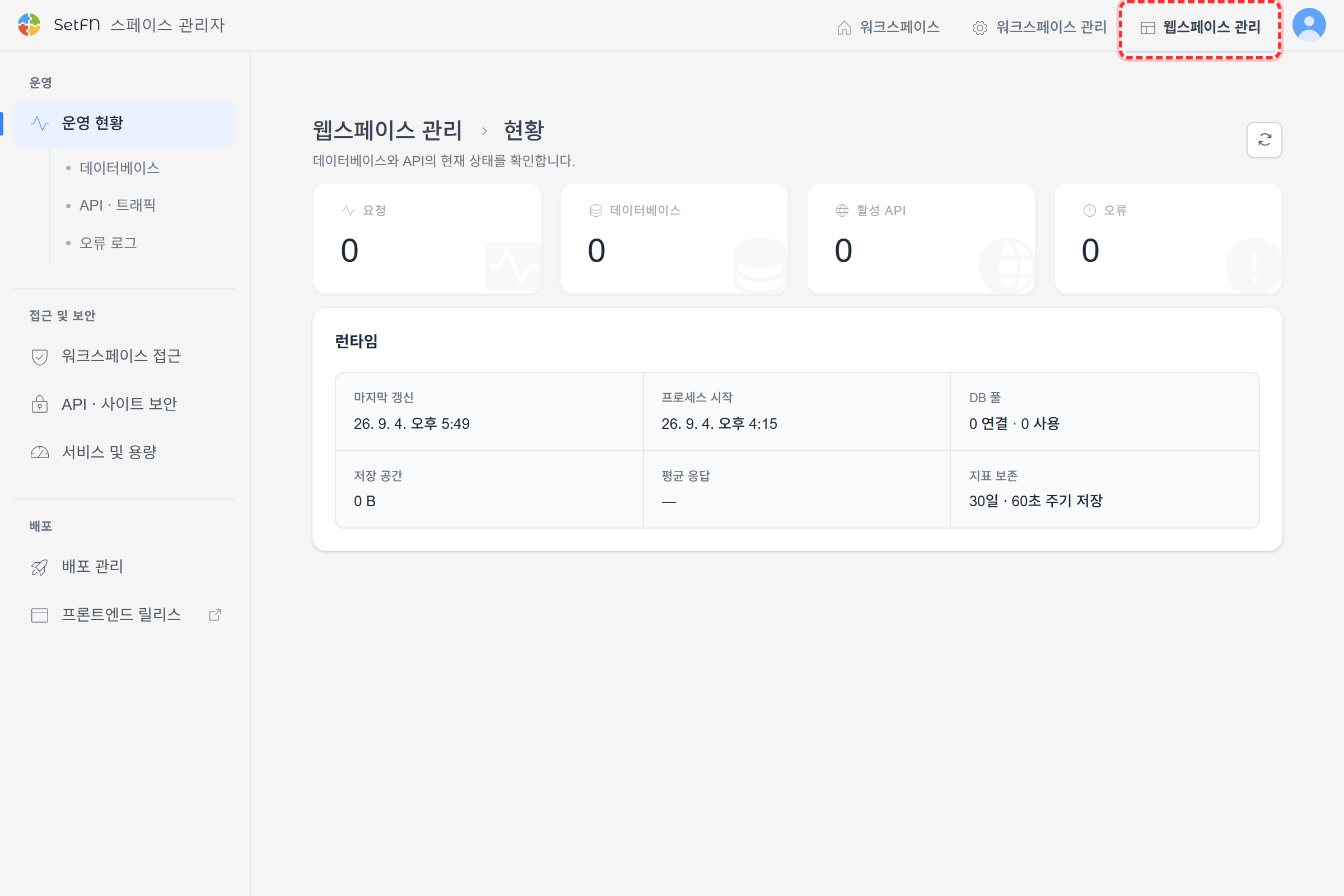
Menu structure
| Section | Menu | What you manage |
|---|---|---|
| Operations | Operations | Summary of all requests, databases, active APIs, errors, and runtime |
| Operations | Databases | Tables, endpoints, storage, last access, and runtime status by DB |
| Operations | API & traffic | Requests, errors, average response, and last access by endpoint |
| Operations | Error logs | Time, status code, DB, target, and processing time for recent errors |
| Access & security | Workspace access | Entry scope for team and personal workspace screens |
| Access & security | API & site security | External origins and CSP policies |
| Access & security | Services & capacity | Public features and real-time connection limits |
| Deployment | Deployment management | Permissions and overwrite policies for schema/API and frontend deployments |
| Deployment | Frontend release | Opens the /public release console |
Recommended operating sequence
- Restrict workspace access and external origins first.
- Enable only the REST, static file, and real-time features you need.
- Define deployment operators and the policy for overwriting existing data.
- After deployment, check errors and response times under Operations.
- Adjust connection limits gradually to match actual traffic.