'/%3e%3cpath%20id='cross_2'%20data-name='cross%202'%20class='cls-2'%20d='M20.612,30.43h0a5.361,5.361,0,1,0-10.723,0H0A33.709,33.709,0,0,1,30.569,0V9.75a5.361,5.361,0,1,1,0,10.723V30.43Z'%20transform='translate(67.193%200.007)%20rotate(90)'/%3e%3cpath%20id='cross_3'%20data-name='cross%203'%20class='cls-3'%20d='M20.612,30.43h0a5.361,5.361,0,1,0-10.723,0H0A33.709,33.709,0,0,1,30.569,0V9.75a5.361,5.361,0,1,1,0,10.723V30.43Z'%20transform='translate(67.186%2067.041)%20rotate(180)'/%3e%3cpath%20id='cross_4'%20data-name='cross%204'%20class='cls-4'%20d='M20.6,30.5h0a5.361,5.361,0,1,0-10.723,0H0A33.71,33.71,0,0,1,30.56,0V9.818a5.361,5.361,0,1,1,0,10.723V30.5Z'%20transform='translate(0%2067.041)%20rotate(-90)'/%3e%3c/svg%3e)
Deployment management and frontend releases
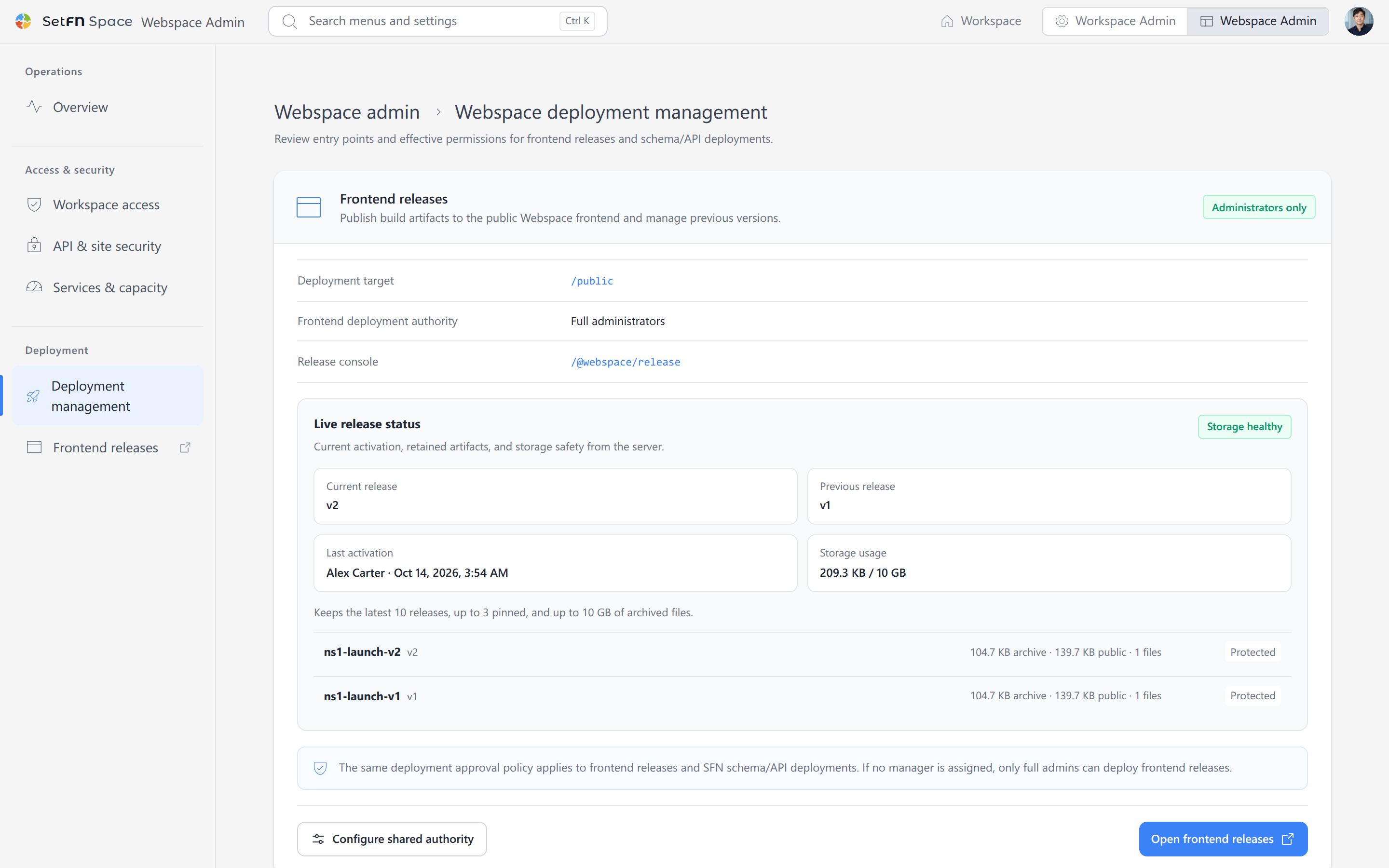
Deployment management determines who can publish schema/API and frontend changes to production. Deployment permissions are managed separately so that permission to edit a file does not automatically grant permission to overwrite a production database.
Deployment permissions
Configure Administrators only, Minimum user level, and Deployment managers according to your organization's policy. Change these settings in Webspace deployment policy, which opens when you select Configure shared authority. The same approval policy applies to schema/API deployments and frontend releases.
- Allow designated deployment operators in development and verification environments.
- Restrict production to administrators or approved operators.
- Review operator changes and deployment history regularly.
Overwriting existing data
When the target database contains data, you can apply Block everyone, Full administrators only, or Approved deployment managers under Overwrite a populated database.
For a production database that contains data, Block everyone or Full administrators only is recommended. Before running the deployment, review changed columns, items to be deleted, backups, and recovery procedures. Applying a new schema closes existing connections and reopens them with the new settings.
Frontend releases
Selecting the Frontend releases menu opens the release console (/@webspace/release). There, upload HTML, CSS, JavaScript, and asset files or an archive to publish a new version to the deployment target (/public).
Schema/API and frontend deployments are separate artifacts, but their endpoints and CSP must agree. After deployment, verify static resources, authentication, REST APIs, and WebSocket connections at the public address.