'/%3e%3cpath%20id='cross_2'%20data-name='cross%202'%20class='cls-2'%20d='M20.612,30.43h0a5.361,5.361,0,1,0-10.723,0H0A33.709,33.709,0,0,1,30.569,0V9.75a5.361,5.361,0,1,1,0,10.723V30.43Z'%20transform='translate(67.193%200.007)%20rotate(90)'/%3e%3cpath%20id='cross_3'%20data-name='cross%203'%20class='cls-3'%20d='M20.612,30.43h0a5.361,5.361,0,1,0-10.723,0H0A33.709,33.709,0,0,1,30.569,0V9.75a5.361,5.361,0,1,1,0,10.723V30.43Z'%20transform='translate(67.186%2067.041)%20rotate(180)'/%3e%3cpath%20id='cross_4'%20data-name='cross%204'%20class='cls-4'%20d='M20.6,30.5h0a5.361,5.361,0,1,0-10.723,0H0A33.71,33.71,0,0,1,30.56,0V9.818a5.361,5.361,0,1,1,0,10.723V30.5Z'%20transform='translate(0%2067.041)%20rotate(-90)'/%3e%3c/svg%3e)
Email Security
The SetFN Email plugin reduces the risks that can arise when reading email, using read-tracking blocking, automatic image blocking, and link analysis.
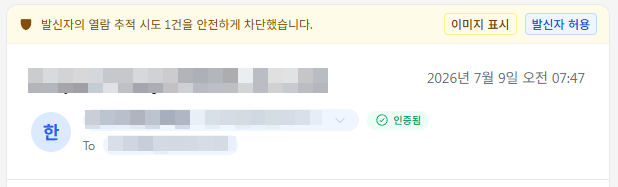
Blocking Read-Tracking Attempts
If a sender embeds a tracking pixel or similar element in an email to detect whether it has been read, this is automatically detected and blocked, with a notice banner shown at the top. Selecting Show Images or Allow Sender lets images be shown afterward.
Automatic Image Blocking
To protect privacy, images in the email body are automatically blocked by default. If you trust the sender, click Show Images or Allow Sender to load the images.
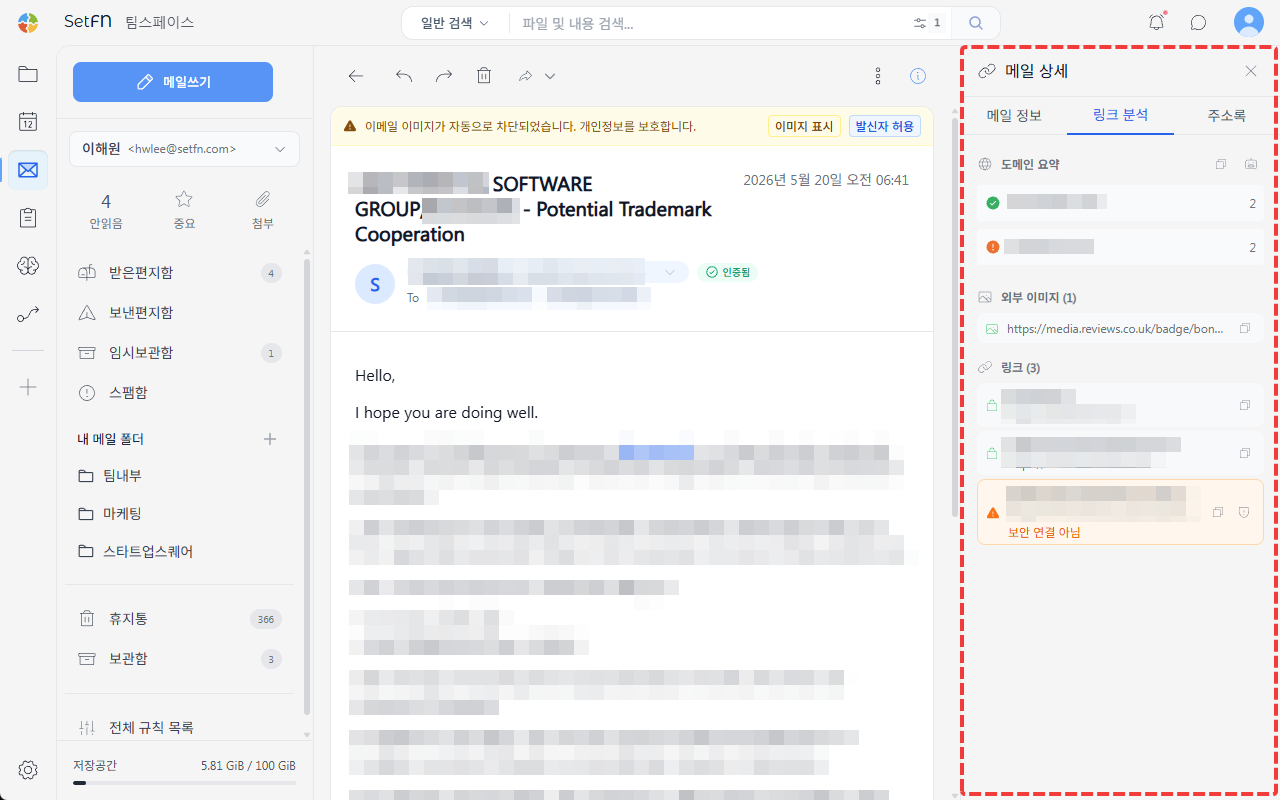
Link Analysis
Analyzes the risk of links and external images contained in the email body. On the Link Analysis tab of the email detail screen, you can check a domain summary, external images, and a list of links; connections that aren't secure or that come from risky domains are flagged with a warning.