'/%3e%3cpath%20id='cross_2'%20data-name='cross%202'%20class='cls-2'%20d='M20.612,30.43h0a5.361,5.361,0,1,0-10.723,0H0A33.709,33.709,0,0,1,30.569,0V9.75a5.361,5.361,0,1,1,0,10.723V30.43Z'%20transform='translate(67.193%200.007)%20rotate(90)'/%3e%3cpath%20id='cross_3'%20data-name='cross%203'%20class='cls-3'%20d='M20.612,30.43h0a5.361,5.361,0,1,0-10.723,0H0A33.709,33.709,0,0,1,30.569,0V9.75a5.361,5.361,0,1,1,0,10.723V30.43Z'%20transform='translate(67.186%2067.041)%20rotate(180)'/%3e%3cpath%20id='cross_4'%20data-name='cross%204'%20class='cls-4'%20d='M20.6,30.5h0a5.361,5.361,0,1,0-10.723,0H0A33.71,33.71,0,0,1,30.56,0V9.818a5.361,5.361,0,1,1,0,10.723V30.5Z'%20transform='translate(0%2067.041)%20rotate(-90)'/%3e%3c/svg%3e)
Mail Folder Management
You can create email folders to organize your emails systematically. Folders created in the mailbox are automatically created in your workspace, and folders created in your workspace also appear automatically in the mailbox. The two stay in sync at all times.
1. Creating a Folder in the Mailbox
Click the + button next to My Mail Folders in the left sidebar and enter a folder name.
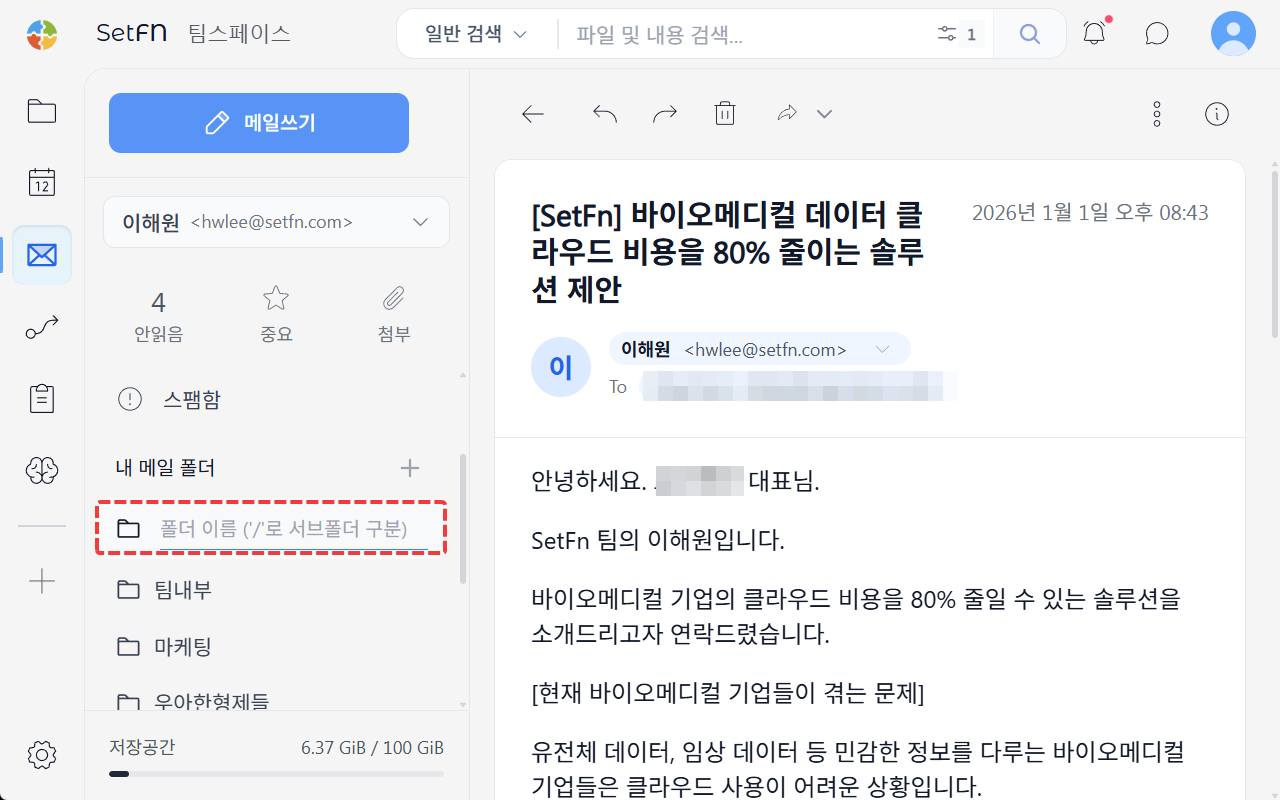
2. Creating a Folder in the Workspace
Create a new folder inside the numbered folder under Personal Folder > MailFolders in your workspace. It automatically appears under My Mail Folders in the mailbox.
Moving Email into a Folder
Select the emails you want to organize and drag them to the folder you want, or use the right-click menu's Move to Folder option. You can also drag .eml files to move them within the workspace.
Renaming and Deleting Folders
Right-click a folder in the mailbox or the workspace to rename or delete it.
Good to Know
- Deleting a folder moves all the emails inside it to Trash as well.