'/%3e%3cpath%20id='cross_2'%20data-name='cross%202'%20class='cls-2'%20d='M20.612,30.43h0a5.361,5.361,0,1,0-10.723,0H0A33.709,33.709,0,0,1,30.569,0V9.75a5.361,5.361,0,1,1,0,10.723V30.43Z'%20transform='translate(67.193%200.007)%20rotate(90)'/%3e%3cpath%20id='cross_3'%20data-name='cross%203'%20class='cls-3'%20d='M20.612,30.43h0a5.361,5.361,0,1,0-10.723,0H0A33.709,33.709,0,0,1,30.569,0V9.75a5.361,5.361,0,1,1,0,10.723V30.43Z'%20transform='translate(67.186%2067.041)%20rotate(180)'/%3e%3cpath%20id='cross_4'%20data-name='cross%204'%20class='cls-4'%20d='M20.6,30.5h0a5.361,5.361,0,1,0-10.723,0H0A33.71,33.71,0,0,1,30.56,0V9.818a5.361,5.361,0,1,1,0,10.723V30.5Z'%20transform='translate(0%2067.041)%20rotate(-90)'/%3e%3c/svg%3e)
Composing and Sending Email
You can compose an email yourself or have AI draft it for you.
1. Composing It Yourself
Click the Compose button in the upper left to open a new email composition window.
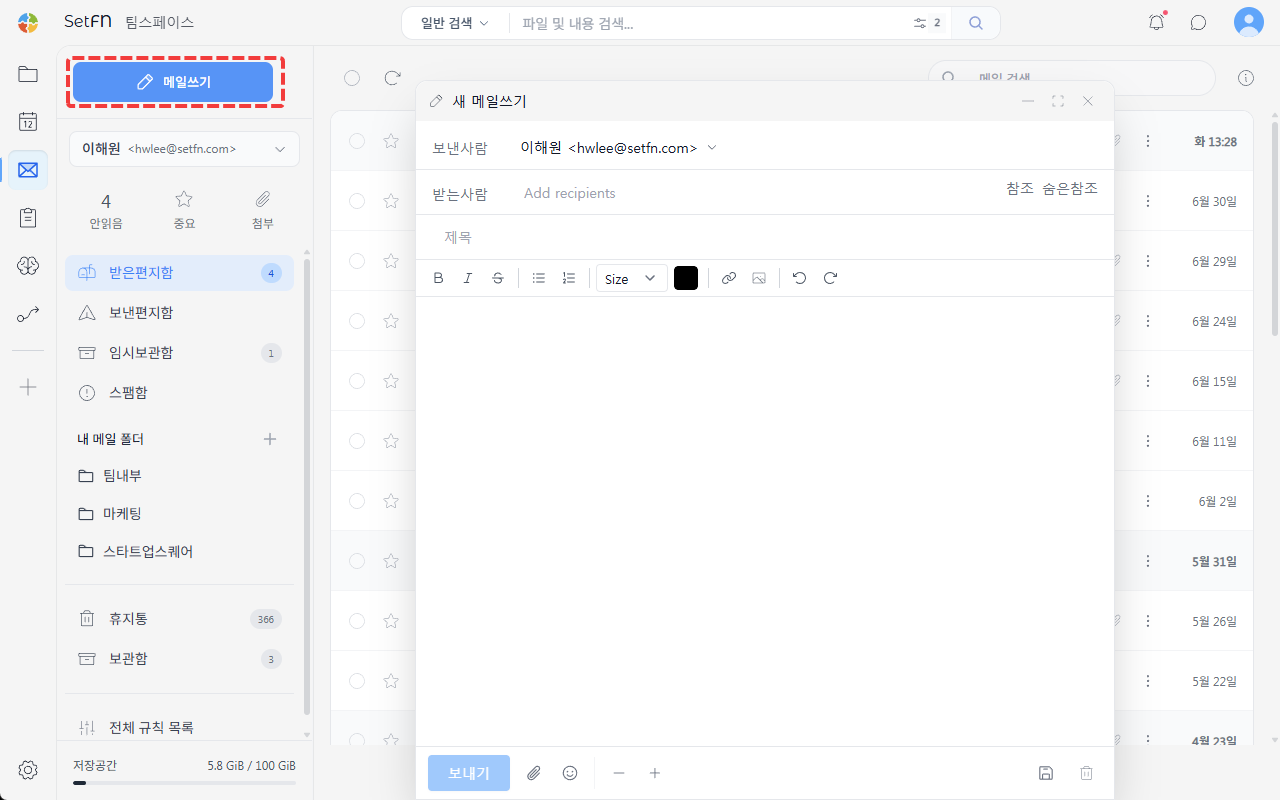
Entering Recipients
Enter an email address in the To field. To send to multiple people, separate addresses with a comma (,). Autocomplete is supported.
- Cc: Specify people who should receive a copy for reference. Visible to all recipients.
- Bcc: Specify recipients who won't be visible to other recipients.
Writing the Subject and Body
Enter a subject and write the body. In the body, you can use text formatting (font, size, color, alignment), bullet points, numbered lists, and link insertion.
Sending
Click the Send button to send the email. Once sent, it's saved in Sent.
2. Asking AI to Compose It
In the chat window, attach a file to the AI and ask it to compose an email.
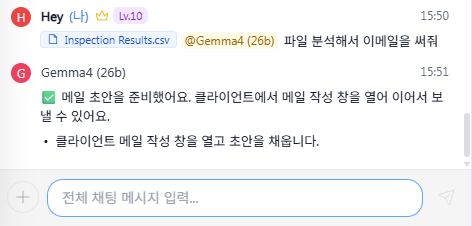
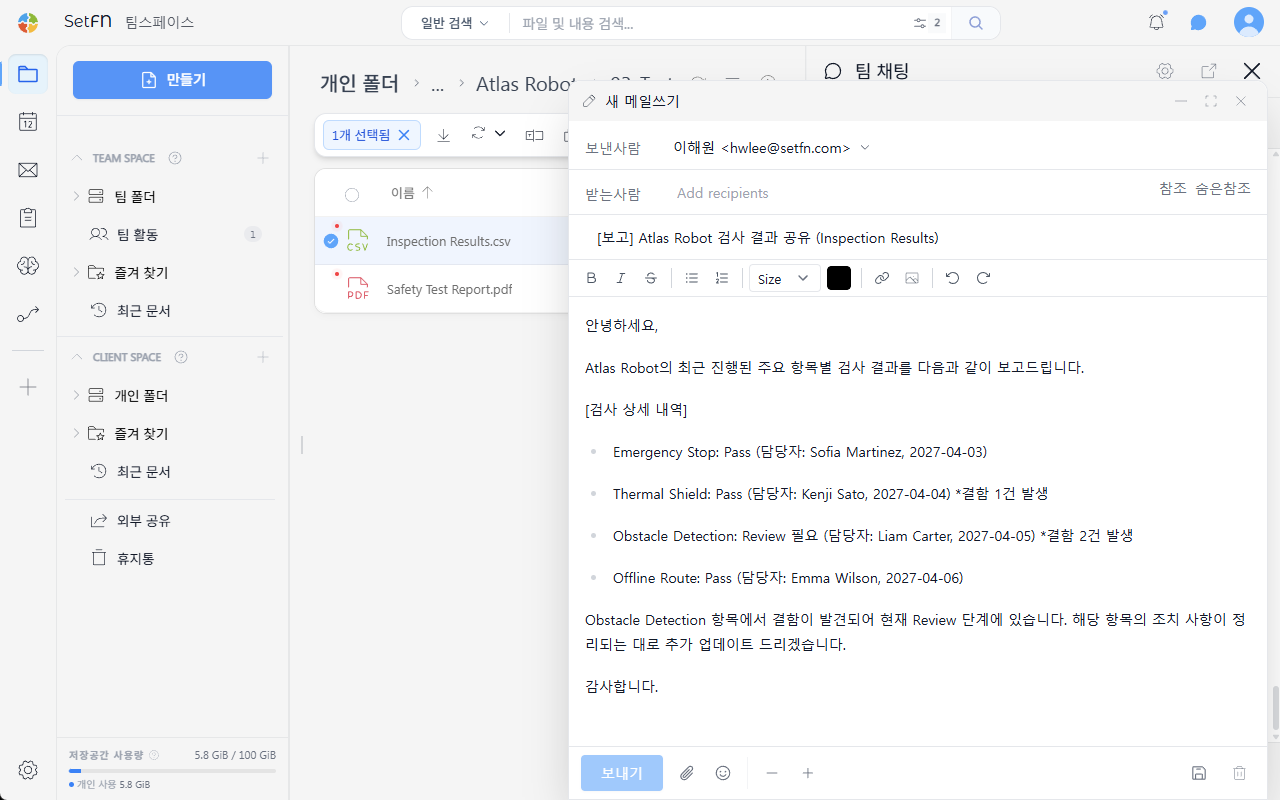
The AI analyzes the file content, automatically opens the email composition window, and fills in a draft subject and body. Review and edit the content, then send.
Adding Attachments
You can attach files from your computer or from File Space to an email. For details, see Attaching Files.