'/%3e%3cpath%20id='cross_2'%20data-name='cross%202'%20class='cls-2'%20d='M20.612,30.43h0a5.361,5.361,0,1,0-10.723,0H0A33.709,33.709,0,0,1,30.569,0V9.75a5.361,5.361,0,1,1,0,10.723V30.43Z'%20transform='translate(67.193%200.007)%20rotate(90)'/%3e%3cpath%20id='cross_3'%20data-name='cross%203'%20class='cls-3'%20d='M20.612,30.43h0a5.361,5.361,0,1,0-10.723,0H0A33.709,33.709,0,0,1,30.569,0V9.75a5.361,5.361,0,1,1,0,10.723V30.43Z'%20transform='translate(67.186%2067.041)%20rotate(180)'/%3e%3cpath%20id='cross_4'%20data-name='cross%204'%20class='cls-4'%20d='M20.6,30.5h0a5.361,5.361,0,1,0-10.723,0H0A33.71,33.71,0,0,1,30.56,0V9.818a5.361,5.361,0,1,1,0,10.723V30.5Z'%20transform='translate(0%2067.041)%20rotate(-90)'/%3e%3c/svg%3e)
Basic Email Functionality
The Email plugin consists of Inbox, Sent, Drafts, Spam, Trash, and Archive. You can use the Unread, Important, and Attachment filters to quickly find emails. The search feature lets you search by subject, sender, and message body.
Checking Mailboxes
Click the mailbox you want in the left sidebar.
- Inbox: View received email. The newest messages appear at the top.
- Sent: View sent email. You can check the send time and delivery confirmation.
- Drafts: Emails that were auto-saved while being composed. You can resume writing them later.
- Spam: Emails filtered automatically as spam. They can be restored as normal email.
- Trash: Deleted emails are kept here for 30 days.
- Archive: Emails kept for long-term storage.
Filters
- Unread: Show only unread emails
- Important: Show only starred emails
- Attachment: Show only emails with attachments
Email Search
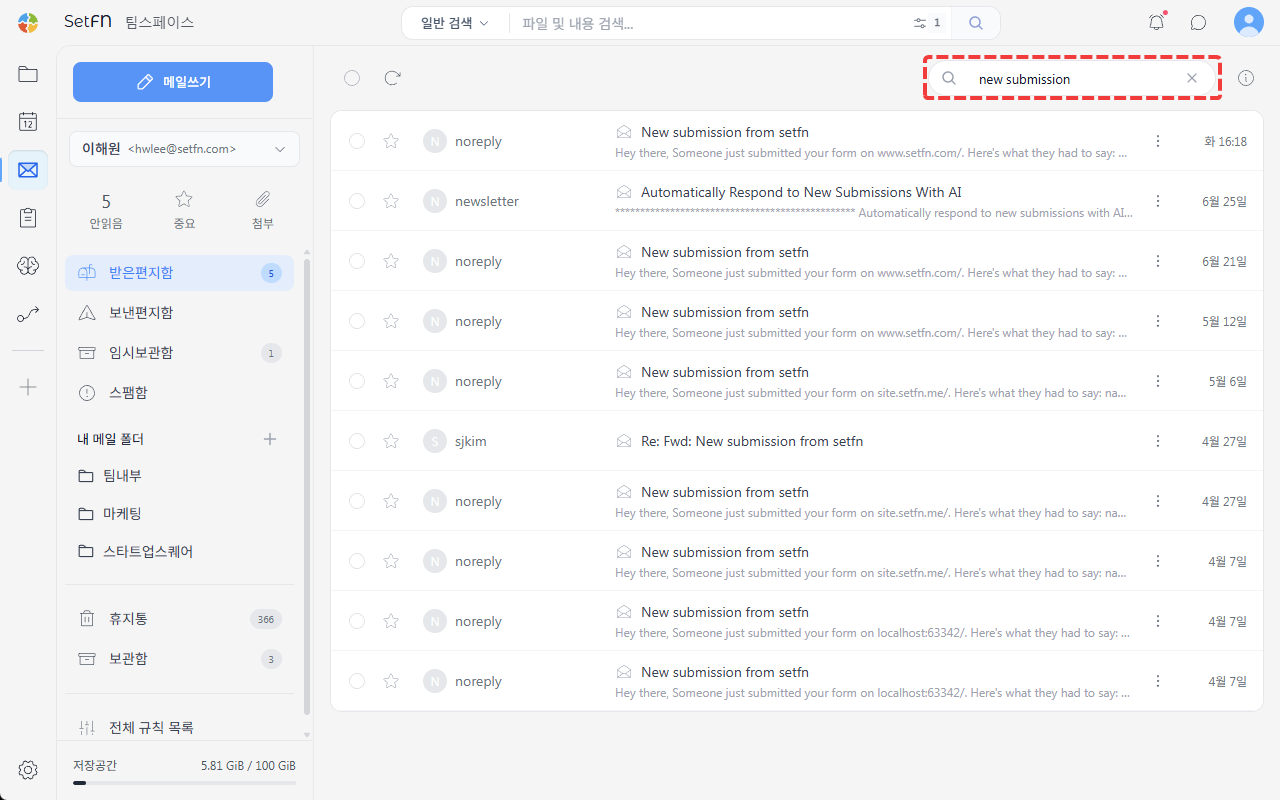
Enter a subject, sender, recipient, or body content into the search bar at the top to find emails.
Reading and Acting on Email
Clicking an email shows the sender, recipient, subject, date, body, and attachment information. You can reply, forward, delete, archive, or report as spam.
Email Search
Enter a subject, sender, recipient, or body content into the search bar at the top to find emails.
Options and Settings
| Item | Description | Default |
|---|---|---|
| Mark as important | Click the star icon next to an email to mark it as important | Off |
| Trash retention period | How long deleted emails are kept | 30 days |
| Permanent deletion | Permanently delete an email from Trash | Manual |
Notes
- Emails in Trash are automatically deleted after 30 days.
- Permanently deleted emails cannot be recovered.