'/%3e%3cpath%20id='cross_2'%20data-name='cross%202'%20class='cls-2'%20d='M20.612,30.43h0a5.361,5.361,0,1,0-10.723,0H0A33.709,33.709,0,0,1,30.569,0V9.75a5.361,5.361,0,1,1,0,10.723V30.43Z'%20transform='translate(67.193%200.007)%20rotate(90)'/%3e%3cpath%20id='cross_3'%20data-name='cross%203'%20class='cls-3'%20d='M20.612,30.43h0a5.361,5.361,0,1,0-10.723,0H0A33.709,33.709,0,0,1,30.569,0V9.75a5.361,5.361,0,1,1,0,10.723V30.43Z'%20transform='translate(67.186%2067.041)%20rotate(180)'/%3e%3cpath%20id='cross_4'%20data-name='cross%204'%20class='cls-4'%20d='M20.6,30.5h0a5.361,5.361,0,1,0-10.723,0H0A33.71,33.71,0,0,1,30.56,0V9.818a5.361,5.361,0,1,1,0,10.723V30.5Z'%20transform='translate(0%2067.041)%20rotate(-90)'/%3e%3c/svg%3e)
Collaboration Chat and Edit Lock
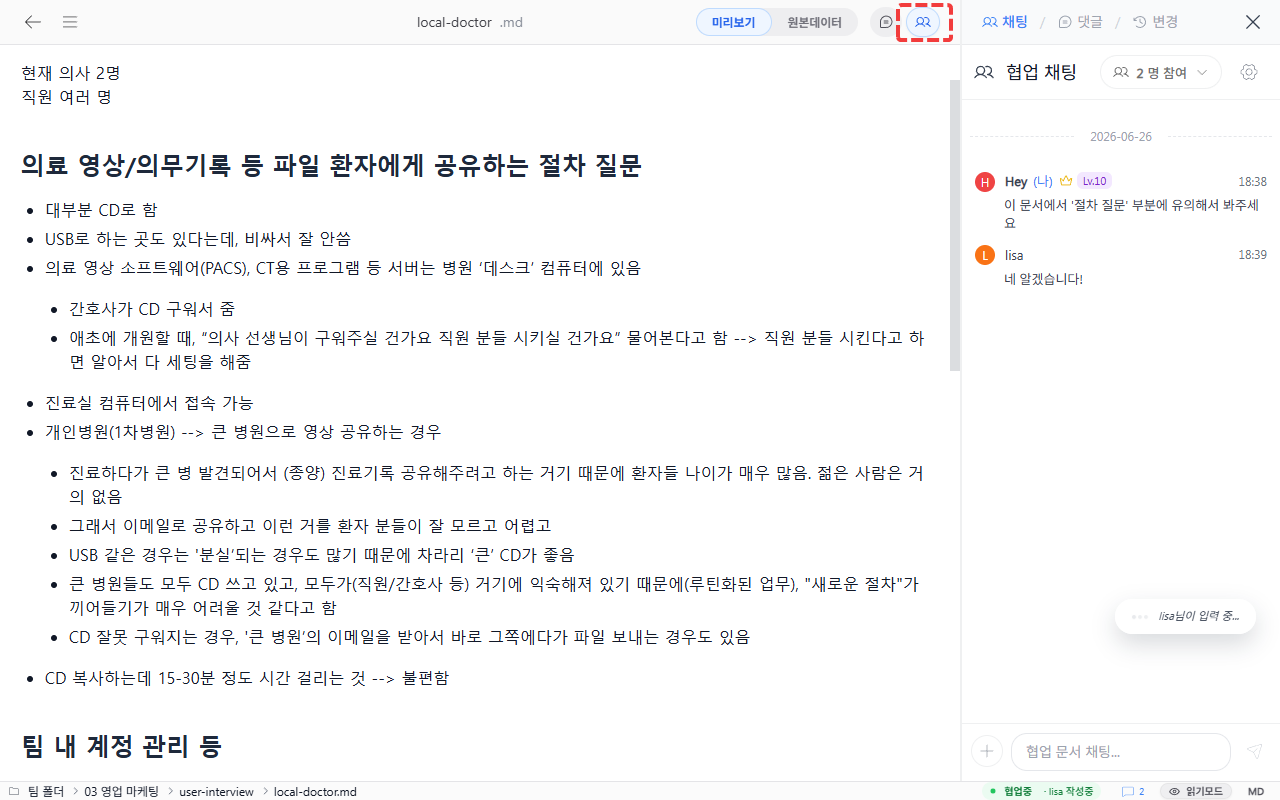
Multiple people can chat while viewing the same document. However, simultaneous editing of the same document by multiple people is not supported — while one person is editing, other users cannot edit.
Collaboration Chat
When multiple users are viewing the same document, click the icon in the top right to start chatting immediately. You can exchange feedback through chat or comments while viewing the document together.
Edit Lock
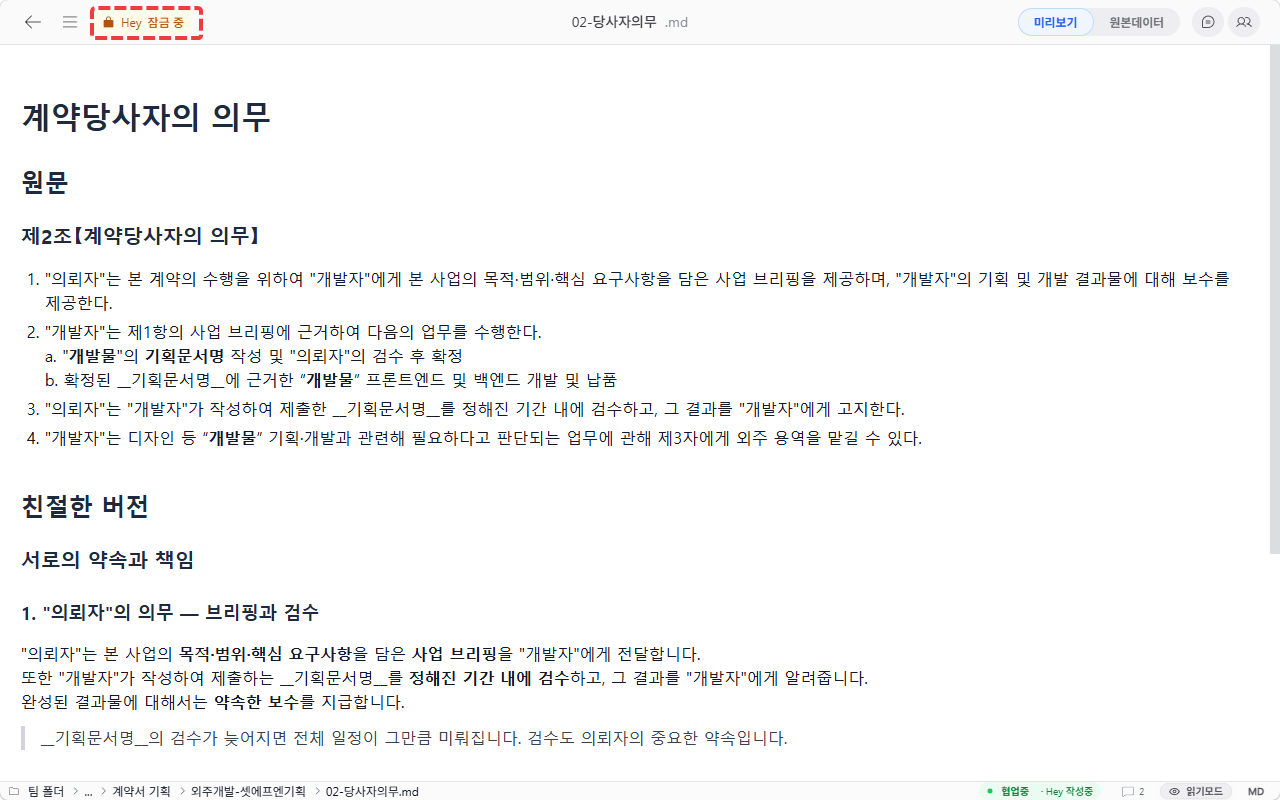
Only one person can edit at a time. When a user starts editing, the document is locked. Other users cannot enter edit mode for that document.
Good to Know
- The lock indicator shows who is currently editing.
- To avoid editing conflicts, start editing only after the lock is released.