'/%3e%3cpath%20id='cross_2'%20data-name='cross%202'%20class='cls-2'%20d='M20.612,30.43h0a5.361,5.361,0,1,0-10.723,0H0A33.709,33.709,0,0,1,30.569,0V9.75a5.361,5.361,0,1,1,0,10.723V30.43Z'%20transform='translate(67.193%200.007)%20rotate(90)'/%3e%3cpath%20id='cross_3'%20data-name='cross%203'%20class='cls-3'%20d='M20.612,30.43h0a5.361,5.361,0,1,0-10.723,0H0A33.709,33.709,0,0,1,30.569,0V9.75a5.361,5.361,0,1,1,0,10.723V30.43Z'%20transform='translate(67.186%2067.041)%20rotate(180)'/%3e%3cpath%20id='cross_4'%20data-name='cross%204'%20class='cls-4'%20d='M20.6,30.5h0a5.361,5.361,0,1,0-10.723,0H0A33.71,33.71,0,0,1,30.56,0V9.818a5.361,5.361,0,1,1,0,10.723V30.5Z'%20transform='translate(0%2067.041)%20rotate(-90)'/%3e%3c/svg%3e)
Build a real-time Gomoku game
Upload the files, deploy the schema, and open two browsers. A friend can join the room created in one browser, and every move appears immediately in the other. The server records results and rankings.
No separate frontend build tool is required. Play one match with the completed sample first, then modify the data structure, real-time behavior, and game rules.
1. Play a match first
The fastest way to begin is with the complete sample ZIP. Upload the schema and interface files to the same folder and deploy the schema.
- Download the complete real-time Gomoku sample ZIP: Includes the schema,
index.html,style.css,app.js, and README - Download the Gomoku schema file (.sfn): Use it to inspect only the backend or connect your own interface
The sample demonstrates:
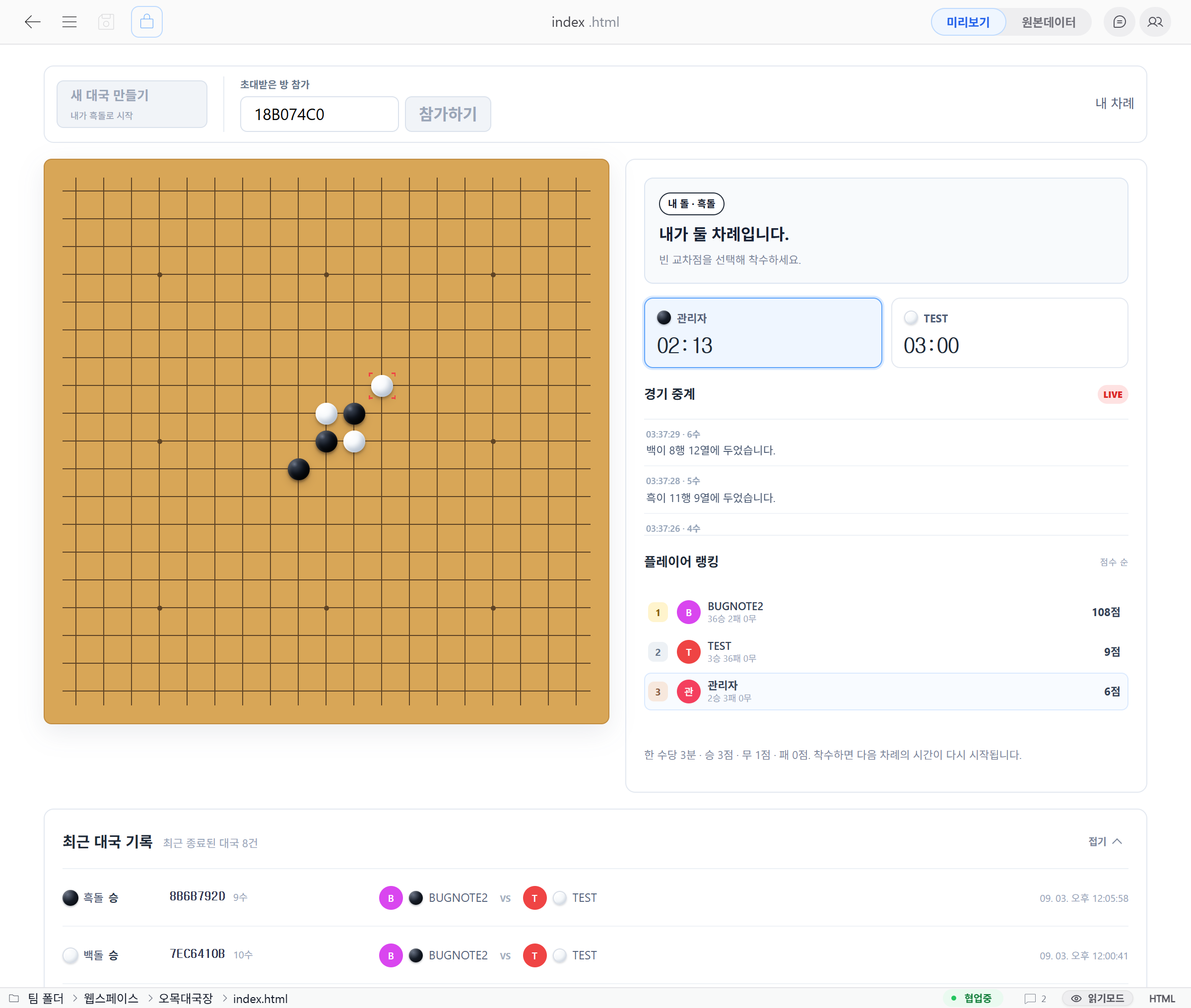
- A two-user match using a room code
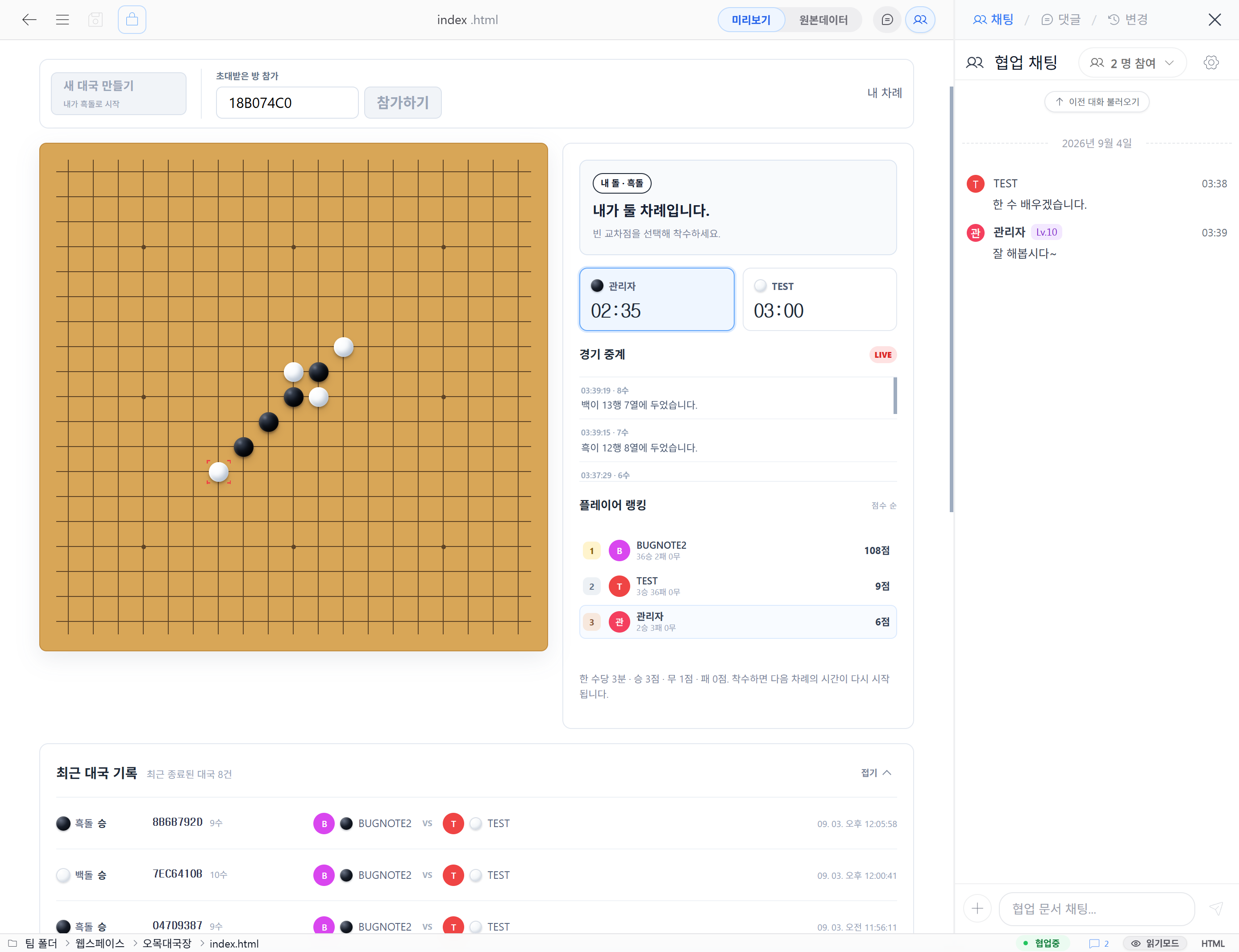
- The last move, your stones, and the current turn
- A three-minute limit that restarts after each move
- A live match feed
- Automatic result, recent-match, and ranking updates
The schema includes a 19×19 board, five-in-a-row victory, and scores of 3 for a win, 1 for a draw, and 0 for a loss. Each user can create up to three waiting rooms. A room with no participant for 30 minutes becomes eligible for cleanup.
Features used in the game
| Feature | Role in Gomoku |
|---|---|
| Schema file | Defines matches, moves, and player records |
| REST API | Retrieves recent matches and player rankings |
| WebSocket | Delivers room creation, joining, and move results in real time |
| Event handler | Evaluates turns, coordinates, victory, and time limits on the server |
| Member permissions | Allows only signed-in users to participate |
| Collaboration | Lets participants chat on the same screen |
The browser does not declare victory or write scores directly. The server validates the board and turn, saves only valid moves, and sends the same result to both users.
2. Upload the files to a workspace
Upload the schema to a project folder in a team or personal workspace. If you downloaded the ZIP, put all five files in one folder by using folder upload or archive upload.
gomoku-room/
├── gomoku-realtime.sfn
├── index.html
├── style.css
├── app.js
└── README.md
Open the schema file and check the three tables under DB Structure.
| Table | Stored data |
|---|---|
gomoku_games | Room code, participants, current turn, time limit, and final result |
gomoku_moves | Move number, stone color, coordinates, and user |
gomoku_players | Wins, losses, draws, cumulative score, and recent games by user |
Matches and player records are stored separately, so recent history and rankings can be loaded again after reopening the page.
3. Check the API and real-time features
Open API Build at the top and verify the following:
- The database name is
gomoku. - Real-time sockets are enabled under
Feature connections. - The event handler is
turn-based-board. - Real-time send and receive permissions are set to
Member. - Create and update APIs are disabled for all three tables.
Disabling create and update APIs prevents participants from changing win counts or moves through REST. Every game state change must pass through the server event handler.
4. Deploy with SQLite3
For the first run, select SQLite3 under Storage. It requires no separate database address or account.
Before selecting Deploy, review the displayed changes and permission summary. If a database with the same name already contains records, an administrator or deployment operator may need to approve the operation according to the server overwrite policy.
GET /api/web/gomoku/gomoku_games/list
GET /api/web/gomoku/gomoku_players/list
WS  /api/web/gomoku/realtime-ws
For an HTTPS production server, the browser must use a secure wss:// connection on the same domain. Build the address from the current page host instead of hard-coding a development domain.
5. Open the Gomoku interface
The schema creates the game database and backend. index.html, style.css, and app.js provide the board and user experience. Keeping them separate lets you redesign the interface while retaining match history.
If you uploaded the full sample, select index.html and open Preview. If you use only the schema, connect the REST APIs and WebSocket above from your own HTML.
The client sends actions such as board-game.create, board-game.join, and board-game.move over WebSocket. It displays stones and scores only from confirmed events returned by the server.
6. Play with two users
- Open the same
index.htmlwith two different member accounts. - Select
Create new matchin the first account. - Send the generated room code to the second account.
- Enter the code in the second account and select
Join. - Take turns and confirm that the same move appears on both screens.
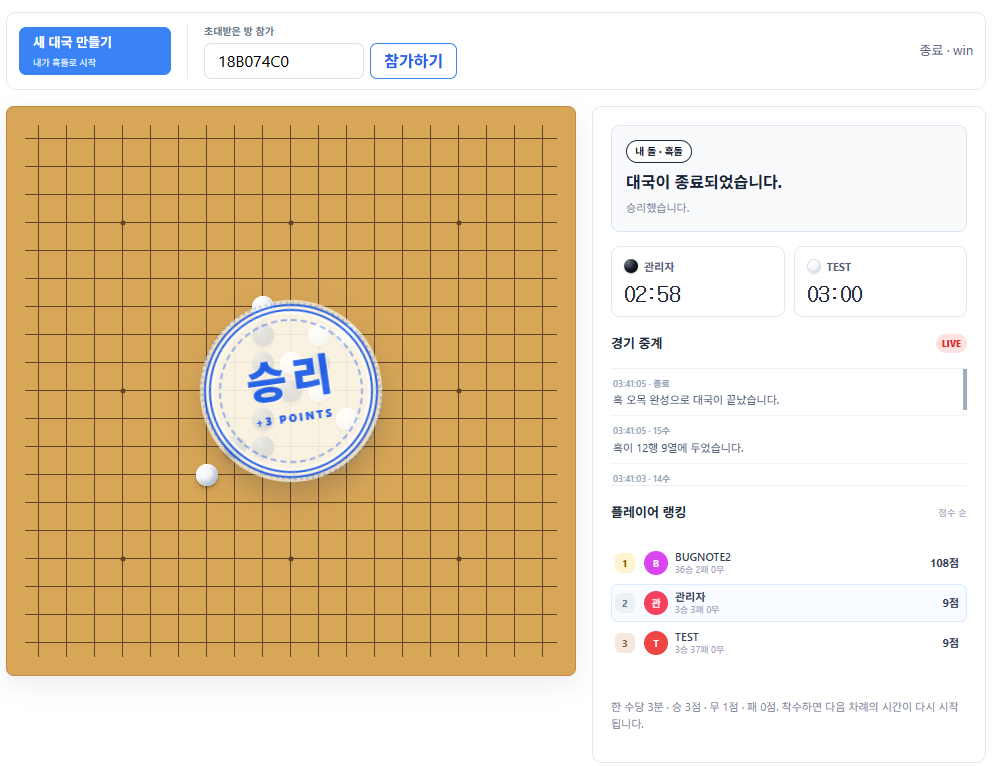
- After five stones connect, confirm that the victory, recent matches, and rankings update.
Using browsers with separate sessions, such as a normal and an incognito window, makes testing on one computer easier.
The server records the result
When five stones connect horizontally, vertically, or diagonally, the server ends the match and stores the winner and score. If a turn exceeds its time limit, the server determines the timeout using server time.
If recent matches and rankings do not update immediately, verify that the client refreshes the lists after receiving the WebSocket completion event instead of repeatedly selecting the button. Expand Developer information to inspect sent and received JSON and server processing time.
Turn it into your own game
turn-based-board is not specific to Gomoku. Change these handler settings in the schema to use it as a starting point for another turn-based game.
| Setting | Current value | Meaning |
|---|---|---|
boardSize | 19 | Cells along one side of the board |
winLength | 5 | Consecutive stones required to win |
turnTimeSeconds | 180 | Time limit for one move |
winScore | 3 | Win score |
drawScore | 1 | Draw score |
lossScore | 0 | Loss score |
You can create a fast game on a smaller board, adjust scoring for an organization event, or add spectators, seasonal rankings, and team matches on the same real-time foundation.
Gomoku is both a complete example and a starting point. Replace stones with monsters and items for turn-based combat, or replace cells with questions and choices for a real-time quiz. Keep data and rules in the schema, then add your game's experience to the interface.
Troubleshooting
| Symptom | Check |
|---|---|
| Real-time event handler is unavailable | Confirm that the server version supports the schema's turn-based-board handler |
| Create or join does not work | Check DB deployment, real-time features, sign-in, and send/receive permissions |
401 Unauthorized | Check the sign-in session and make sure a token was not placed directly in the URL query |
| WebSocket is blocked in production | Confirm the HTTPS page uses wss:// and CSP allows connect-src |
| The modified page shows an old version | Reopen Preview and confirm the latest static file version is returned |
Wrapping up
Starting from a single static page in the first example, this series has covered databases, relationships between tables, role-based permissions, document submissions from outside the organization, and now real-time game state judged entirely by the server. Each example added just one new concept on top of the last. Combine a few of these depending on what you need, and you can build most internal and client-facing tools with WebSpace alone.