'/%3e%3cpath%20id='cross_2'%20data-name='cross%202'%20class='cls-2'%20d='M20.612,30.43h0a5.361,5.361,0,1,0-10.723,0H0A33.709,33.709,0,0,1,30.569,0V9.75a5.361,5.361,0,1,1,0,10.723V30.43Z'%20transform='translate(67.193%200.007)%20rotate(90)'/%3e%3cpath%20id='cross_3'%20data-name='cross%203'%20class='cls-3'%20d='M20.612,30.43h0a5.361,5.361,0,1,0-10.723,0H0A33.709,33.709,0,0,1,30.569,0V9.75a5.361,5.361,0,1,1,0,10.723V30.43Z'%20transform='translate(67.186%2067.041)%20rotate(180)'/%3e%3cpath%20id='cross_4'%20data-name='cross%204'%20class='cls-4'%20d='M20.6,30.5h0a5.361,5.361,0,1,0-10.723,0H0A33.71,33.71,0,0,1,30.56,0V9.818a5.361,5.361,0,1,1,0,10.723V30.5Z'%20transform='translate(0%2067.041)%20rotate(-90)'/%3e%3c/svg%3e)
File Area Management
Manage options across the file area, including team folders and personal folders.
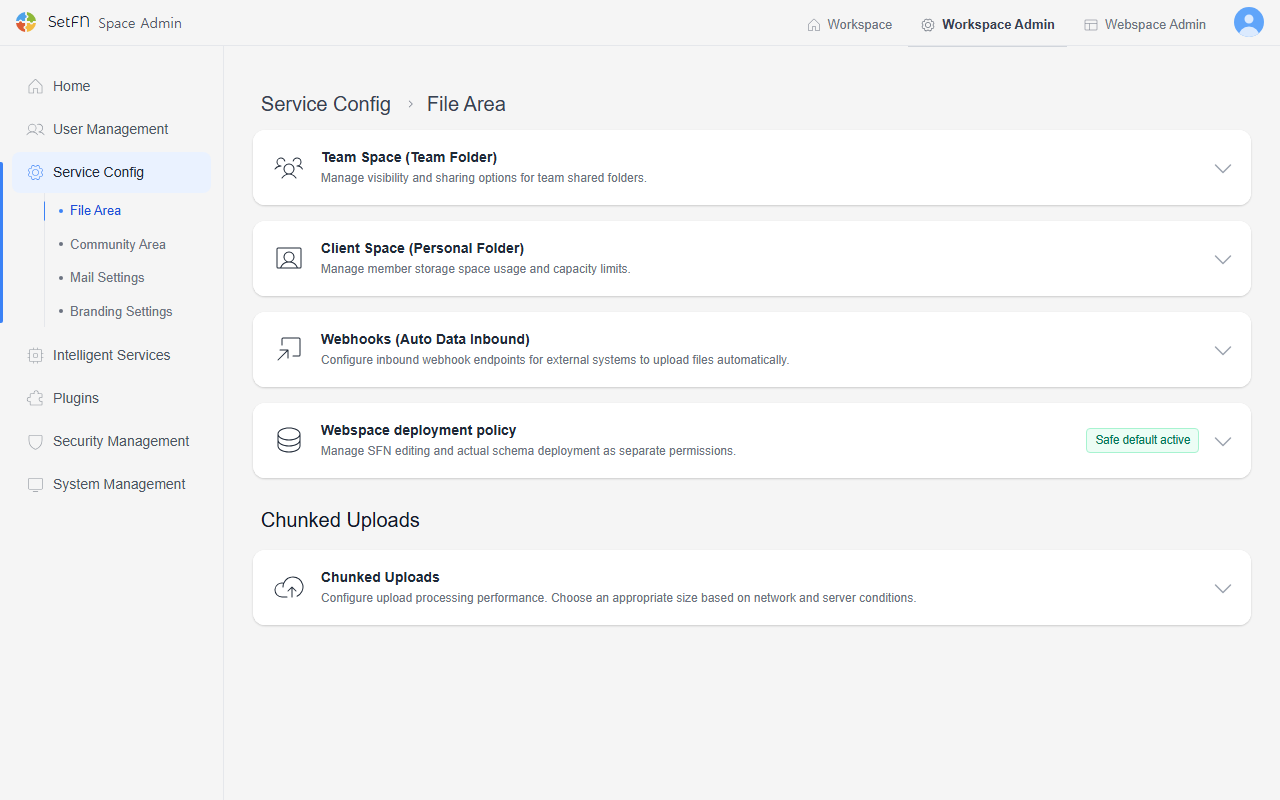
Team Space (Team Folders)
Manage visibility and sharing options for team shared folders.
Hide Folders Without Access Permission
- Hides folders from the list if the user is not a member of the relevant team or the folder is set above the user's level.
- Useful when you don't want the folder name itself to be exposed, for security purposes.
| Show folders without access permission | Hide folders without access permission |
|---|---|
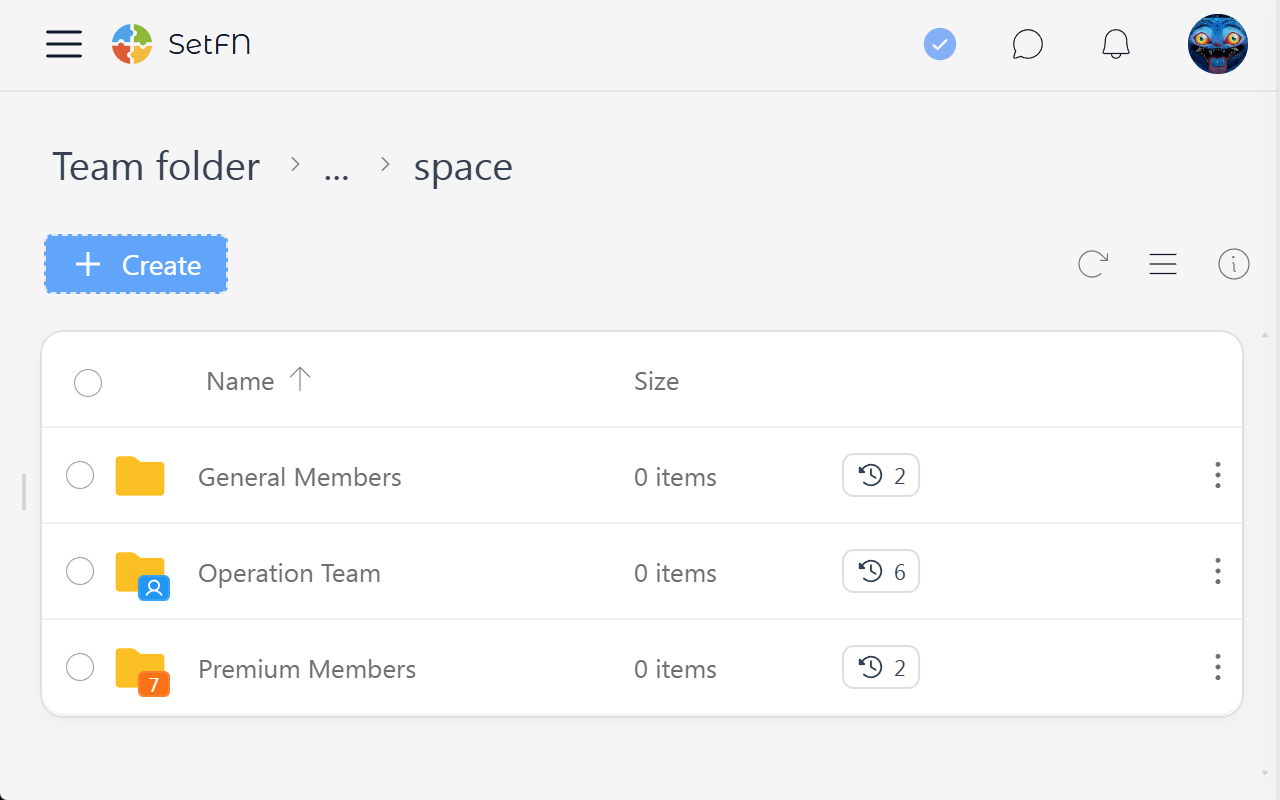 | 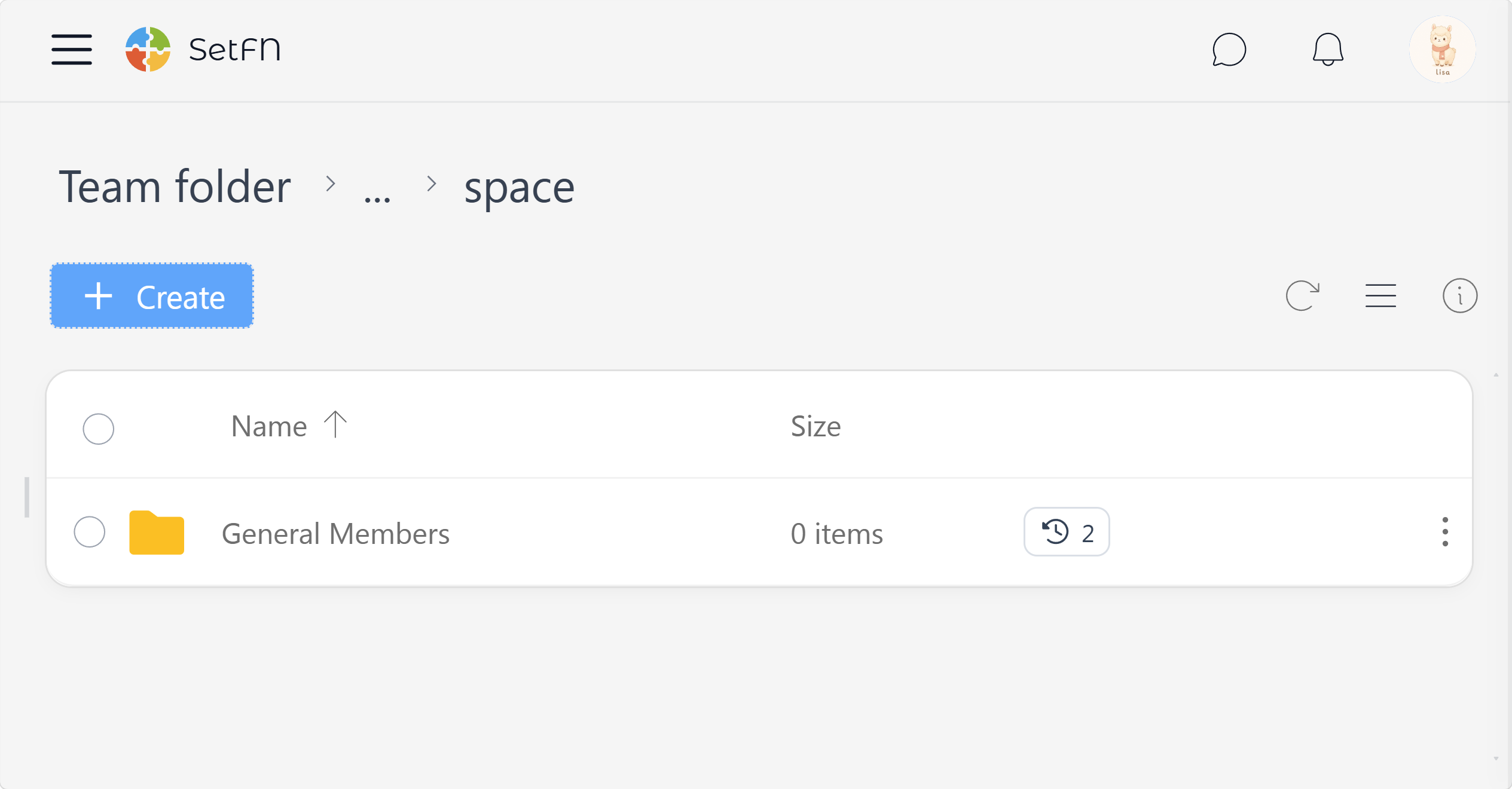 |
Even if a folder is visible, users without team or level permission cannot view its contents.
Display README.md Immediately
- If a folder contains a README.md file, its contents are displayed right below the folder listing.
- See detailed folder README settings
Sharing
- Allows the creation of external sharing links for files and folders.
- For how to share externally, see Creating an External Sharing Link.
Client Space (Personal Folders)
You can control whether users can use personal storage space and limit its capacity.
Personal Folder Settings
Provides the "Personal Folder" feature, an individual storage space for each user.
Capacity Settings
You can set the default disk quota allocated to a new user's personal folder. Set it to 0 for unlimited.
Webhook Settings (Automatic Data Intake)
Configure an intake point that lets external systems automatically upload files.
Webspace Deployment Policy
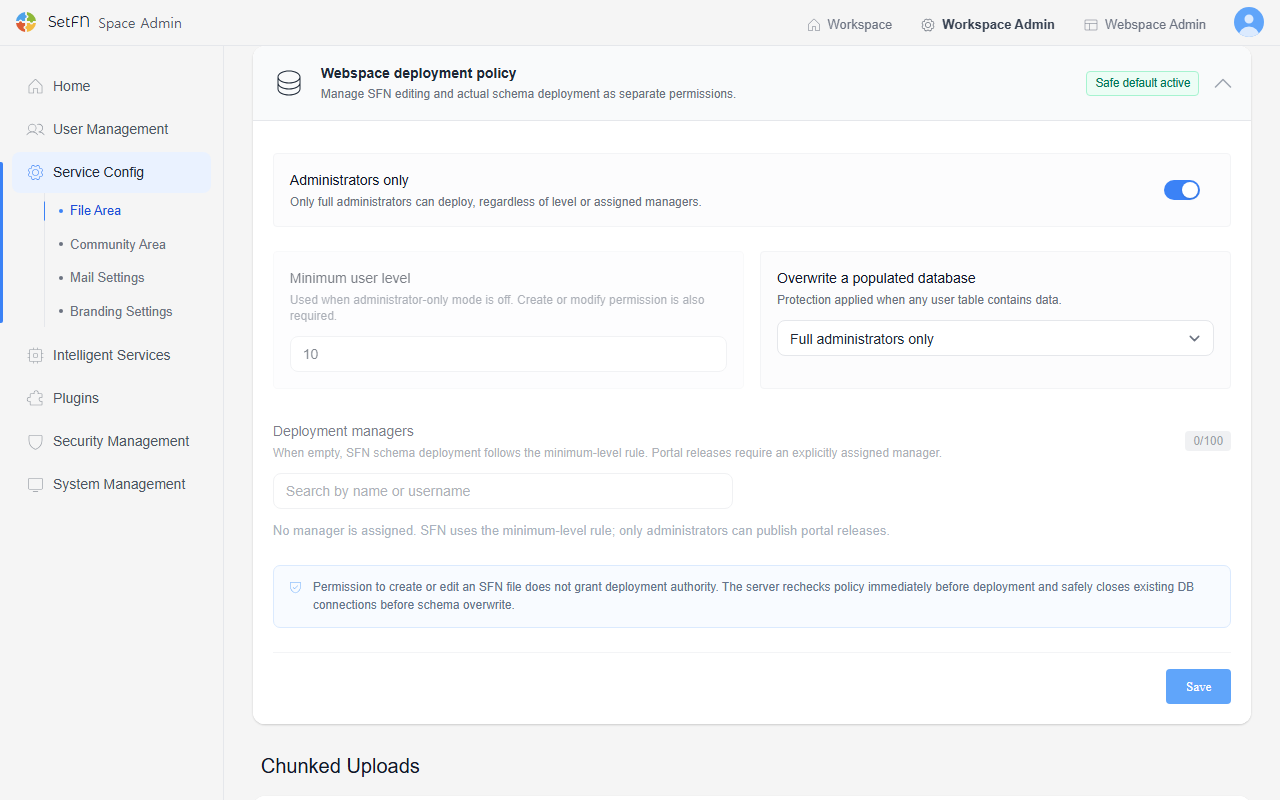
Manages schema file (.sfn) editing permission separately from actual schema deployment permission. Being able to create or edit a schema file does not automatically grant deployment authority.
| Item | Description |
|---|---|
| Administrators only | When enabled, only full administrators can deploy, regardless of level or assigned managers. |
| Minimum user level | The minimum level applied when Administrators only is turned off. Create or modify permission is also required. |
| Overwrite a populated database | The protection level applied when a table already contains data. Choose from Block everyone, Full administrators only, or Approved deployment managers. |
| Deployment managers | Search by name or username to assign who can deploy. When the list is empty, SFN schema deployment follows the minimum-level rule, and portal releases require an explicitly assigned manager. |
Chunked Upload
Settings to optimize upload processing performance. Choose an appropriate size based on your network and server conditions.
| Item | Description | Default |
|---|---|---|
| Chunk size | The amount of data uploaded at once. A larger size can increase speed, but may also increase the chance of failure depending on network conditions. You can enter a string like 10MB or 1GB, or a number in bytes. | 20 MB |
| Retry count | The number of times an upload is retried after failure. | 5 |
Related menu documentation: For the actual usage screens of team folders and personal folders, see Team Space and Client Space.