'/%3e%3cpath%20id='cross_2'%20data-name='cross%202'%20class='cls-2'%20d='M20.612,30.43h0a5.361,5.361,0,1,0-10.723,0H0A33.709,33.709,0,0,1,30.569,0V9.75a5.361,5.361,0,1,1,0,10.723V30.43Z'%20transform='translate(67.193%200.007)%20rotate(90)'/%3e%3cpath%20id='cross_3'%20data-name='cross%203'%20class='cls-3'%20d='M20.612,30.43h0a5.361,5.361,0,1,0-10.723,0H0A33.709,33.709,0,0,1,30.569,0V9.75a5.361,5.361,0,1,1,0,10.723V30.43Z'%20transform='translate(67.186%2067.041)%20rotate(180)'/%3e%3cpath%20id='cross_4'%20data-name='cross%204'%20class='cls-4'%20d='M20.6,30.5h0a5.361,5.361,0,1,0-10.723,0H0A33.71,33.71,0,0,1,30.56,0V9.818a5.361,5.361,0,1,1,0,10.723V30.5Z'%20transform='translate(0%2067.041)%20rotate(-90)'/%3e%3c/svg%3e)
AI Chatbot Policy Settings
Configure the policy for the AI chatbot that participates in team chat like an in-house ChatGPT.
How to use AI chat: This document explains how admins configure the AI chatbot participation policy. For how users converse with the AI in the chat window, see Chat. To save a conversation as a file and continue managing it, see AI Chat File.
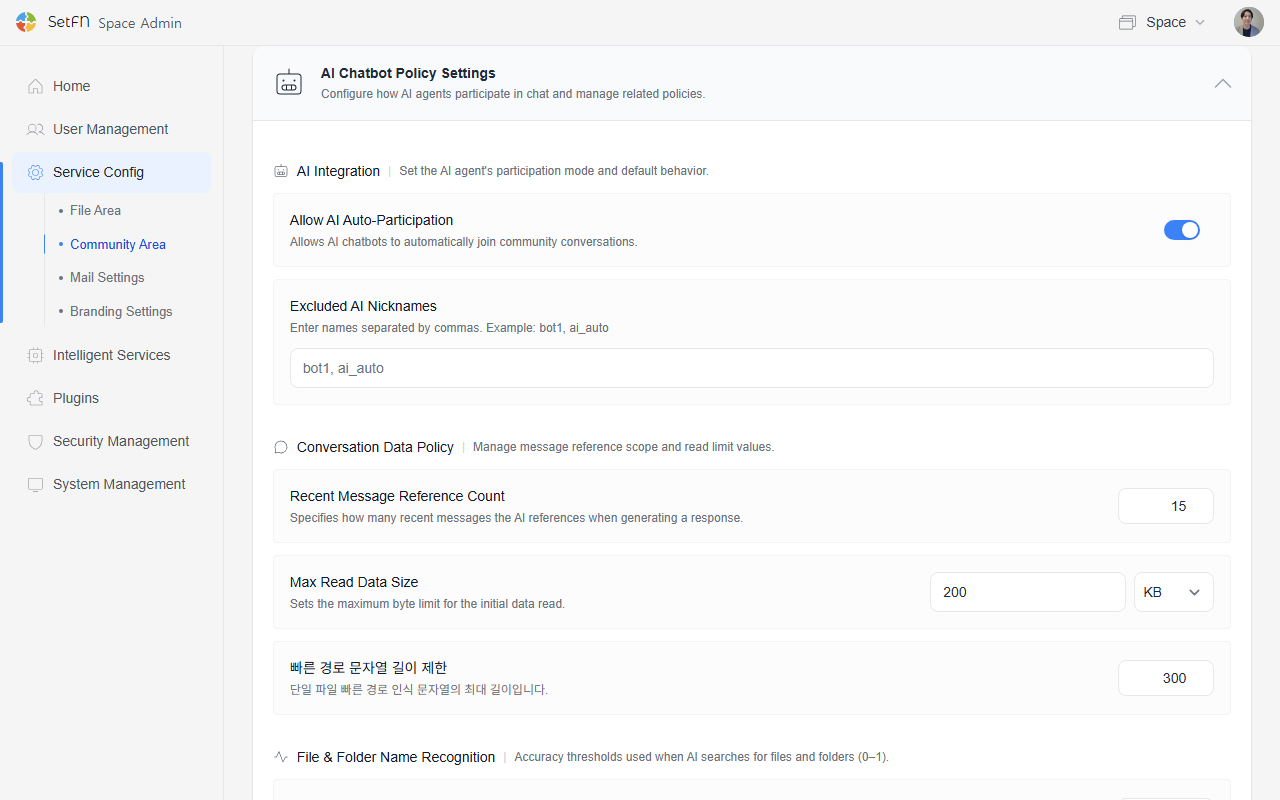
Before setting up AI chat, a model must first be configured. For details, see AI Model Settings.
AI Integration
Configure how the AI agent participates and its default behavior.
| Item | Description | Default |
|---|---|---|
| Allow automatic AI participation | Lets users talk to the AI chatbot in the chat window. | Enabled |
| AI nicknames to exclude | Nicknames of accounts operating as AI that should be excluded from automatic participation. Enter them separated by commas. (e.g., bot1, ai_auto) | - |
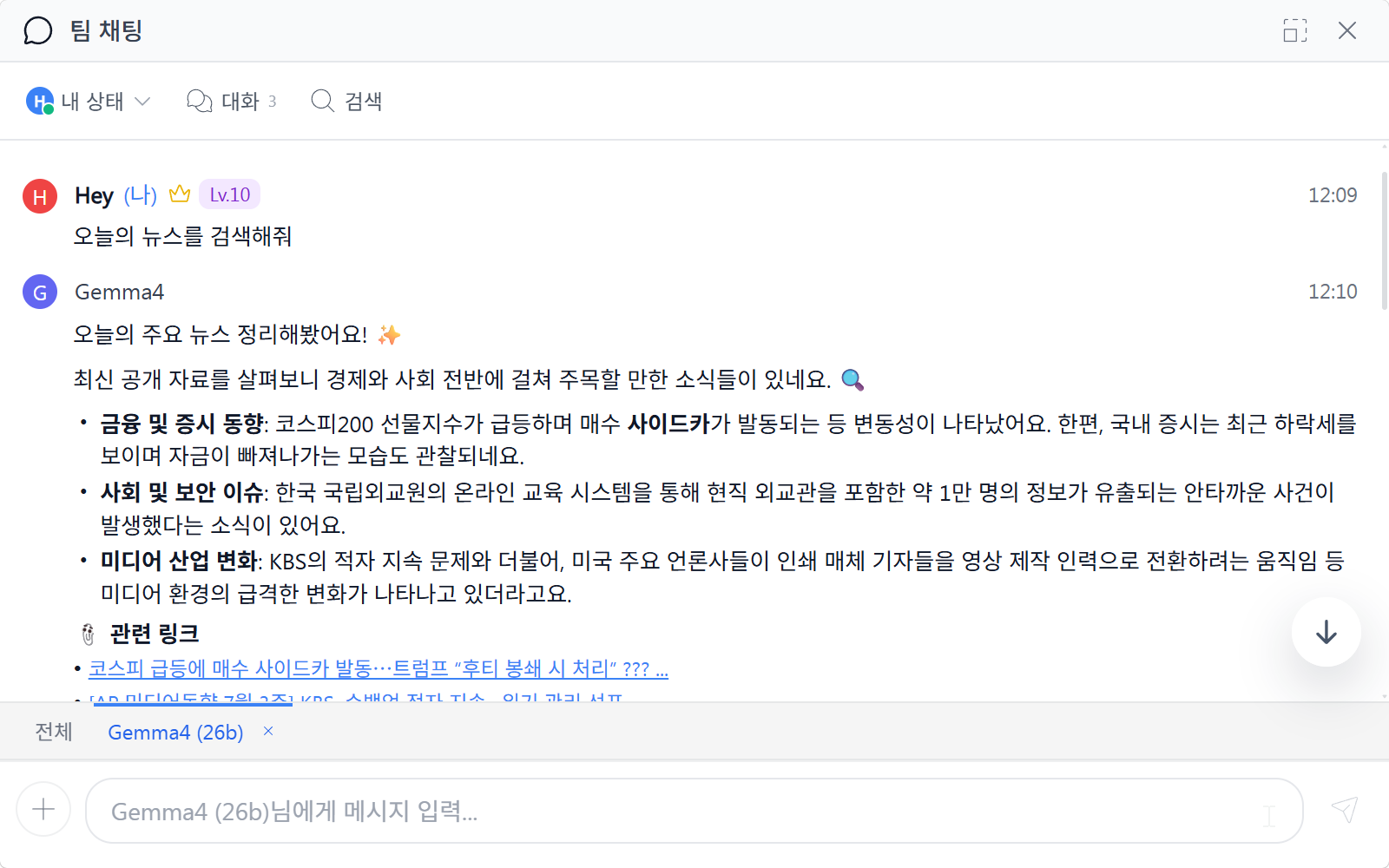
When AI participation is allowed, users can converse with the AI in team chat as shown below.
Conversation Data Policy
Manage the message reference scope and reading limits.
| Item | Description | Default |
|---|---|---|
| Number of recent messages referenced | Specifies how many recent messages the AI references when responding. | 15 |
| Maximum data read size | Sets the initial data reading limit, in bytes. | 200 KB |
| Quick path string length limit | The maximum length of the string used for single-file quick path recognition. | 300 |
File/Folder Name Recognition Criteria
The accuracy threshold the AI uses when locating files/folders. (0-1)
| Item | Description |
|---|---|
| Minimum automatic recognition accuracy | The minimum accuracy allowed when automatically recognizing file/folder names. |