'/%3e%3cpath%20id='cross_2'%20data-name='cross%202'%20class='cls-2'%20d='M20.612,30.43h0a5.361,5.361,0,1,0-10.723,0H0A33.709,33.709,0,0,1,30.569,0V9.75a5.361,5.361,0,1,1,0,10.723V30.43Z'%20transform='translate(67.193%200.007)%20rotate(90)'/%3e%3cpath%20id='cross_3'%20data-name='cross%203'%20class='cls-3'%20d='M20.612,30.43h0a5.361,5.361,0,1,0-10.723,0H0A33.709,33.709,0,0,1,30.569,0V9.75a5.361,5.361,0,1,1,0,10.723V30.43Z'%20transform='translate(67.186%2067.041)%20rotate(180)'/%3e%3cpath%20id='cross_4'%20data-name='cross%204'%20class='cls-4'%20d='M20.6,30.5h0a5.361,5.361,0,1,0-10.723,0H0A33.71,33.71,0,0,1,30.56,0V9.818a5.361,5.361,0,1,1,0,10.723V30.5Z'%20transform='translate(0%2067.041)%20rotate(-90)'/%3e%3c/svg%3e)
Client Space
Client Space is a space where users manage their personal work files. Through Personal Folder, Favorites, and Recent Documents, you can quickly find the files and work items you need.
What Is Client Space?
Client Space is a personal work space provided to each user. You can use it to manage drafts before sharing with the whole team, personal notes, temporary materials, and personal work files.
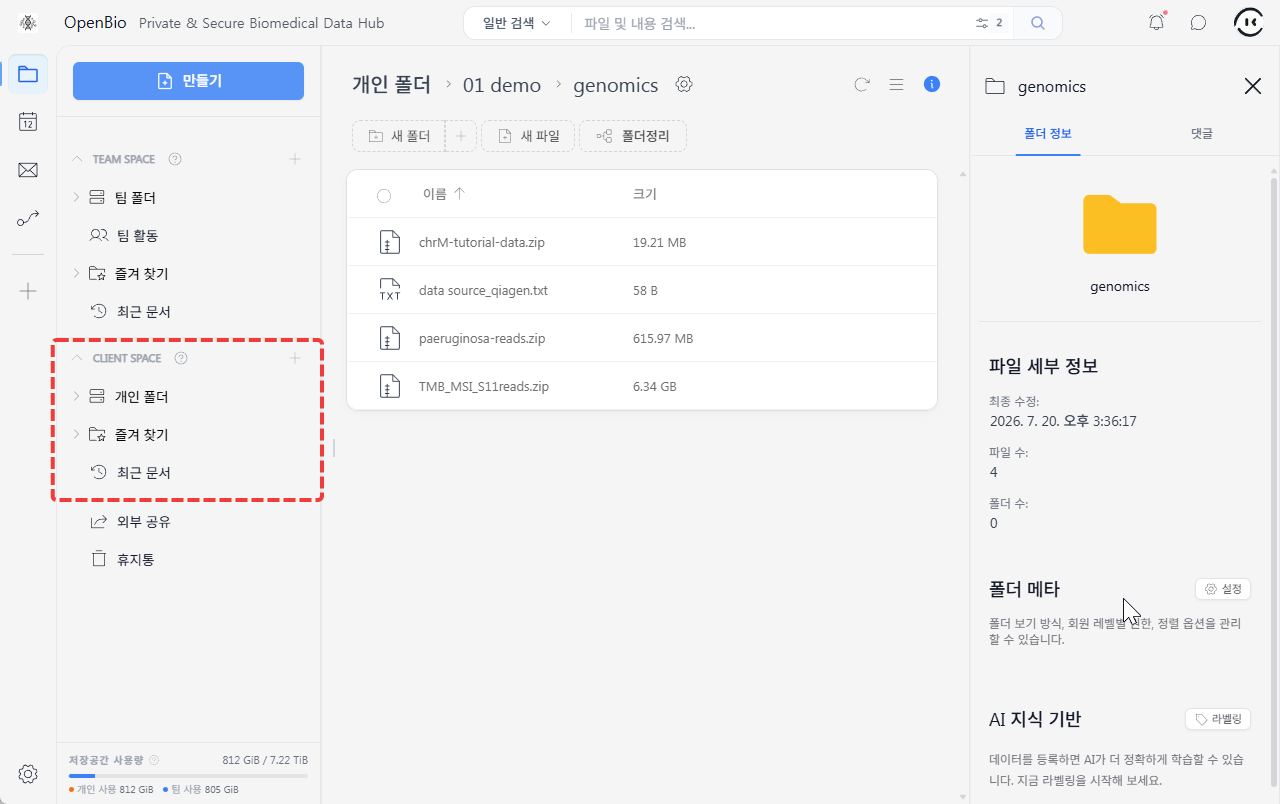
Files in Client Space are managed according to your personal workflow. Files that need to be shared with the team should be moved to the appropriate team folder or delivered using a sharing method.
Client Space Menu
| Item | Description |
|---|---|
Personal Folder | Manage the files and folders you need. |
Favorites | View personal files or folders you open often. |
Recent Documents | Check documents you've recently opened or modified. |
Personal File and Folder URLs
Files and folders in Client Space can also be opened directly via URL.
Saving the URL of a frequently used personal document or work folder lets you reopen it quickly.
However, other users cannot access your personal file URLs.
Difference from Team Space
| Category | Team Space | Client Space |
|---|---|---|
| Purpose | Team-based collaborative work | Managing personal work files |
| Main menu | Team Folder, Team Activity | Personal Folder |
| File usage scope | Shared according to team and folder permissions | Centered on personal workflow |
| URL usage | Used when team members open the same file/folder | Used to quickly open a personal document or work folder |
Good to Know
- Client Space is a space for managing personal work files.
- Files that need to be managed together with the team are best moved to Team Space.