'/%3e%3cpath%20id='cross_2'%20data-name='cross%202'%20class='cls-2'%20d='M20.612,30.43h0a5.361,5.361,0,1,0-10.723,0H0A33.709,33.709,0,0,1,30.569,0V9.75a5.361,5.361,0,1,1,0,10.723V30.43Z'%20transform='translate(67.193%200.007)%20rotate(90)'/%3e%3cpath%20id='cross_3'%20data-name='cross%203'%20class='cls-3'%20d='M20.612,30.43h0a5.361,5.361,0,1,0-10.723,0H0A33.709,33.709,0,0,1,30.569,0V9.75a5.361,5.361,0,1,1,0,10.723V30.43Z'%20transform='translate(67.186%2067.041)%20rotate(180)'/%3e%3cpath%20id='cross_4'%20data-name='cross%204'%20class='cls-4'%20d='M20.6,30.5h0a5.361,5.361,0,1,0-10.723,0H0A33.71,33.71,0,0,1,30.56,0V9.818a5.361,5.361,0,1,1,0,10.723V30.5Z'%20transform='translate(0%2067.041)%20rotate(-90)'/%3e%3c/svg%3e)
License Activation
This guide explains how to activate SpaceBuilder's license for the first time right after installation.
If you don't have a SetFN account yet, or haven't purchased a license, first complete Create a SetFN Account.
Accessing the admin page
- Log in with the administrator account, click the avatar in the top right, and select the
Adminmenu to go to the admin page.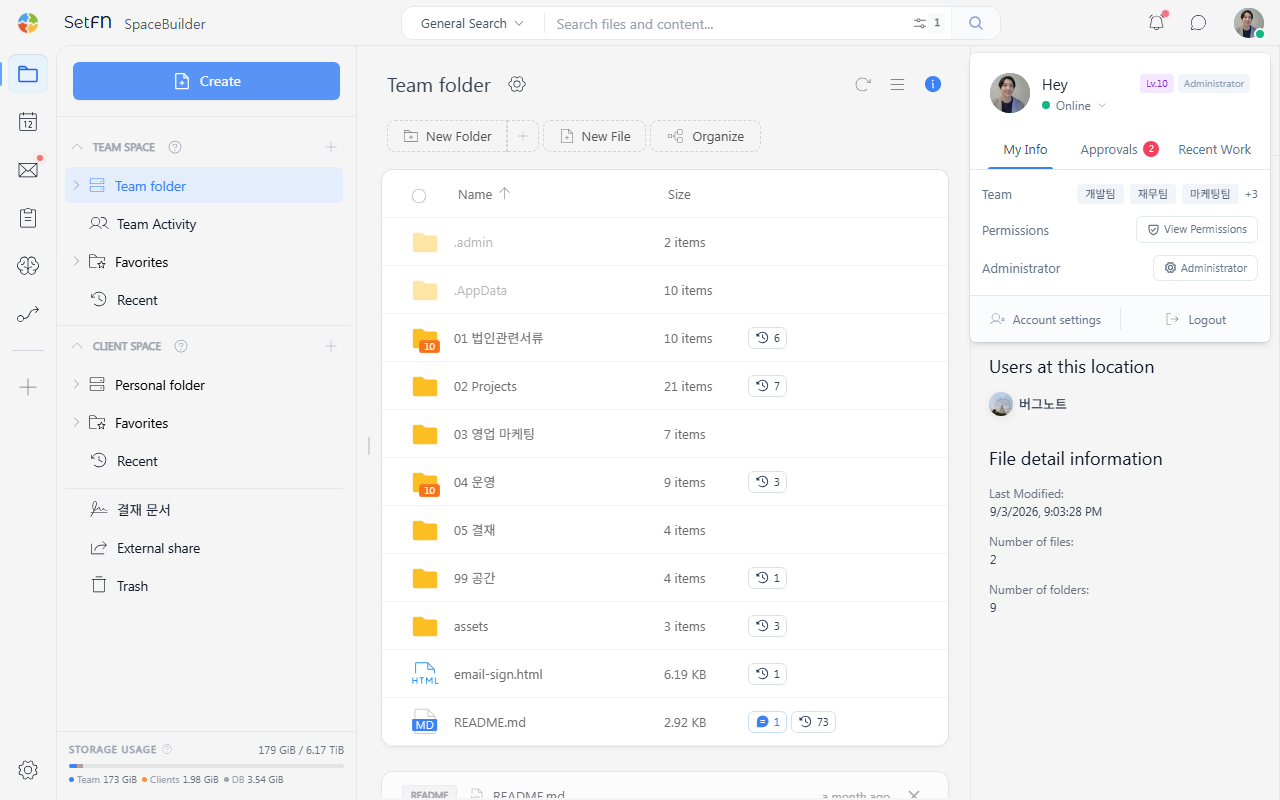
Linking your account
- In the License Management section on the admin home, click the
Link Accountbutton.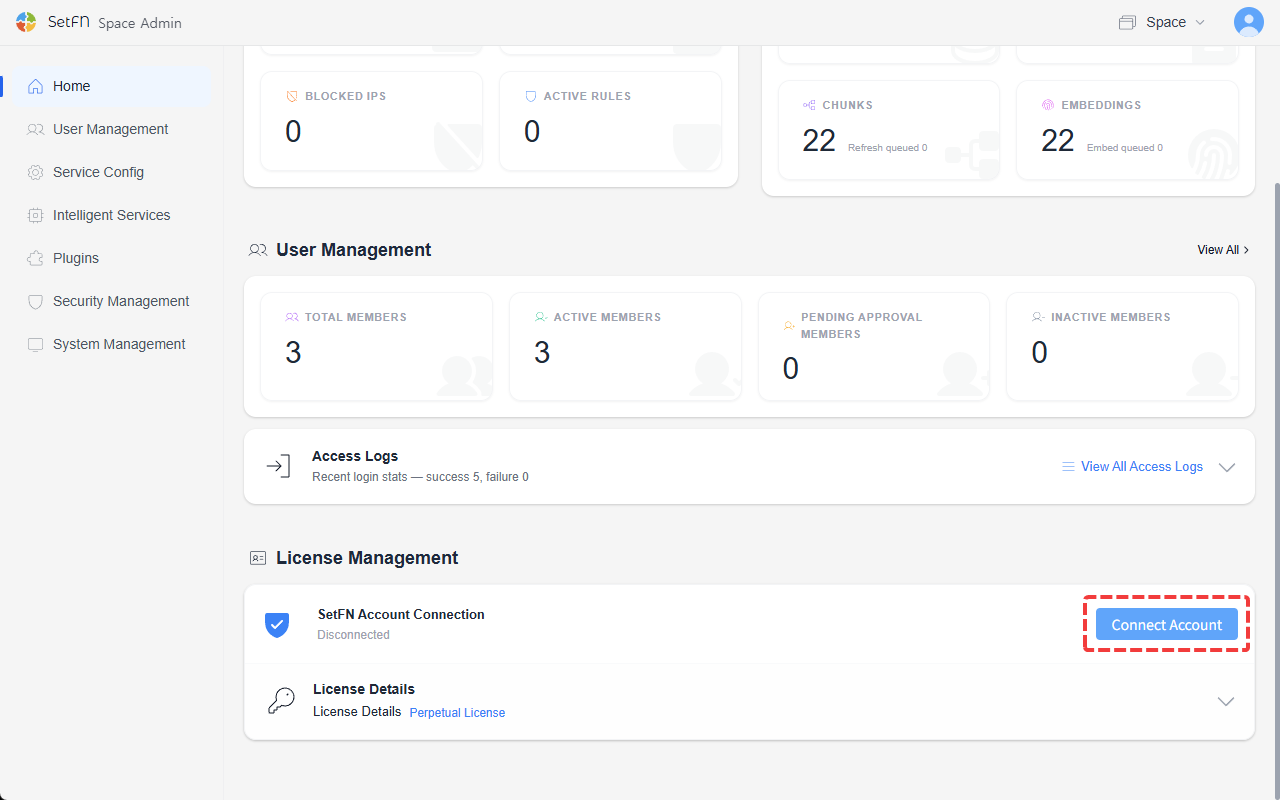
- Enter the email and password of the SetFN account the license was issued to, then click
Log In.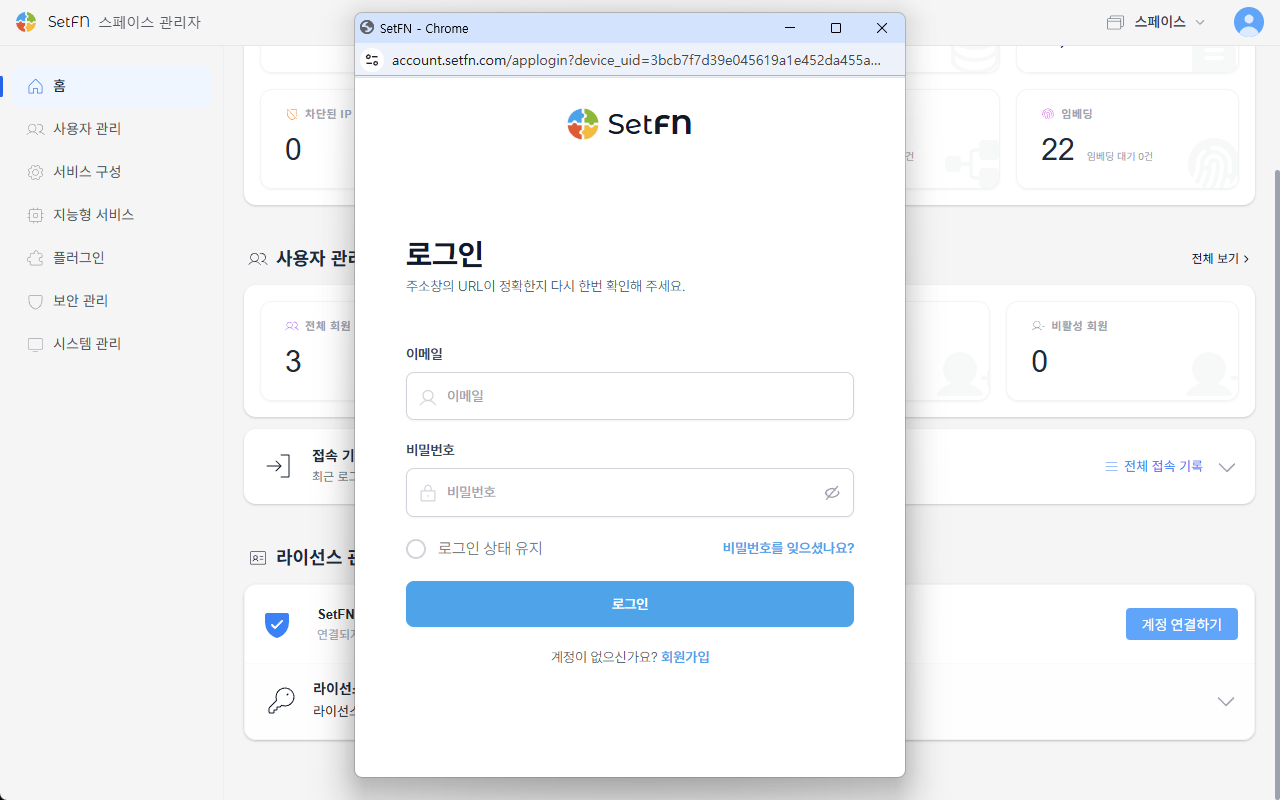
- Once login authentication completes, close the popup.
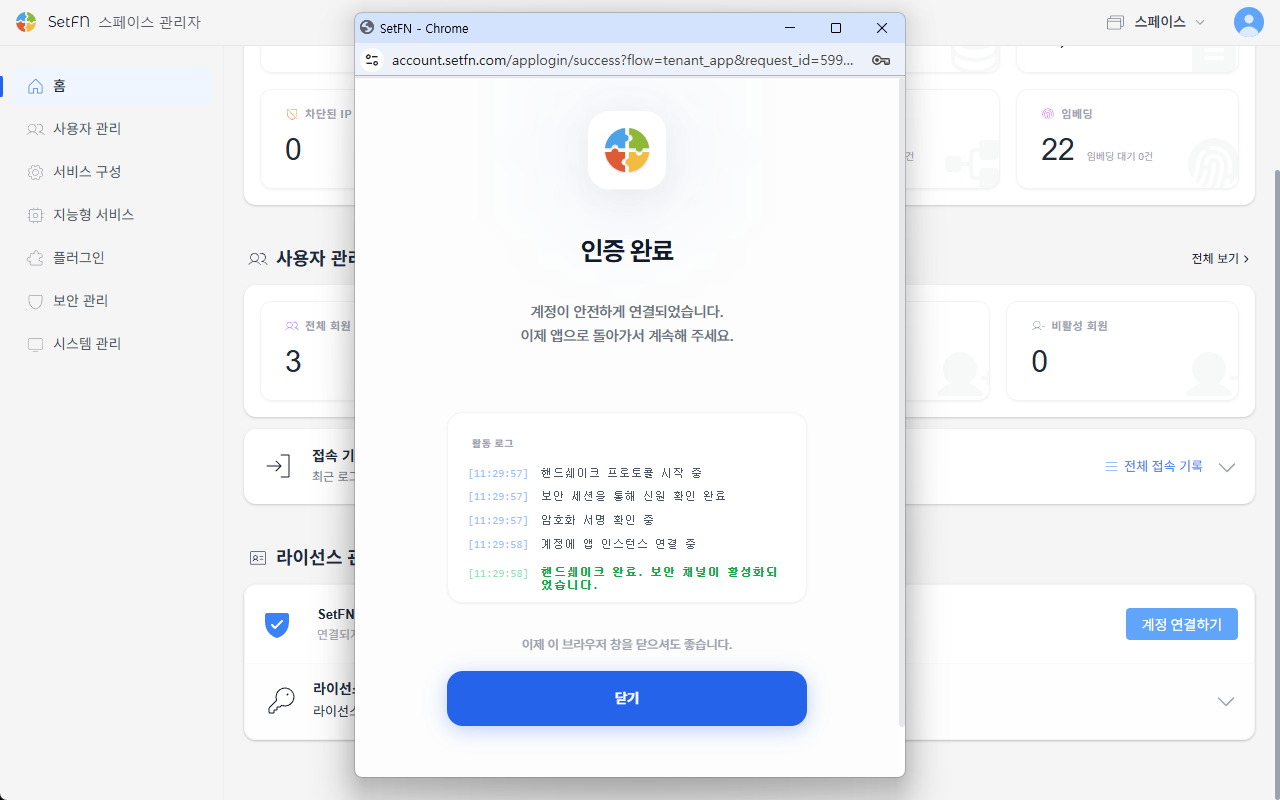
Activating your license
- In
License Details, click theRegister LicenseorChange Licensebutton to display the list of licenses you own. Select the license you were issued and clickConfirm.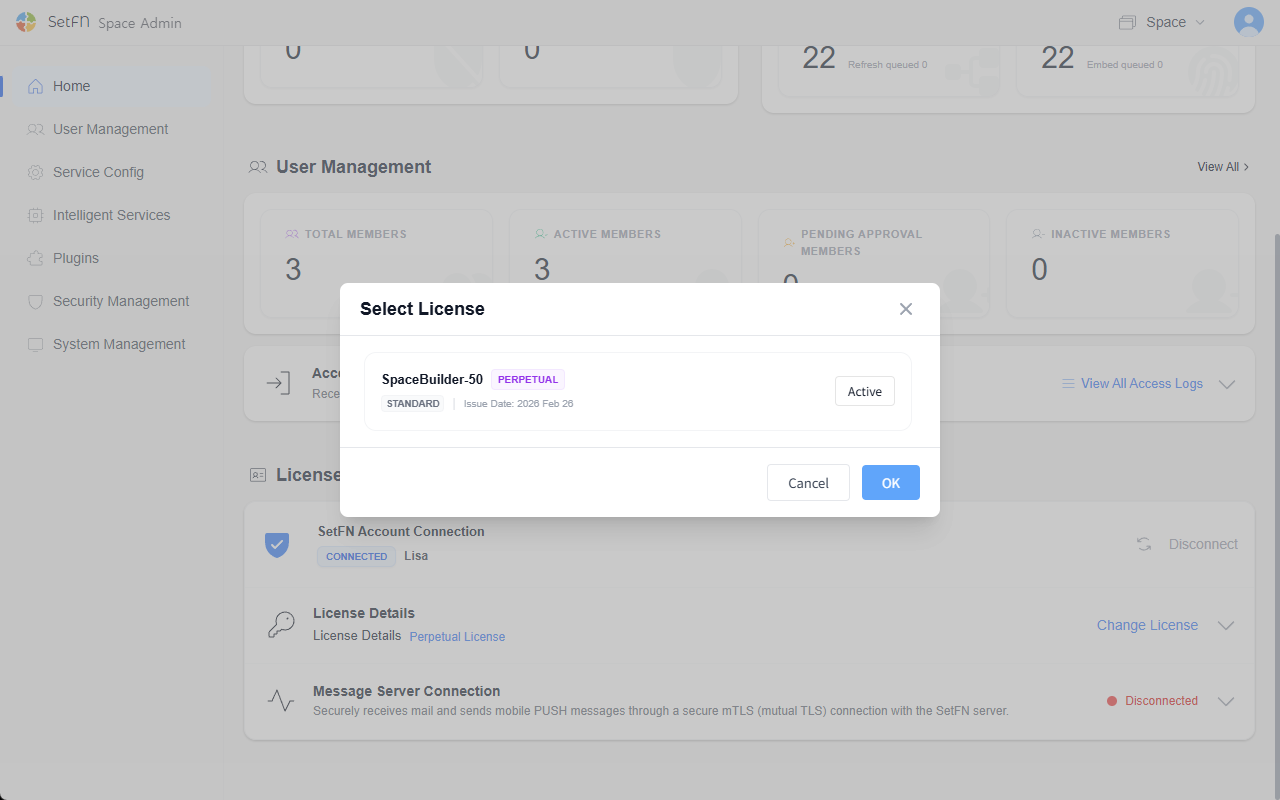
- Confirming activation Once activation completes, information such as license status, expiration date, and user limits is displayed on the admin screen.
Things to know
- Core SpaceBuilder features, such as adding users, can only be used once a license is activated.
- If the license isn't reflected correctly, log in to account.setfn.com to double-check that the license was actually issued, and verify your internet connection.
- If you don't renew before the license expires, some features may become limited.
- During operation, check license status and manage account linking from License Management on the admin home.