'/%3e%3cpath%20id='cross_2'%20data-name='cross%202'%20class='cls-2'%20d='M20.612,30.43h0a5.361,5.361,0,1,0-10.723,0H0A33.709,33.709,0,0,1,30.569,0V9.75a5.361,5.361,0,1,1,0,10.723V30.43Z'%20transform='translate(67.193%200.007)%20rotate(90)'/%3e%3cpath%20id='cross_3'%20data-name='cross%203'%20class='cls-3'%20d='M20.612,30.43h0a5.361,5.361,0,1,0-10.723,0H0A33.709,33.709,0,0,1,30.569,0V9.75a5.361,5.361,0,1,1,0,10.723V30.43Z'%20transform='translate(67.186%2067.041)%20rotate(180)'/%3e%3cpath%20id='cross_4'%20data-name='cross%204'%20class='cls-4'%20d='M20.6,30.5h0a5.361,5.361,0,1,0-10.723,0H0A33.71,33.71,0,0,1,30.56,0V9.818a5.361,5.361,0,1,1,0,10.723V30.5Z'%20transform='translate(0%2067.041)%20rotate(-90)'/%3e%3c/svg%3e)
Create a SetFN Account
To download SpaceBuilder and obtain a license, you first need to create a SetFN account at account.setfn.com.
Creating an account
- Go to account.setfn.com and sign up with your email address.
- Follow the sign-up instructions to verify your email, then log in.
Adding an organization
Go to Organization Info in the menu and click the Add New Organization button.
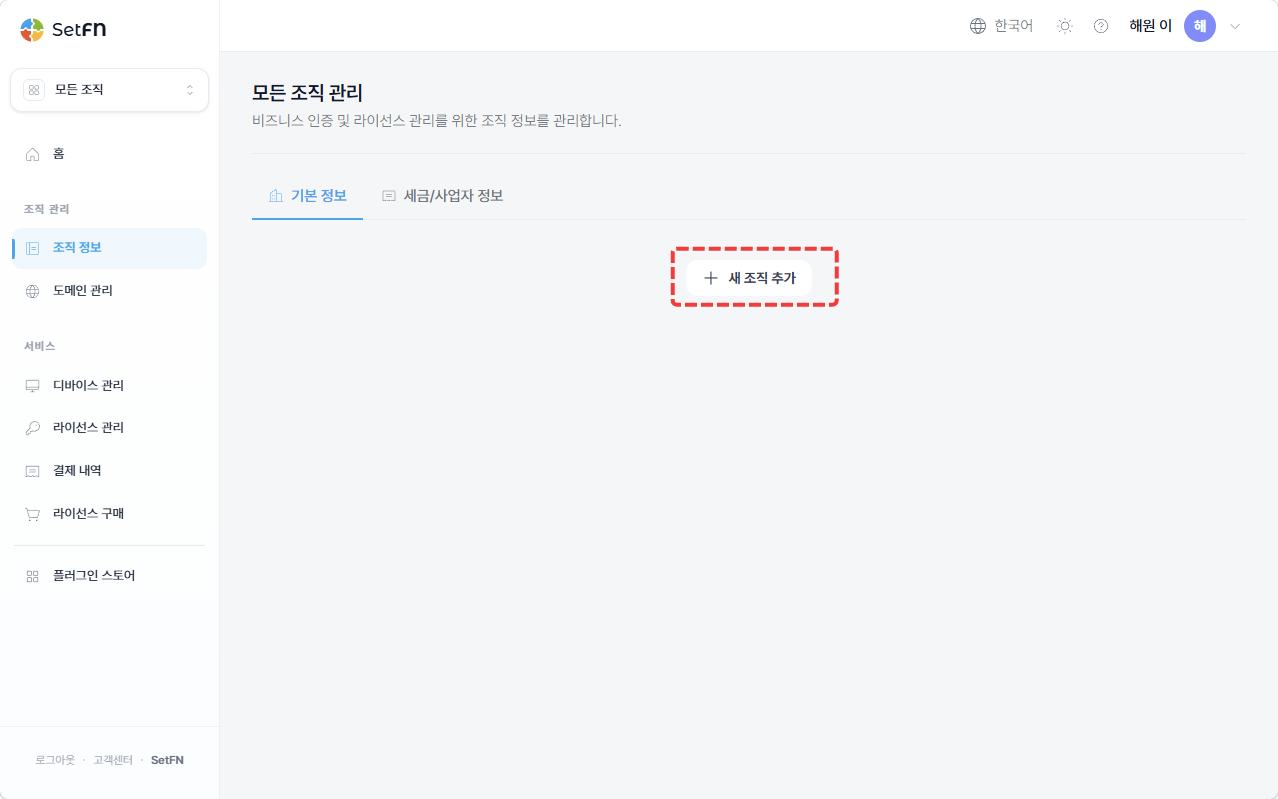
Enter your organization name and click the Create Organization Info button.
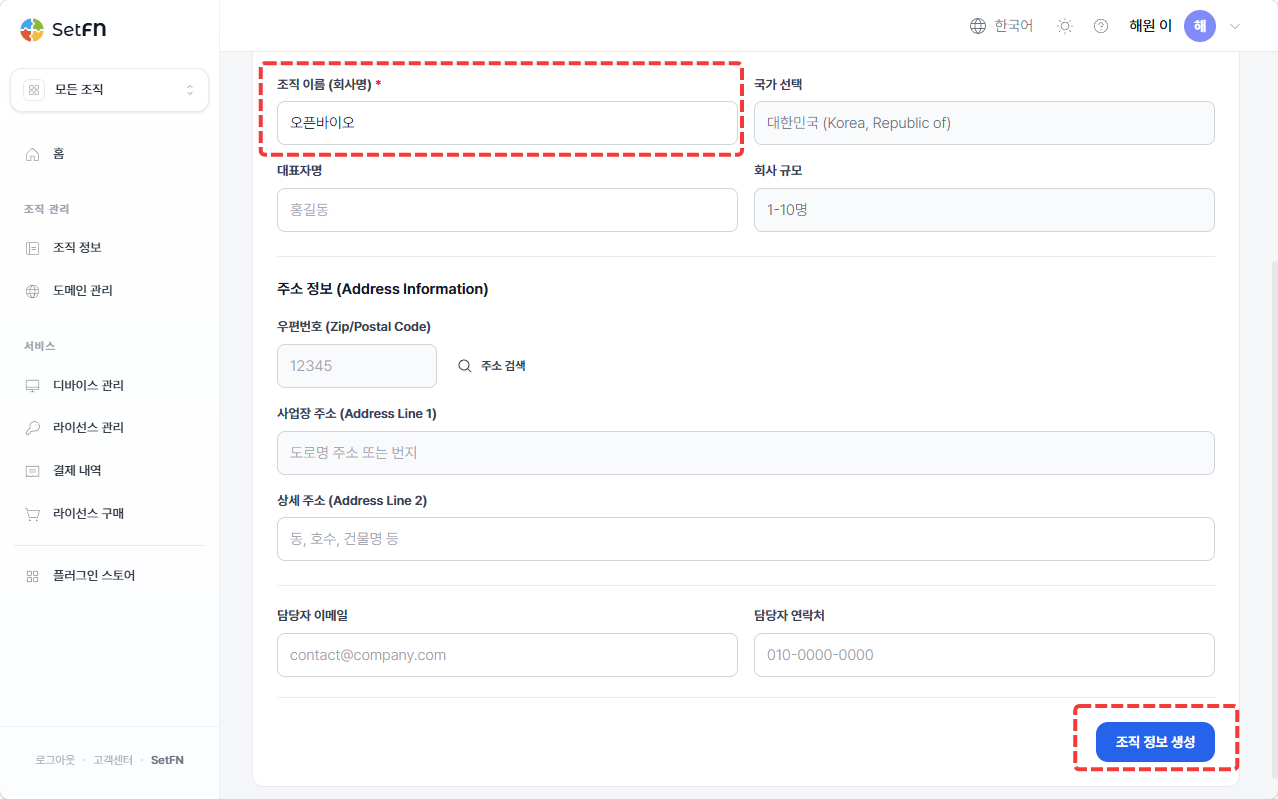
All fields other than the organization name are optional. For companies, the remaining information may need to be entered later for purposes such as issuing tax invoices.
You can create multiple organizations and run separate spaces for each. In that case, you'll need to register a SpaceBuilder license for each organization.
Purchasing a license
Go to Purchase License in the menu. Select the edition you want to purchase, then click Purchase.

Edition types
SetFN SpaceBuilder is available in a Community Edition and an Enterprise Edition. Regardless of whether you're using it for free, you still need to go through the license registration process.
| Edition | Description |
|---|---|
| Community | A free edition. The license is issued through a $0 subscription payment. Plugin usage may be limited. |
| Enterprise | A paid edition. May include plugins, support, and management features needed for organizational operation. |
The scope of available plugins, pricing, and license policy are subject to change according to product policy.
In the order confirmation popup, select your organization and complete payment.
Even for a free license, you must enter payment information. A free license is subscribed periodically at "$0."
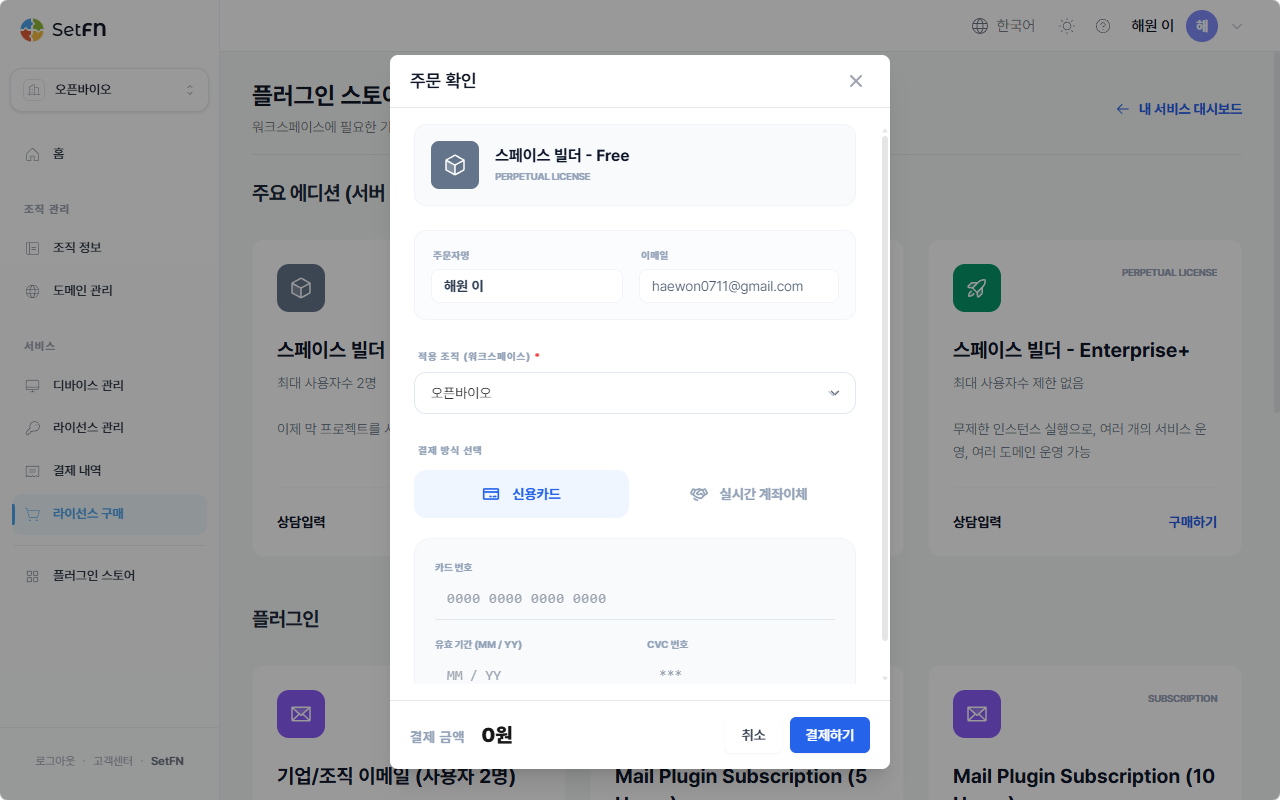
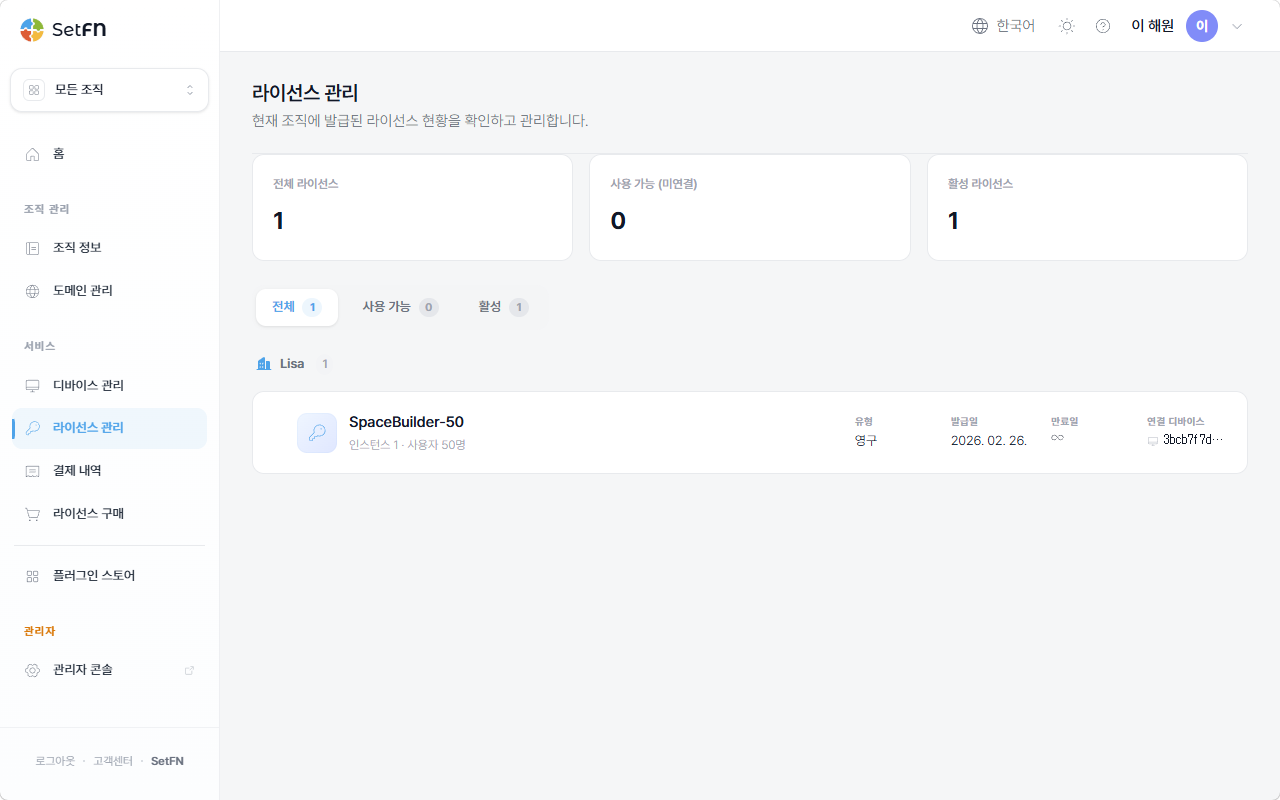
Managing licenses
Once your order and payment are complete, you can view your purchased/registered licenses under Manage Licenses.
Next steps
Once you've created your account, continue with the following steps.
- Download and install SpaceBuilder for your operating system. → Install on Linux (recommended) / Install with Docker (not currently available) / Install on Windows (not currently available) / Install on macOS (not currently available)
- Activate your license from the admin page. → License Activation