'/%3e%3cpath%20id='cross_2'%20data-name='cross%202'%20class='cls-2'%20d='M20.612,30.43h0a5.361,5.361,0,1,0-10.723,0H0A33.709,33.709,0,0,1,30.569,0V9.75a5.361,5.361,0,1,1,0,10.723V30.43Z'%20transform='translate(67.193%200.007)%20rotate(90)'/%3e%3cpath%20id='cross_3'%20data-name='cross%203'%20class='cls-3'%20d='M20.612,30.43h0a5.361,5.361,0,1,0-10.723,0H0A33.709,33.709,0,0,1,30.569,0V9.75a5.361,5.361,0,1,1,0,10.723V30.43Z'%20transform='translate(67.186%2067.041)%20rotate(180)'/%3e%3cpath%20id='cross_4'%20data-name='cross%204'%20class='cls-4'%20d='M20.6,30.5h0a5.361,5.361,0,1,0-10.723,0H0A33.71,33.71,0,0,1,30.56,0V9.818a5.361,5.361,0,1,1,0,10.723V30.5Z'%20transform='translate(0%2067.041)%20rotate(-90)'/%3e%3c/svg%3e)
Accessing the Admin Page
This page guides you through accessing the admin page of SetFN SpaceBuilder.
Accessing the Space
Access the space using its address.
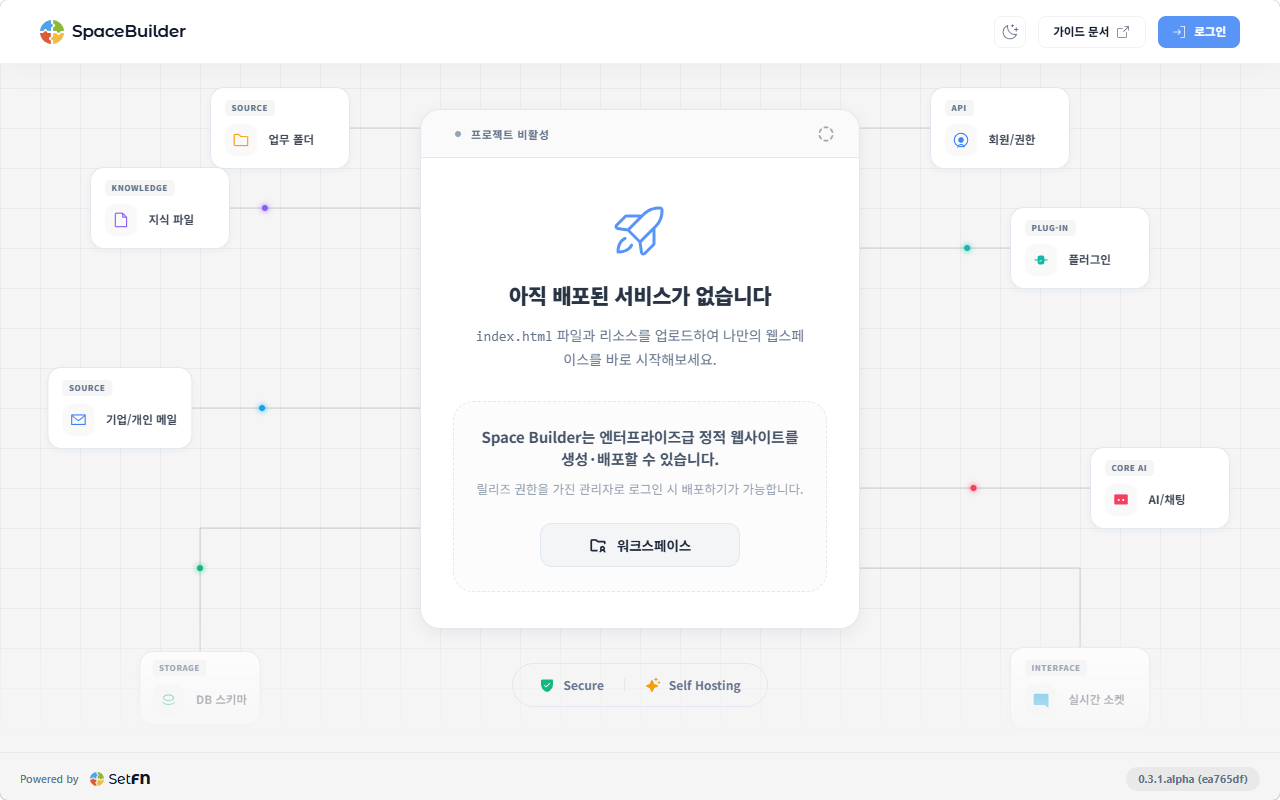
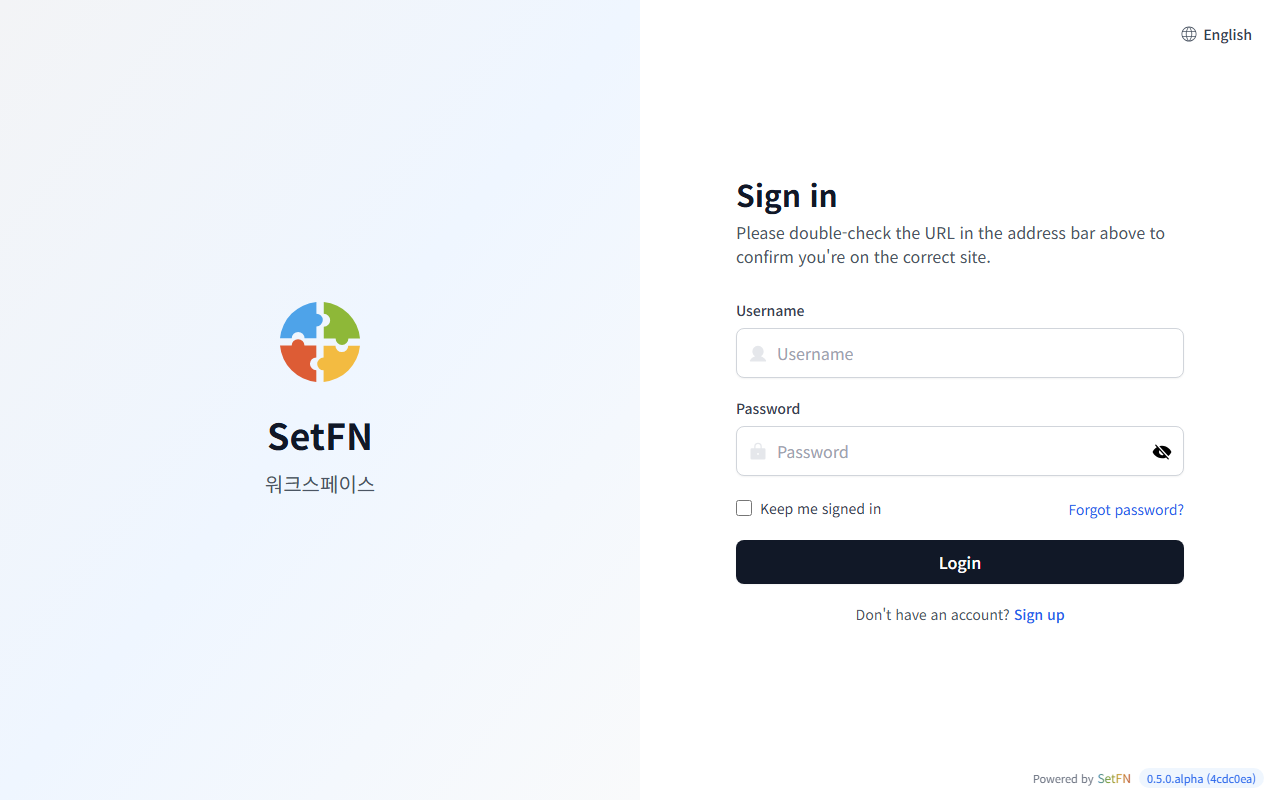
Click the login button at the top right of the screen, or the "Workspace" button at the center of the screen, to go to the login page. Log in with the admin ID and password created during installation.
Entering the Admin Page from the Workspace
- After logging in, click the avatar in the top-right corner and select the
Adminmenu to go to the admin page.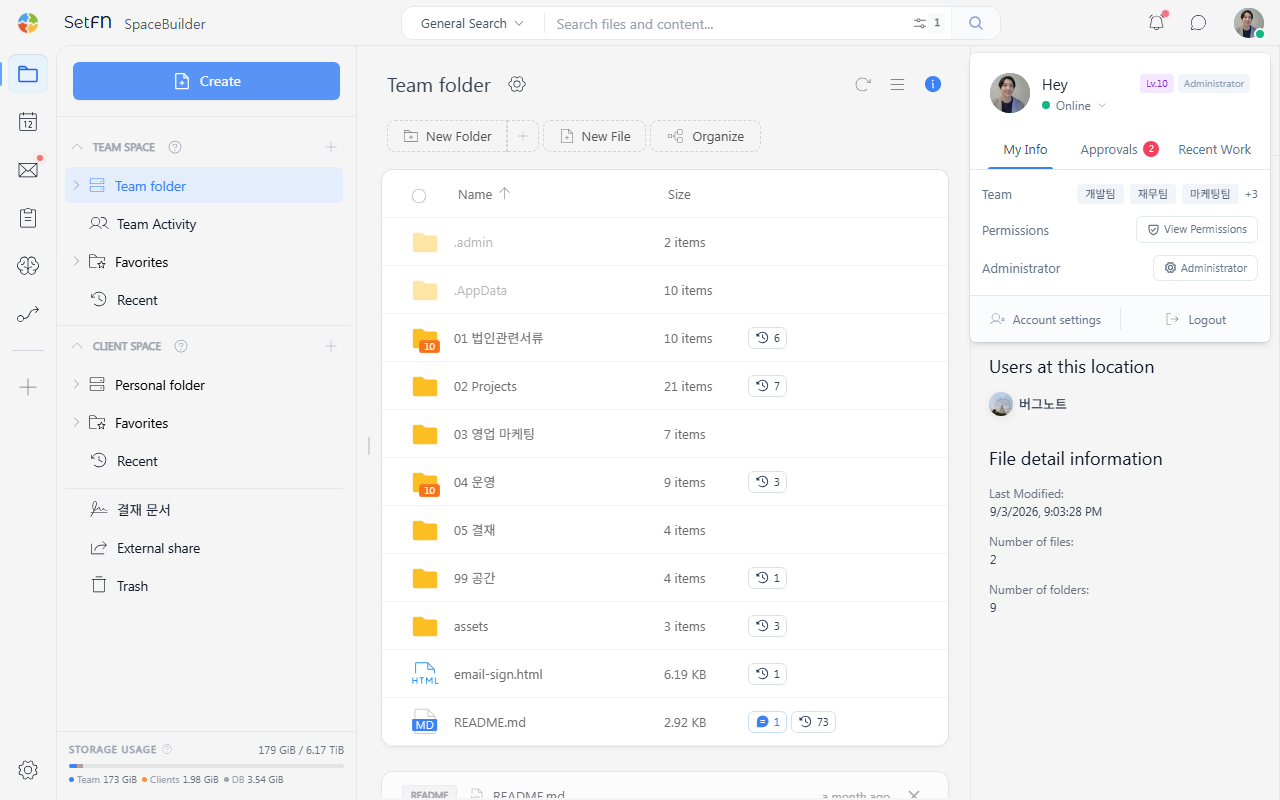
Going Directly to the Admin Page
- You can also go directly to the admin page by accessing
[space address]/manages/home. - Example: my-company.setfn.me/manages/home
Admin Home Screen
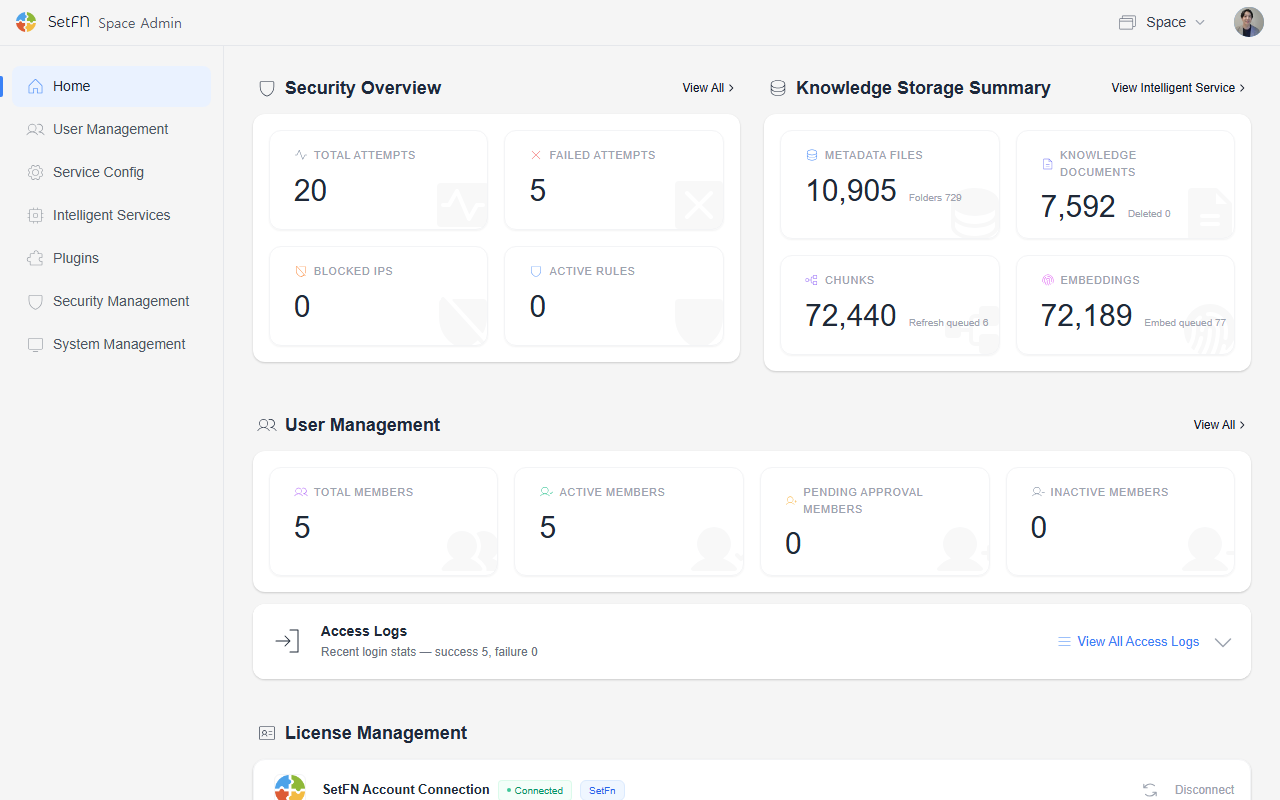
- Security overview: A dashboard showing security status, including login attempts and blocked IPs.
- File information summary: File-related metadata such as the total number of files, knowledge-indexed documents, and embedding status.
- User management: Total members, active members, and access records.
- License management: Current license status. See the document below for details.