'/%3e%3cpath%20id='cross_2'%20data-name='cross%202'%20class='cls-2'%20d='M20.612,30.43h0a5.361,5.361,0,1,0-10.723,0H0A33.709,33.709,0,0,1,30.569,0V9.75a5.361,5.361,0,1,1,0,10.723V30.43Z'%20transform='translate(67.193%200.007)%20rotate(90)'/%3e%3cpath%20id='cross_3'%20data-name='cross%203'%20class='cls-3'%20d='M20.612,30.43h0a5.361,5.361,0,1,0-10.723,0H0A33.709,33.709,0,0,1,30.569,0V9.75a5.361,5.361,0,1,1,0,10.723V30.43Z'%20transform='translate(67.186%2067.041)%20rotate(180)'/%3e%3cpath%20id='cross_4'%20data-name='cross%204'%20class='cls-4'%20d='M20.6,30.5h0a5.361,5.361,0,1,0-10.723,0H0A33.71,33.71,0,0,1,30.56,0V9.818a5.361,5.361,0,1,1,0,10.723V30.5Z'%20transform='translate(0%2067.041)%20rotate(-90)'/%3e%3c/svg%3e)
Manage AI Services
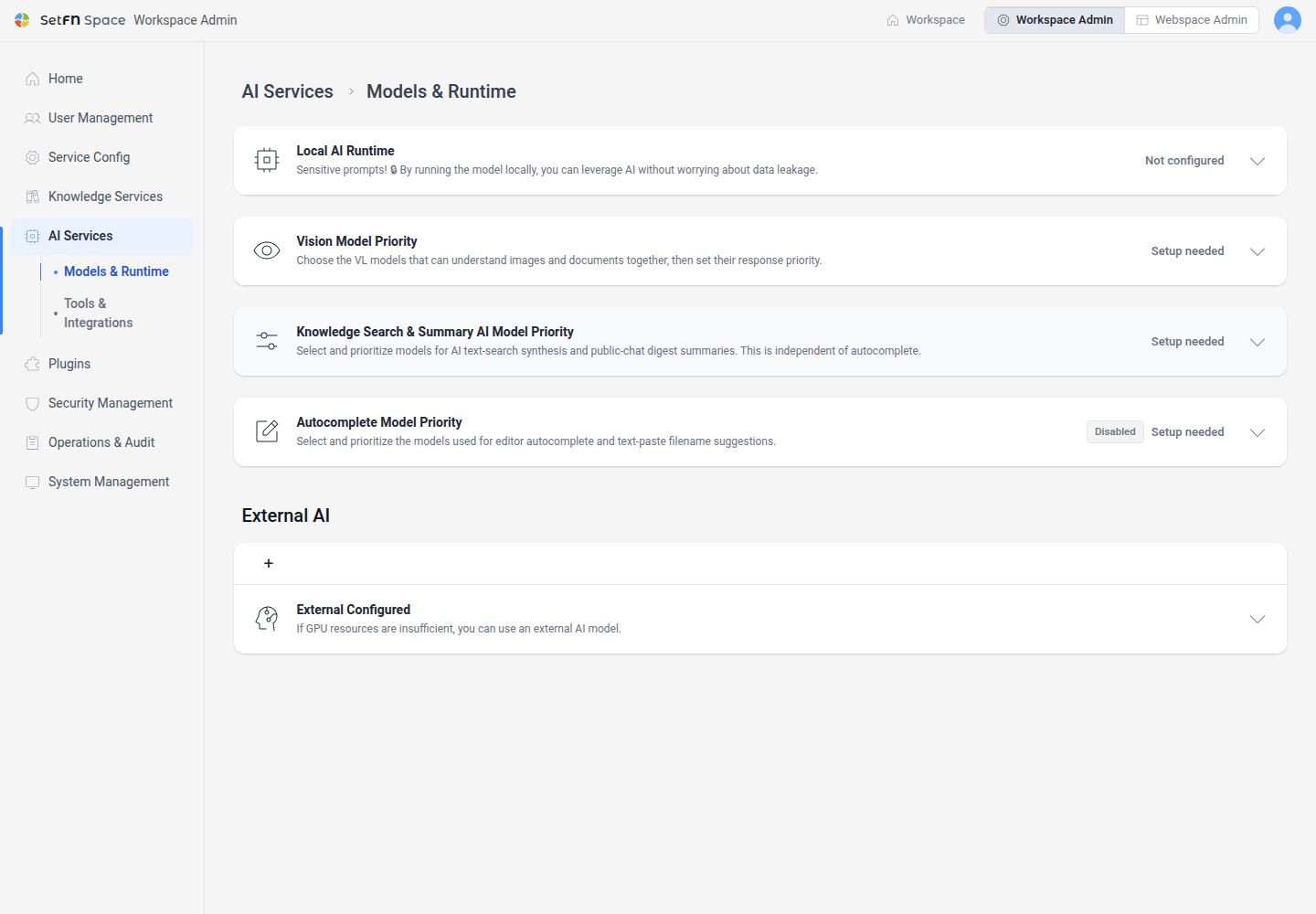
Use AI Services to connect the inference runtimes and models used by SetFN and to manage external tools and MCP access. The current administrator menu contains Models & Runtime and Tools & Integrations.
Before you begin
- Required permission: administrator
- Prepare the connection and authentication details for the local runtime or external service.
- Changes to model connections and tool permissions can affect users and external connections that depend on them.
Open AI Services
- Open the administrator page.
- Select
AI Servicesin the left menu. - Select the submenu you want to configure.
Review the menus
| Menu | What you manage |
|---|---|
Models & Runtime | Local inference runtimes, installed models, vision, summary, and editor autocomplete model priorities, and external AI models |
Tools & Integrations | External tool API keys, MCP availability and organization tool policy, user connection keys, and workflow tool-call status |
Manage knowledge indexing, search, and vector storage under Knowledge Services. Prepare an embedding model in AI Services, then select it in the vector storage settings.