'/%3e%3cpath%20id='cross_2'%20data-name='cross%202'%20class='cls-2'%20d='M20.612,30.43h0a5.361,5.361,0,1,0-10.723,0H0A33.709,33.709,0,0,1,30.569,0V9.75a5.361,5.361,0,1,1,0,10.723V30.43Z'%20transform='translate(67.193%200.007)%20rotate(90)'/%3e%3cpath%20id='cross_3'%20data-name='cross%203'%20class='cls-3'%20d='M20.612,30.43h0a5.361,5.361,0,1,0-10.723,0H0A33.709,33.709,0,0,1,30.569,0V9.75a5.361,5.361,0,1,1,0,10.723V30.43Z'%20transform='translate(67.186%2067.041)%20rotate(180)'/%3e%3cpath%20id='cross_4'%20data-name='cross%204'%20class='cls-4'%20d='M20.6,30.5h0a5.361,5.361,0,1,0-10.723,0H0A33.71,33.71,0,0,1,30.56,0V9.818a5.361,5.361,0,1,1,0,10.723V30.5Z'%20transform='translate(0%2067.041)%20rotate(-90)'/%3e%3c/svg%3e)
Process pending device approvals
Set New device login to Admin approval required to approve new devices before allowing sign-in. This page explains how to enable approval requests and approve or deny them.
Before you begin
- Required role: an administrator with permission to manage security settings
- A regular administrator cannot process a device request from the owner.
Require approval for new devices
- On the administrator page, select
Security Management>Security Settings. - Expand
New device loginand selectAdmin approval required. - Select
Saveat the bottom of the page, then confirm the change.
The card displays a View pending devices link after you select the policy. See Security Settings for the other options.
Message shown to the user
When a new device needs approval, entering the correct password shows a message asking the user to wait for an administrator to approve the device, then sign in again.
Administrators also receive a security notification. Repeated requests from the same device are grouped into ten-minute notification intervals.
Approve or deny a request
- Select
Security Management>Pending Devices. - Review the user, device, IP address, request time, and attempt count.
- Select
ApproveorDeny.
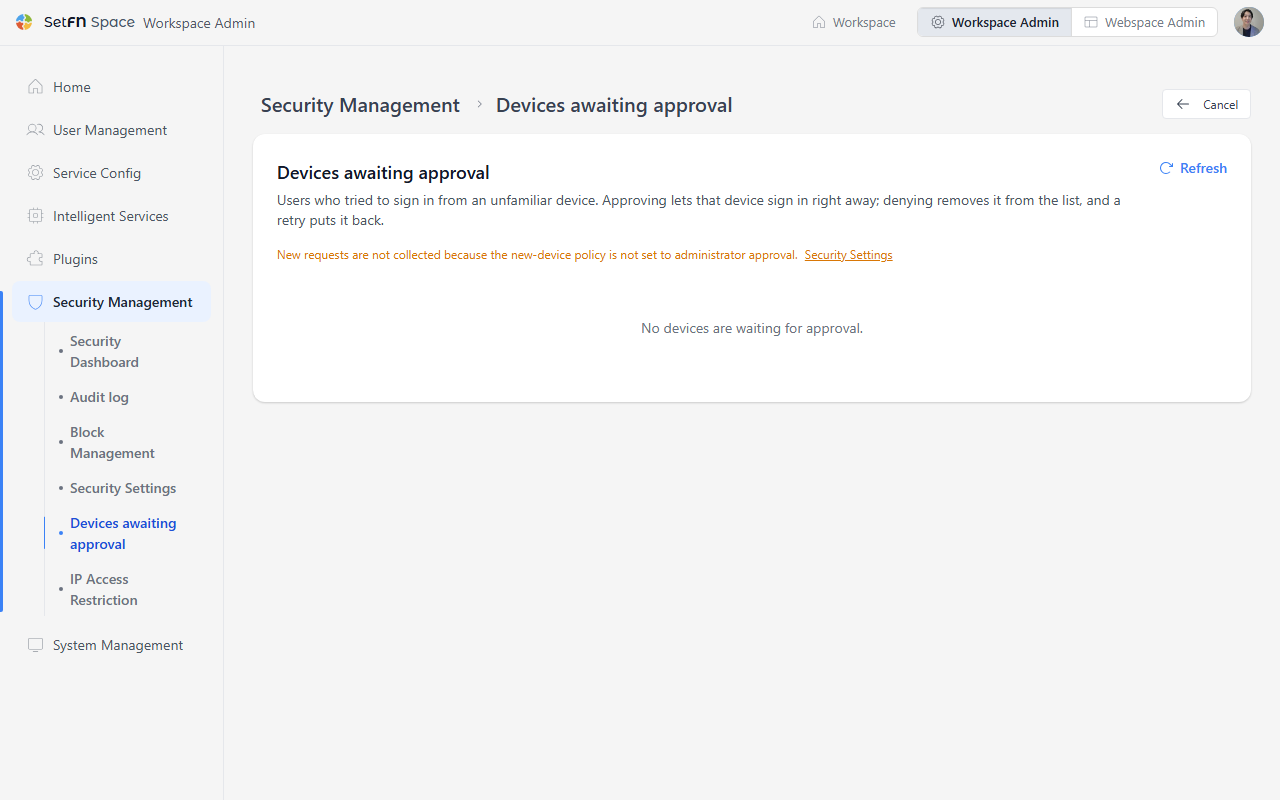
| Action | Result |
|---|---|
Approve | The approval message appears. The user can sign in again from that device. |
Deny | The request disappears. If the user attempts to sign in again, the device returns to the pending list. |
You can also approve or deny the same request under Needs your attention on the administrator home. To see all requests, open Security Management > Pending Devices.
Good to know
- New approval requests are created only when the policy is
Admin approval required. Otherwise, the pending-device page shows a message explaining this. - Each user can have up to ten pending requests and thirty approved devices.
- Review and revoke approved devices from the user details page. Revoking a device also ends its sessions.
- If a reverse proxy does not pass the actual client IP, even whitelisted IPs cannot skip device approval.