'/%3e%3cpath%20id='cross_2'%20data-name='cross%202'%20class='cls-2'%20d='M20.612,30.43h0a5.361,5.361,0,1,0-10.723,0H0A33.709,33.709,0,0,1,30.569,0V9.75a5.361,5.361,0,1,1,0,10.723V30.43Z'%20transform='translate(67.193%200.007)%20rotate(90)'/%3e%3cpath%20id='cross_3'%20data-name='cross%203'%20class='cls-3'%20d='M20.612,30.43h0a5.361,5.361,0,1,0-10.723,0H0A33.709,33.709,0,0,1,30.569,0V9.75a5.361,5.361,0,1,1,0,10.723V30.43Z'%20transform='translate(67.186%2067.041)%20rotate(180)'/%3e%3cpath%20id='cross_4'%20data-name='cross%204'%20class='cls-4'%20d='M20.6,30.5h0a5.361,5.361,0,1,0-10.723,0H0A33.71,33.71,0,0,1,30.56,0V9.818a5.361,5.361,0,1,1,0,10.723V30.5Z'%20transform='translate(0%2067.041)%20rotate(-90)'/%3e%3c/svg%3e)
IP Access Restriction
Restrict which IP addresses can access the admin page using a whitelist. Only allowed IP addresses can access the admin page, effectively blocking unauthorized access attempts from outside.
Opening the IP Access Restriction Screen
In the admin screen's Security Management, go to the IP Access Restriction menu.
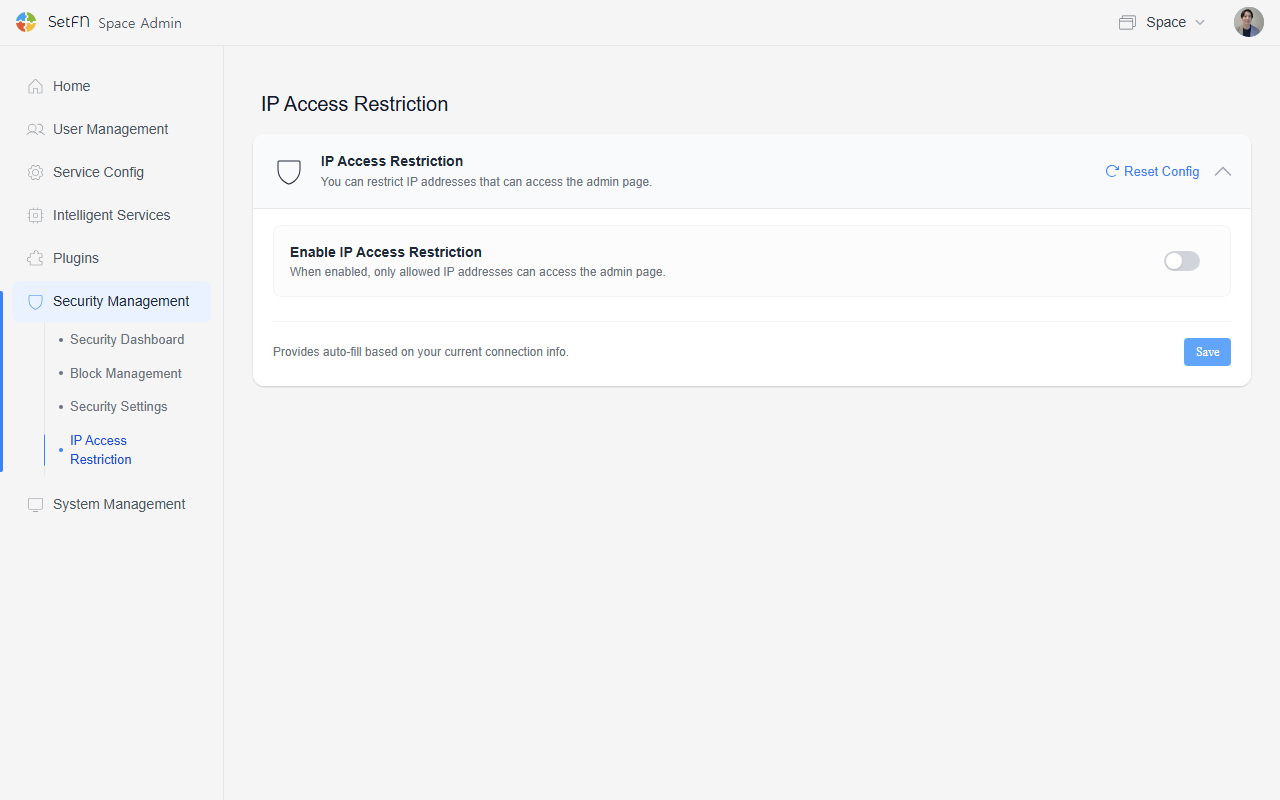
Enabling IP Access Restriction
Turning on the Enable IP Access Restriction toggle means the admin page can only be accessed from allowed IP addresses. IPs not on the allow list will be unable to access the admin page itself.
While enabled, an IP Access Restriction Enabled notification banner is shown at the top of the screen, so you can immediately tell that this setting is currently on.
Managing Allowed IPs
In the Allowed IP Addresses input field, enter IPs one per line, or separated by commas. You can easily add, edit, and remove them.
- Clicking the
Add My IPbutton automatically fills in the IP you're currently connecting from. - Entered IPs are shown as tags on the right in
Current Allowed IP List, and you can remove each one individually by clicking thexon its tag. - At the bottom of the screen,
Current Access IPlets you immediately check whether the IP you're currently connecting from is included in the allow list.
Changes take effect only after clicking the Save button. To revert settings to the previous state, use Reset Settings.
For example, if you want the admin page to be accessible only from a domestic office, check the fixed IP (public IP) used by that office and add it to the allow list. If remote workers or external access is also needed, you could route them through an internal VPN and register the VPN server's fixed IP as well.
Good to Know
- In environments without a fixed IP (e.g., remote work using a dynamic IP, or mobile access), the IP changes with each connection, which can block admin page access. In such environments, register an IP range instead, or use this feature with caution.
- As a safeguard, it's recommended that at least one admin be registered with access from a fixed-IP environment.