'/%3e%3cpath%20id='cross_2'%20data-name='cross%202'%20class='cls-2'%20d='M20.612,30.43h0a5.361,5.361,0,1,0-10.723,0H0A33.709,33.709,0,0,1,30.569,0V9.75a5.361,5.361,0,1,1,0,10.723V30.43Z'%20transform='translate(67.193%200.007)%20rotate(90)'/%3e%3cpath%20id='cross_3'%20data-name='cross%203'%20class='cls-3'%20d='M20.612,30.43h0a5.361,5.361,0,1,0-10.723,0H0A33.709,33.709,0,0,1,30.569,0V9.75a5.361,5.361,0,1,1,0,10.723V30.43Z'%20transform='translate(67.186%2067.041)%20rotate(180)'/%3e%3cpath%20id='cross_4'%20data-name='cross%204'%20class='cls-4'%20d='M20.6,30.5h0a5.361,5.361,0,1,0-10.723,0H0A33.71,33.71,0,0,1,30.56,0V9.818a5.361,5.361,0,1,1,0,10.723V30.5Z'%20transform='translate(0%2067.041)%20rotate(-90)'/%3e%3c/svg%3e)
Search Management
Manage the settings that improve the accuracy of regular search and AI search in one place. You can configure morphological analysis, the synonym dictionary, and AI request classification. Typo Candidates and Search Corrections are still being prepared.
To use AI request classification, set up an AI runtime first in AI Model Settings.
Morphological analyzer
Morphological analysis breaks search phrases into meaningful parts to help find related content. For example, entering at the meeting still helps find the word meeting. This applies to both regular search and AI search.
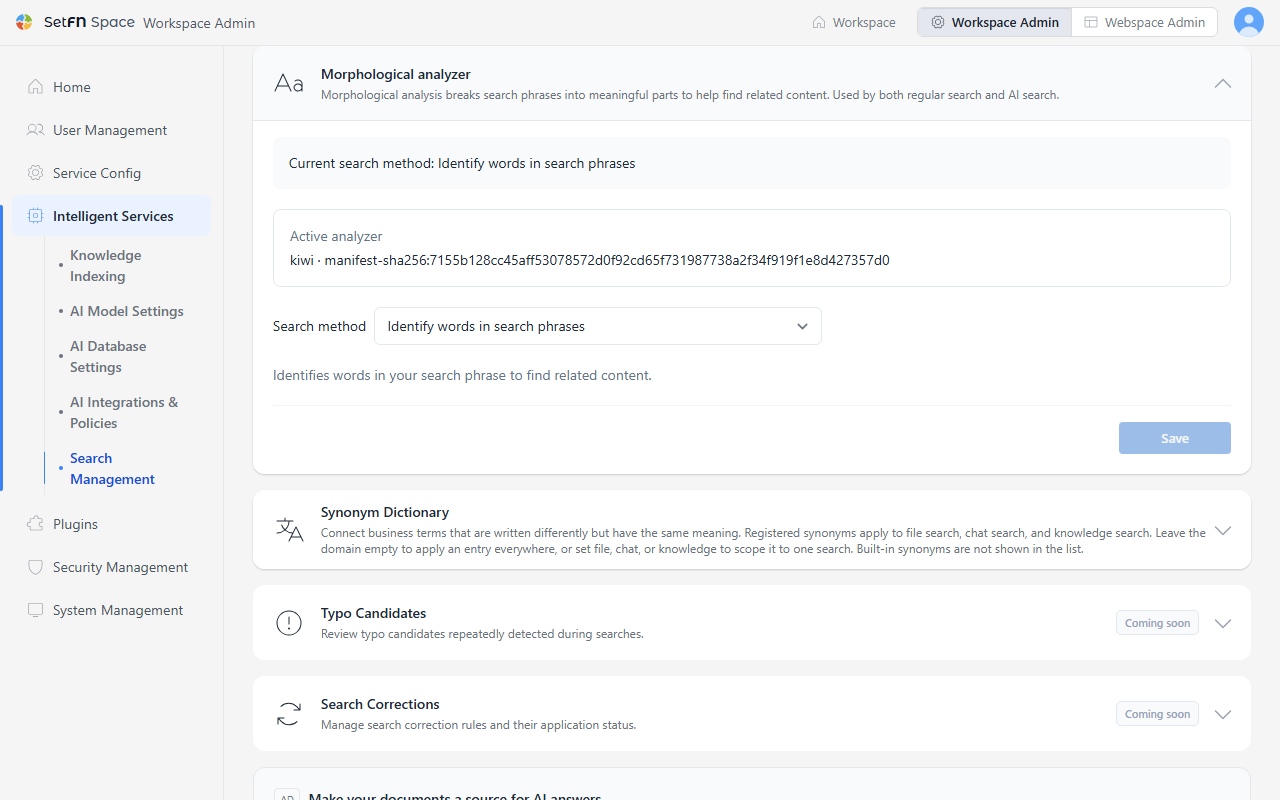
The current search method and analyzer info are shown at the top of the card. Choose a method under Search method, then select Save.
| Search method | Description |
|---|---|
Basic search | Uses the existing method to search for the text you enter. |
Identify words in search phrases | Breaks only the search phrase into meaningful parts. |
Identify words in search phrases and documents | Breaks both the search phrase and document text into meaningful parts. |
Synonym Dictionary
Connect business terms that are written differently but have the same meaning. Registered synonyms are applied together to regular (file) search, chat search, comment search, and knowledge base search. Built-in synonyms are not shown in the list.
Example
Here's an example with Naver, Instagram, and KakaoTalk registered as canonical terms.
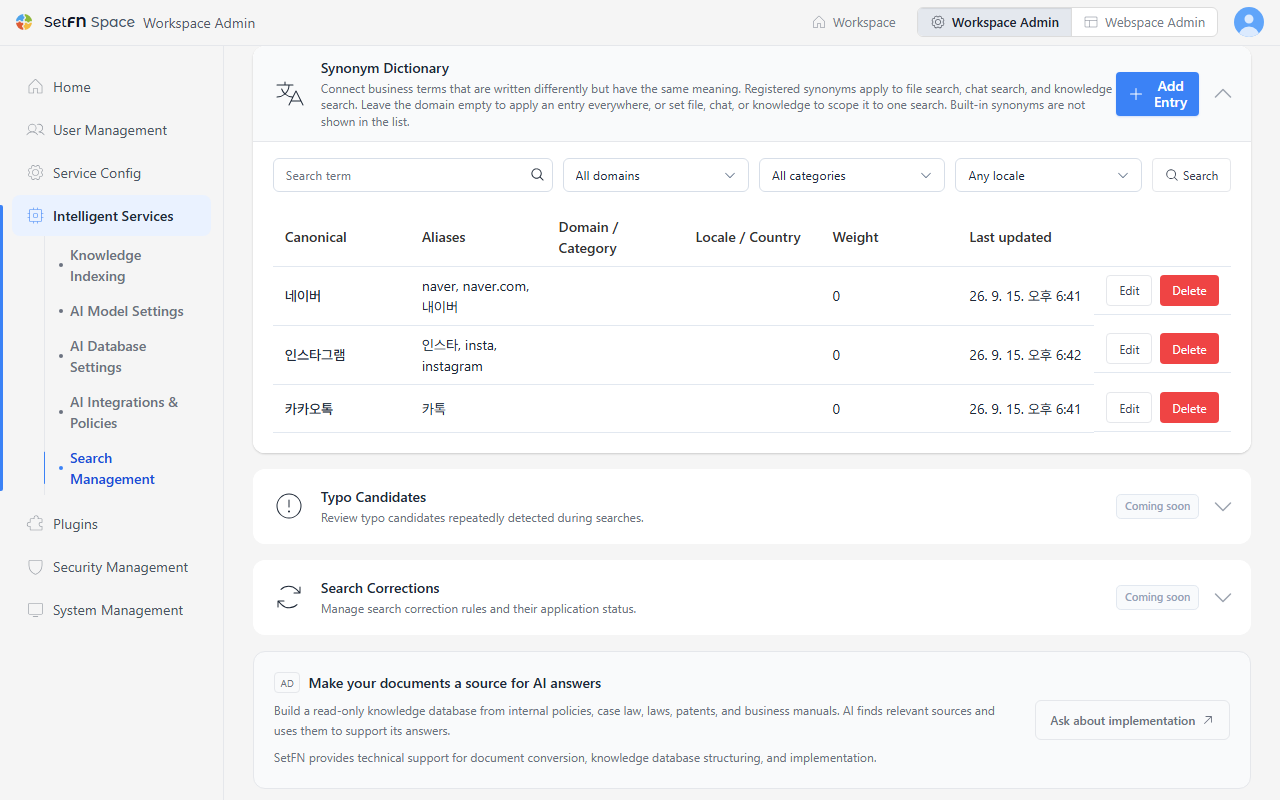
Registering 네이버 as the canonical term with naver, naver.com, and 내이버 as aliases means a search for naver also finds documents and comments that mention 네이버. The same goes for 카카오톡: registering the everyday abbreviation 카톡 as an alias means search results aren't missed just because the spelling differs.
You can search registered synonyms by Search term, Domain, and Category.
Adding a Synonym Entry
- Select
Add Entry. - Enter the standard term in
Canonical term. - In
Aliases, enter expressions that can replace the canonical term without changing its meaning, separated by commas. - If needed, enter
Weight(0-1000, higher values rank first in autocomplete suggestions),Domain,Category,Locale,Country, andDescription. - Select
Save.
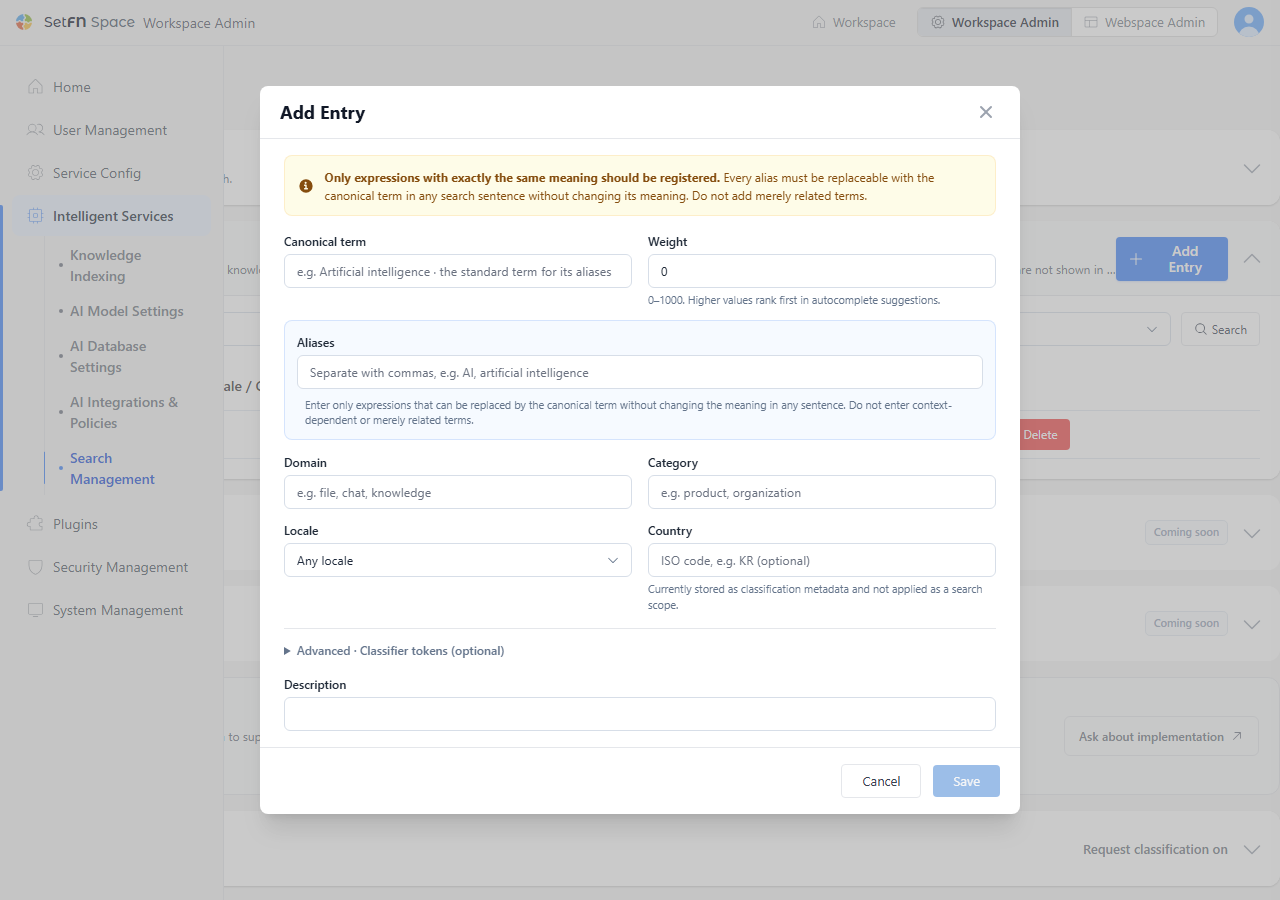
Country is currently stored only as classification metadata and is not applied to the search scope.
AI request classification
Understanding the product's features and terminology helps AI give more relevant answers.
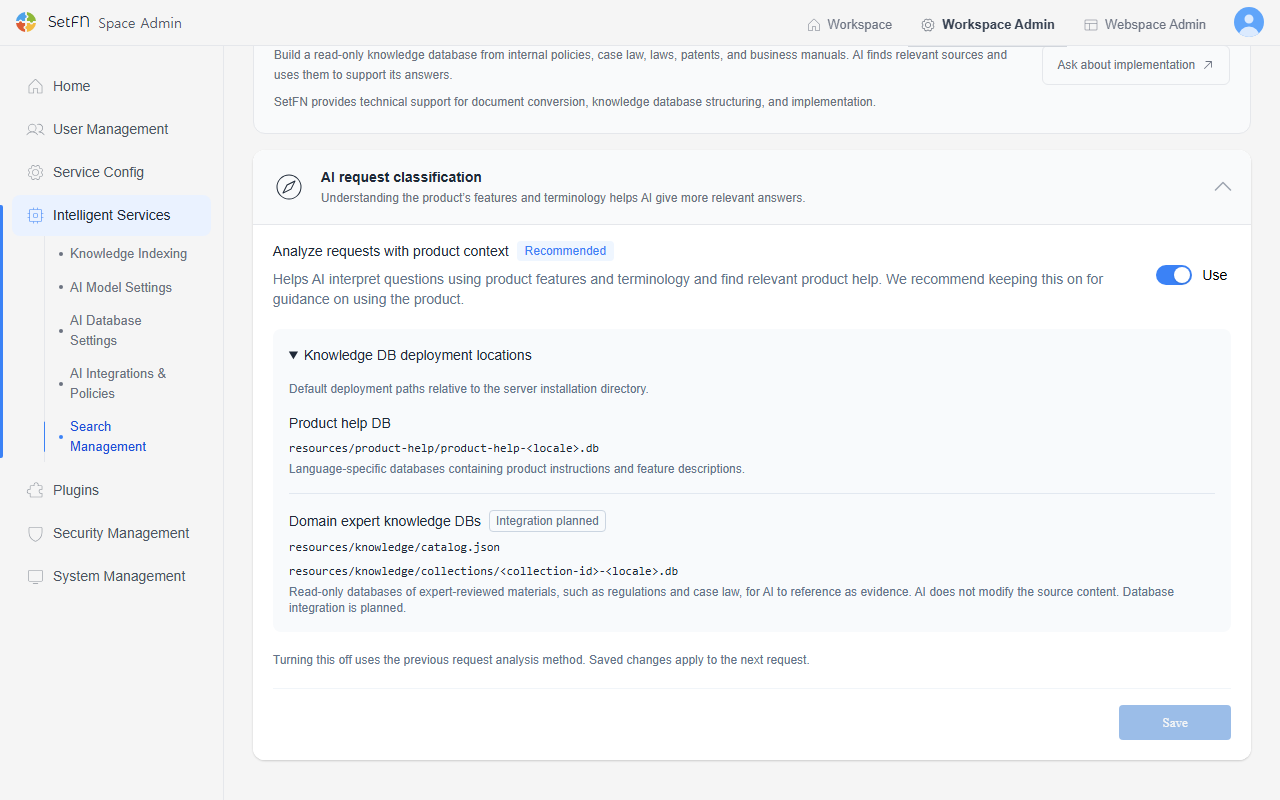
Turning on Analyze requests with product context helps AI interpret questions using product features and terminology and find relevant product help. Open Knowledge DB deployment locations to check the DB paths AI references.
| Database | Path | Description |
|---|---|---|
| Product help DB | resources/product-help/product-help-<locale>.db | Language-specific databases containing product instructions and feature descriptions. |
| Domain expert knowledge DBs (Integration planned) | resources/knowledge/catalog.json, resources/knowledge/collections/<collection-id>-<locale>.db | Read-only databases of expert-reviewed materials, such as regulations and case law, for AI to reference as evidence. AI does not modify the source content. |
Select Save when you finish.
Features in preparation
The following features appear as cards on the screen but are not yet available.
- Typo Candidates: Reviews typo candidates repeatedly detected during searches.
- Search Corrections: Manages search correction rules and their application status.
Good to know
- Domain expert knowledge DB integration is still being prepared. Support for building a read-only knowledge database from internal policies, case law, laws, patents, and business manuals is available on request through the link shown on the screen.