'/%3e%3cpath%20id='cross_2'%20data-name='cross%202'%20class='cls-2'%20d='M20.612,30.43h0a5.361,5.361,0,1,0-10.723,0H0A33.709,33.709,0,0,1,30.569,0V9.75a5.361,5.361,0,1,1,0,10.723V30.43Z'%20transform='translate(67.193%200.007)%20rotate(90)'/%3e%3cpath%20id='cross_3'%20data-name='cross%203'%20class='cls-3'%20d='M20.612,30.43h0a5.361,5.361,0,1,0-10.723,0H0A33.709,33.709,0,0,1,30.569,0V9.75a5.361,5.361,0,1,1,0,10.723V30.43Z'%20transform='translate(67.186%2067.041)%20rotate(180)'/%3e%3cpath%20id='cross_4'%20data-name='cross%204'%20class='cls-4'%20d='M20.6,30.5h0a5.361,5.361,0,1,0-10.723,0H0A33.71,33.71,0,0,1,30.56,0V9.818a5.361,5.361,0,1,1,0,10.723V30.5Z'%20transform='translate(0%2067.041)%20rotate(-90)'/%3e%3c/svg%3e)
Comment Search
In the Comment tab of Team Activity, use the filter to narrow comments scattered across files and folders by nickname, content, or date.
Searching Comments
- Click
Team Activityin the left sidebar menu. - Click the
Commenttab in the top right. - Click
Filter. - Enter your search condition in
NicknameorContent. - If needed, choose a date range in
Comment date(Today, Last 7 days, Last 30 days, or a custom range). - Click
Apply.
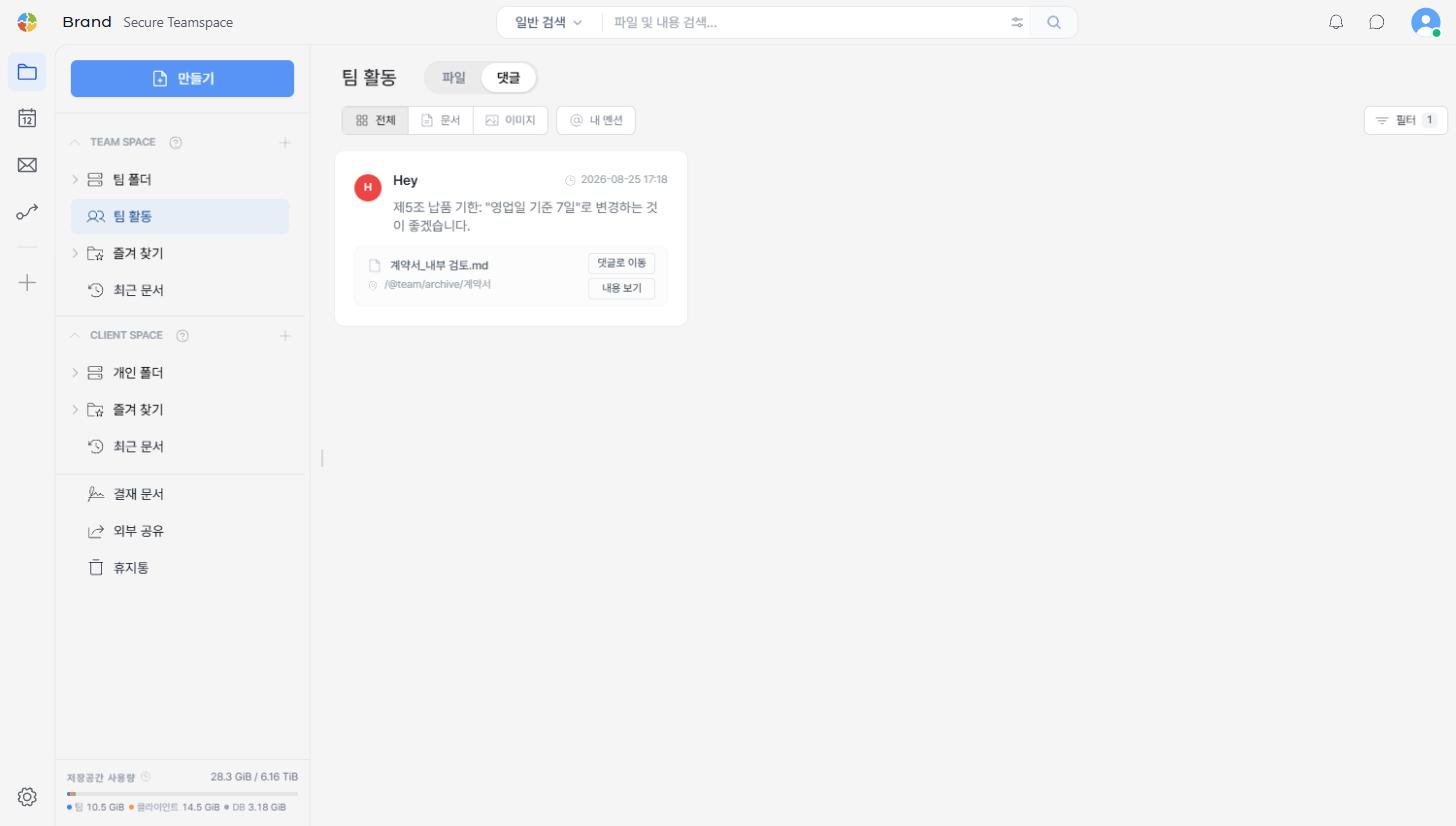
Only comments matching the conditions remain in the list, and the Filter button shows the number of active conditions. Nickname and content conditions are applied together.
Using the Search Results
- Click
Go to commentto jump to the file where the comment was left. - Click
View contentto preview the file in place, without leaving the list.