'/%3e%3cpath%20id='cross_2'%20data-name='cross%202'%20class='cls-2'%20d='M20.612,30.43h0a5.361,5.361,0,1,0-10.723,0H0A33.709,33.709,0,0,1,30.569,0V9.75a5.361,5.361,0,1,1,0,10.723V30.43Z'%20transform='translate(67.193%200.007)%20rotate(90)'/%3e%3cpath%20id='cross_3'%20data-name='cross%203'%20class='cls-3'%20d='M20.612,30.43h0a5.361,5.361,0,1,0-10.723,0H0A33.709,33.709,0,0,1,30.569,0V9.75a5.361,5.361,0,1,1,0,10.723V30.43Z'%20transform='translate(67.186%2067.041)%20rotate(180)'/%3e%3cpath%20id='cross_4'%20data-name='cross%204'%20class='cls-4'%20d='M20.6,30.5h0a5.361,5.361,0,1,0-10.723,0H0A33.71,33.71,0,0,1,30.56,0V9.818a5.361,5.361,0,1,1,0,10.723V30.5Z'%20transform='translate(0%2067.041)%20rotate(-90)'/%3e%3c/svg%3e)
Chat Search
You can search previous messages across all conversations by name, content, or date. You can find the message you need without opening each chat room one by one. There are two ways to search: the search box at the top of the screen, and search inside the chat window.
Searching from the Top Search Box
- Set the search scope on the left of the top search box to
Chat Search. - Enter your search term.
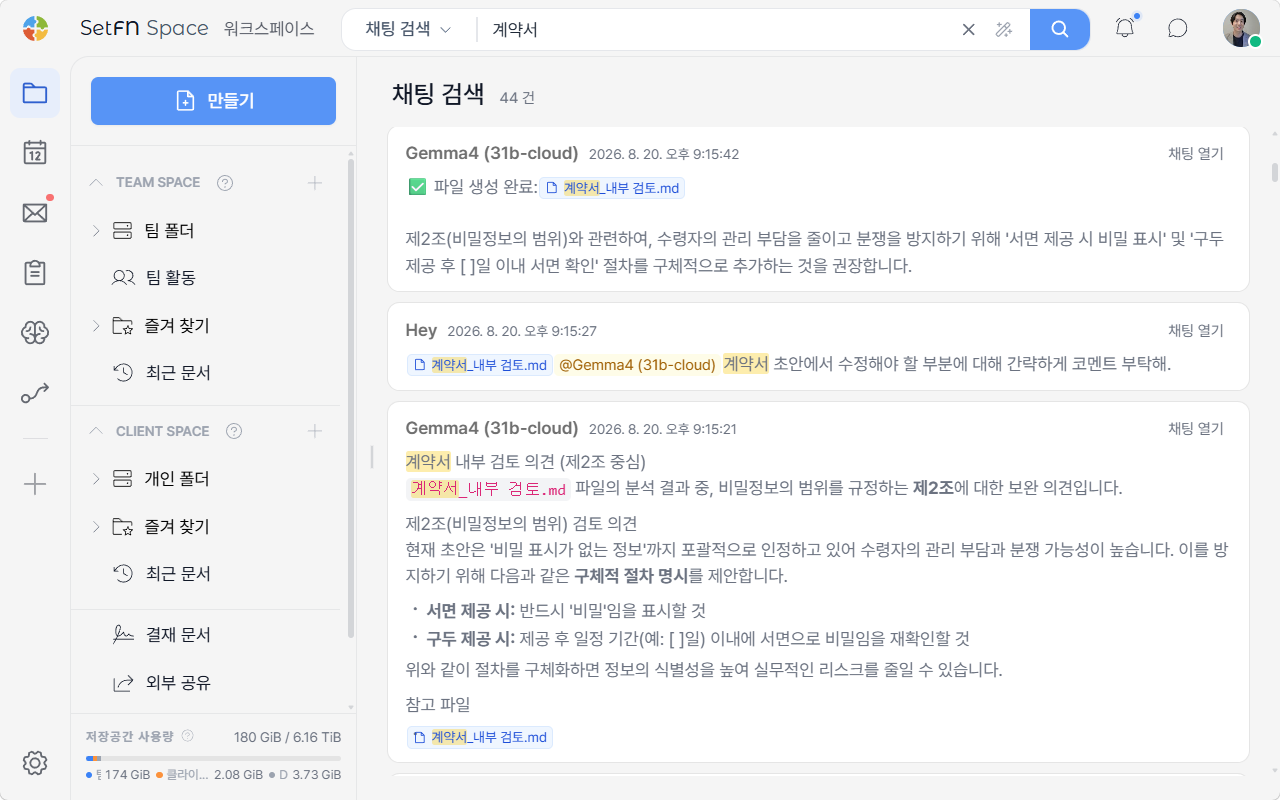
Matching messages appear across all chat rooms, with the search term highlighted, along with the result count. Click Open Chat to jump to the chat room containing that message.
Searching Inside the Chat Window
You can also search inside the chat window you currently have open.
- Click
Chat-Searchat the top of the chat window. - Choose a search scope:
All,Name,Content, orDate. - Enter your search term in the search box.
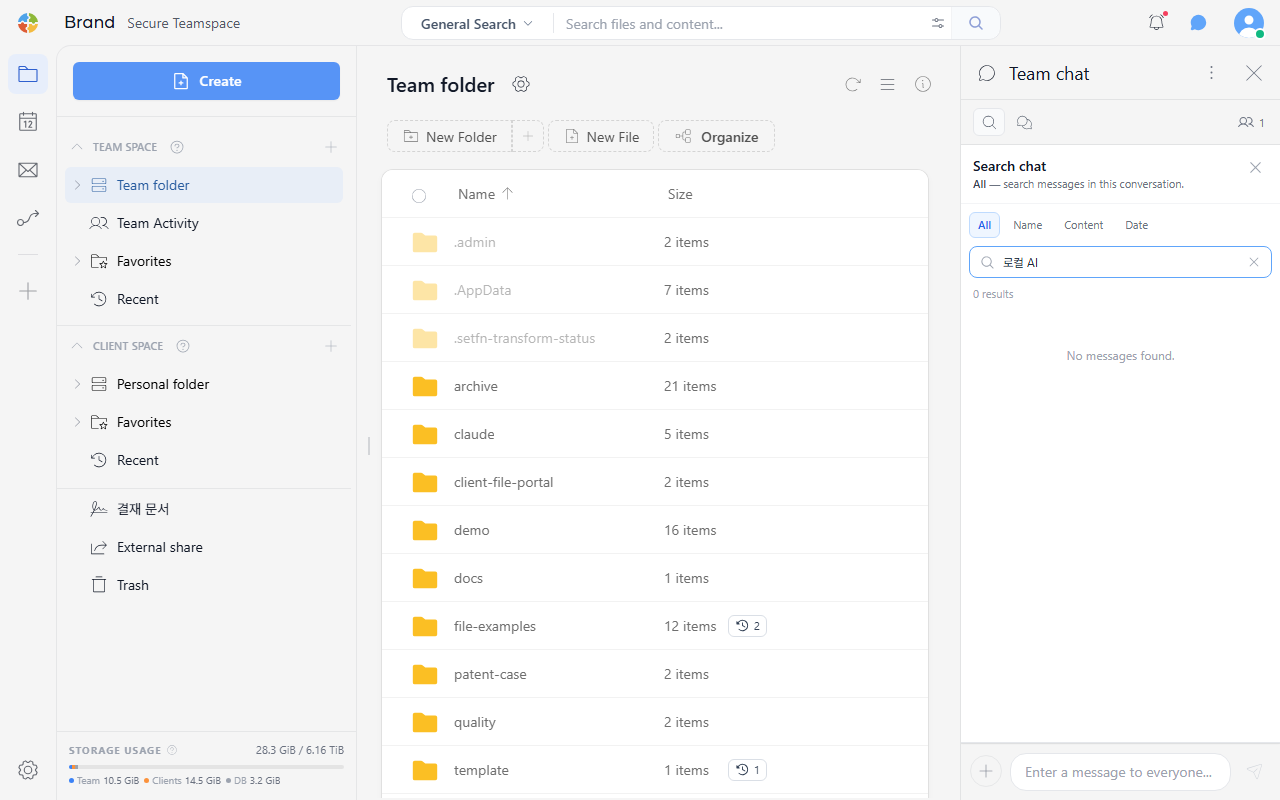
Messages matching the search term appear in the list, and the number of results is shown at the top.
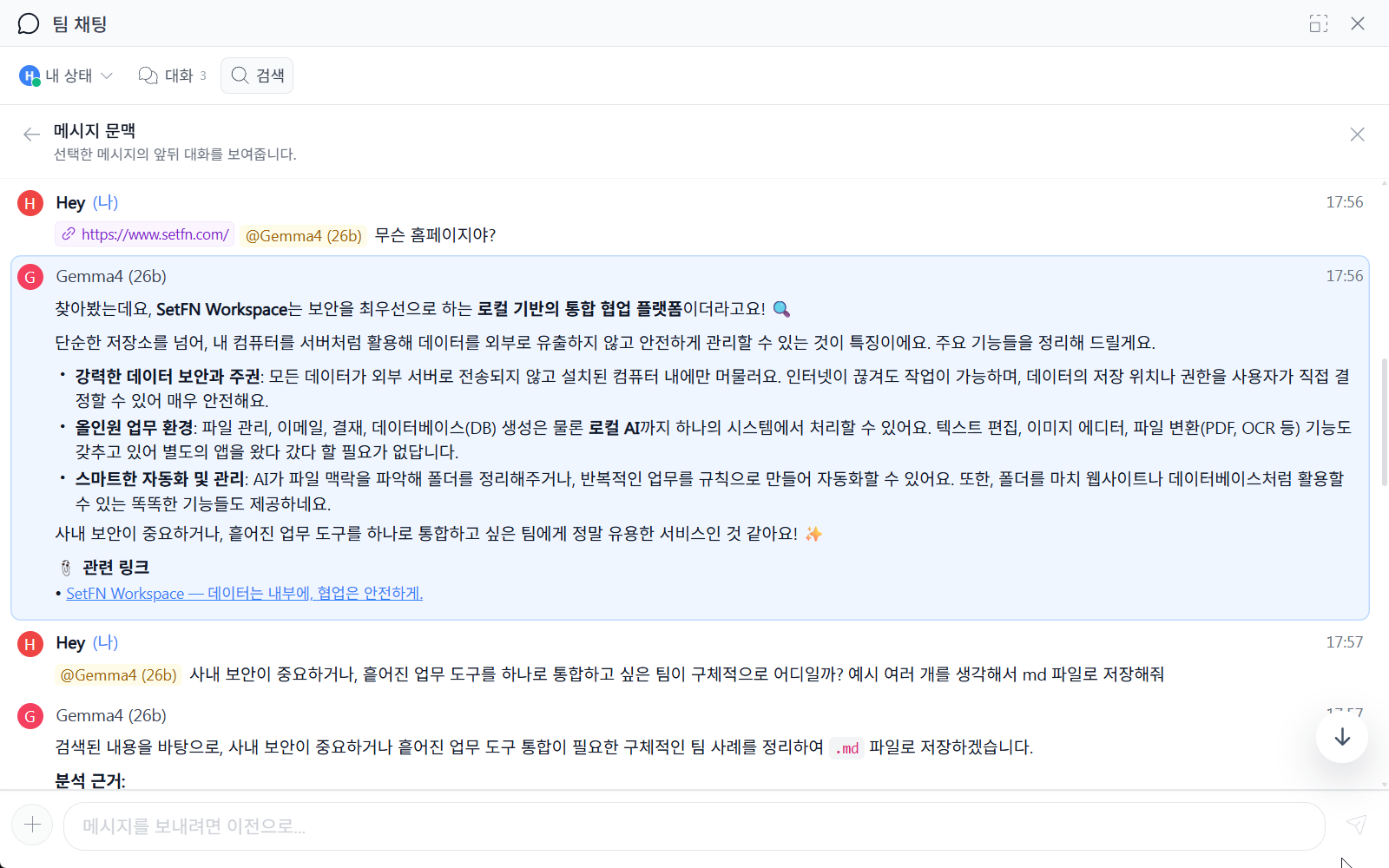
Checking Context from Search Results
Click a message in the search results to see the surrounding conversation before and after it.