'/%3e%3cpath%20id='cross_2'%20data-name='cross%202'%20class='cls-2'%20d='M20.612,30.43h0a5.361,5.361,0,1,0-10.723,0H0A33.709,33.709,0,0,1,30.569,0V9.75a5.361,5.361,0,1,1,0,10.723V30.43Z'%20transform='translate(67.193%200.007)%20rotate(90)'/%3e%3cpath%20id='cross_3'%20data-name='cross%203'%20class='cls-3'%20d='M20.612,30.43h0a5.361,5.361,0,1,0-10.723,0H0A33.709,33.709,0,0,1,30.569,0V9.75a5.361,5.361,0,1,1,0,10.723V30.43Z'%20transform='translate(67.186%2067.041)%20rotate(180)'/%3e%3cpath%20id='cross_4'%20data-name='cross%204'%20class='cls-4'%20d='M20.6,30.5h0a5.361,5.361,0,1,0-10.723,0H0A33.71,33.71,0,0,1,30.56,0V9.818a5.361,5.361,0,1,1,0,10.723V30.5Z'%20transform='translate(0%2067.041)%20rotate(-90)'/%3e%3c/svg%3e)
Requesting Work from the Local AI
Because the local AI runs inside the workspace, conversation content and files are never sent outside. You can confidently hand off tasks such as search, schedule creation, work summaries, and email drafting.
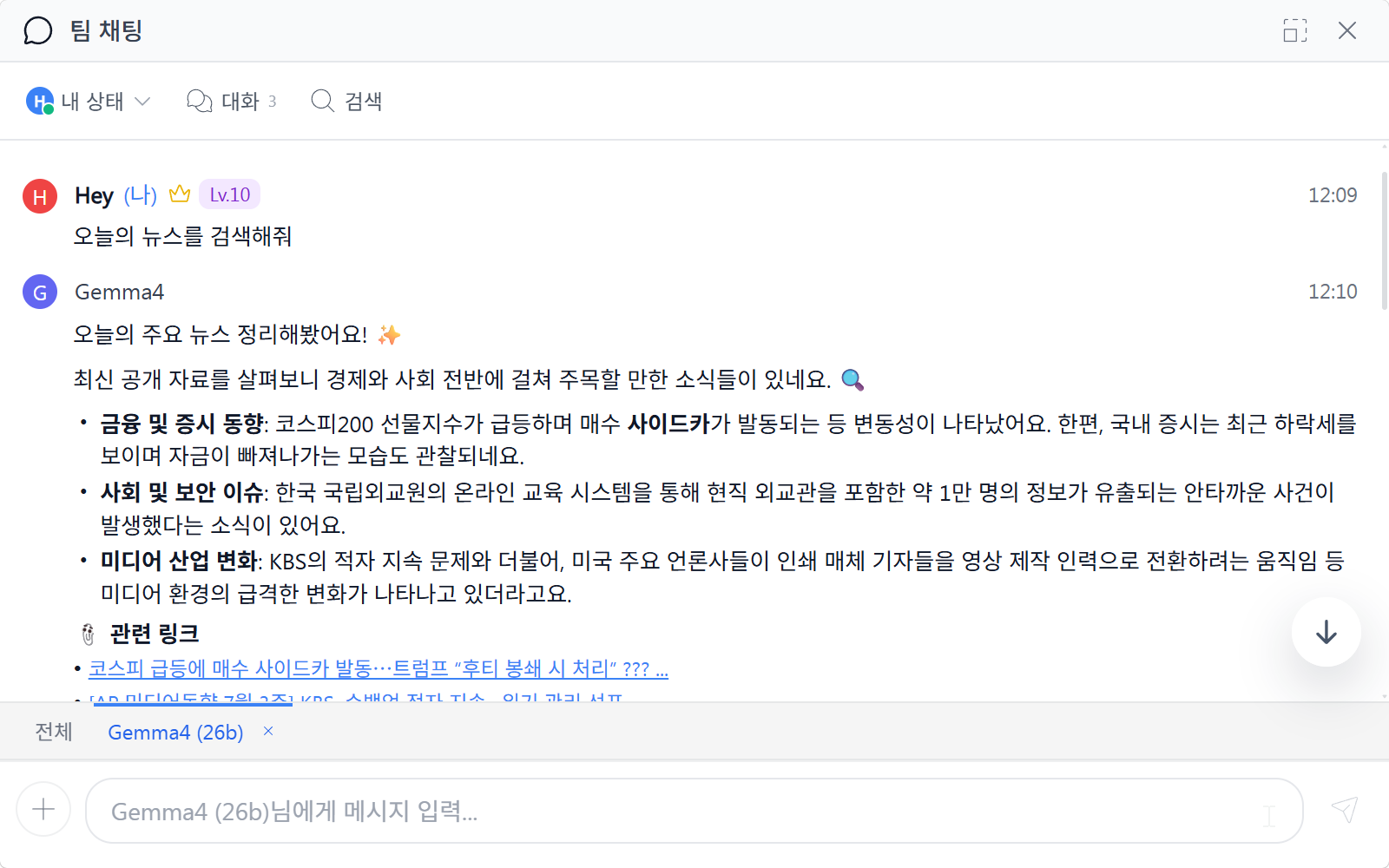
Search
If you ask AI in chat for the latest information — for example, "Search today's news" — it uses a connected external API to search sources like Naver or Google News and answer you. To use this, an administrator must first register API keys for external tools such as Google or Naver in AI Integration and Policy Settings.
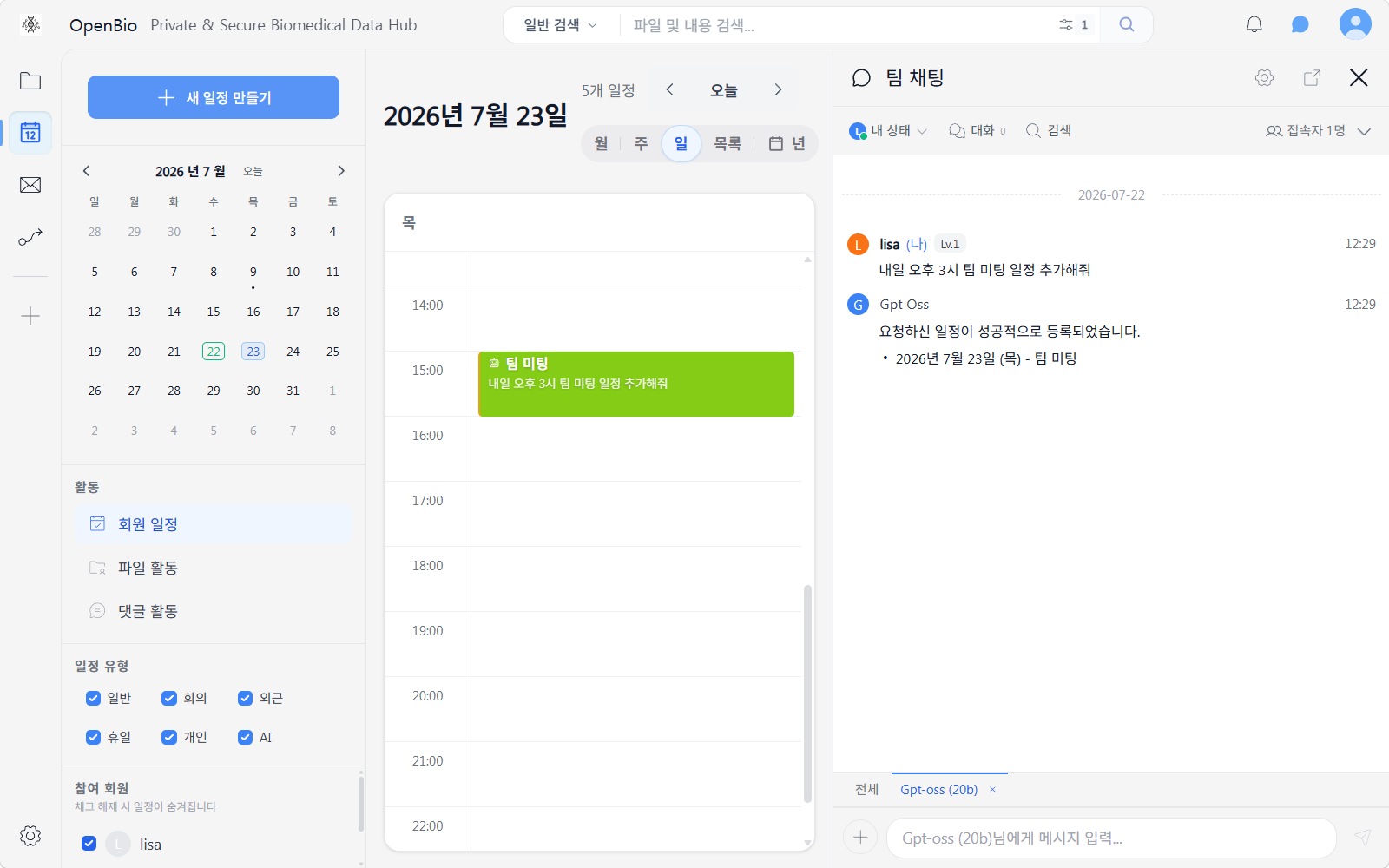
Schedule Integration
If you ask AI in chat to "Add a schedule item," it creates the item directly in the calendar.
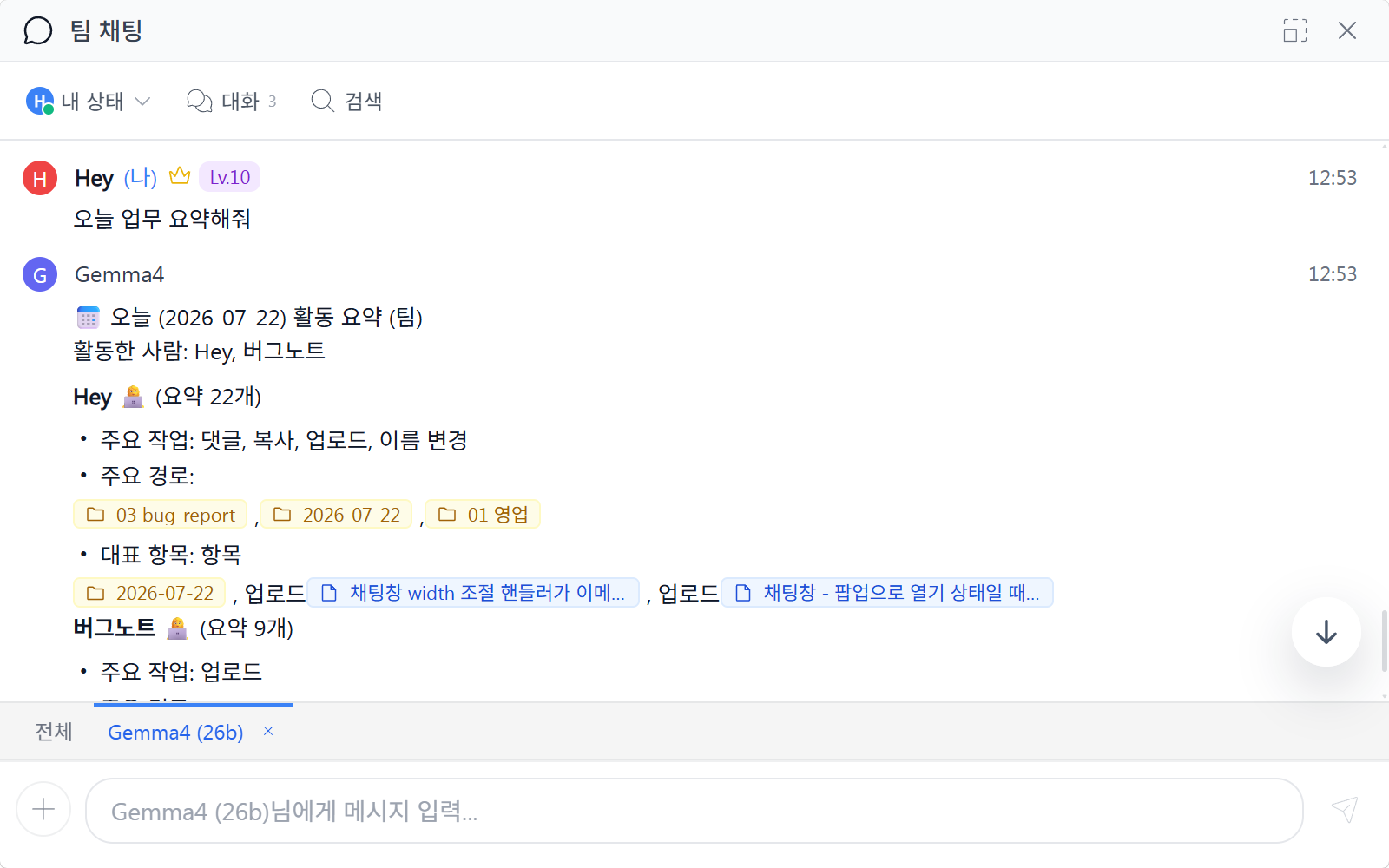
Work Summary
The local AI logs and summarizes file and comment activity. You can grasp the whole team's work at a glance without needing a daily status report.
Drafting Emails
If you attach a file in chat and ask AI to draft an email, it analyzes the content and fills in a subject line and body draft in the email composition window.
Local AI Agent
The local AI agent feature keeps evolving. Even today, whenever a file is created or modified, the local AI reads the content and automatically generates metadata such as summaries and tags. As files accumulate, search and classification become more and more accurate — without any extra effort on your part.
Using It as an Internal Knowledge Wiki
Just keep writing Markdown documents into a folder, the way you would in Obsidian. Because the local AI reads the content, generates metadata, and even understands the relationships between documents, it builds up into a team's internal knowledge wiki without you needing to organize links or tags yourself.