'/%3e%3cpath%20id='cross_2'%20data-name='cross%202'%20class='cls-2'%20d='M20.612,30.43h0a5.361,5.361,0,1,0-10.723,0H0A33.709,33.709,0,0,1,30.569,0V9.75a5.361,5.361,0,1,1,0,10.723V30.43Z'%20transform='translate(67.193%200.007)%20rotate(90)'/%3e%3cpath%20id='cross_3'%20data-name='cross%203'%20class='cls-3'%20d='M20.612,30.43h0a5.361,5.361,0,1,0-10.723,0H0A33.709,33.709,0,0,1,30.569,0V9.75a5.361,5.361,0,1,1,0,10.723V30.43Z'%20transform='translate(67.186%2067.041)%20rotate(180)'/%3e%3cpath%20id='cross_4'%20data-name='cross%204'%20class='cls-4'%20d='M20.6,30.5h0a5.361,5.361,0,1,0-10.723,0H0A33.71,33.71,0,0,1,30.56,0V9.818a5.361,5.361,0,1,1,0,10.723V30.5Z'%20transform='translate(0%2067.041)%20rotate(-90)'/%3e%3c/svg%3e)
Configure Tools & Integrations
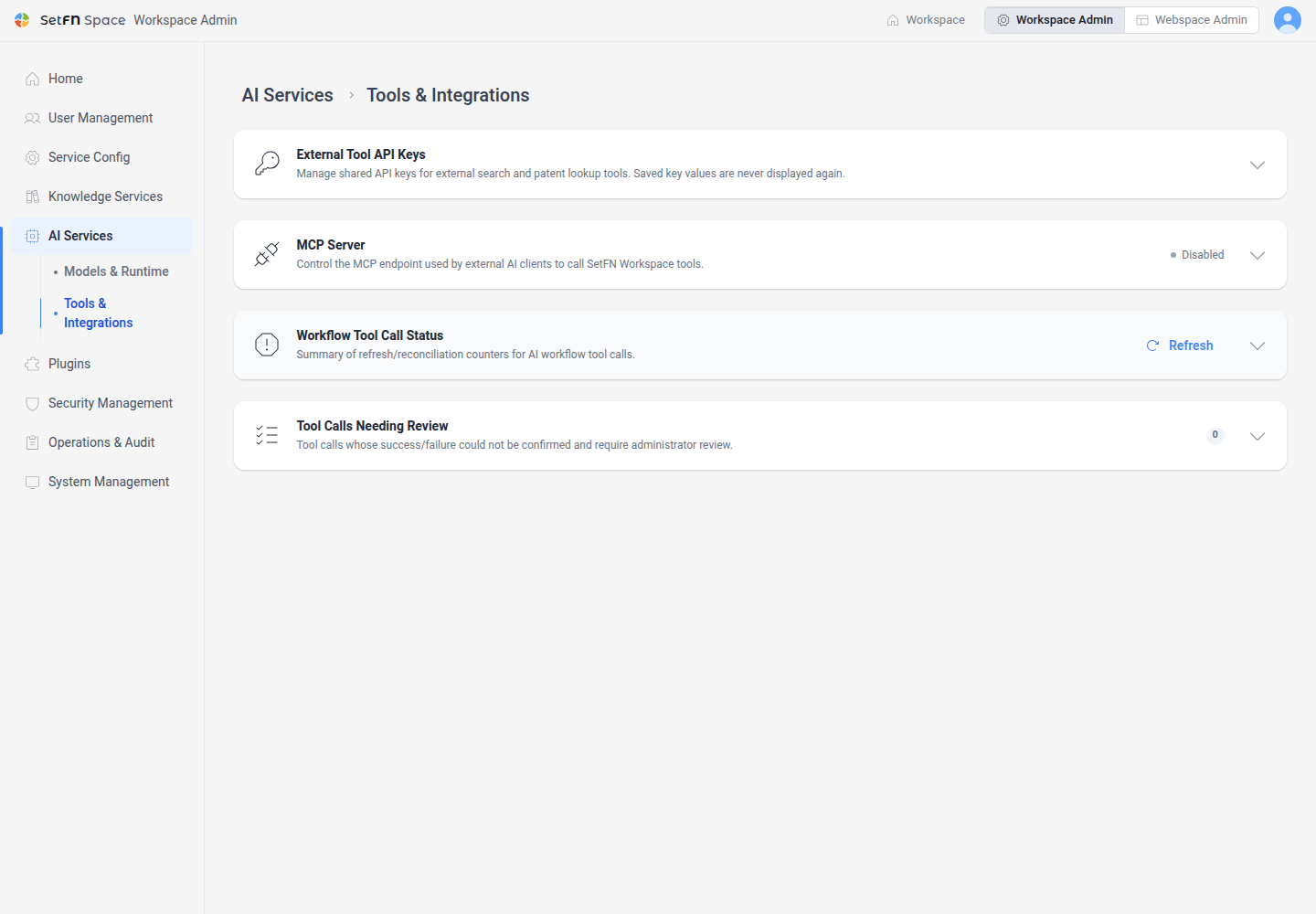
Use Tools & Integrations to manage API keys for external search, patent search, and other tools, along with MCP access for external AI clients. The page also shows workflow tool-call processing status.
Before you begin
- Required permission: administrator
- To save an external tool credential, prepare its API Key and an API Secret when required.
- Before enabling MCP, review what data may be sent externally and which actions the connection should be allowed to perform.
Open Tools & Integrations
- Open the administrator page.
- Select
AI Servicesin the left menu. - Select
Tools & Integrations.
Save an external tool API key
The External Tool API Keys section lists providers supported by the server.
- Enter the required API Key for the provider.
- If an API Secret field appears, enter it as well.
- Enter a note that identifies the key's purpose or issuing account.
- Select
Save.
Saved key values are not displayed again. To replace a key, select Edit and enter the new value. Select Delete when the credential is no longer used.
Review the MCP connection policy
MCP lets external AI clients call allowed SetFN tools. Effective access is the common scope allowed by the organization policy, the connected user's existing permissions, and the actions and spaces allowed on the connection key.
Enable MCP, select the tools allowed by the organization, and save. See Manage the MCP Server for user connection keys and tool-specific guidance.
Review workflow tool-call status
At the bottom of the page, review recovery and reconciliation totals for workflow tool calls and any calls that require attention. When a result is ambiguous, verify the actual external result before using the action provided on the page.