'/%3e%3cpath%20id='cross_2'%20data-name='cross%202'%20class='cls-2'%20d='M20.612,30.43h0a5.361,5.361,0,1,0-10.723,0H0A33.709,33.709,0,0,1,30.569,0V9.75a5.361,5.361,0,1,1,0,10.723V30.43Z'%20transform='translate(67.193%200.007)%20rotate(90)'/%3e%3cpath%20id='cross_3'%20data-name='cross%203'%20class='cls-3'%20d='M20.612,30.43h0a5.361,5.361,0,1,0-10.723,0H0A33.709,33.709,0,0,1,30.569,0V9.75a5.361,5.361,0,1,1,0,10.723V30.43Z'%20transform='translate(67.186%2067.041)%20rotate(180)'/%3e%3cpath%20id='cross_4'%20data-name='cross%204'%20class='cls-4'%20d='M20.6,30.5h0a5.361,5.361,0,1,0-10.723,0H0A33.71,33.71,0,0,1,30.56,0V9.818a5.361,5.361,0,1,1,0,10.723V30.5Z'%20transform='translate(0%2067.041)%20rotate(-90)'/%3e%3c/svg%3e)
Sign Up and Log In
To use SetFN Workspace, you first need to create an account. Get the access address from your workspace administrator, then sign up and log in. Depending on the administrator's settings, you may be able to use the workspace immediately after signing up, or only after approval.
Checking the Access Address
Check the workspace access address.
- External URL example:
https://www.company.com - Internal IP address example:
192.168.1.100:8510
Accessing the Sign-Up Page
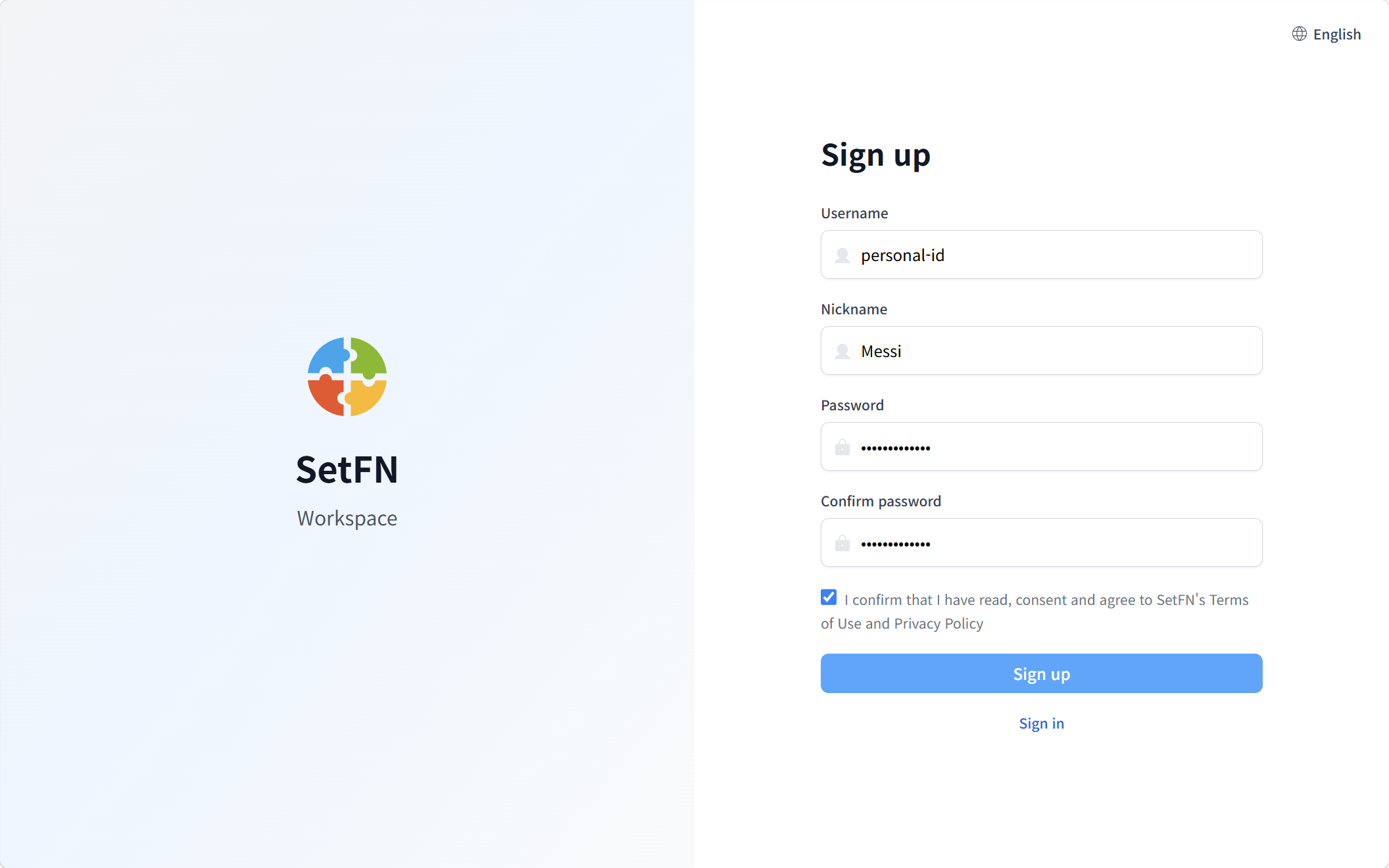
Go to the access address, then click the Sign Up button.
Entering Information
- Login ID: The ID you'll use to log in to the workspace (letters and numbers)
- Nickname: The name shown to other users (Korean or English)
- Password: A password to secure your account
Agreeing to Terms and Privacy Policy
Agree to the Terms of Service and Privacy Policy.
These terms are not SetFN's terms, but separate terms set by the organization operating that workspace.
Completing the Sign-Up Request
Clicking the Sign Up button completes your sign-up request.
Sign-Up Approval (Activation)
Depending on the workspace administrator's policy, final approval may be required.
| Item | Description |
|---|---|
| Automatic approval | You can log in immediately after signing up |
| Manual approval | You can log in after administrator approval |
Good to Know
- If the Sign Up menu isn't visible, ask your administrator to enable the sign-up setting.
- If you can't log in after signing up, you may need to wait for administrator approval.
- The login ID cannot be changed after signing up.