'/%3e%3cpath%20id='cross_2'%20data-name='cross%202'%20class='cls-2'%20d='M20.612,30.43h0a5.361,5.361,0,1,0-10.723,0H0A33.709,33.709,0,0,1,30.569,0V9.75a5.361,5.361,0,1,1,0,10.723V30.43Z'%20transform='translate(67.193%200.007)%20rotate(90)'/%3e%3cpath%20id='cross_3'%20data-name='cross%203'%20class='cls-3'%20d='M20.612,30.43h0a5.361,5.361,0,1,0-10.723,0H0A33.709,33.709,0,0,1,30.569,0V9.75a5.361,5.361,0,1,1,0,10.723V30.43Z'%20transform='translate(67.186%2067.041)%20rotate(180)'/%3e%3cpath%20id='cross_4'%20data-name='cross%204'%20class='cls-4'%20d='M20.6,30.5h0a5.361,5.361,0,1,0-10.723,0H0A33.71,33.71,0,0,1,30.56,0V9.818a5.361,5.361,0,1,1,0,10.723V30.5Z'%20transform='translate(0%2067.041)%20rotate(-90)'/%3e%3c/svg%3e)
Data Entry and Change History (Audit Trail)
The core of an EDC system is keeping a record of every data change (Audit Trail). Every activity — data entry, modification, verification, queries, and more — records who did what and when. This satisfies the traceability required by regulations such as GCP (Good Clinical Practice) and 21 CFR Part 11.
Data Entry
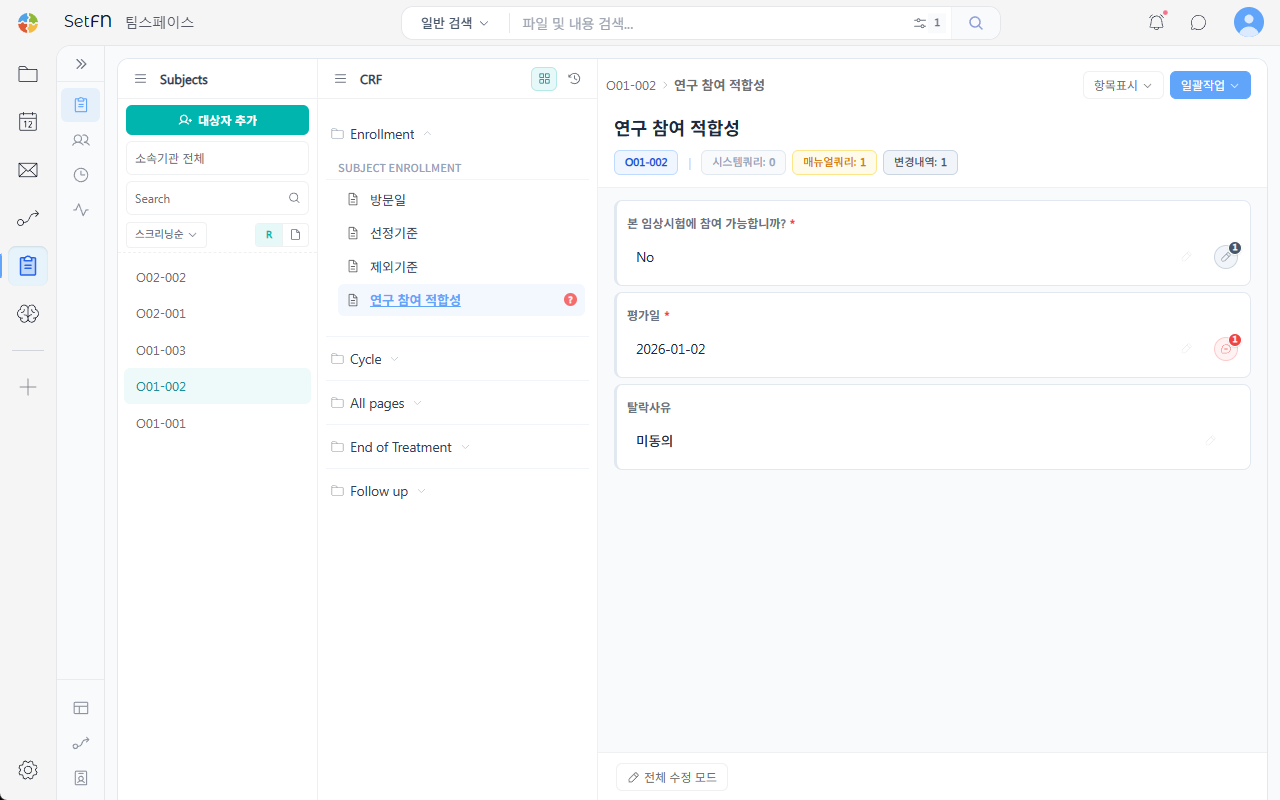
Select a subject under Subjects, then select an item in the CRF form tree to enter a value. For each item, the number of system queries, manual queries, and change records is shown alongside it.
Data Verification (SDV, Source Data Verification)
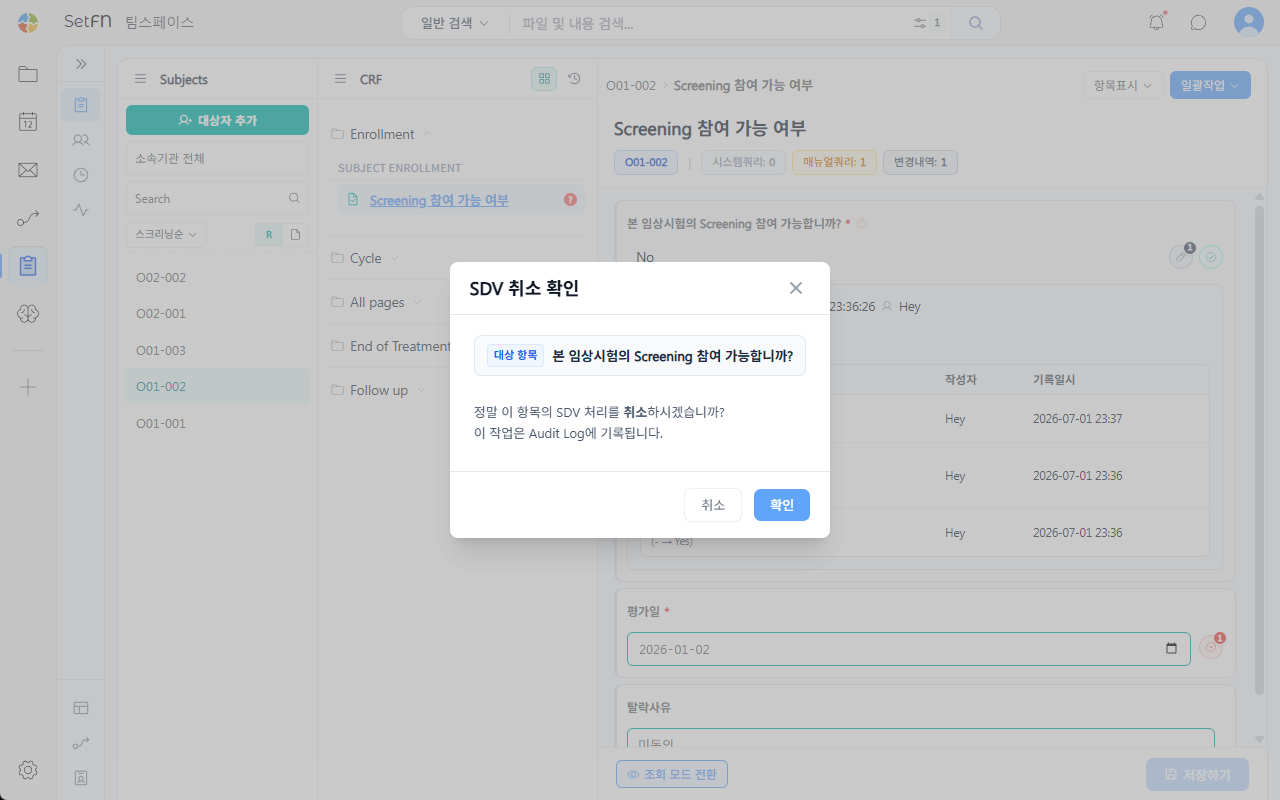
Confirm that the entered data matches the source documents (SDV) and mark it complete. Canceling SDV also shows a confirmation popup stating "This action will be recorded in the Audit Log." Whether or not SDV has been performed is itself subject to audit.
Query
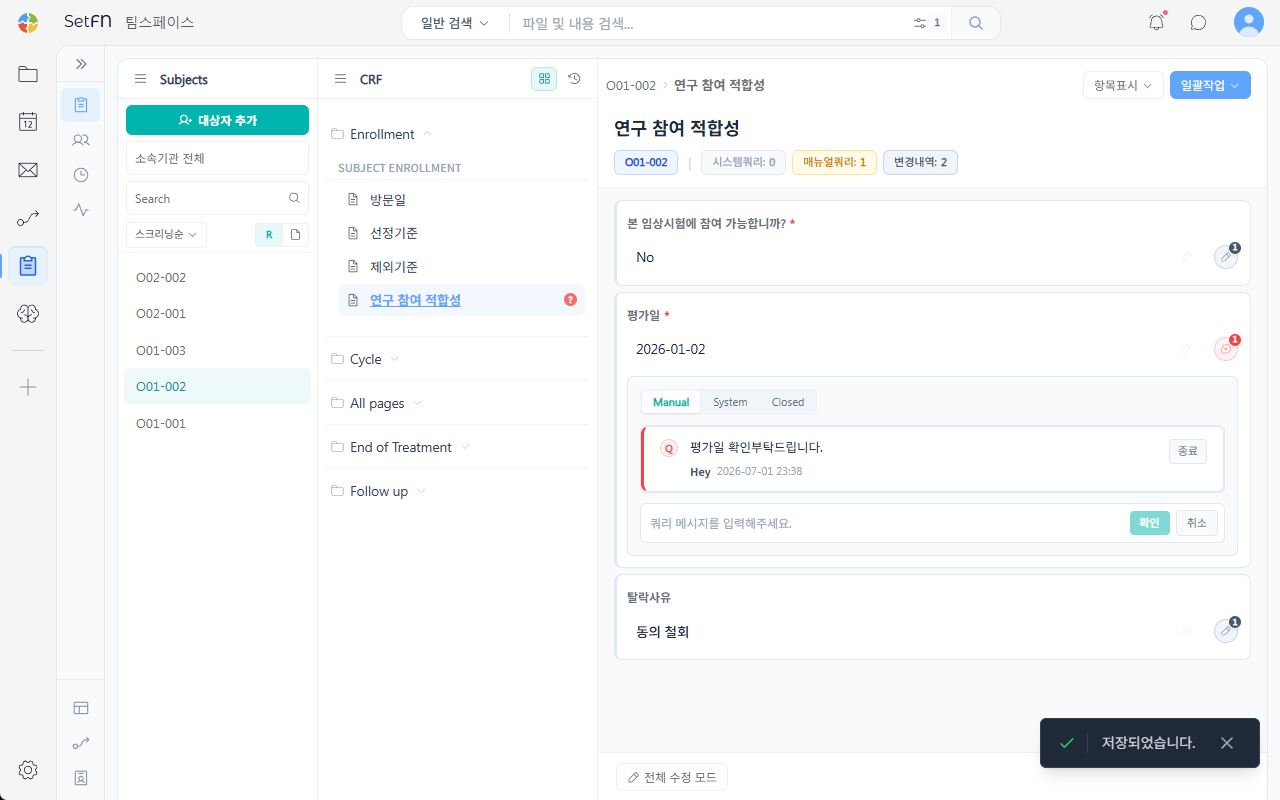
If there's a question about the data, register a query. Queries are organized into the Manual (manually registered), System (automatically generated), and Closed (resolved queries) tabs; leaving a reply on a query and marking it confirmed is also recorded in the history.
Batch Actions
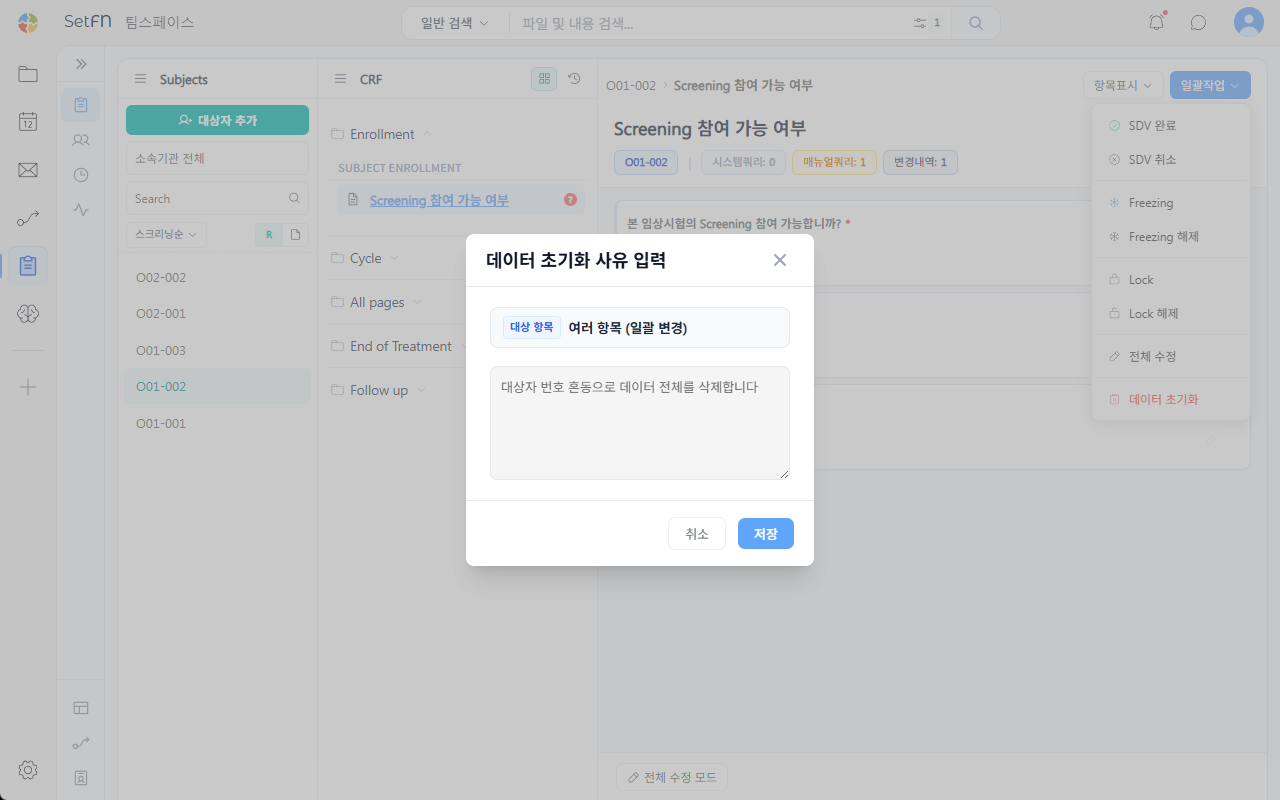
The Batch Actions menu in the upper right of an item lets you perform the following.
- Complete SDV / Cancel SDV
- Freeze / Unfreeze (advance notice of data lock)
- Lock / Unlock (make uneditable)
- Edit all
- Reset data (a reason is required)
Checking the Audit Trail
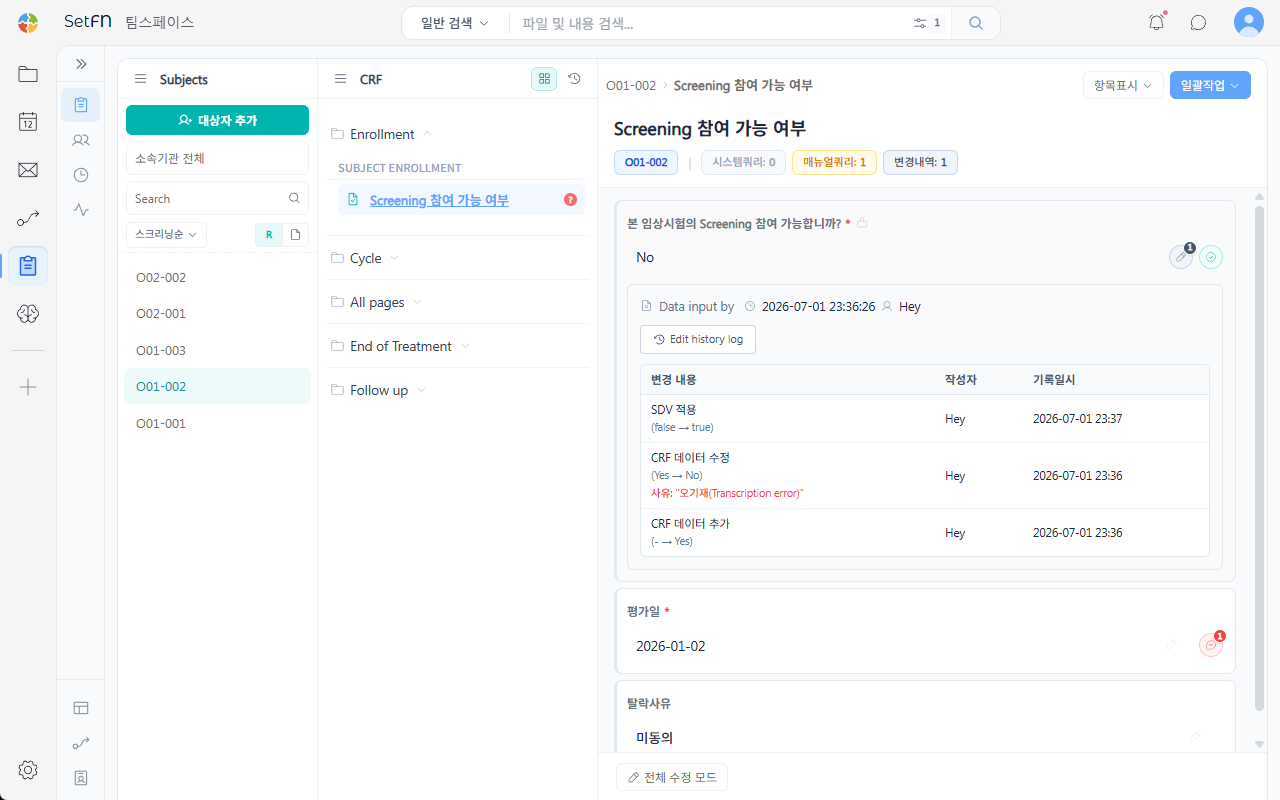
- Field-level history: Check the change content, author, and timestamp in an item's
Edit history log.
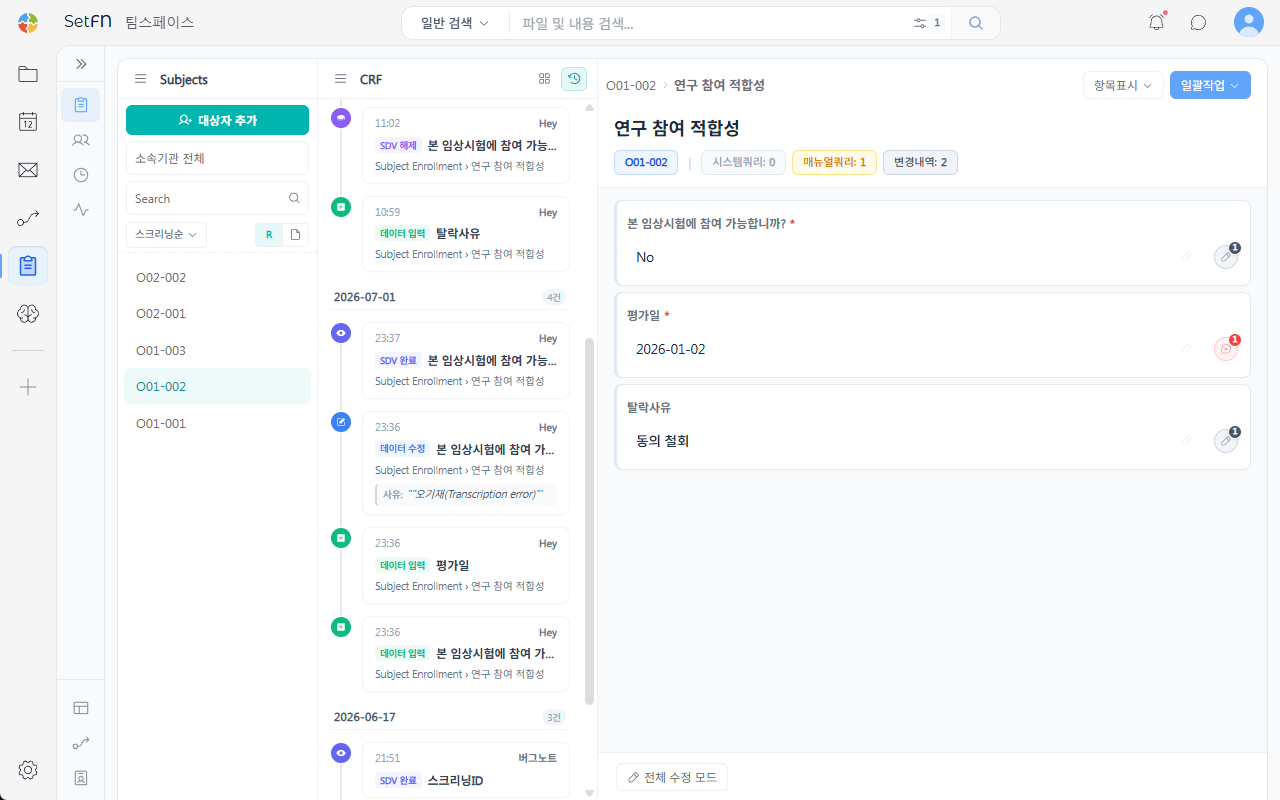
- Full subject-level history: In
Activity Log, check every activity (data entry, modification, SDV, etc.) that occurred for that subject, in chronological order.
Good to Know
- Locked data must be unlocked before it can be modified.