'/%3e%3cpath%20id='cross_2'%20data-name='cross%202'%20class='cls-2'%20d='M20.612,30.43h0a5.361,5.361,0,1,0-10.723,0H0A33.709,33.709,0,0,1,30.569,0V9.75a5.361,5.361,0,1,1,0,10.723V30.43Z'%20transform='translate(67.193%200.007)%20rotate(90)'/%3e%3cpath%20id='cross_3'%20data-name='cross%203'%20class='cls-3'%20d='M20.612,30.43h0a5.361,5.361,0,1,0-10.723,0H0A33.709,33.709,0,0,1,30.569,0V9.75a5.361,5.361,0,1,1,0,10.723V30.43Z'%20transform='translate(67.186%2067.041)%20rotate(180)'/%3e%3cpath%20id='cross_4'%20data-name='cross%204'%20class='cls-4'%20d='M20.6,30.5h0a5.361,5.361,0,1,0-10.723,0H0A33.71,33.71,0,0,1,30.56,0V9.818a5.361,5.361,0,1,1,0,10.723V30.5Z'%20transform='translate(0%2067.041)%20rotate(-90)'/%3e%3c/svg%3e)
User/Site Settings
Registering an EDC user doesn't mean creating a new account — it means selecting from among the members already registered in your space. Without any separate sign-up or invitation process, you can designate a team member already in your workspace directly as an EDC user.
Manage these under the Account menu's User Management and Sites tabs.
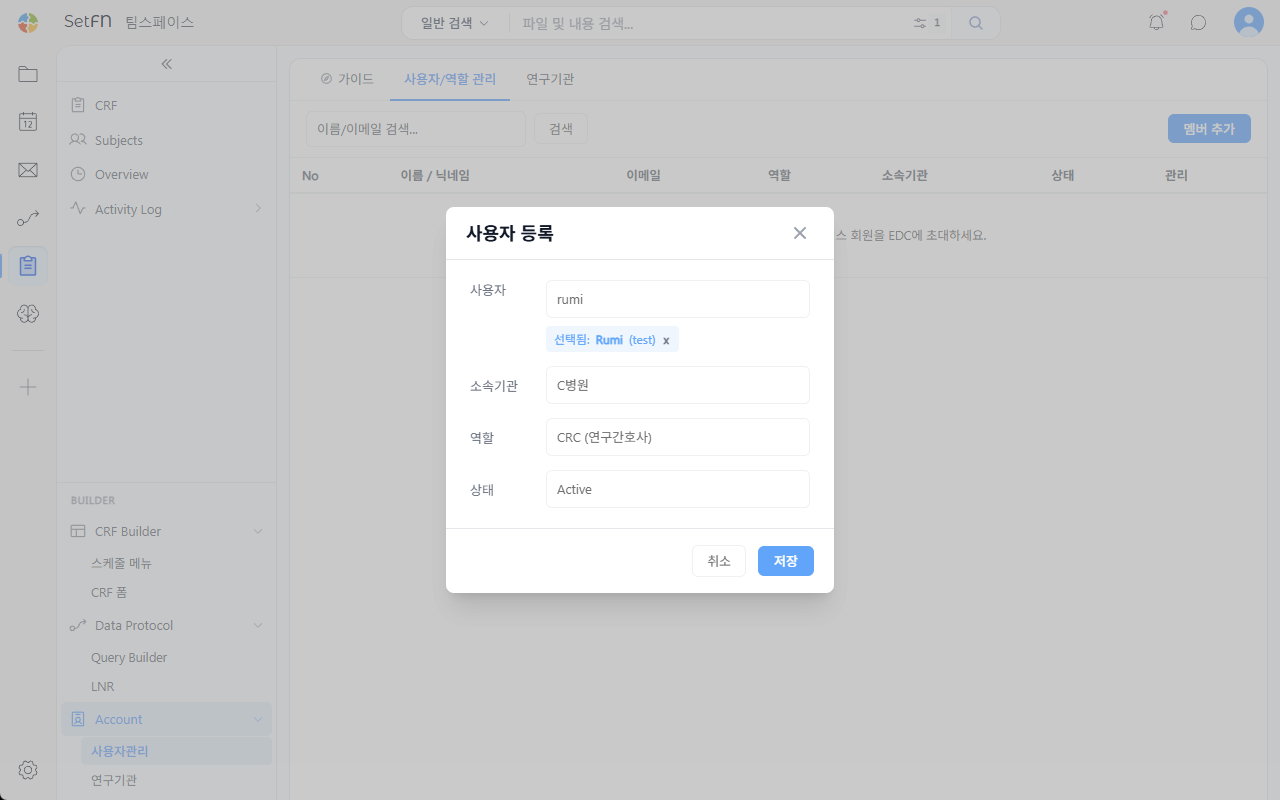
User Registration
Click the Add Member button and search for a user already registered in your space to select them. Then specify their affiliated site, role (e.g., CRC / research nurse), and status (Active).
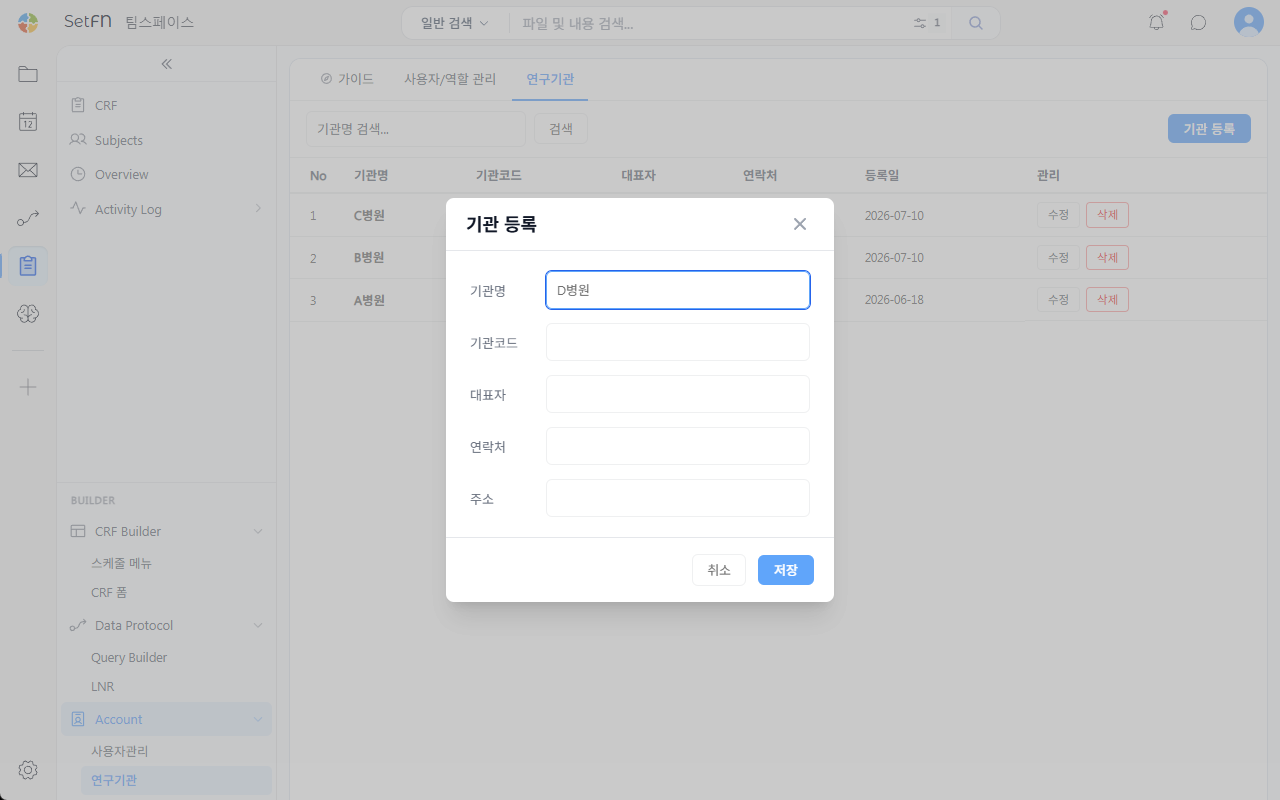
Site Registration
Click the Add Site button and enter the site name, site code, representative, contact information, and address. You can edit or delete sites from the registered site list.
Good to Know
- To register someone as an EDC user, that member must already be registered in your space.
- Access to data entry, SDV, and the Builder may vary depending on the user's role.