'/%3e%3cpath%20id='cross_2'%20data-name='cross%202'%20class='cls-2'%20d='M20.612,30.43h0a5.361,5.361,0,1,0-10.723,0H0A33.709,33.709,0,0,1,30.569,0V9.75a5.361,5.361,0,1,1,0,10.723V30.43Z'%20transform='translate(67.193%200.007)%20rotate(90)'/%3e%3cpath%20id='cross_3'%20data-name='cross%203'%20class='cls-3'%20d='M20.612,30.43h0a5.361,5.361,0,1,0-10.723,0H0A33.709,33.709,0,0,1,30.569,0V9.75a5.361,5.361,0,1,1,0,10.723V30.43Z'%20transform='translate(67.186%2067.041)%20rotate(180)'/%3e%3cpath%20id='cross_4'%20data-name='cross%204'%20class='cls-4'%20d='M20.6,30.5h0a5.361,5.361,0,1,0-10.723,0H0A33.71,33.71,0,0,1,30.56,0V9.818a5.361,5.361,0,1,1,0,10.723V30.5Z'%20transform='translate(0%2067.041)%20rotate(-90)'/%3e%3c/svg%3e)
Checking Activity History
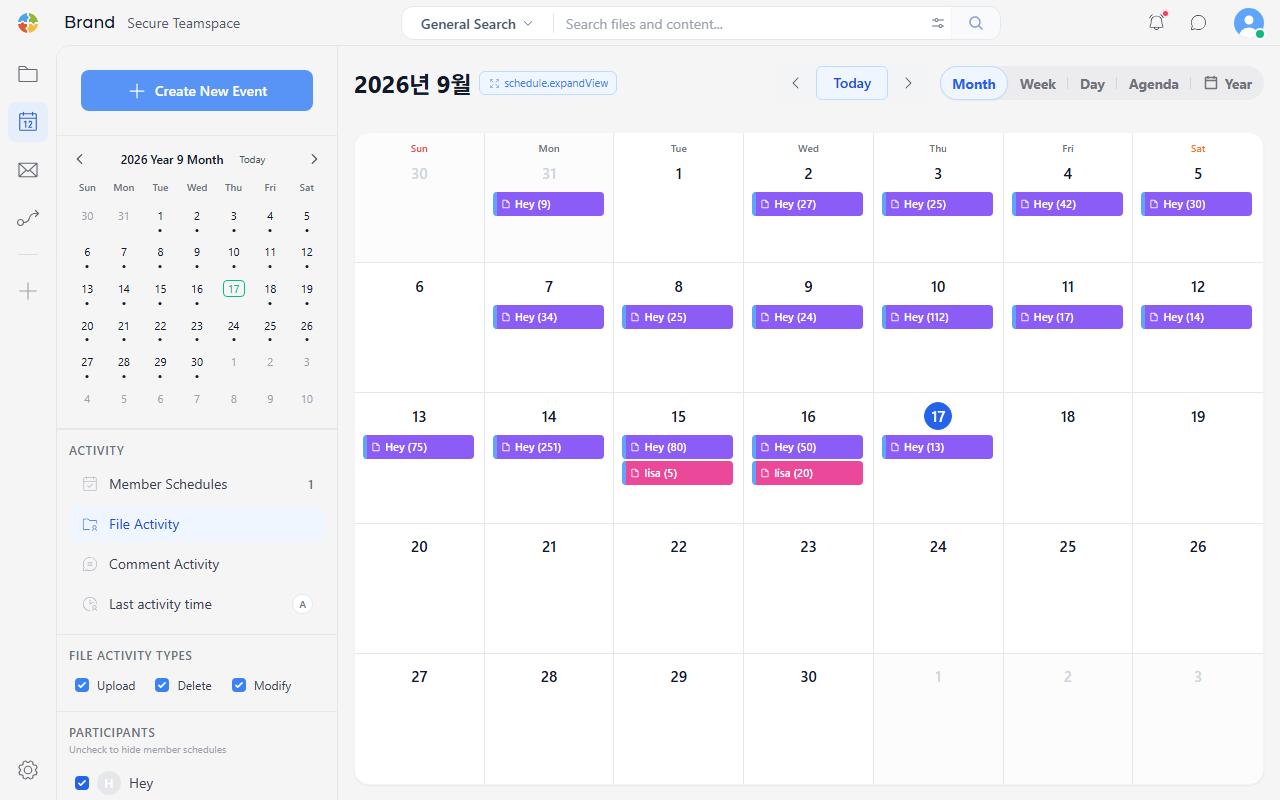
You can check your team's activity history by selecting the File Activity, Comment Activity, and Last Activity Time tabs in the "Activity" area of the calendar's left panel.
File Activity
You can check, by date, the files that team members have created or modified. This is useful for administrators who need to understand the team's work status.
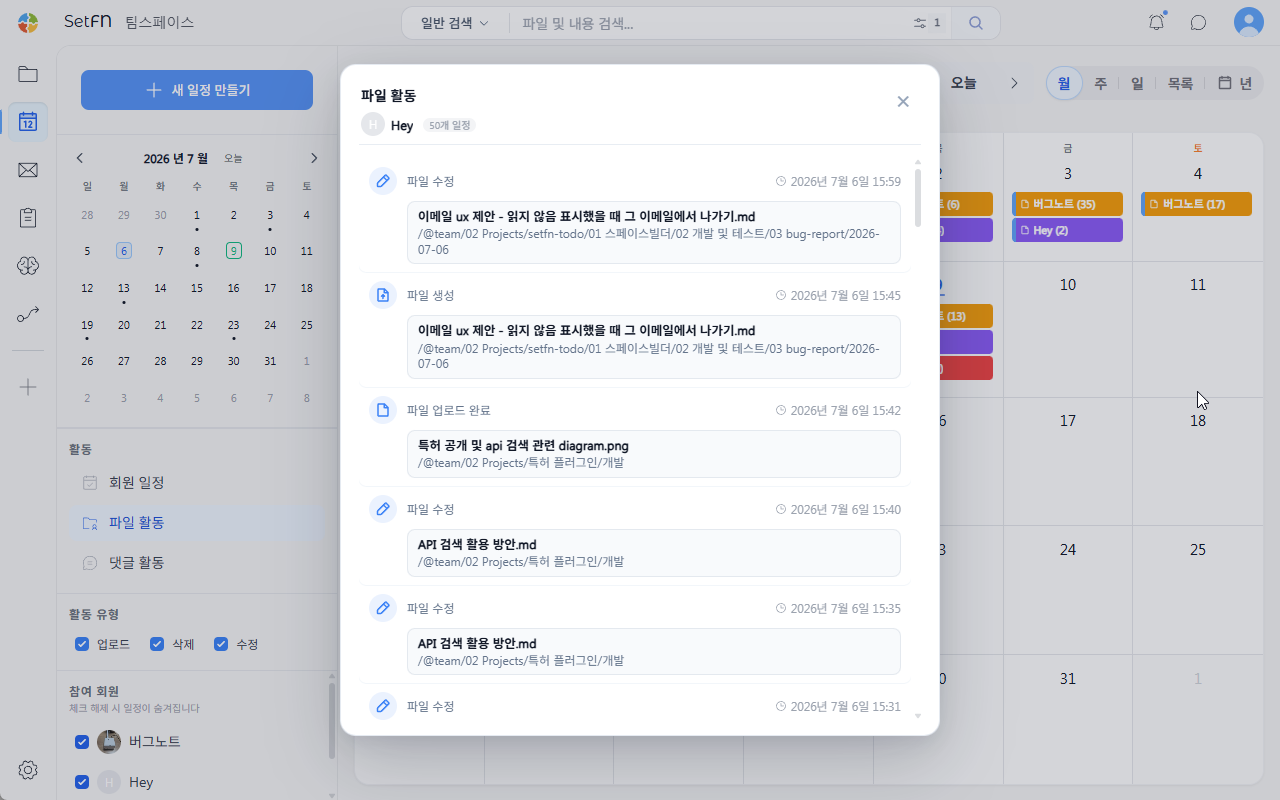
File Activity Details
Click a date on the calendar to see a detailed view of what activity occurred.
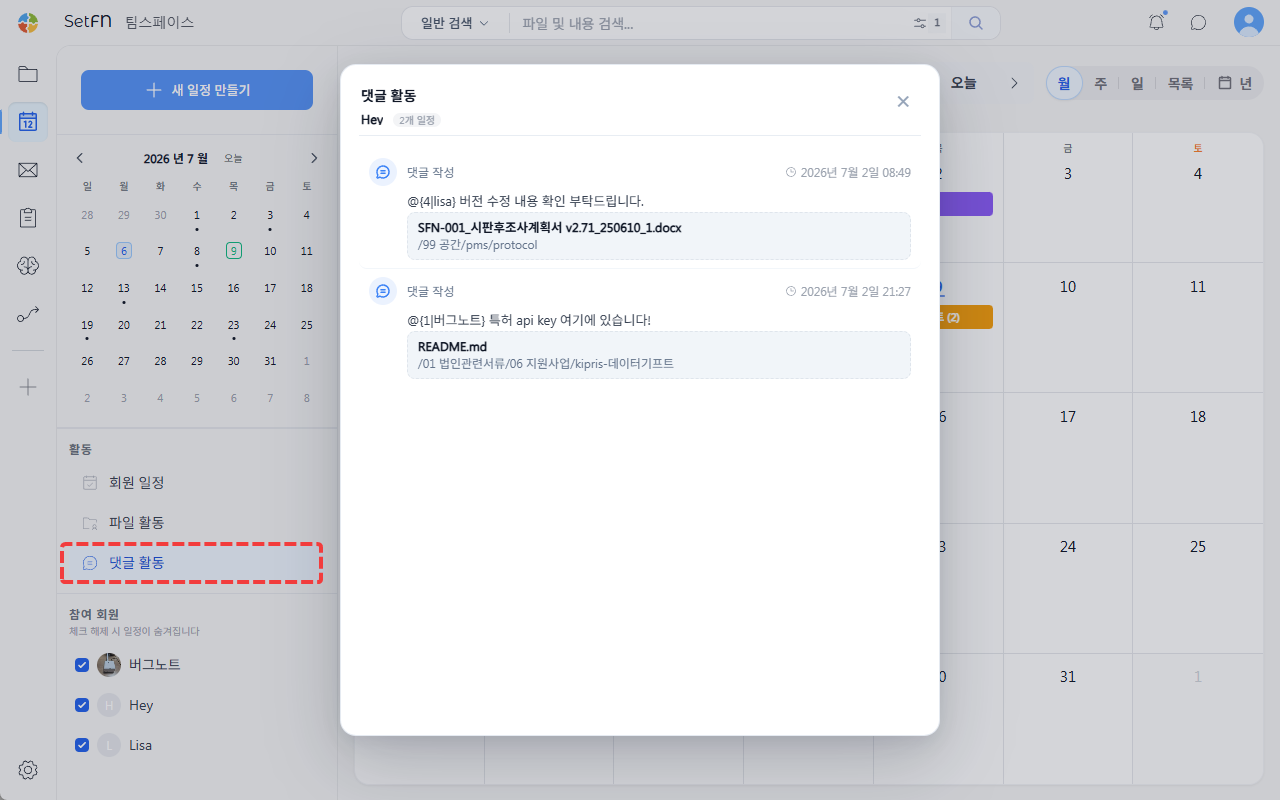
Comment Activity
You can view all comments team members have left on files or folders, gathered in one place.
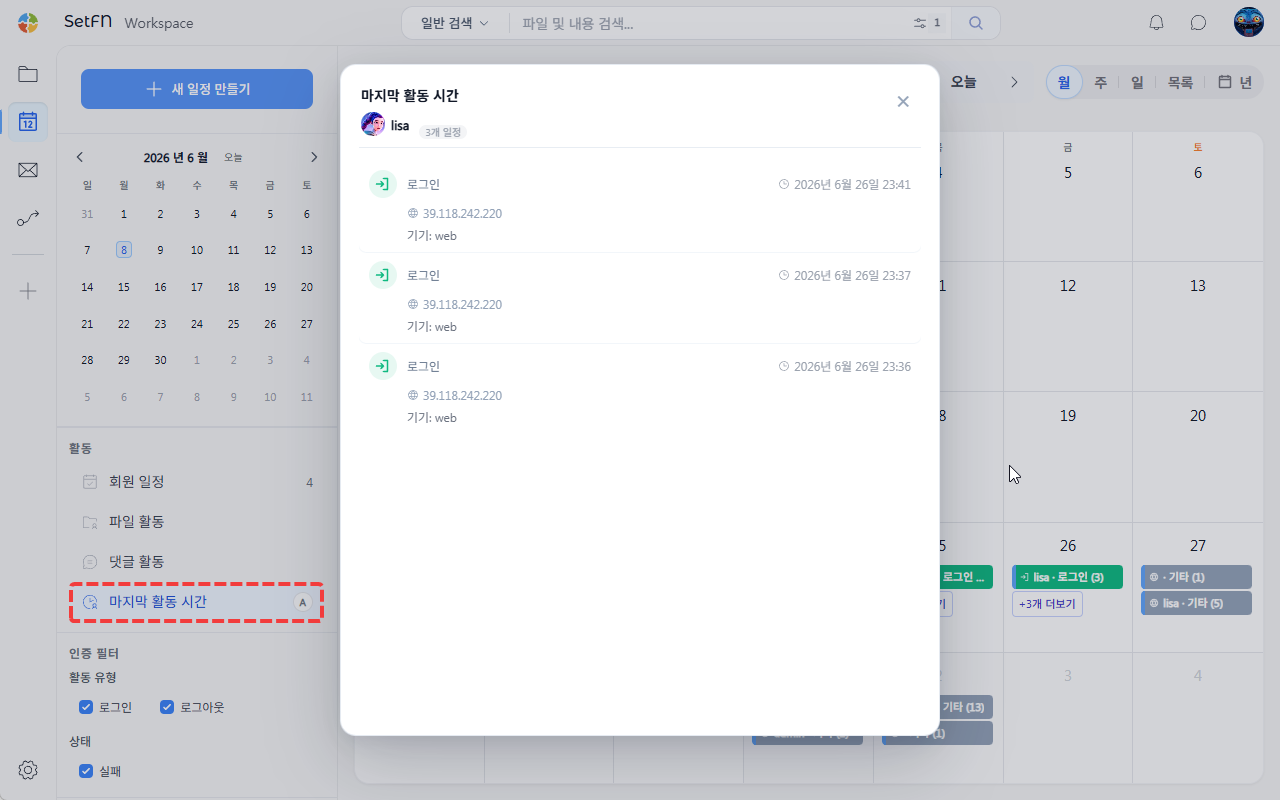
Last Activity Time
You can see the last activity (login) time for each team member. This can be used as a simple way to check attendance.