'/%3e%3cpath%20id='cross_2'%20data-name='cross%202'%20class='cls-2'%20d='M20.612,30.43h0a5.361,5.361,0,1,0-10.723,0H0A33.709,33.709,0,0,1,30.569,0V9.75a5.361,5.361,0,1,1,0,10.723V30.43Z'%20transform='translate(67.193%200.007)%20rotate(90)'/%3e%3cpath%20id='cross_3'%20data-name='cross%203'%20class='cls-3'%20d='M20.612,30.43h0a5.361,5.361,0,1,0-10.723,0H0A33.709,33.709,0,0,1,30.569,0V9.75a5.361,5.361,0,1,1,0,10.723V30.43Z'%20transform='translate(67.186%2067.041)%20rotate(180)'/%3e%3cpath%20id='cross_4'%20data-name='cross%204'%20class='cls-4'%20d='M20.6,30.5h0a5.361,5.361,0,1,0-10.723,0H0A33.71,33.71,0,0,1,30.56,0V9.818a5.361,5.361,0,1,1,0,10.723V30.5Z'%20transform='translate(0%2067.041)%20rotate(-90)'/%3e%3c/svg%3e)
Calendar Introduction
The Calendar plugin lets you create events within your SetFN workspace and share them with team members. Without needing an external calendar service, you can handle internal calendar sharing, schedule management, and activity history all in one place.
Calendar Screen Layout
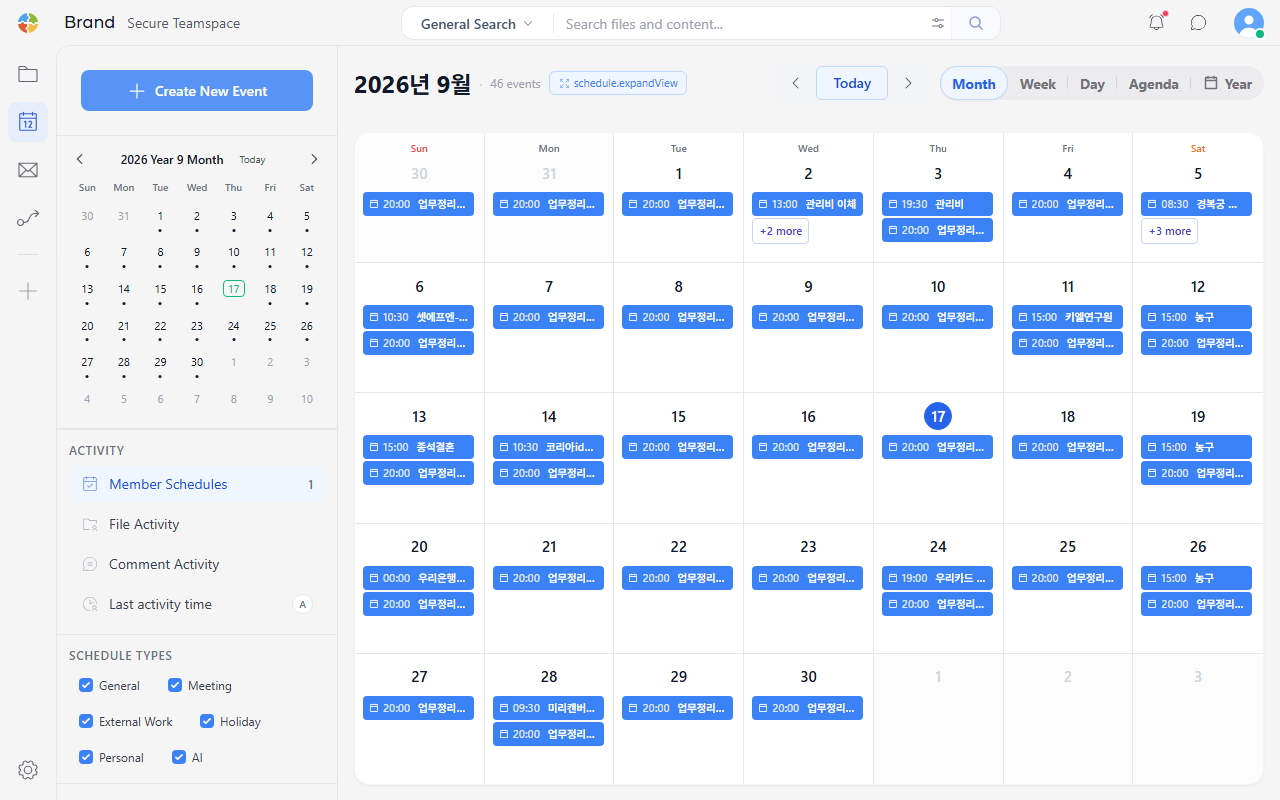
The Calendar plugin offers month, week, and day views. Manage your calendar list from the left panel, and view events in the main area on the right.
| Area | Description |
|---|---|
| Calendar list | Shows personal calendars and team calendars separately |
| View switcher | Switch between month, week, and day views |
| Event display | Shows events registered for each date, color-coded |
| Quick create | Click a date to add an event immediately |
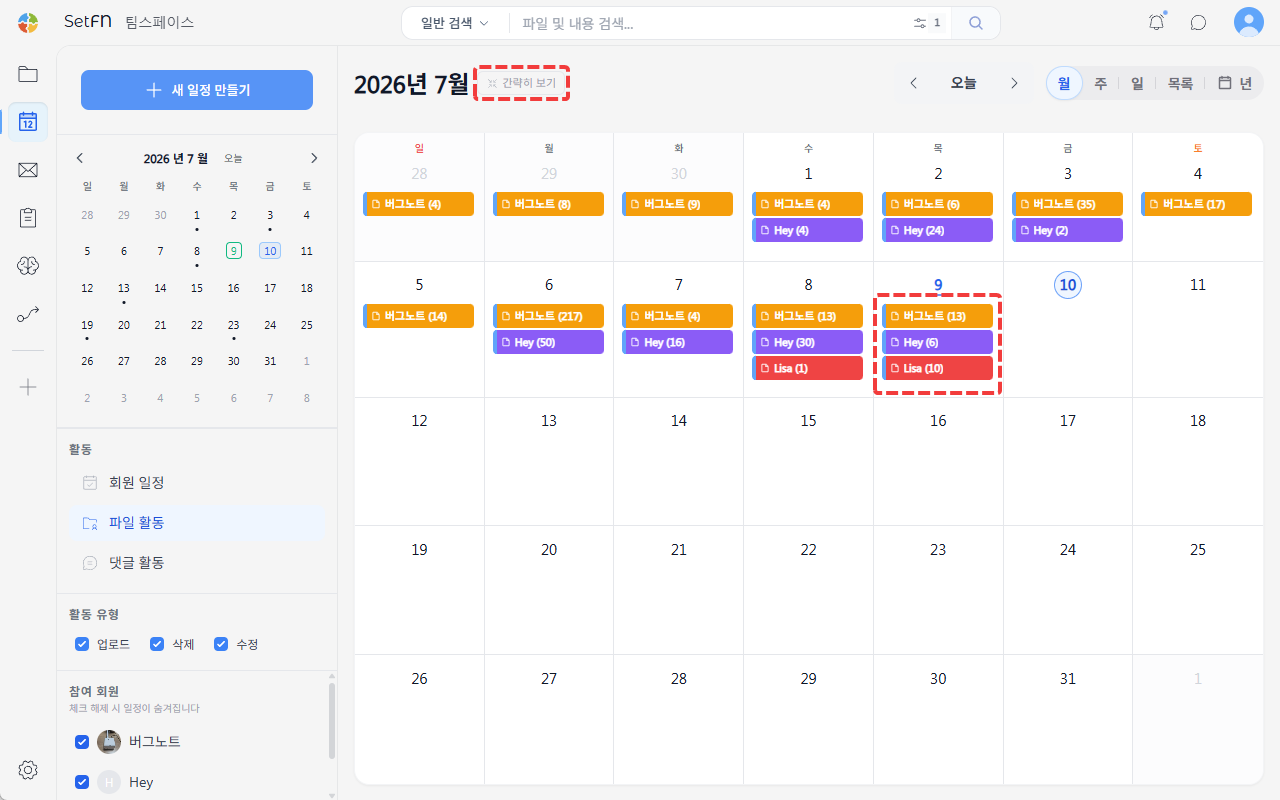
Expand All
- In month view, use
Expand All/Collapsenext to the month label to change how events are displayed. - Selecting
Collapseshows only a few events, with the rest shown as something like+3 more.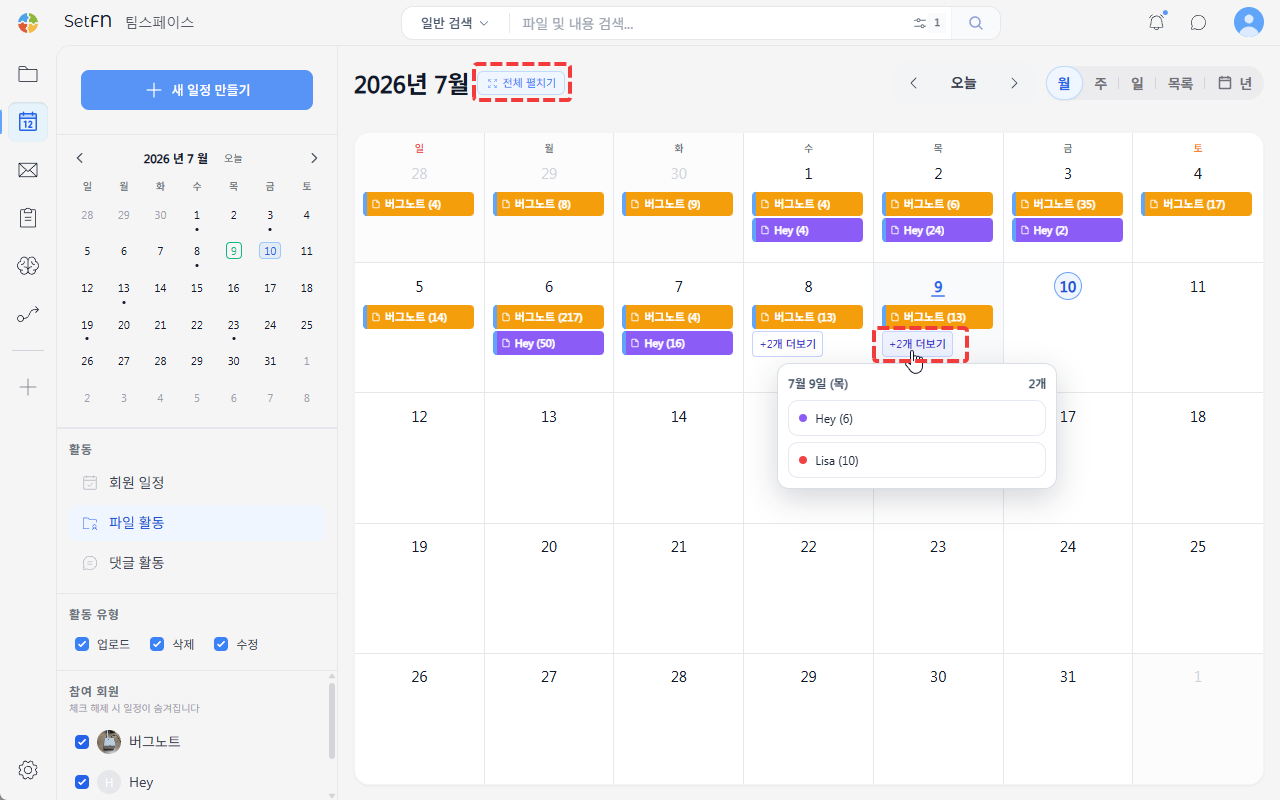
- Selecting
Expand Allshows every event. This is useful for teams that need to see at a glance what's scheduled and at what time.