'/%3e%3cpath%20id='cross_2'%20data-name='cross%202'%20class='cls-2'%20d='M20.612,30.43h0a5.361,5.361,0,1,0-10.723,0H0A33.709,33.709,0,0,1,30.569,0V9.75a5.361,5.361,0,1,1,0,10.723V30.43Z'%20transform='translate(67.193%200.007)%20rotate(90)'/%3e%3cpath%20id='cross_3'%20data-name='cross%203'%20class='cls-3'%20d='M20.612,30.43h0a5.361,5.361,0,1,0-10.723,0H0A33.709,33.709,0,0,1,30.569,0V9.75a5.361,5.361,0,1,1,0,10.723V30.43Z'%20transform='translate(67.186%2067.041)%20rotate(180)'/%3e%3cpath%20id='cross_4'%20data-name='cross%204'%20class='cls-4'%20d='M20.6,30.5h0a5.361,5.361,0,1,0-10.723,0H0A33.71,33.71,0,0,1,30.56,0V9.818a5.361,5.361,0,1,1,0,10.723V30.5Z'%20transform='translate(0%2067.041)%20rotate(-90)'/%3e%3c/svg%3e)
Background Services
Monitor and adjust the status of the services that support the feature quality users experience, as well as cleanup and maintenance services.
How to Check
Click System Administration > Background Services > View Details.
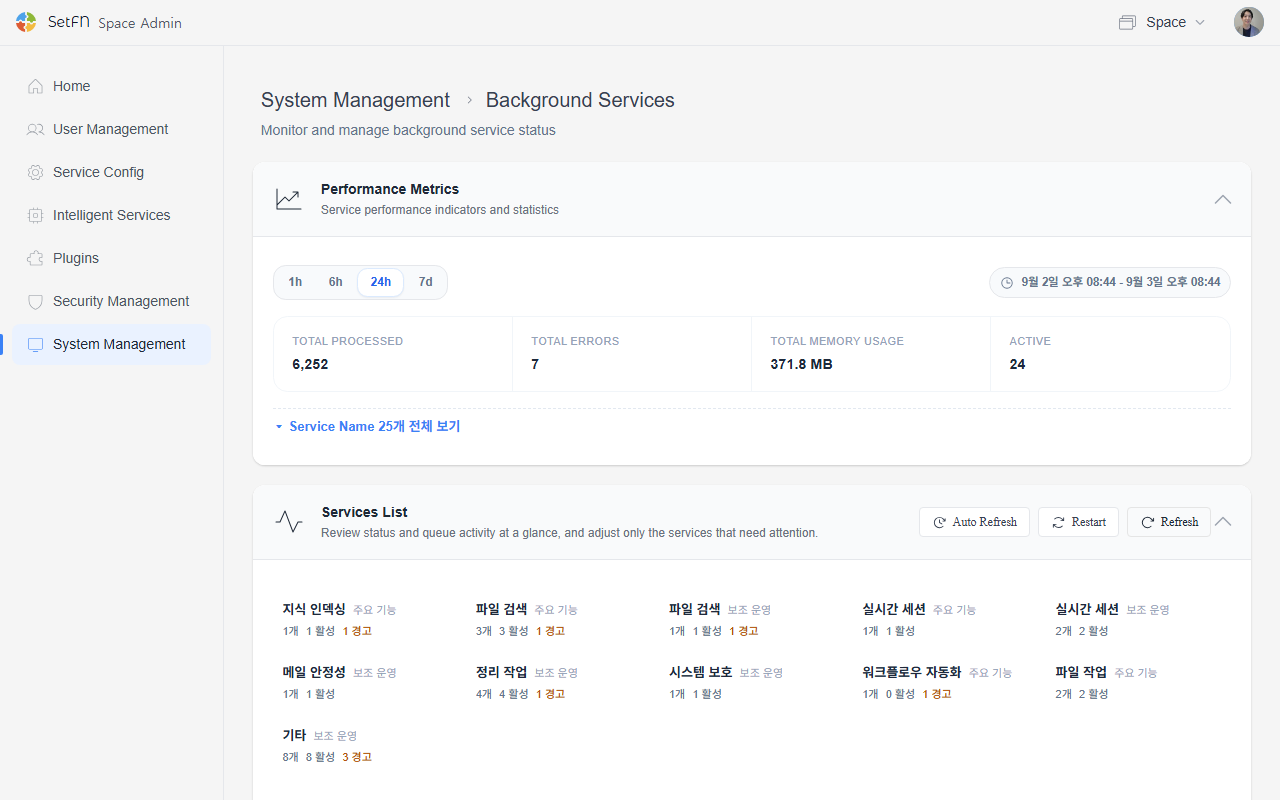
Performance Metrics
Select a lookup period (1h / 6h / 24h / 7d) to see the overall statistics for that period.
| Item | Description |
|---|---|
| Total throughput | The number of jobs processed by all services |
| Total errors | The number of errors that occurred |
| Total memory usage | The combined memory usage of all services |
| Active | The number of services currently running |
You can view the number of jobs processed, processing rate, memory usage, and uptime for each service in a list.
Service List
Services are divided into two categories: Core Features and Auxiliary Operations.
Core Features
Services that directly support the feature quality users experience.
| Service | Category | Description |
|---|---|---|
| Knowledge indexer | Knowledge indexing | Reads and splits documents into data the AI can search. |
| File indexing scheduler | File search | Periodically refreshes the file search index. |
| Metadata autocomplete | File search | Prepares autocomplete candidates from file information to assist search input. |
| Recent files cache | File search | Maintains temporary data to quickly display the recent files list. |
| Transform ingest | File operations | Detects new and converted files and forwards them for preview generation, text extraction, and AI search processing. |
| Realtime chat persistence | Real-time sessions | Safely commits real-time conversation content to storage. |
| Filespace batch delete | File operations | Moves multiple files to trash and cleans up their related information. |
Auxiliary Operations
Operational services responsible for cleanup, protection, and maintenance.
| Service | Category | Description |
|---|---|---|
| Index pruner | File search | Cleans up outdated or unnecessary index data. |
| AI request state cleanup | Real-time sessions | Cleans up long-lingering AI request states and response action caches. |
| Session state cleanup | Real-time sessions | Cleans up expired session states to keep real-time connections stable. |
| AI pending state cleanup | Cleanup tasks | Cleans up AI approval-pending, file-creation-pending, and task plan states. |
| File operation task cleanup | Cleanup tasks | Periodically cleans up completed asynchronous file operation states. |
| Temporary access cleanup | Cleanup tasks | Cleans up expired temporary access states and tokens. |
| Upload state cleanup | Cleanup tasks | Cleans up old upload states, conflict information, and user preferences. |
| Memory monitor | System protection | Monitors the memory used by SpaceBuilder to prevent server overload. |
Service Control
Each service can be adjusted individually.
- Pause: Temporarily stops the service.
- Reset counters: Resets statistics to 0. This does not affect actual data.
- Auto-refresh: Refreshes status in real time.
- Restart: Restarts all background services at once.
Service Status
| Status | Description |
|---|---|
| Normal | The service is running normally |
| Waiting | A normal state, waiting for a job to process |
| Paused | The admin has temporarily stopped the service |
| Stopped | The service is not running |
| Warning | An error has occurred or the service needs attention |
In the Warning state, first check the last error and error count. If the error count keeps increasing, restart the service; if the same issue persists, check the server logs.